Can I bulk load assets?
Bulk load assets via the User Interface on the Asset Mgmt screen.
Click Bulk Add.
Follow the instructions for Bulk Update Asset by selecting whether you want to upload stops or objects.
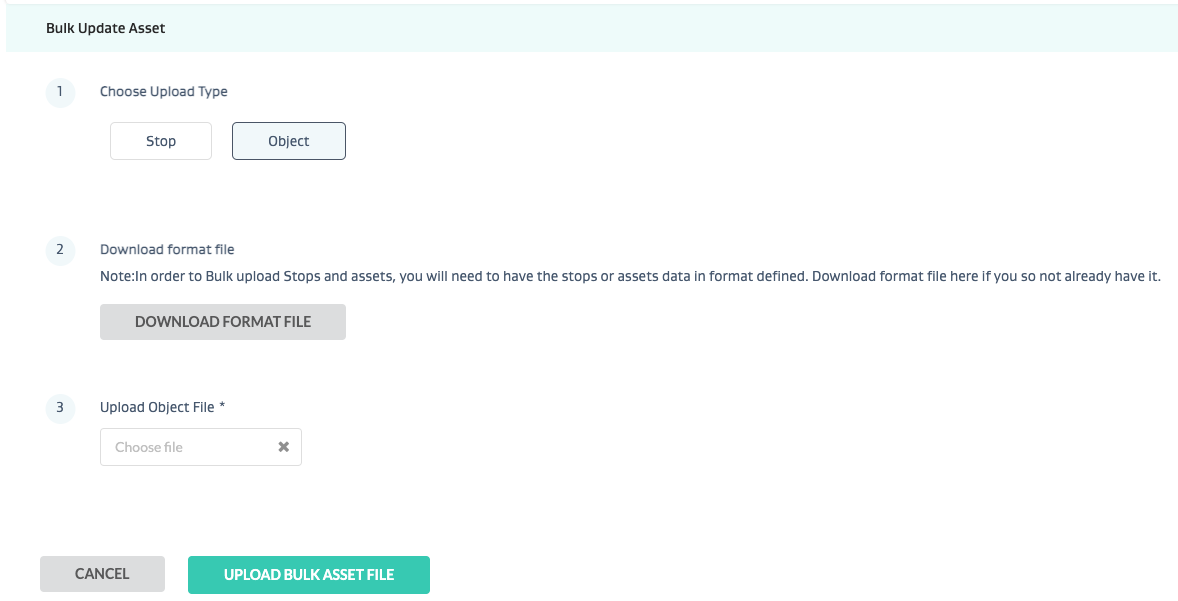
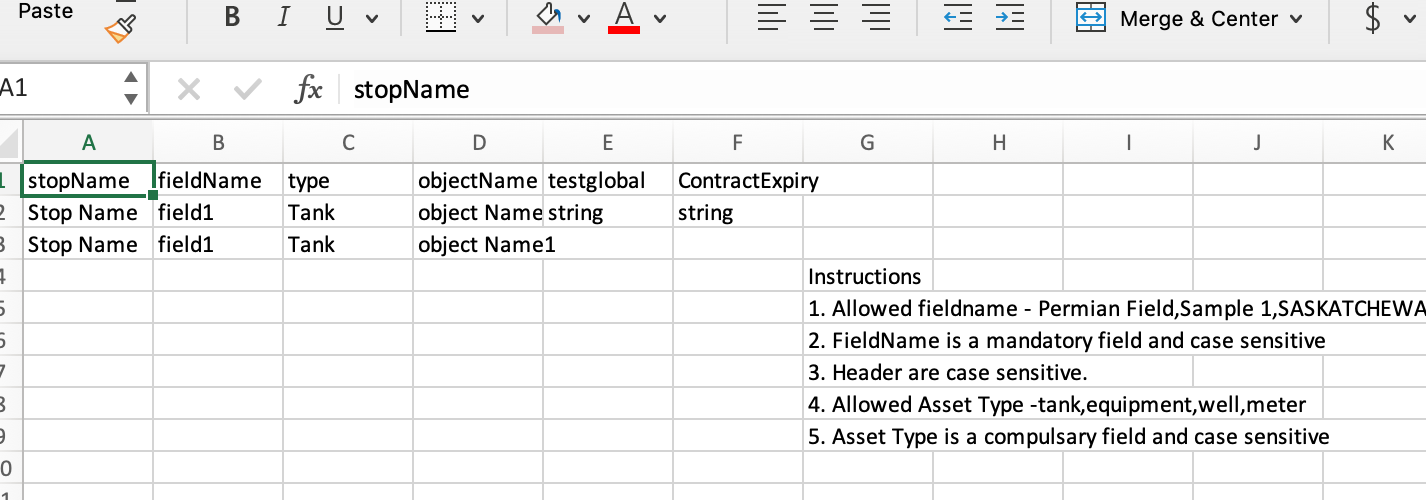
Download the correct format file and fill it out.
Upload Bulk asset file. If data validations occur, review and fix.
Failure to follow the instructions in the Excel sheet when filling out the Bulk asset file could result in errors during upload.