How do I look at the audit history of a task to help me troubleshoot what happened?
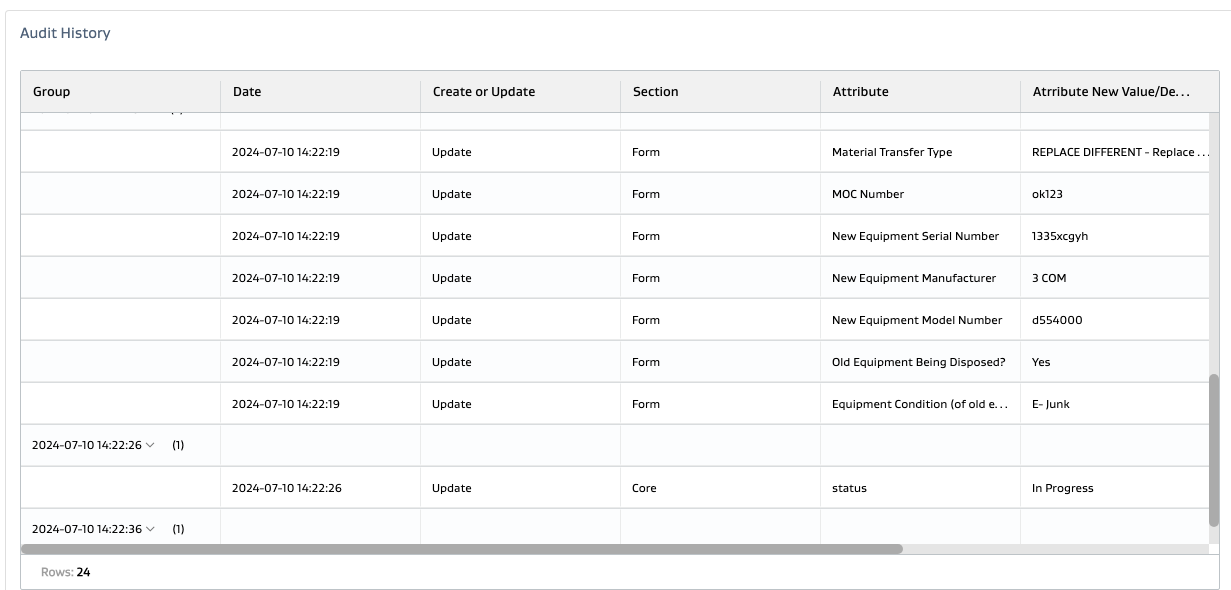
FSM has an audit history for every task right inside the task details when you scroll near the bottom:
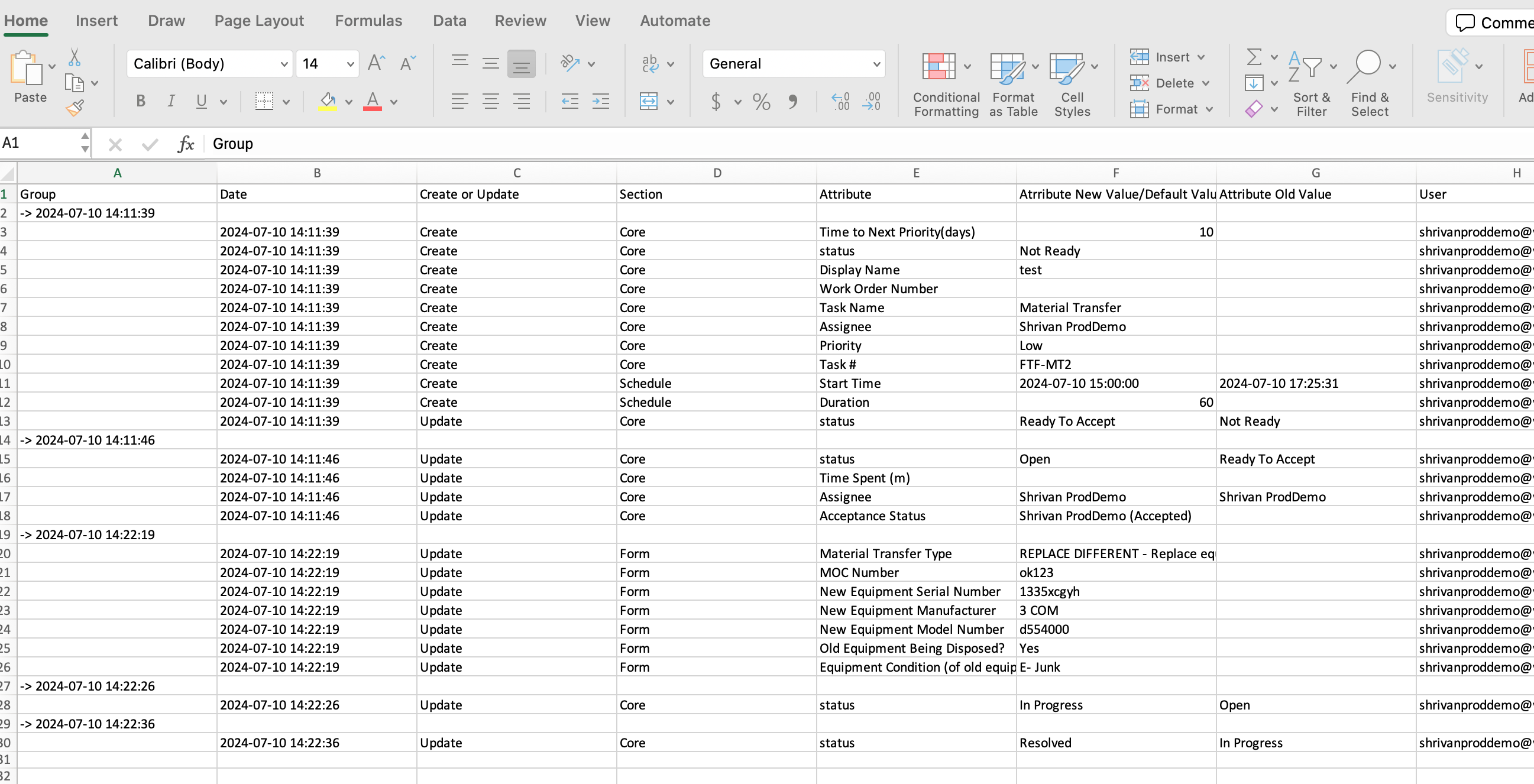
It Groups the updates by date/time stamp and then shows what updates happened during each date/time stamp:
Date/Time
Whether it was a create or an update record
The section of the task the update was in
The attribute where the update was made
The new value of the attribute
The old value of the attribute
The user who made the update
This record can also be downloaded as an excel file: