
How do we setup Custom Monthly ( Non- "Sum of Daily") Allocations?
Client scenario’s which warrant a custom monthly allocation setup:
Infrequent( pump by exception) data capture, with date gaps in the readings.
Straight forward interpolation of the volumes on the volume sources without factoring in the potential downtimes on the wells results in unequal distribution of produced volumes. This would in turn show up as skewed allocations for the dailies and subsequently for the monthy
Some times tank readings are only captured at the end of the month along with multiple tankruntickets entered on a single date ( once a month)
In such cases, we are left with no option but to setup “custom monthly” allocations for oil.
This would ensure, the gauge volumes and the corresponding production volumes captured once are allocated using the allocation-factors summed up across the whole month.
This ensure, any downtime on the wells are appropriately factored in since effective allocation factors used are the aggregated allocation factors for a well across all the dates of the accounting month.
Clients only have single sales volume per disposition point( purchaser statement) which they wish to use for allocations.
Purchaser statements often give a single record information per sales point, for each month.
In such cases, we need to setup custom-monthly allocations which is setup to consume the purchaser statement volumes and allocate them for monthly sales disposition.
Pre-requisites for the Account to run “Custom Monthly Allocations”
It is always good/clean to setup custom monthly allocations for all dispositions of a product, even when the above conditions warrant that for a few dispositions only.
Non-inventory (FIFO) products:
Products such as Gas, have custom monthly allocations enabled by default.
Custom Monthly allocations can be setup independently for each disposition. with no restrictions i.e. you can choose to setup monthly= sum_of_dailies for Gas-Flare, but Gas-Sales you can choose a Monthly=Custom_Monthly.
Inventory (FIFO) products:
Custom-monthly allocations with independent “Monthly ledger” needs to be enabled for the Account. Please reach out to “WEnergy Support” if you wish to setup FIFO ledger process for the monthly allocations independent of the daily allocations.
If a disposition is setup to be custom monthly and the same volume source also contributes to production disposition allocations, then production disposition will also have to be setup as custom_monthly
If custom monthly allocations is configured for a disposition, we need to ensure this is enabled for all the dispositions. Since, allocations for inventory dispositions such as production, sales, purchaser sales, net sales, pipeline sales, trucked sales is completely dependent on the “FIFO ledger”, custom monthly allocations should be configured for all the dispositions to ensure consistency in FIFO process.
Step 1: Setup Allocation Config ratio and volume sources for custom monthlies
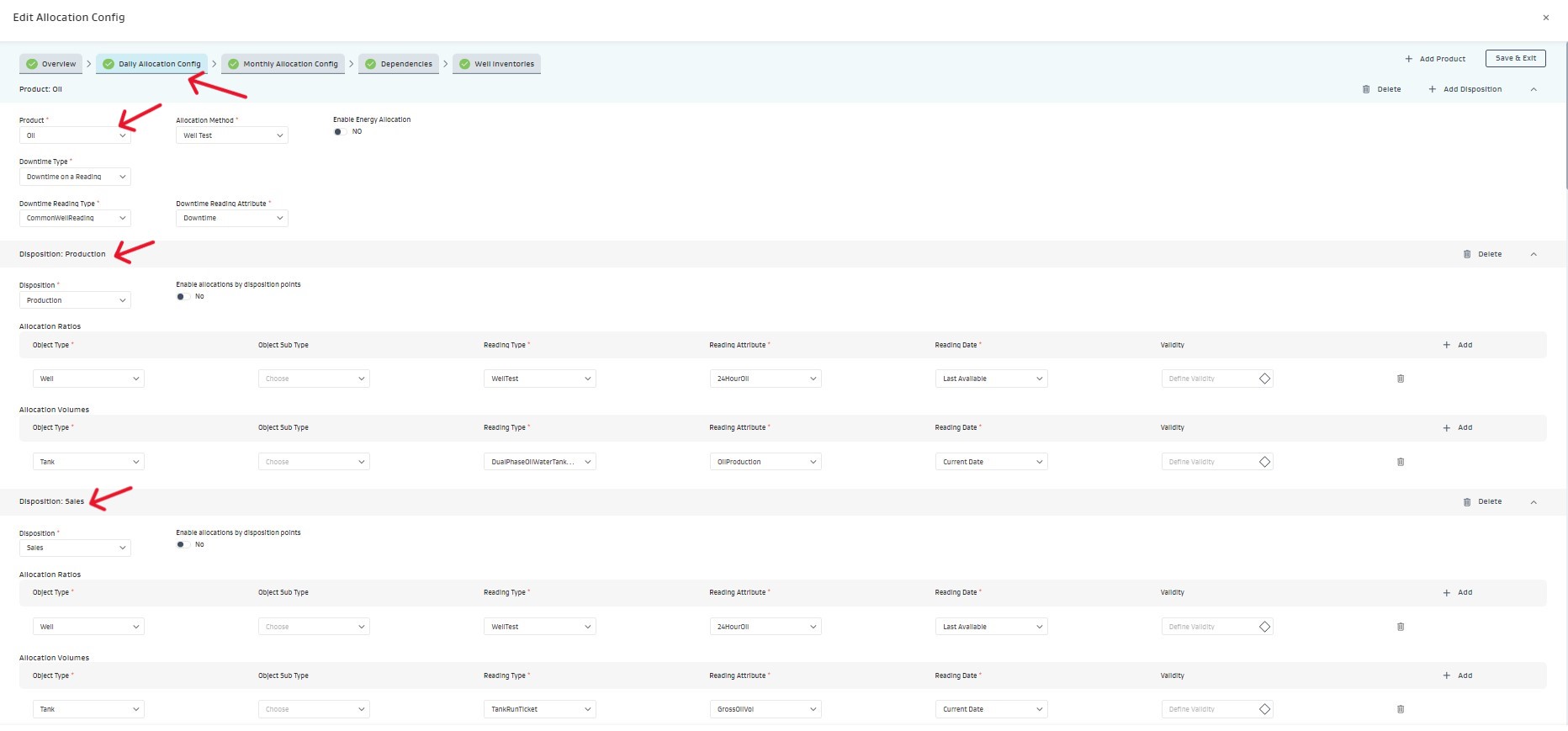
Daily allocation config
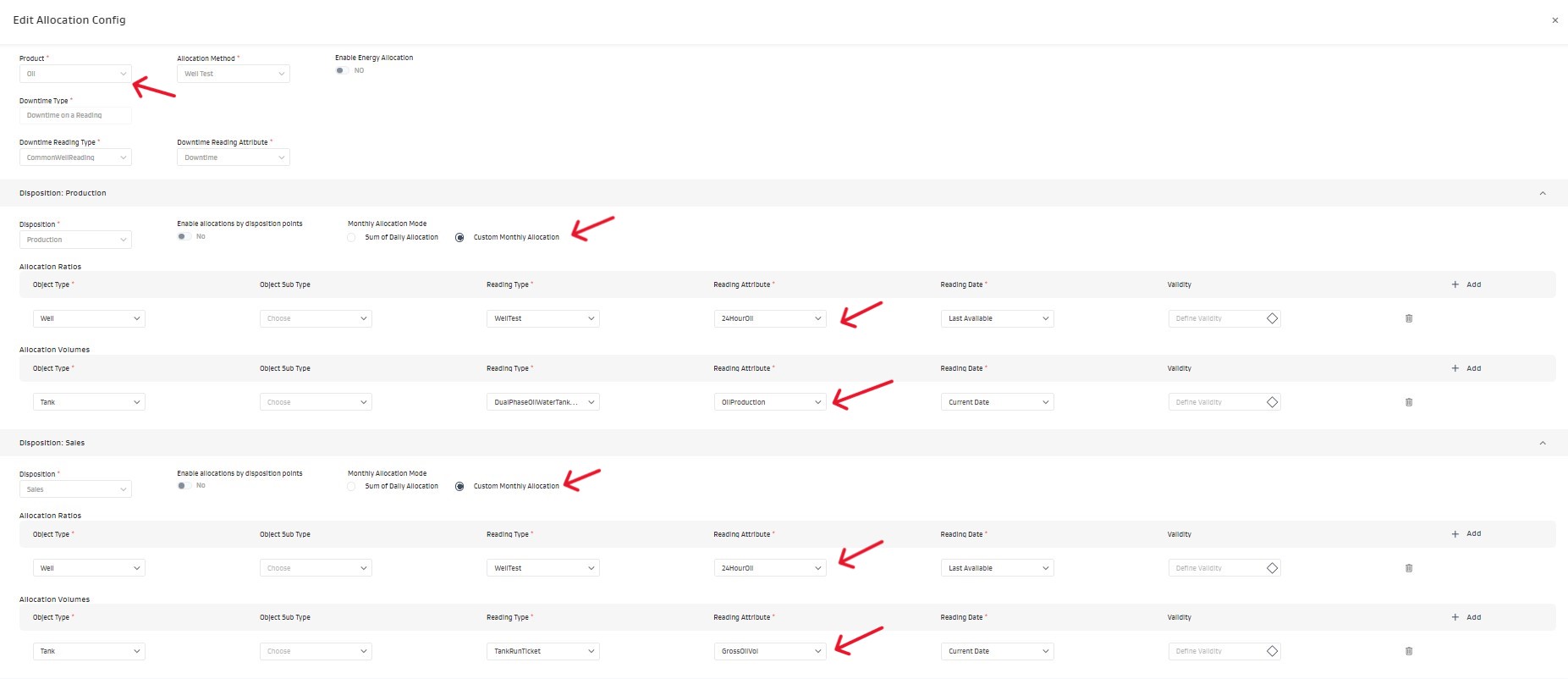
custom monthly allocation config
Step 2: Assign the allocation config and select volume sources for dailies and monthlies
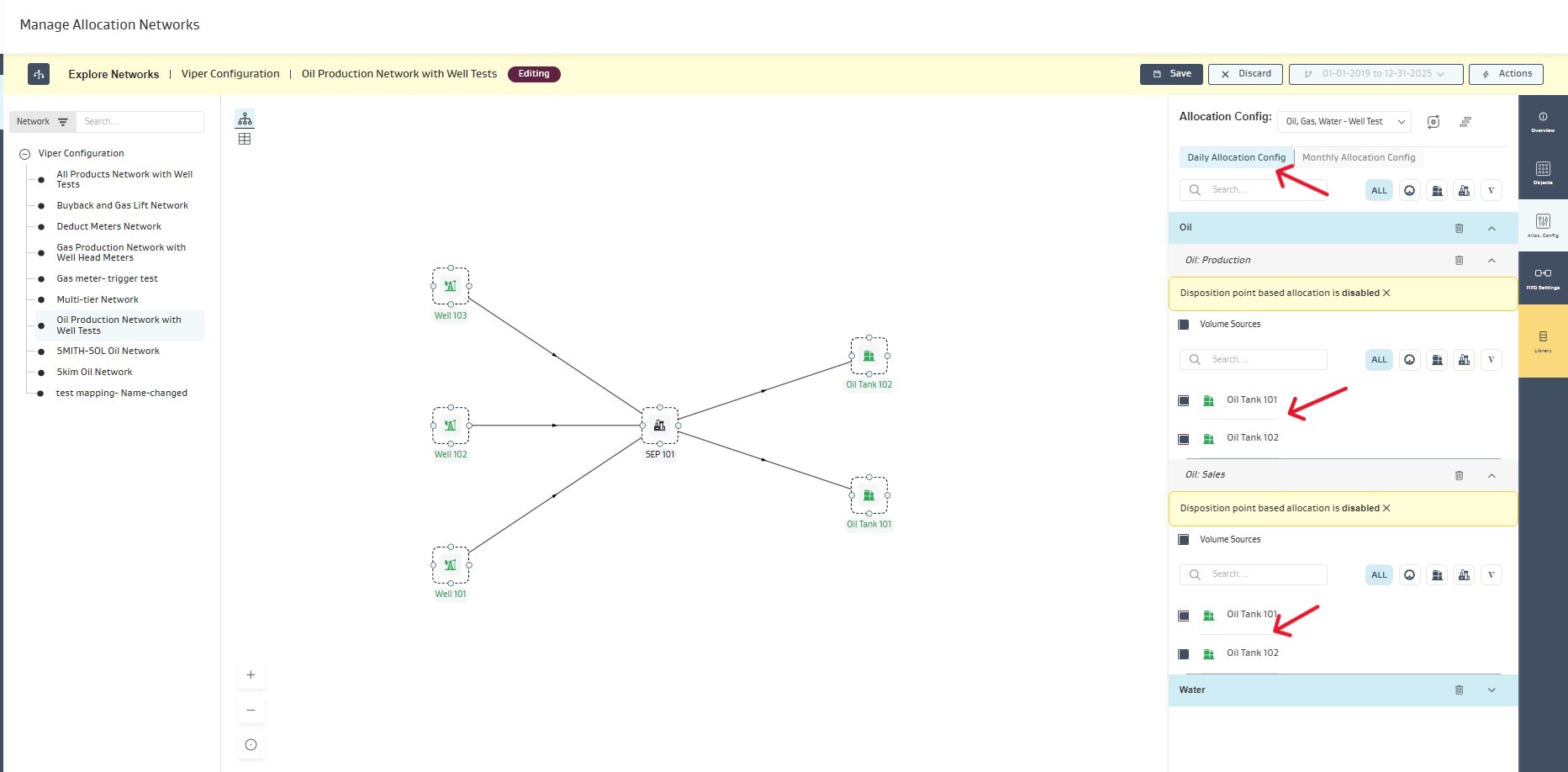
daily allocations volume source
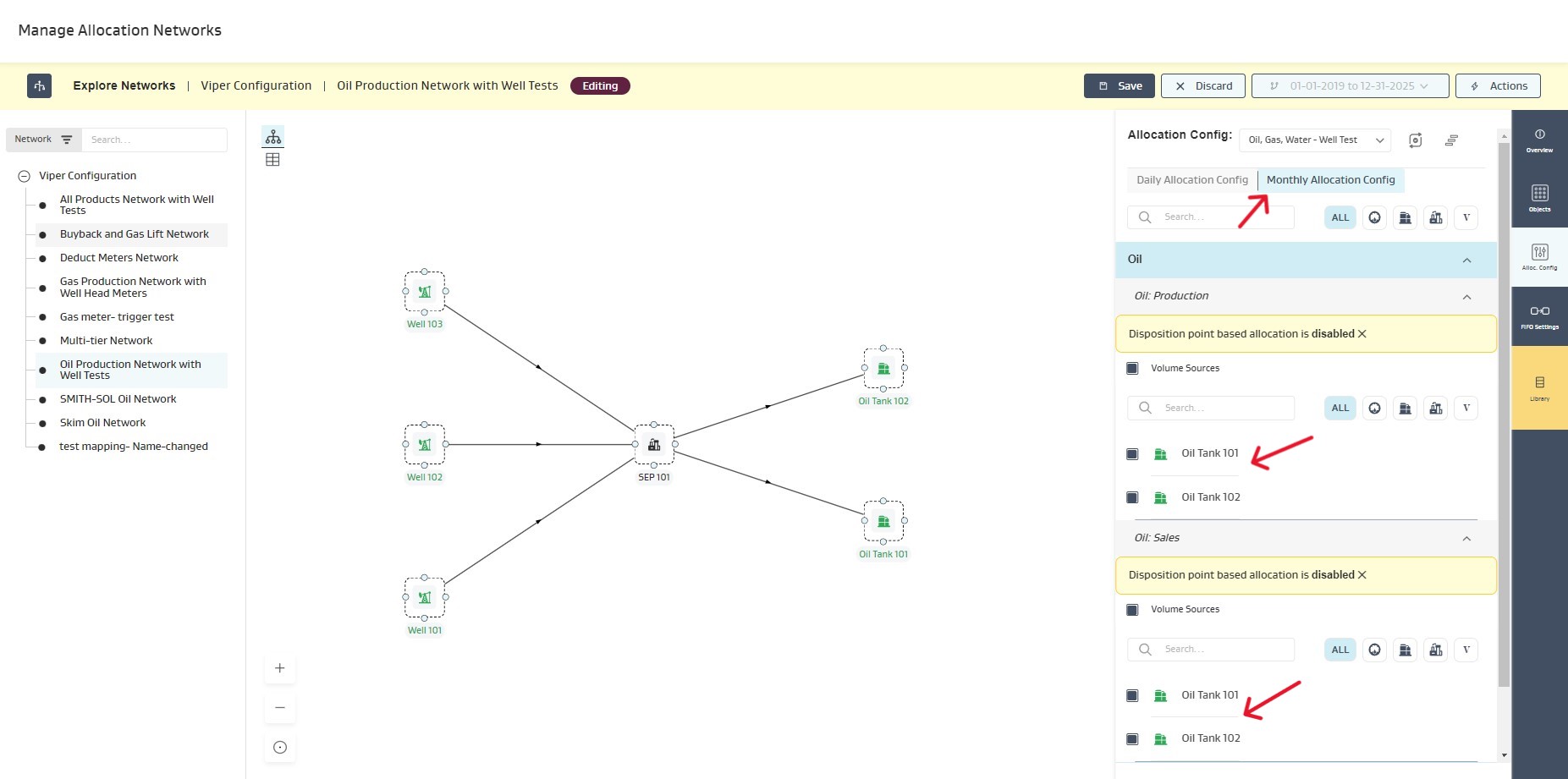
monthly allocations volume source
Step 3: Run Allocations to generate custom-monthly results for products and dispositions
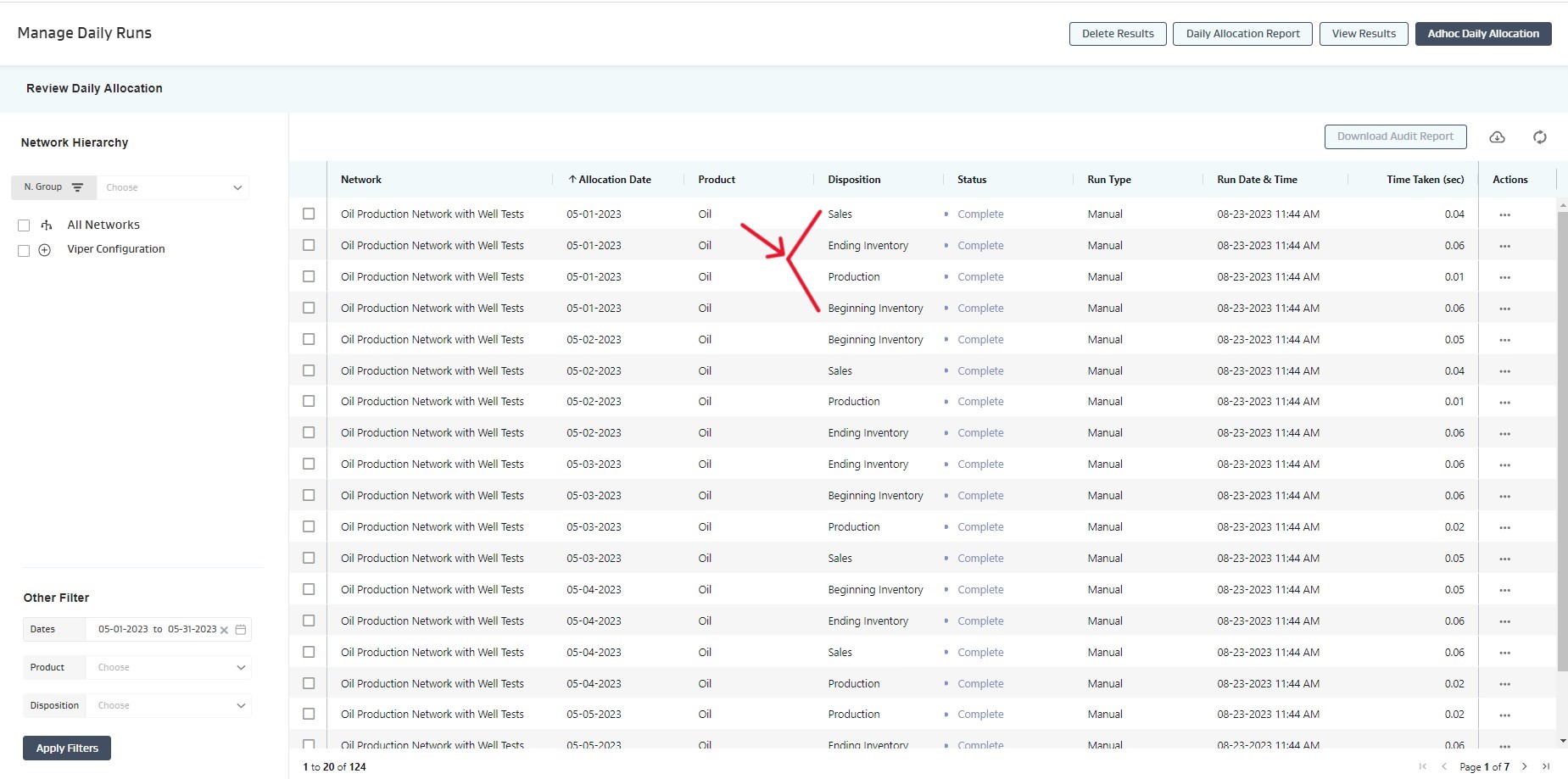
daily allocation results for each of the month
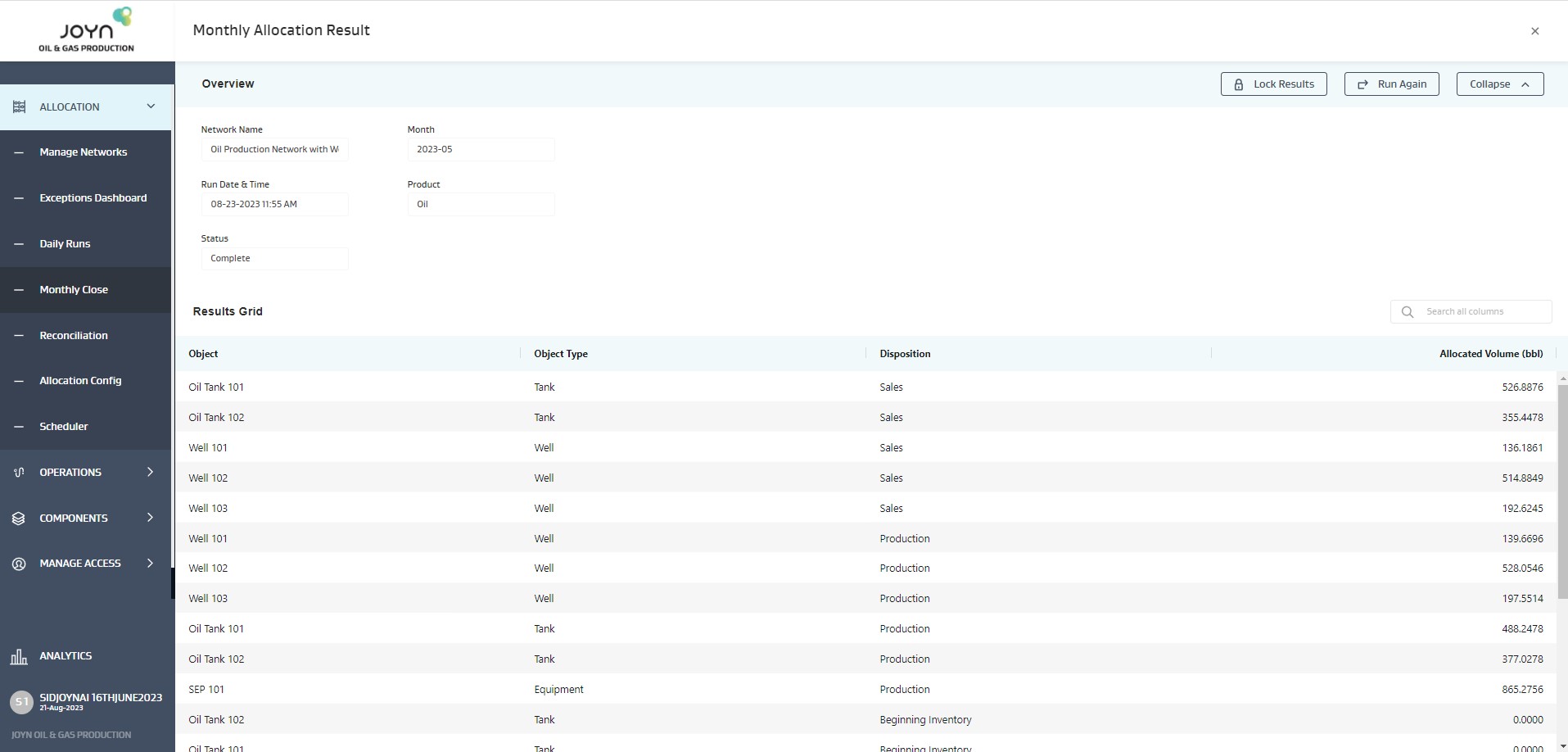
monthly allocation result ( Different from “Sum of dailies”)
Step 4: View independent daily and monthly tank ledgers for oil allocations
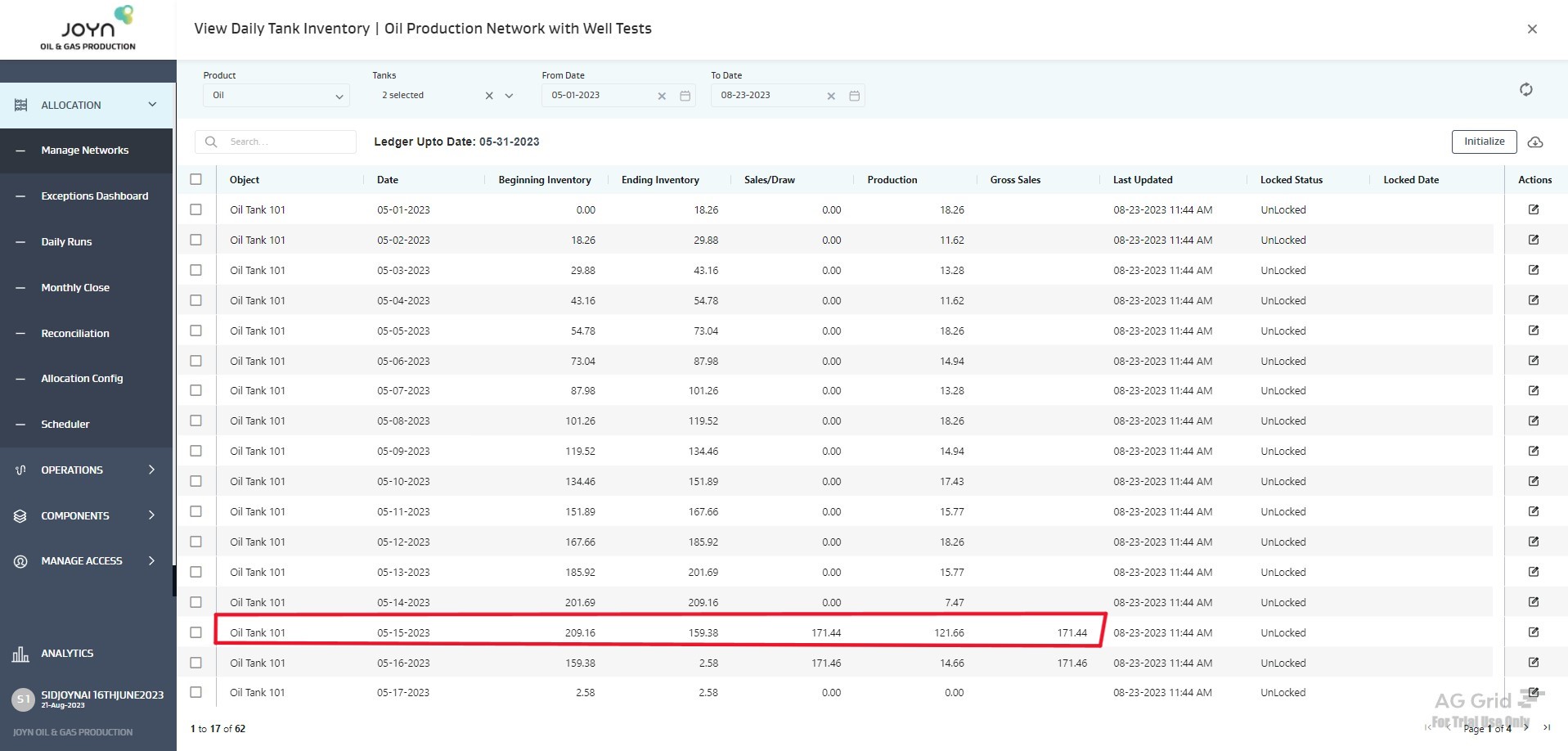
One ledger transaction per day
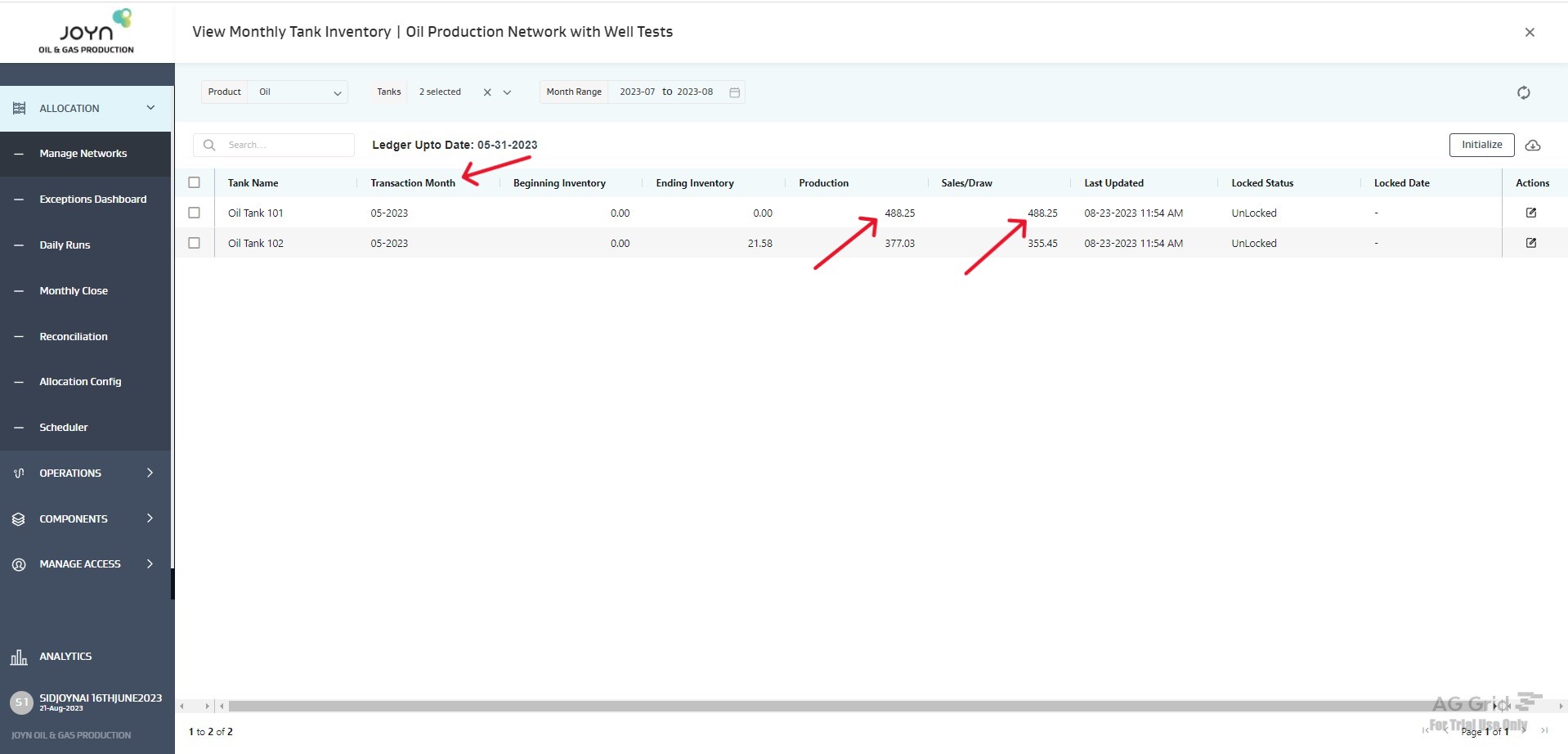
One ledger transaction per month
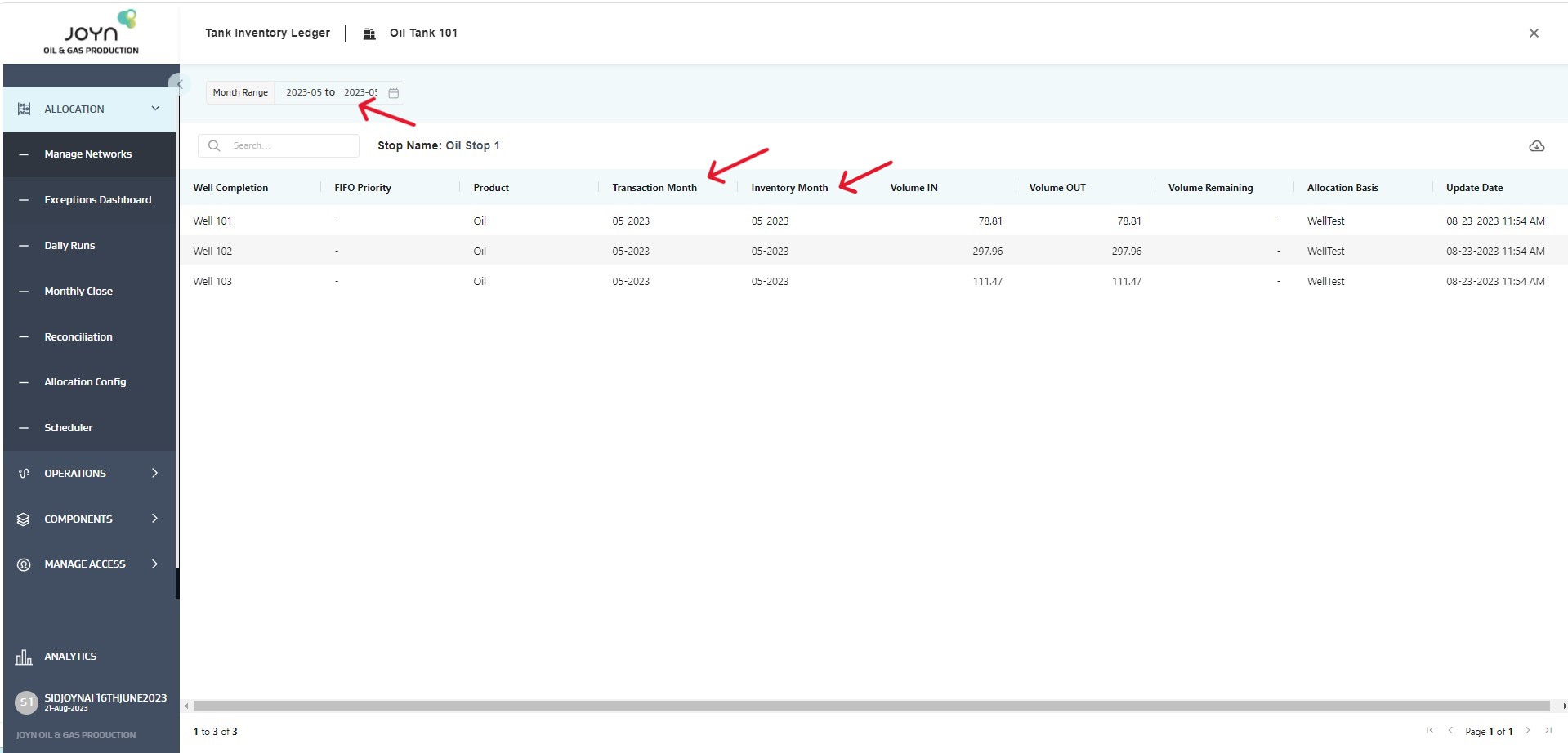
Cumulative monthly ledger volume in and volume out details