How to setup Route MassCarryforward ( MCF) schedules
Pre-Requisites before configuring MassCarryfoward to run at specific scheduled time ( Daily) for routes.
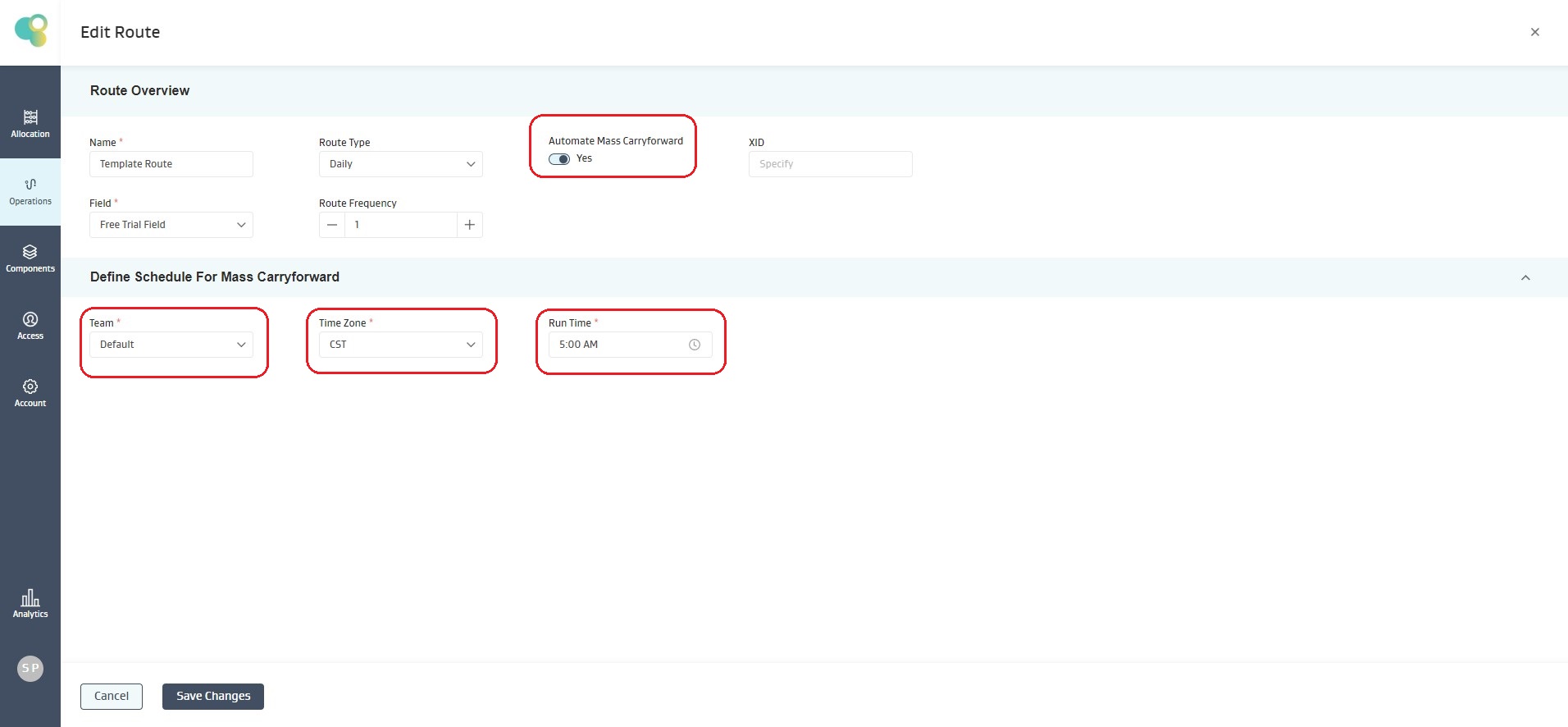
Enable MassCarryfoward for the Account: For any Joyn OG account, scheduled MCF process has to be explicitly enabled. Please contact WEnergy Customer Success Team to have the same enabled for your Account, if it already not. You will see the below UI options enabled, if scheduled-MCF is enabled for your account.
MCF system user: When the system runs MCF for the routes, without the need for pumper manually triggering it form the mobile App, the readings generated through MCF need to a have pre-set “createdby/modifiedby” user. This user has to be explicitly set for your Account. Please contact WEnergy Customer Success Team, to have this user setup/configured for your Account.
Once the above two settings are taken care off, you would be able to configure MCF for each and every route in your account. You would be able to view the below shown settings once you have the above configuration enabled for your account.