How to view the audit of changes to a reading in Joyn O&G?
Joyn O&G saves/processes changes to readings, including the creation of a reading, and makes it available for the user to easily download the same info from “Operations/Manage Readings”
Important details:
Any change made to a reading including to its metadata such as “isFinalised”, “isDeleted” are tracked as changes and shown in the downloaded audit report of the reading.
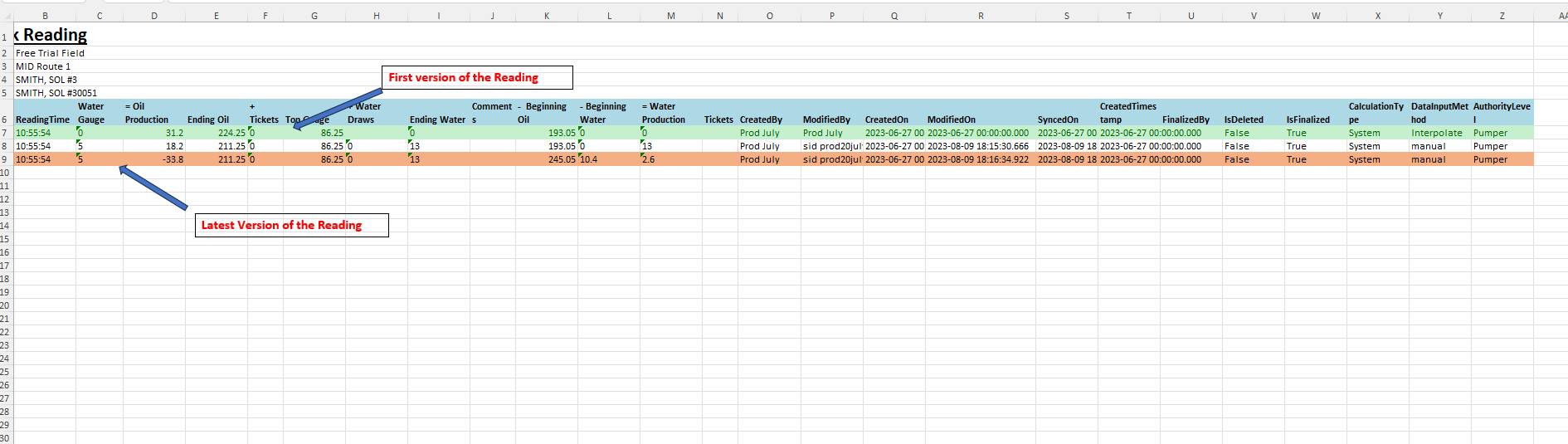
The downloaded file is a flat file version of each reading, which means
Each and every “version” of the reading is downloaded in the file, with all the details of the readings such as attribute info ( Reading Date, Reading Time, Volume, Comment etc) in addition to the non-attribute info such as (“isFinalized”, “isDeleted”, “modifiedby”, “ModifiedOn”, SyncedOn”) are shown in independent columns in the downloaded audit report.
The current capability allows for download of audit report for only one reading at a time.
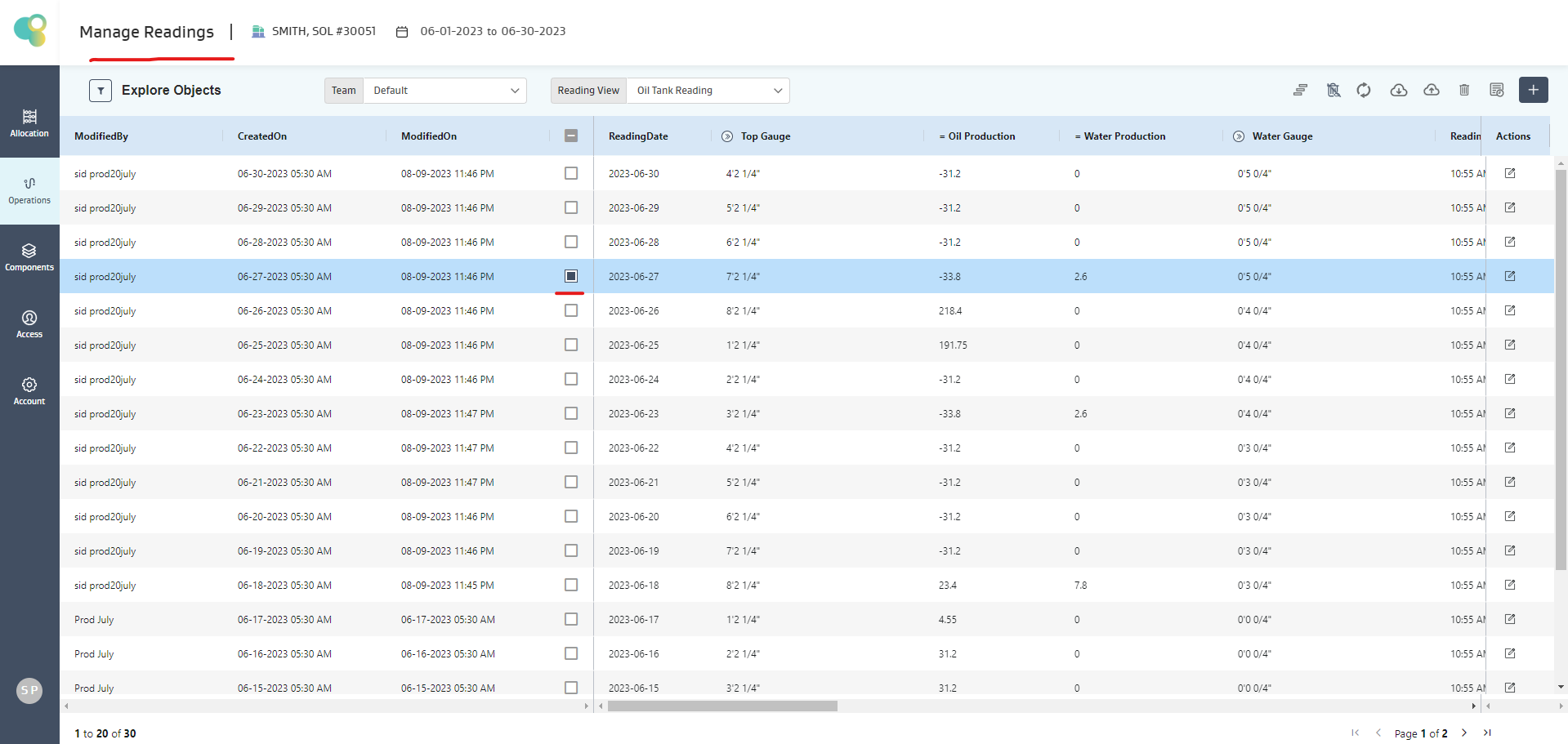
1. Navigate to Operations/ Manage Readings and select the reading whose audit report is required
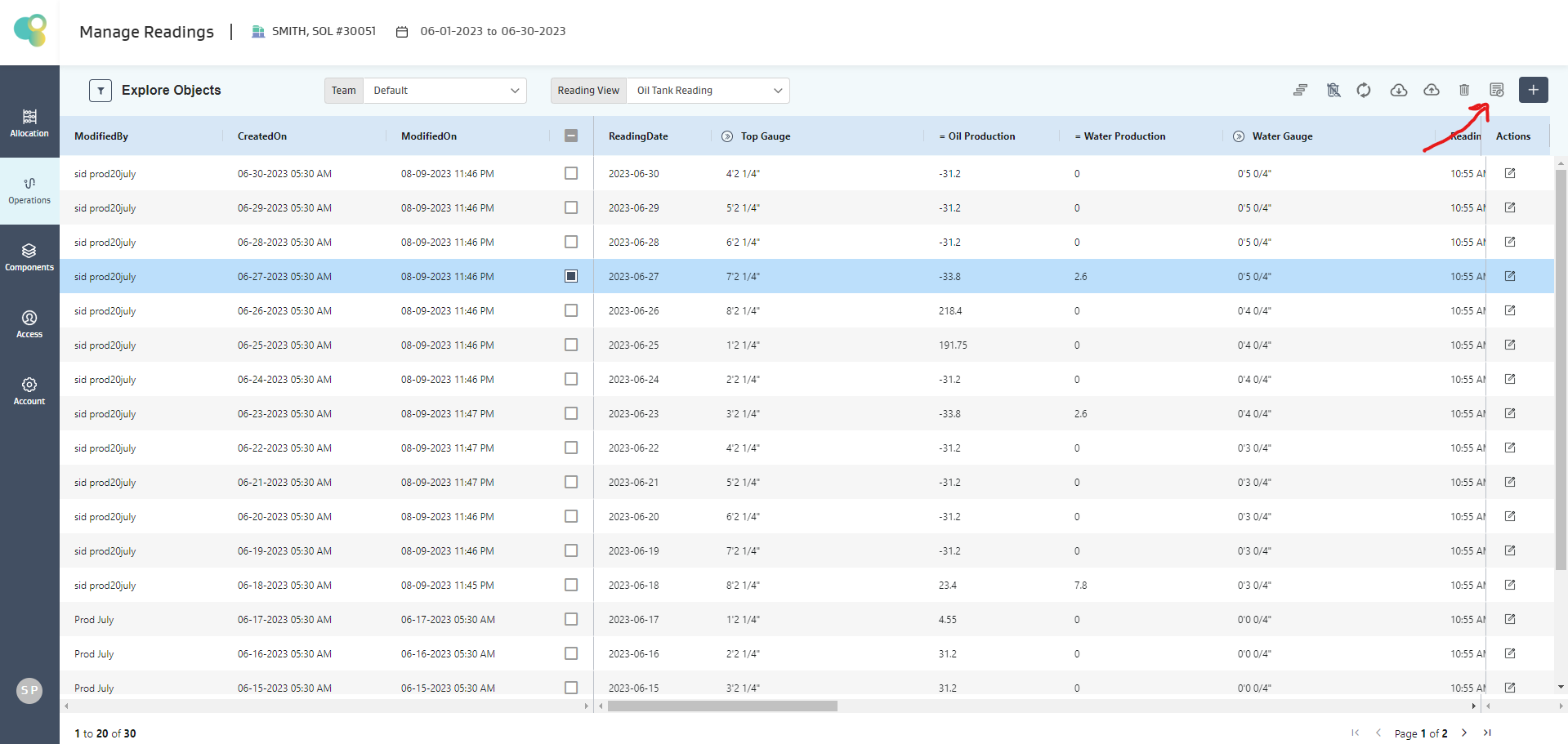
2. Click the “Download Audit Report” Icon to initiate an audit report download.
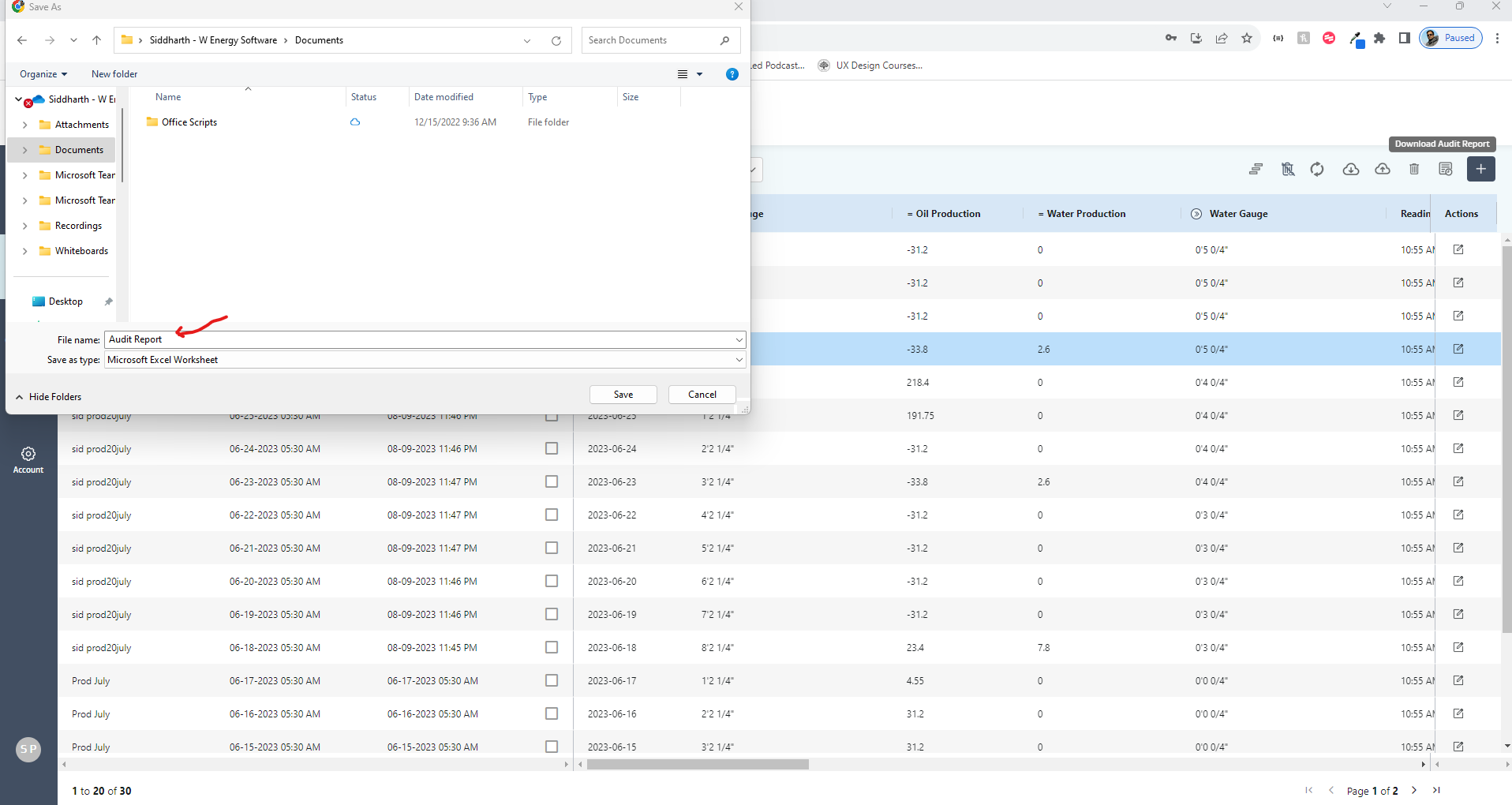
3. Save the Audit report
4. Open the audit report to view all the details of each version of the reading