How Triggered vs Scheduled Events works in APBE?
Triggered Alerts:
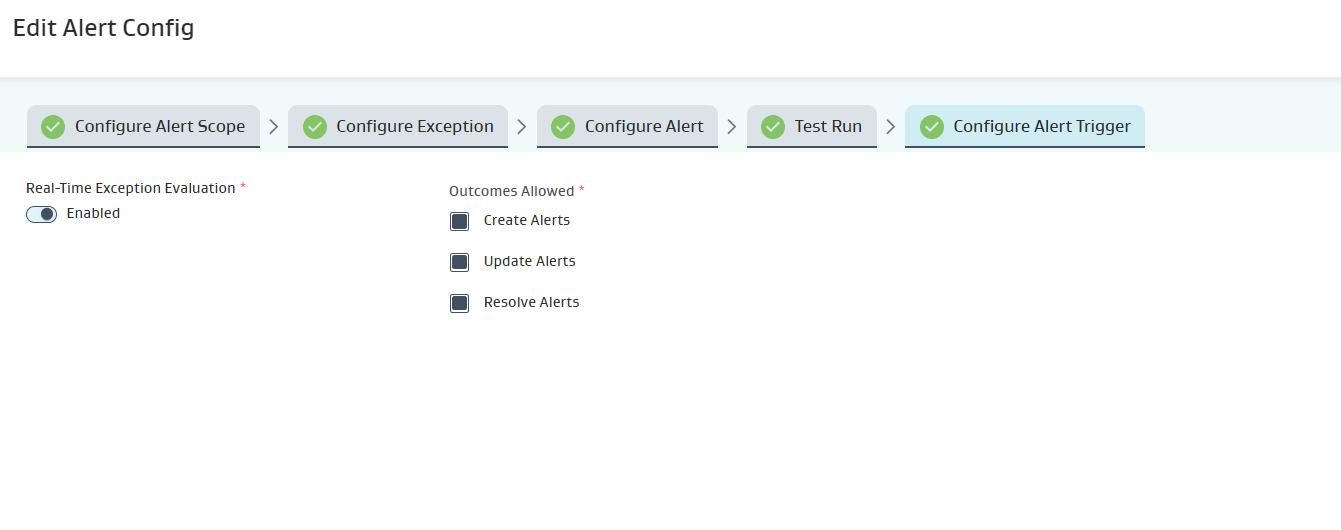
Triggered alerts can be configured while configuring alert config.
Real time alerts triggered can be configured when client want to have the alert generated or updated immediately whenever asset’s readings met the alert criteria.
Triggered alerts will also look back for last 14 days reading update to create, update, and resolve alerts.
When the alert scope is met, alerts will get created for those assets with status as New.
When the alert is generated but still not resolved the alert priority will increment and the alert status will change to Updated.
When the alert criteria is resolved, alerts will be resolved for those assets changing the status to Resolved.
Scheduled Alerts:
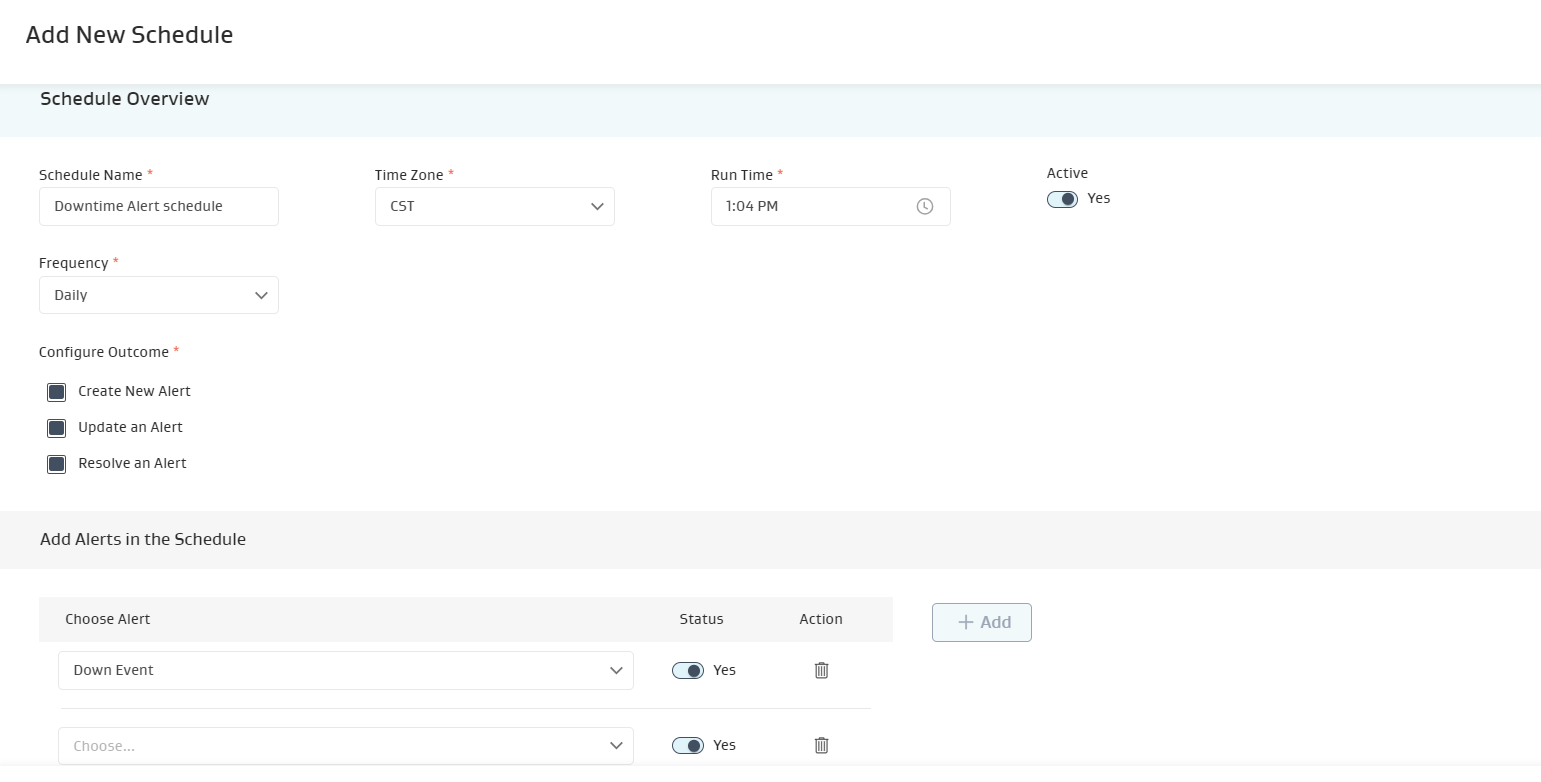
Alerts can be scheduled from Schedule Overview Section.
If client wants to check the readings status frequently- daily or weekly or monthly whether any readings meets the alert criteria then alert can be scheduled for specific time.
Schedule alert will check only current day reading on asset to create/update/resolve alerts.
User can schedule to create/update/resolve alert at specific time.
Multiple Alerts can be configured in a single schedule.
Readings for assets will be evaluated as mentioned in alert scope and accordingly alerts will be created/updated/resolved.