User Manual for APBE Functions
NDayAvg(V,N)
Description:
The Average value of the Variable (V) is calculated using all the available Readings in the “Last N Days.”
Input: V (Decimal), N (Positive Integer >=1), Output: Decimal
Example :
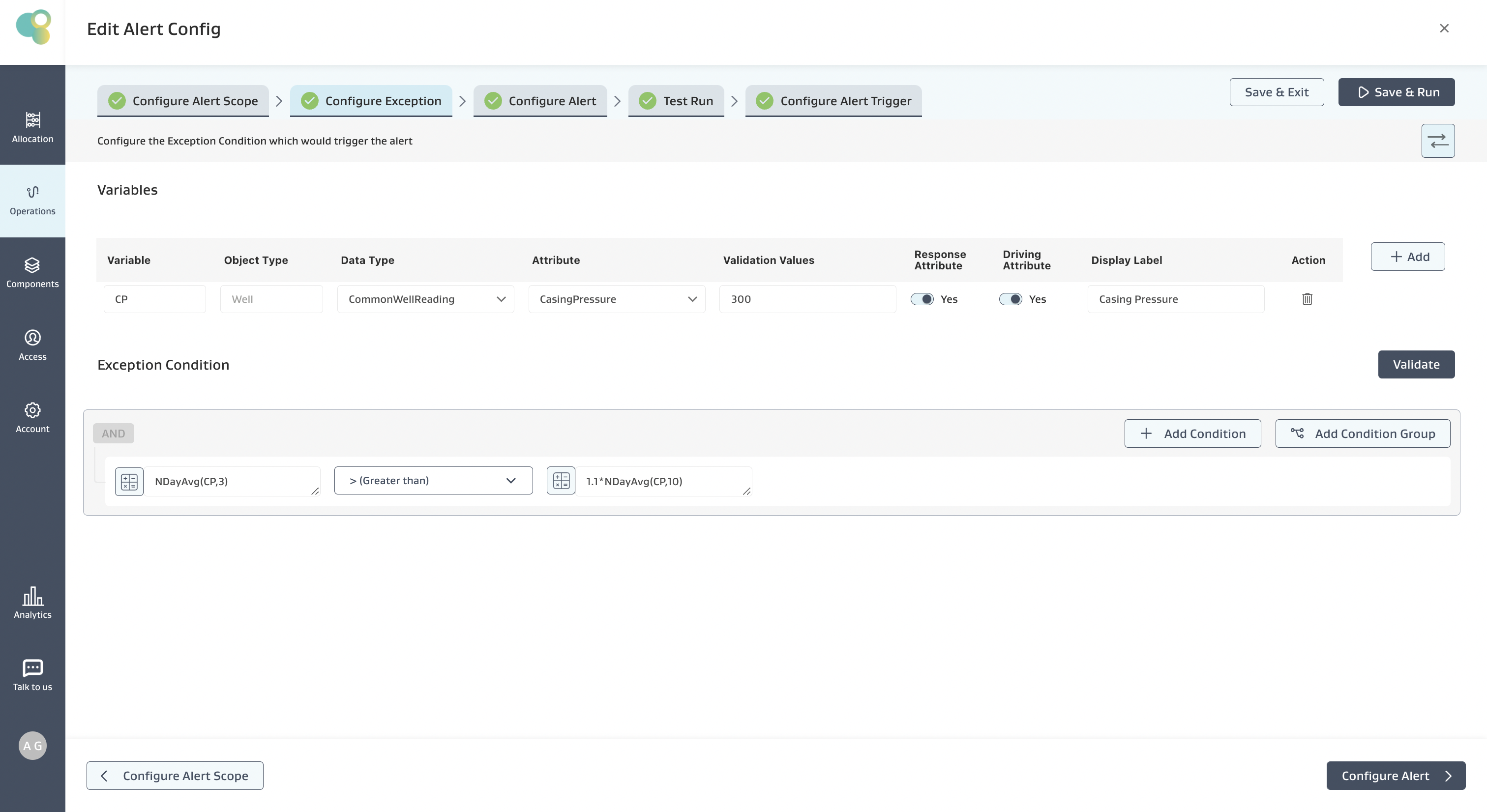
Alert Requirement: Show an Alert when the Average Casing pressure over the past 3 “Days” is 10% more than that in the past 10 “Days.”
Exception Condition: The below Exception Condition shows the syntax and logic used
Mathematical logic:
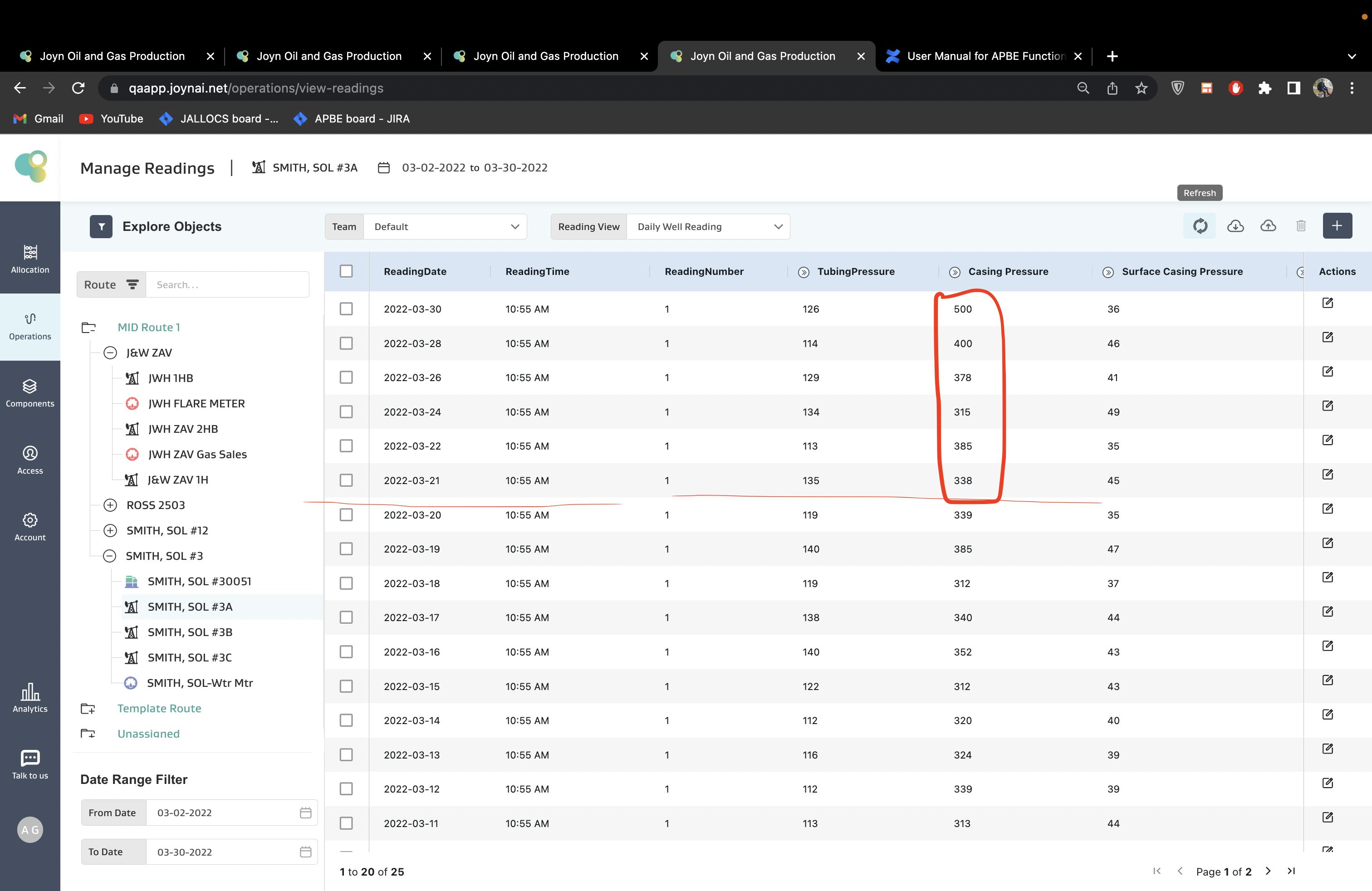
On the Well SMITH, SOL #3A
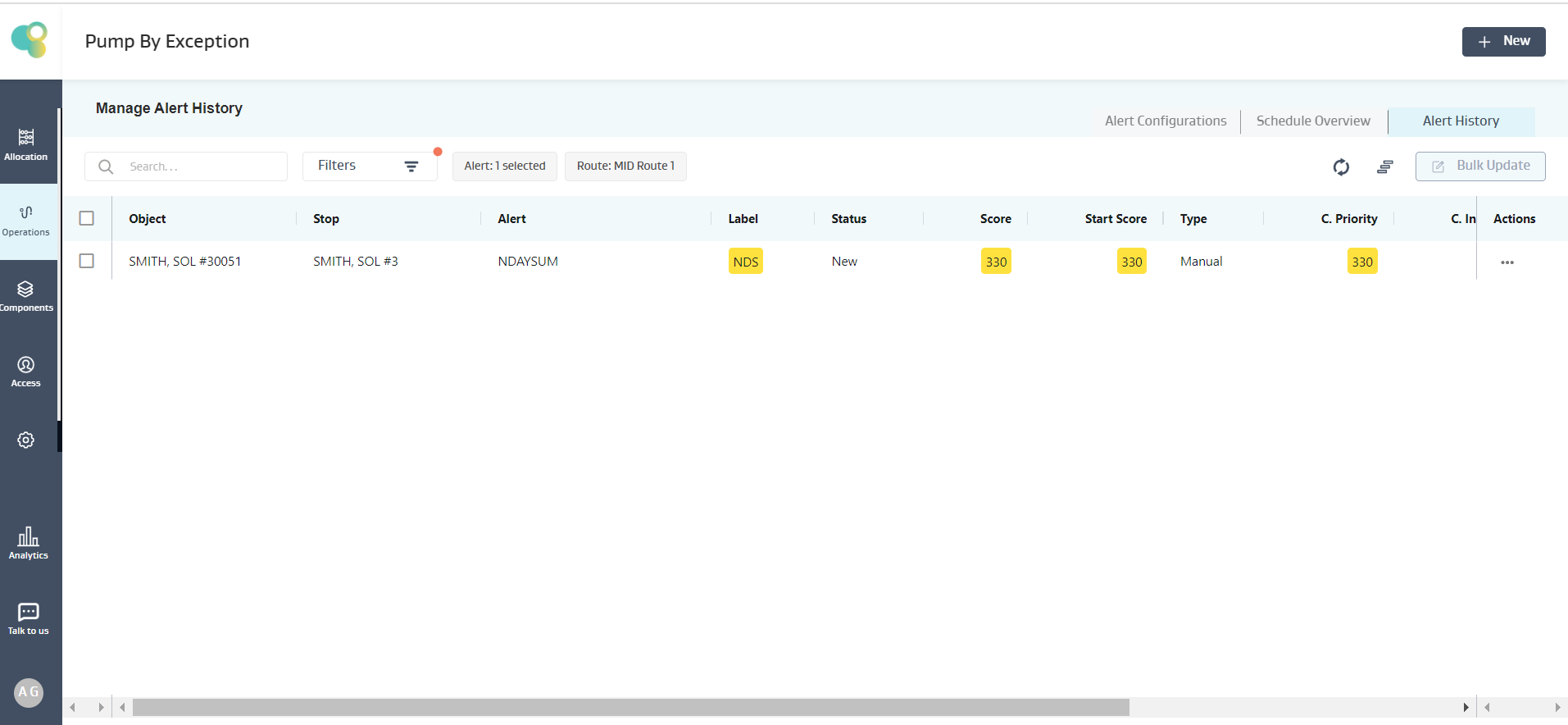
Given the last 3 Days only have 2 readings available, the 30th and 28th March Readings, only these two readings are used to calculate the Average over the past 3 days, i.e., (500+400)/2 = 450
Given the last 10 Days only have 6 readings available, only these 6 readings are used to calculate the Average over the past 10 days, i.e., (500+400+378+315+385+338)/6 = 386
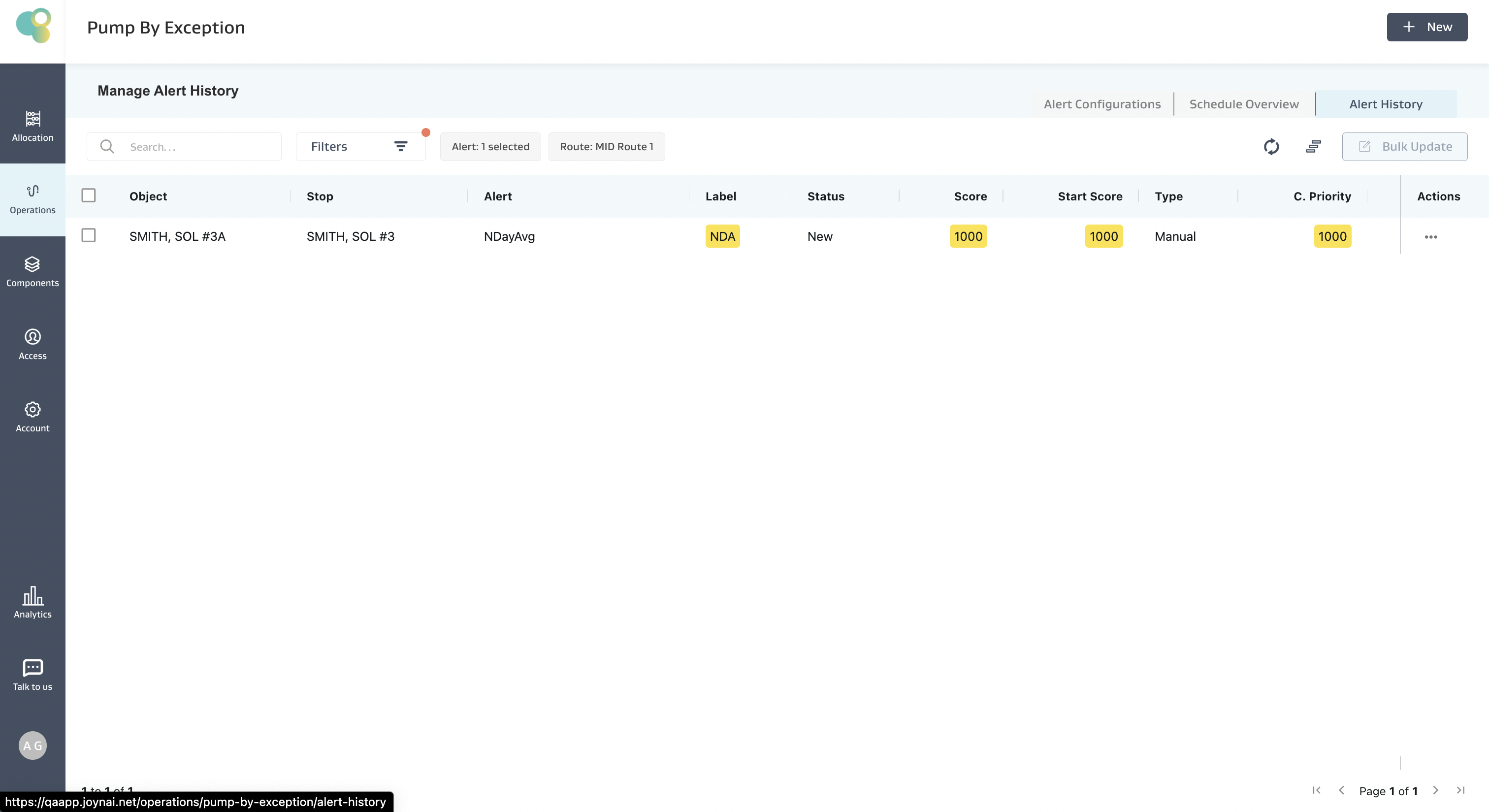
Given 450 > 1.1*386 = 424.6, the condition is satisfied, and an alert for SMITH, SOL #3A Well is created as shown below
Note:
If there are no readings on the object, then the expression evaluation on that particular object fails, and the object is skipped, but for the other objects, the expression is evaluated, and an alert is generated if the condition is true
If there are less number of readings available on an object than what the function demands, but there are no NULL values in between, then the expression evaluation proceeds with the available data and evaluates the expression. E.g., If we are using NDayAvg(CP,10) and we have only 6 days of data, we compute the Average of 6 Days and not 10 Days.
If multiple NULL values exist for an object attribute in an expression, the expression evaluation fails, and no alert is created for that object.
NReadingAvg(V,N)
Description:
Returns the Average value of the Variable (V) fetched from the last N available “Readings” on the object, irrespective of the days
Input: V (Decimal), N (Positive Integer >=1), Output: Decimal
Example Alert Config
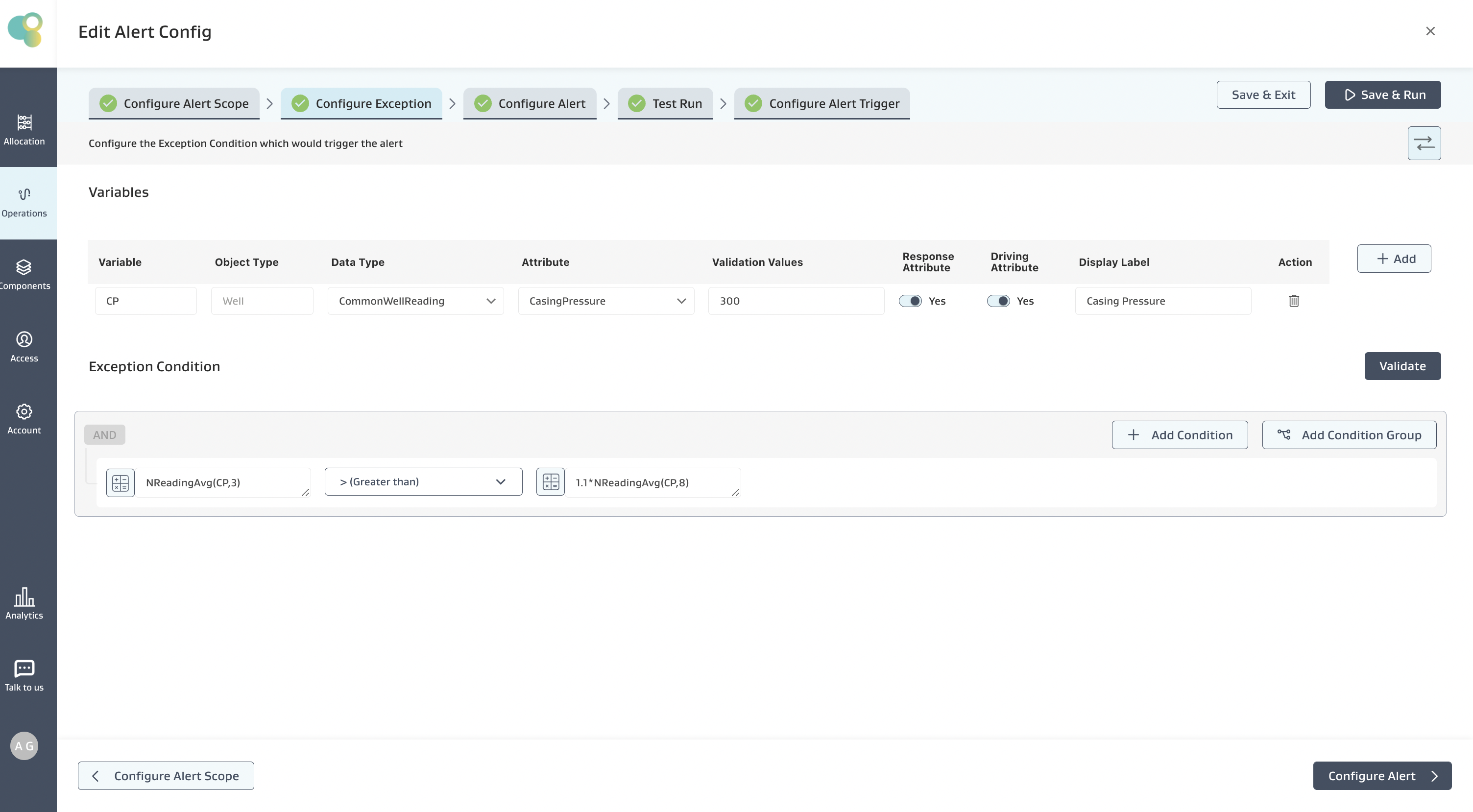
Alert Requirement: Show an Alert when the Average Casing pressure over the past 3 “Readings” is 10% more than in the past 8 “Readings.”
Exception Condition: The below Exception Condition shows the syntax and logic used
On the Well SMITH, SOL #3A:
Last 3 Readings Average is: (450+331+500)/3 = 427
Last 8 Readings Average is: (450+331+500+326+378+345+315+355)/8 = 375
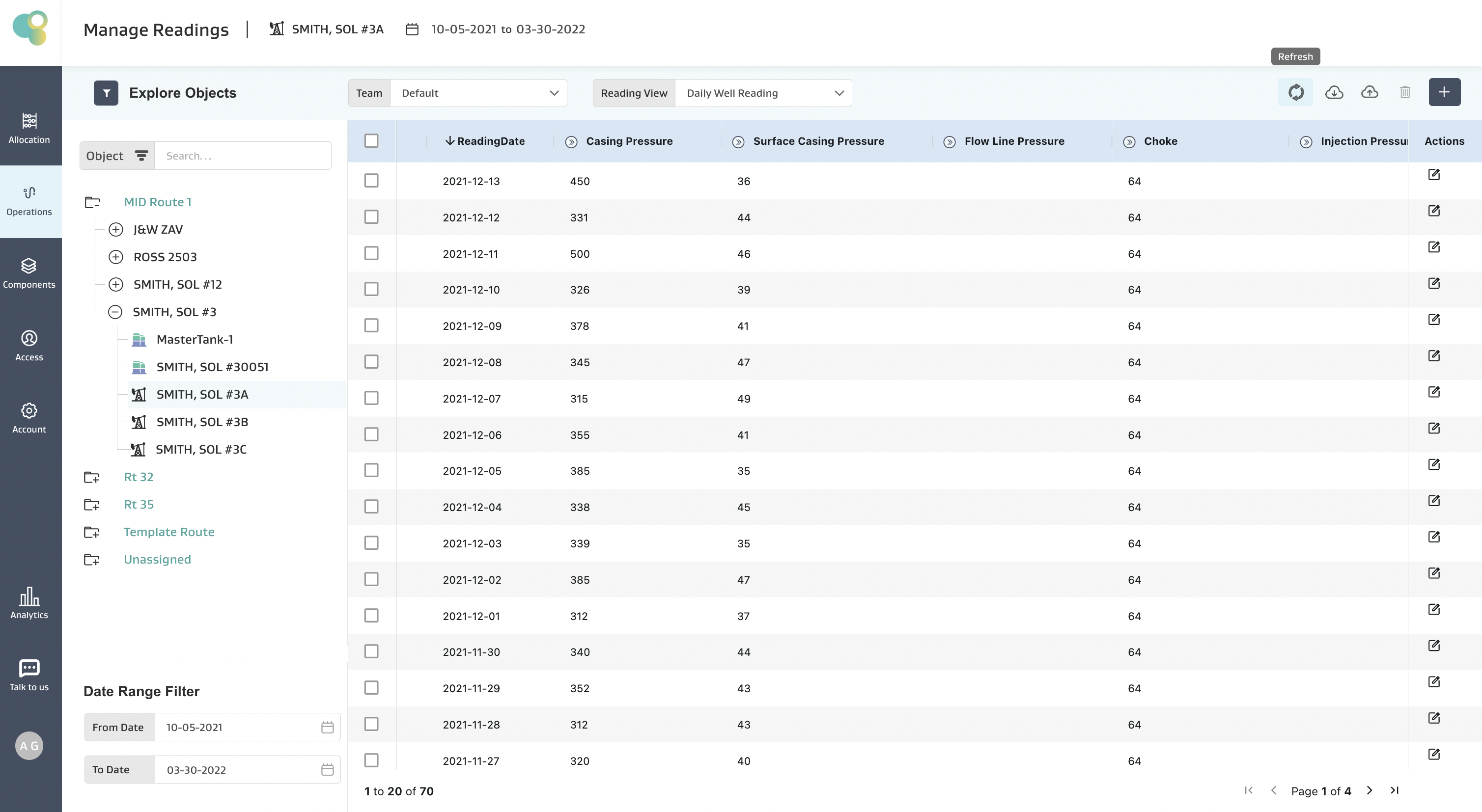
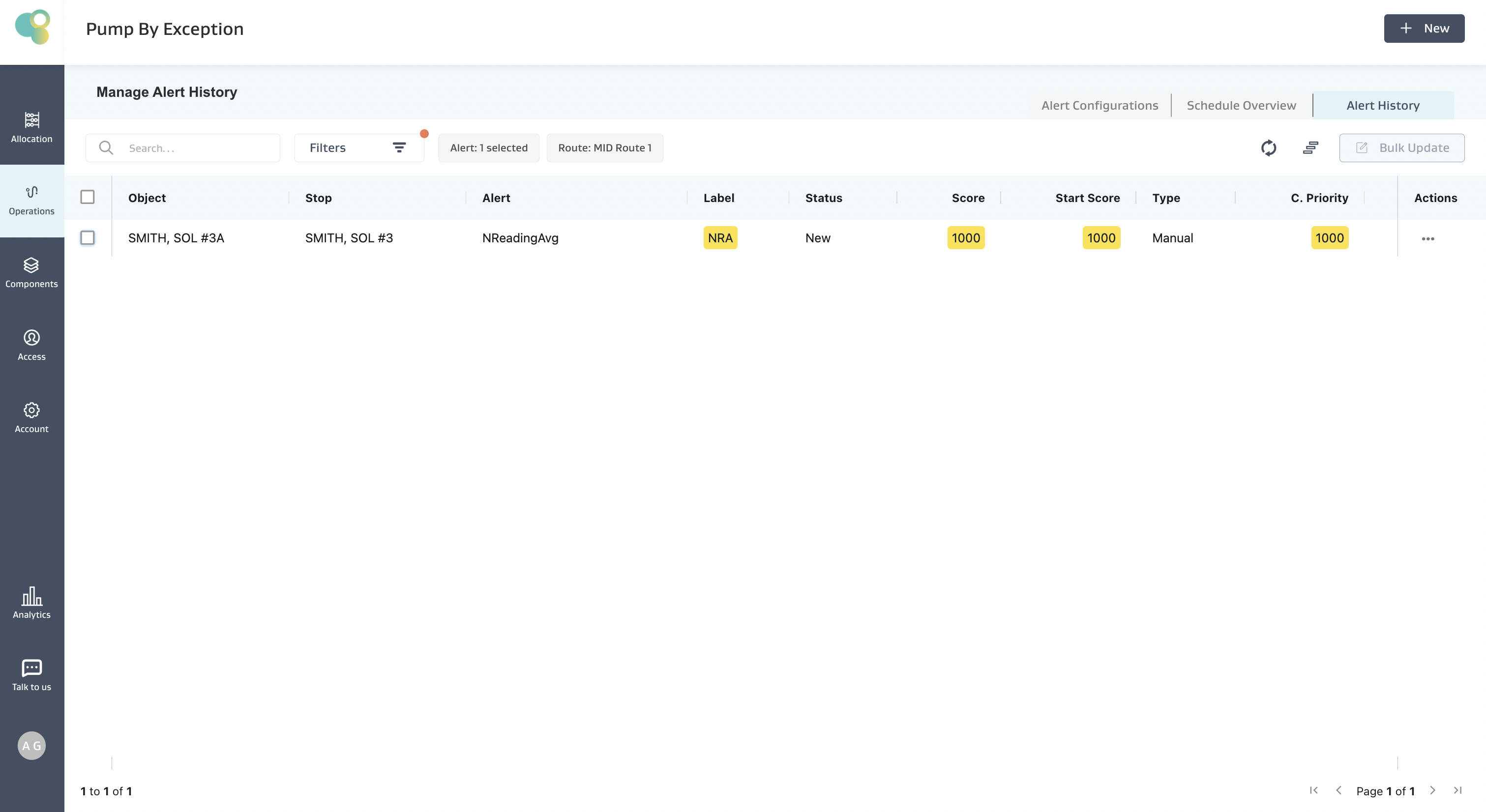
Given that the Last 3 Reading Average of Casing Pressure is greater than 1.1 times the 8 Reading Average of Casing Pressure, the condition is satisfied, and an alert for SMITH, SOL #3A Well, is created, as shown below.
Note:
If there are no readings on the object, then the expression evaluation on that particular object fails, and the object is skipped. However, the expression is evaluated for other objects, and an alert is generated if the condition is true.
If there are less number of readings available on an object than what the function demands, but there are no NULL values in between, then the expression evaluation proceeds with the available data and evaluates the expression. E.g., If we are using NReadingAvg(CP,7) and we have only 5 readings overall, we compute the average of 5 and not 7.
If multiple NULL values exist for an object attribute in an expression, the expression evaluation fails, and no alert is created for that object.
PercentDeviationFromAvg(V,N)
Description:
Returns the Percentage Deviation of the Current Reading (or Last Available Reading) of the Variable (V) with the average of the last N available “Readings” on the object
Input: V (Decimal) , N (Positive Integer >=1), Output: Decimal
Use Case
This is useful in a case where you want to see if a casing pressure trending up by taking the last 7-day average and comparing it to the 21-day average.
Example Alert Config
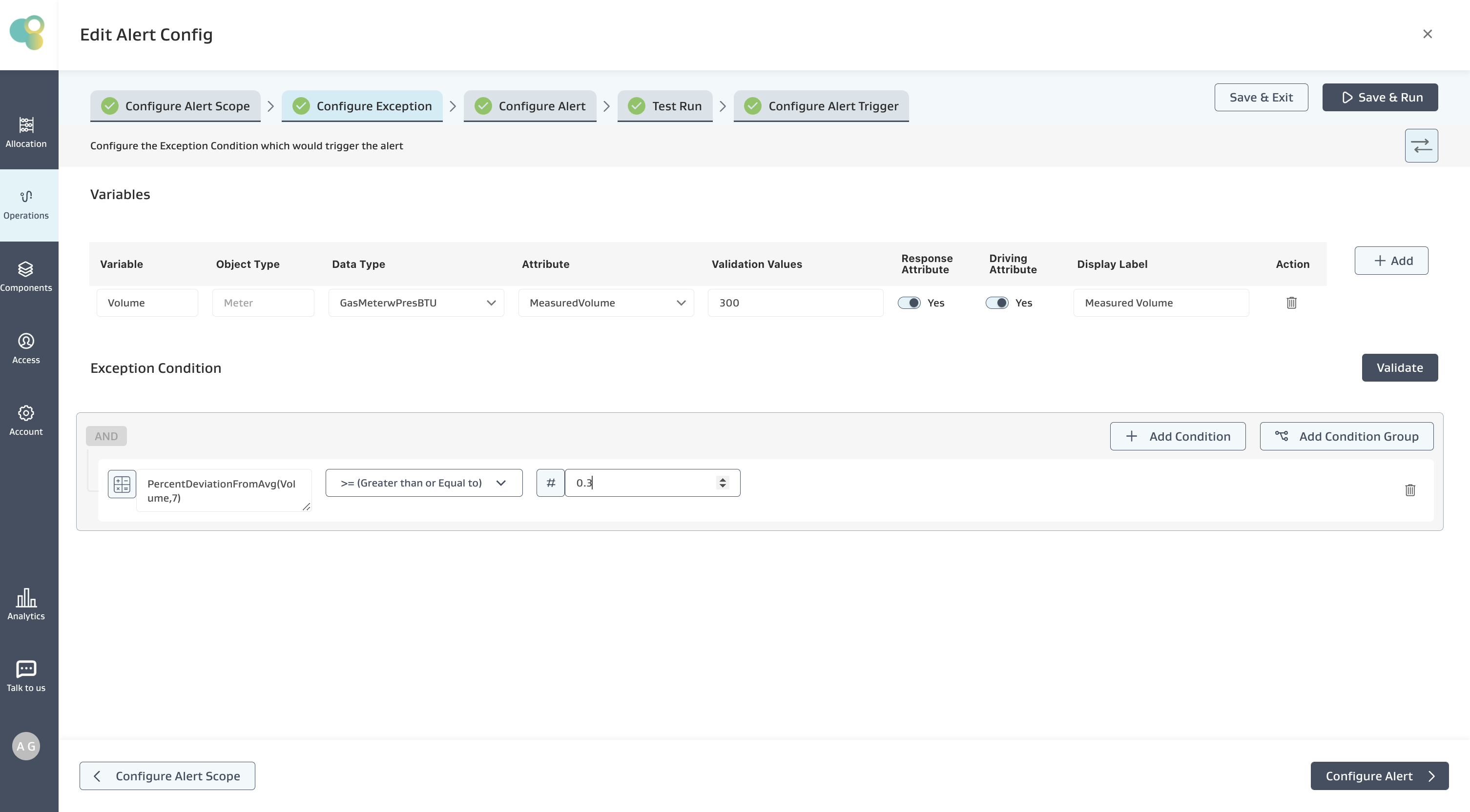
Alert Requirement: Show an alert when the Percentage Deviation of the “Current Reading” is more than 30% of the average of the last 7 readings
Exception Condition: The below Exception Condition shows the syntax and logic used
On JWH ZAV Gas Sales Meter
Current Reading: 460
Last 7 readings average: (122+369+164+286+85+457+284)/7 = 252.42
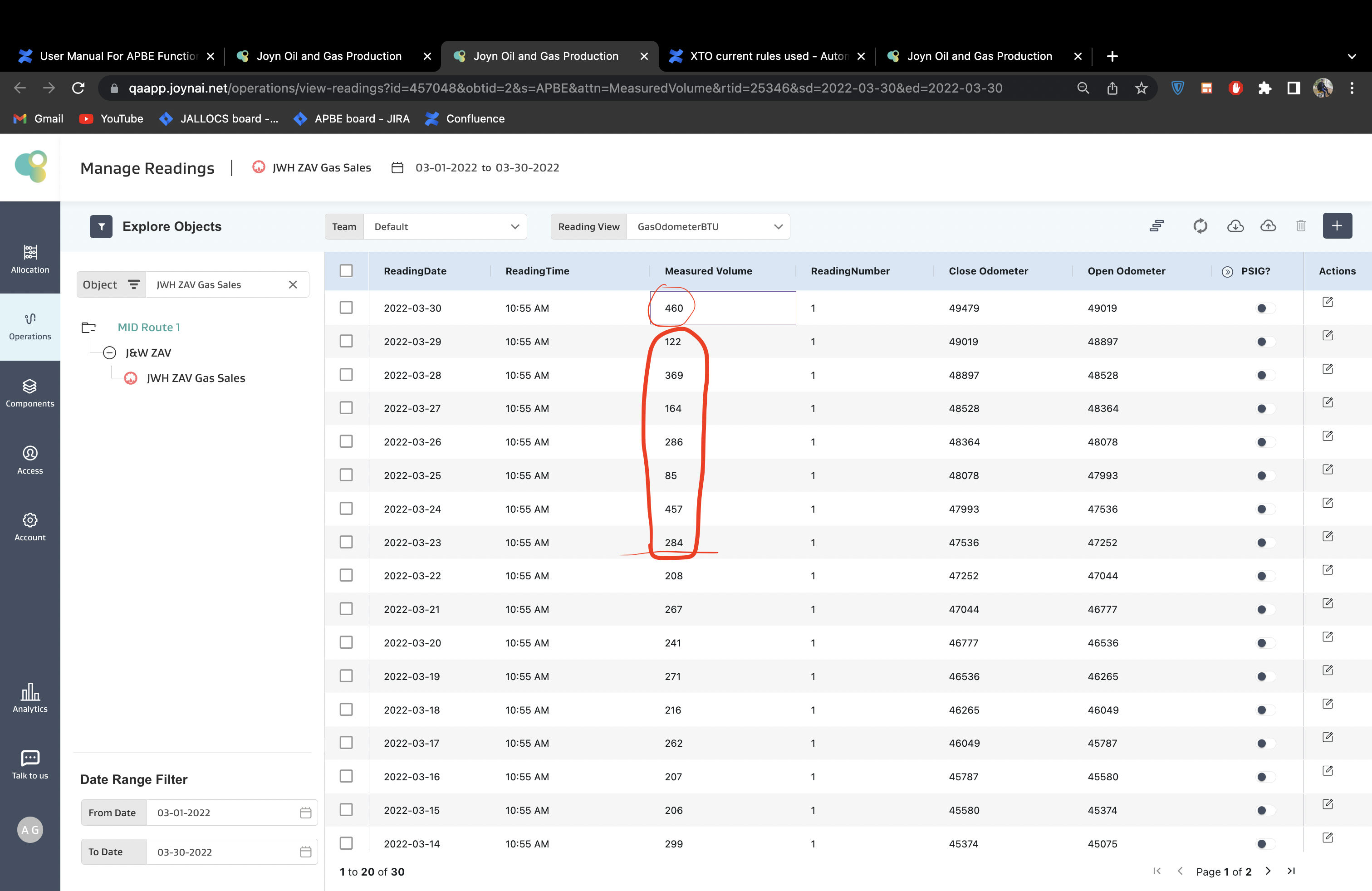
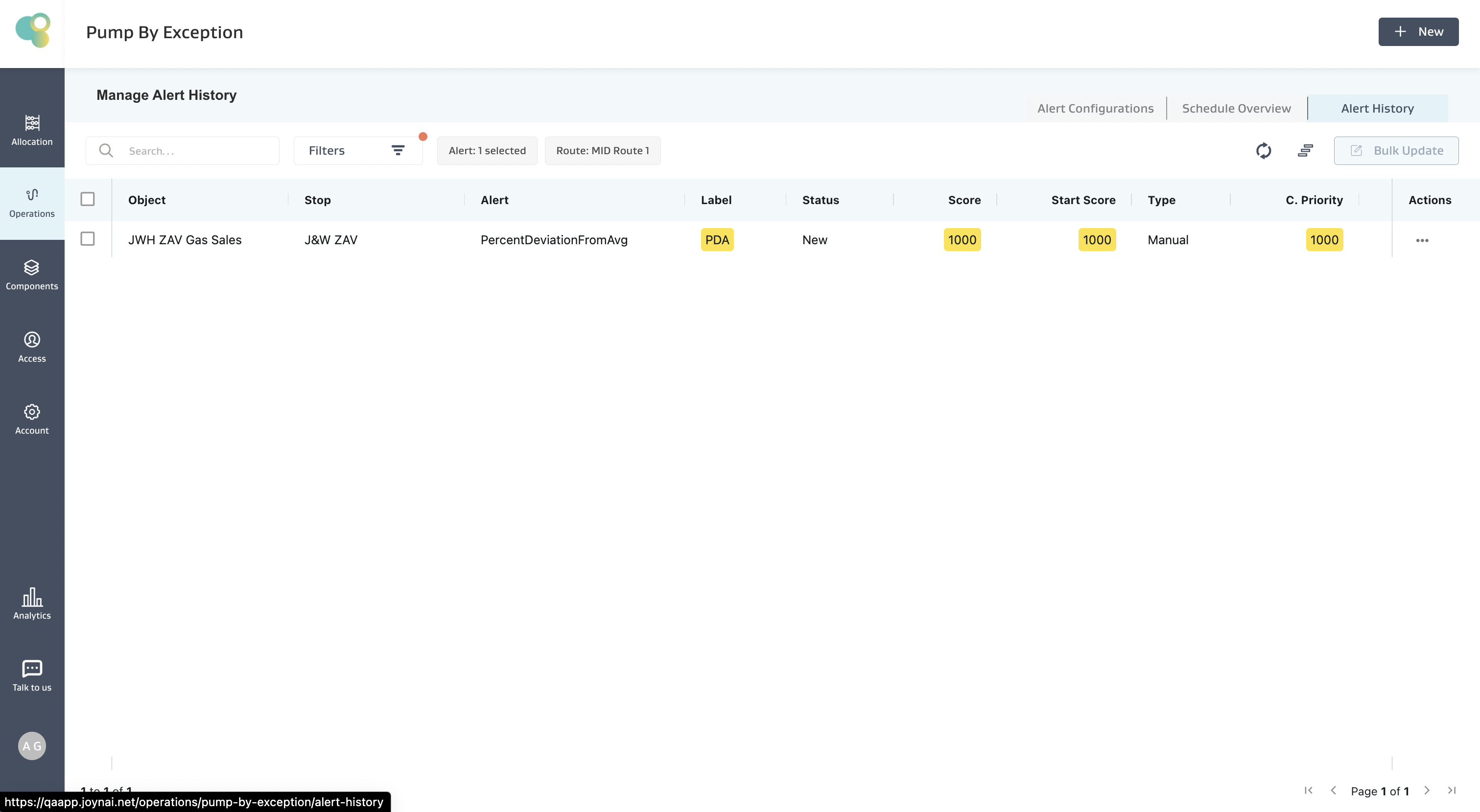
Given (Current Reading- Average of 7 Readings)/Average of 7 Readings = (460-252.42)/252.42 = 0.82, which is more than 0.3, i.e., 30%, the condition is satisfied, and an alert is created on the meter as shown below
Note:
If there are no readings on the object, then the expression evaluation on that particular object fails, and the object is skipped. However, the expression is evaluated for other objects, and an alert is generated if the condition is true.
If there are less number of readings available on an object than what the function demands, but there are no NULL values in between, then the expression evaluation proceeds with the available data and evaluates the expression. E.g., If we are using PercentDeviationFromAvg(Volume,10) and we have only the current Reading and 5 other readings overall, we compute the average of 5 and not 10 readings.
The percent Deviation function requires a minimum of 1 reading apart from the Current Reading. If that is also unavailable, the expression evaluation fails, and the object is skipped.
If the average of the last N readings is zero, then the expression evaluation fails, and the object is skipped.
If multiple NULL values exist for an object attribute in an expression, the expression evaluation fails, and no alert is created for that object.
IsNull(V)
Description:
Checks whether the last available Reading on the object for Variable (V) is NULL or not and returns True/False Value
Input: V (Decimal, Date, Picklist) , Output: True/False
Example Alert Config
Alert Requirement: Show an alert when the Last Available “Measured Volume” Reading is NULL on a meter in the selected routes
Exception Condition: The below Exception Condition shows the syntax and logic used
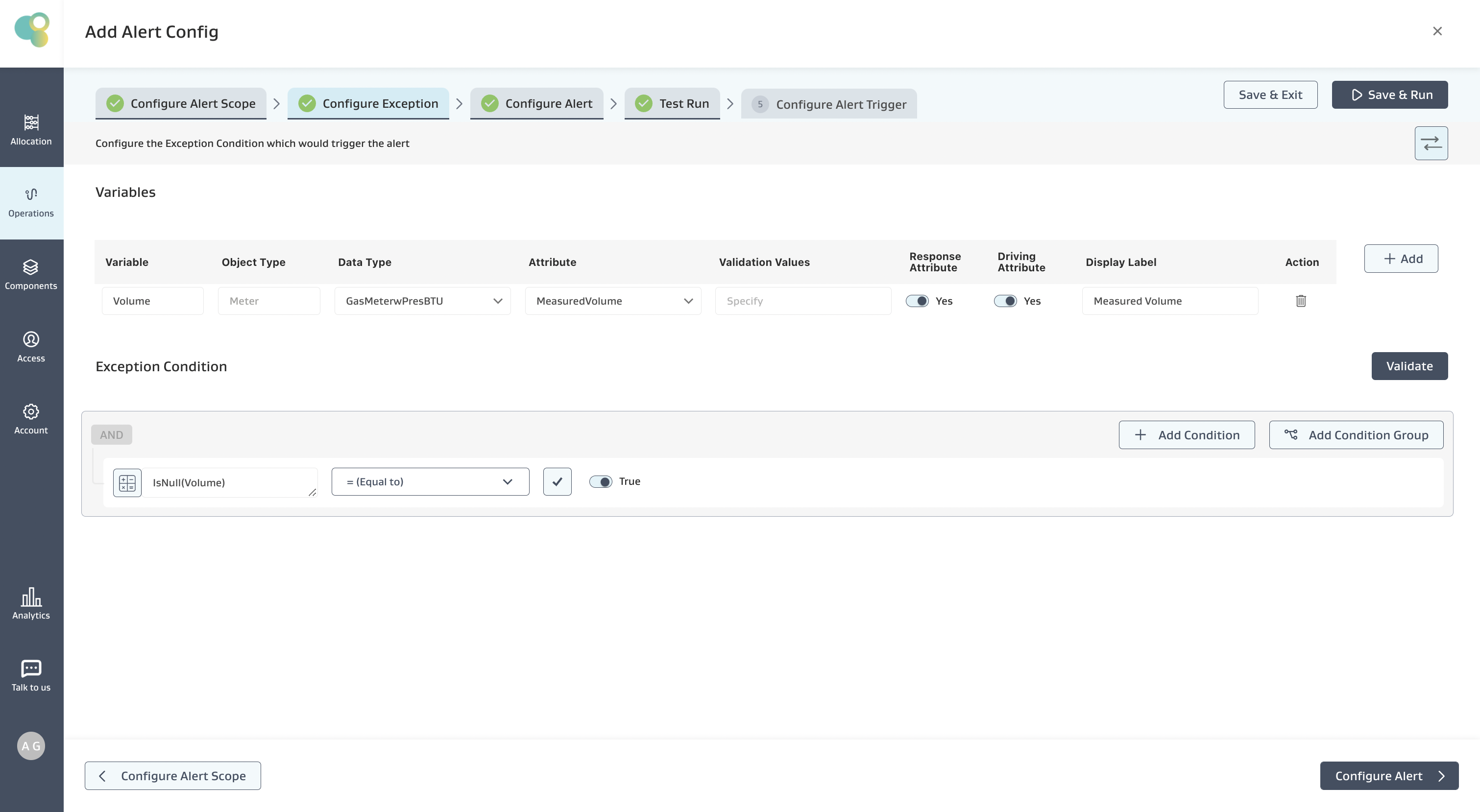
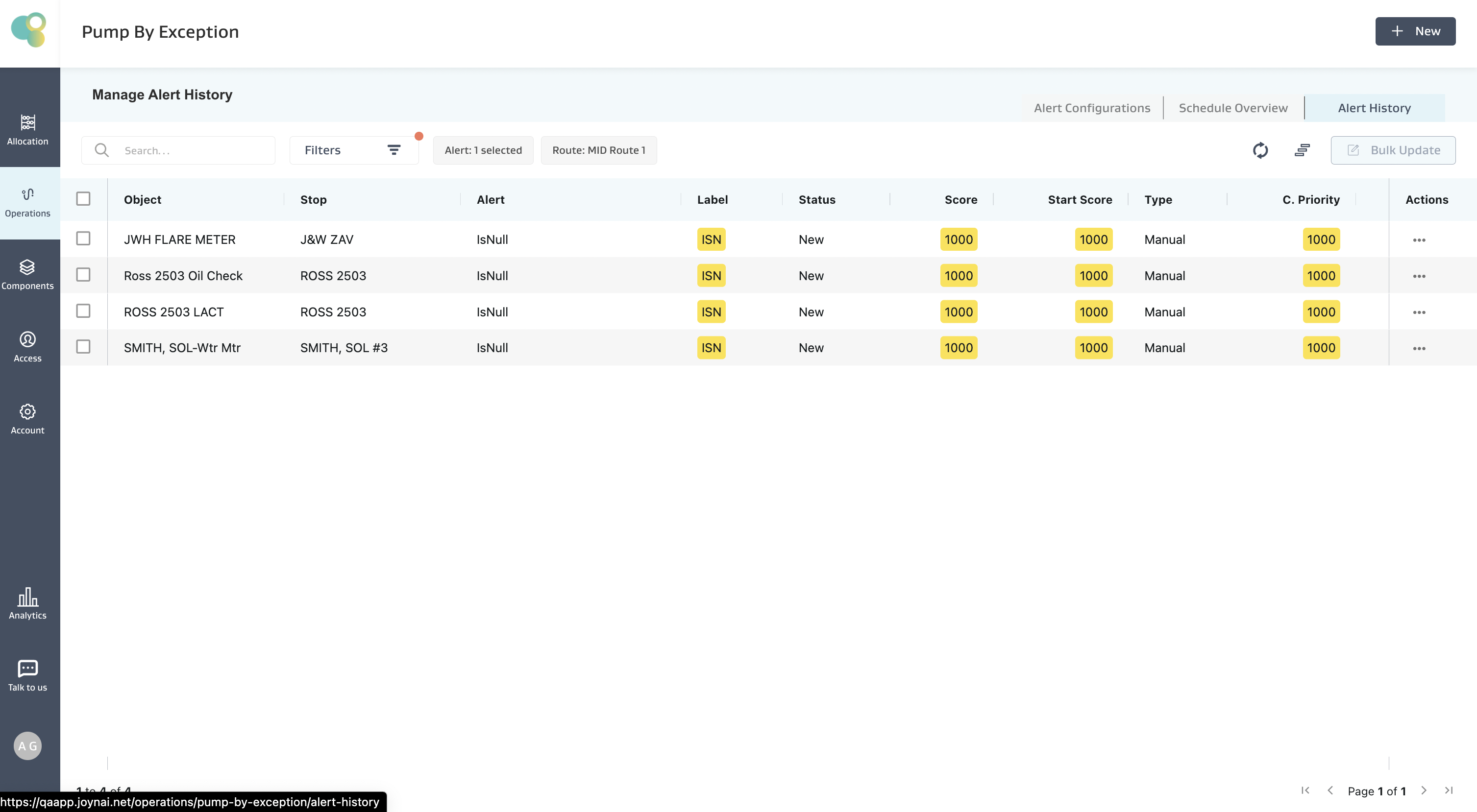
Given that the Last Available Reading for the JWH Flare Meter is March 30th, and the measured volume is NULL, the condition is satisfied, and an alert is created for all meters on which this condition is true.
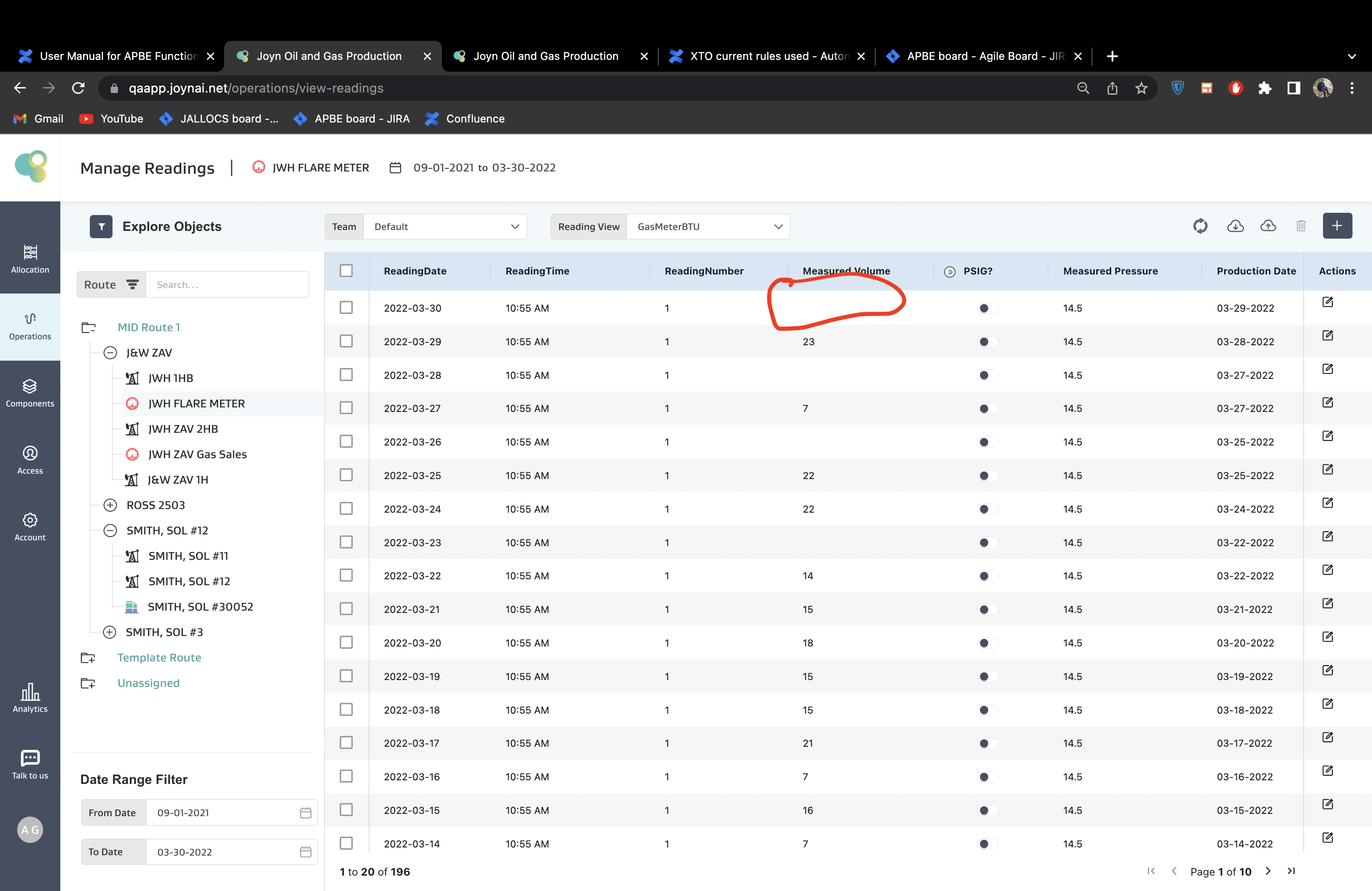
All meters with NULL Values are shown below:
NDayVariance(V,N)
Description
The Variance of values of the Variable (V) fetched from all the available Readings in the “Last N Days” using ‘population variance’ for this function.
Input: V (Decimal), N (Positive Integer >=1), Output: Decimal
Use Case
Population variance helps in situations where you might want to compare differences between the average of the past month’s oil production against the past year’s.
Example :
Alert Requirement: Show an Alert when the Variance of Casing pressure over the past 5 “Days” is greater than the past 10 “Days”
Exception Condition: The below Exception Condition shows the syntax and logic used
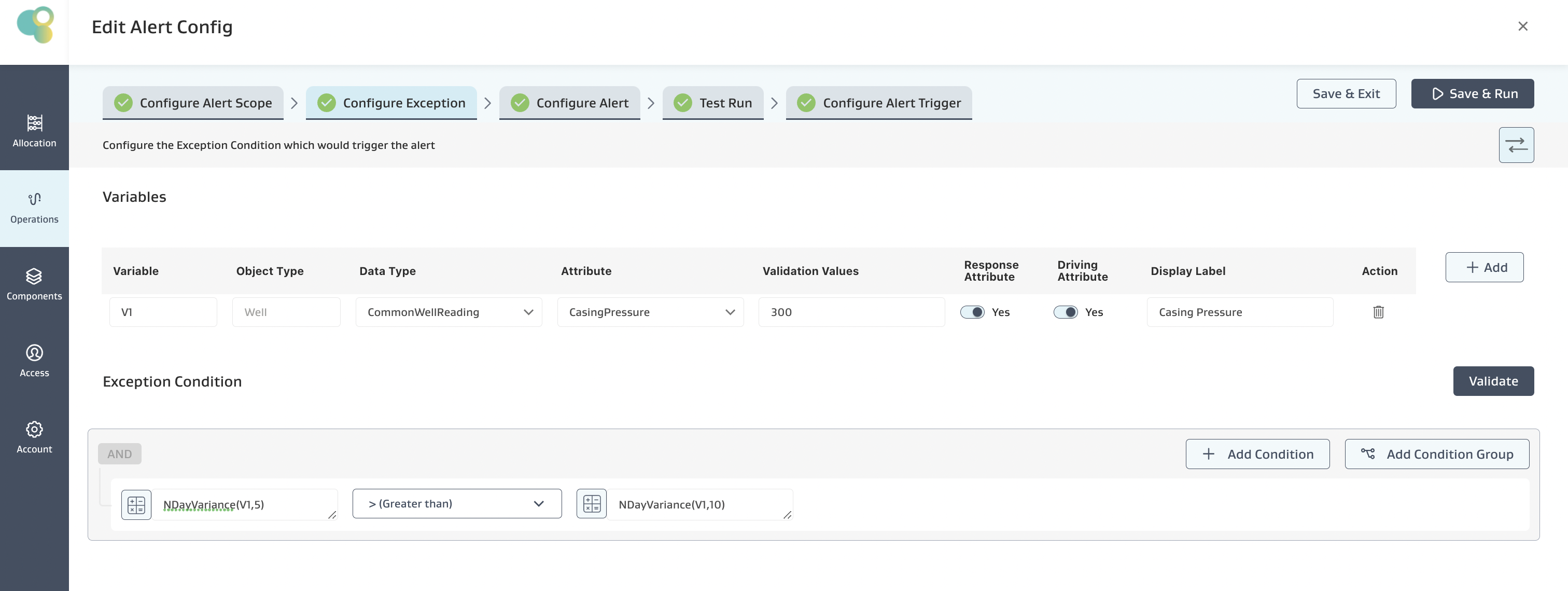
Mathematical logic:
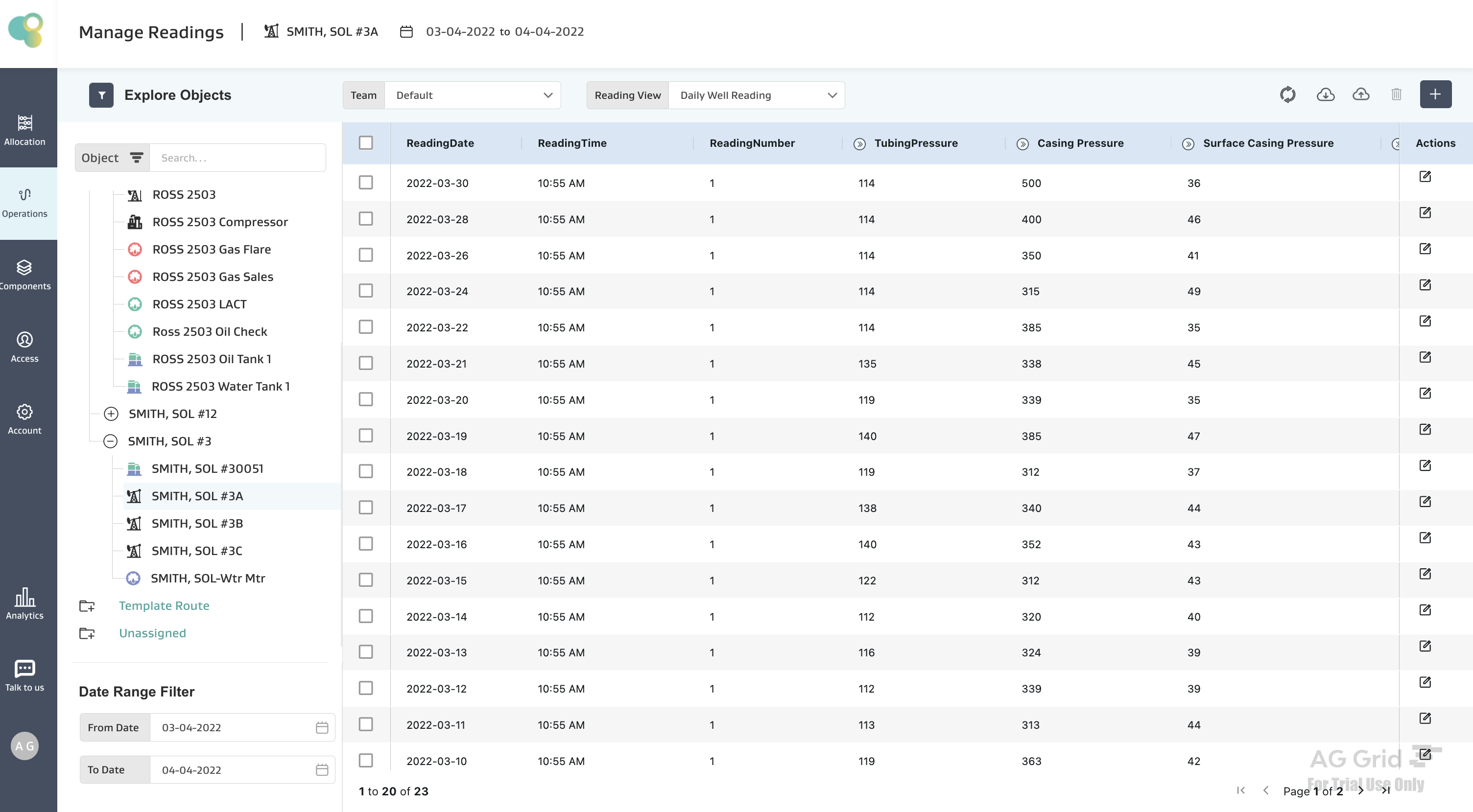
On the Well SMITH, SOL #3A
Assuming the Current Date as March 30th. Given the last 5 Days only have 3 readings available, 30th, 28th, 26th March Readings, then only those 3 readings are used to calculate the Variance over the past 5 days, i.e., 500, 400, 350
Variance is calculated as Summation of ((Xi - Mean)2)/N
where Xi are the readings, Mean is the Average of those readings, and N is “Number of Days”
For the given data, Mean = (500+400+350)/3 = 416.67,
Variance = ((500-416.67)2 + (400-416.67)2 + (300-416.67)2)/3 = 3888.88
Given the last 10 Days only have 6 readings available, then only those 6 readings are used to calculate the Variance over the past 10 days, i.e., (500,400,350,315,385,338) Variance = 3617.22
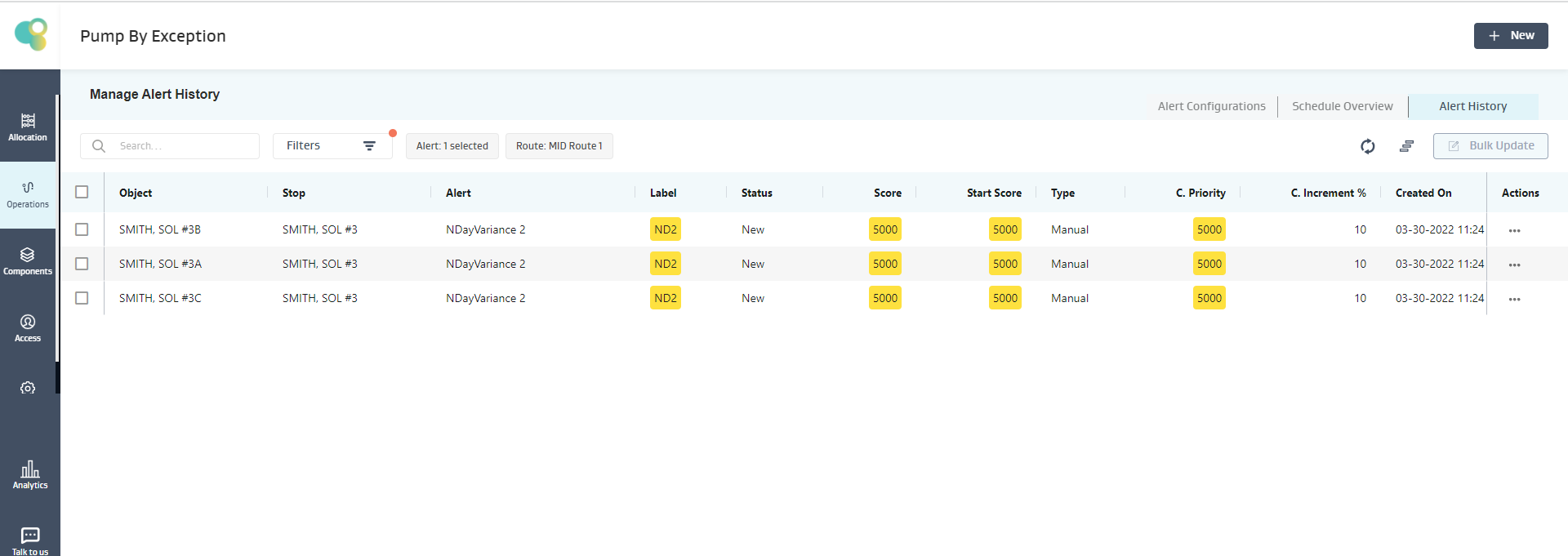
Given 3888.88 > 3617.22, the condition is satisfied, and an alert is created for the SMITH, SOL #3A Well, as shown below
Note:
If there are no readings on the object, then the expression evaluation on that particular object fails, and the object is skipped, but for the other objects, the expression is evaluated, and an alert is generated if the condition is true
If there are less number of readings available on an object than what the function demands, but there are no NULL values in between, then the expression evaluation proceeds with the available data and evaluates the expression. E.g., If we are using NDayVariance(CP,10) and we have only 6 days of data, we compute the Variance of 6 Days and not 10 Days.
If multiple NULL values exist for an object attribute in an expression, the expression evaluation fails, and no alert is created for that object.
NReadingVariance(V,N)
Description
The Variance of values of the Variable (V) fetched from the “Last N Available Readings” using ‘population variance’ for this function.
Input: V (Decimal), N (Positive Integer >=1), Output: Decimal
Example :
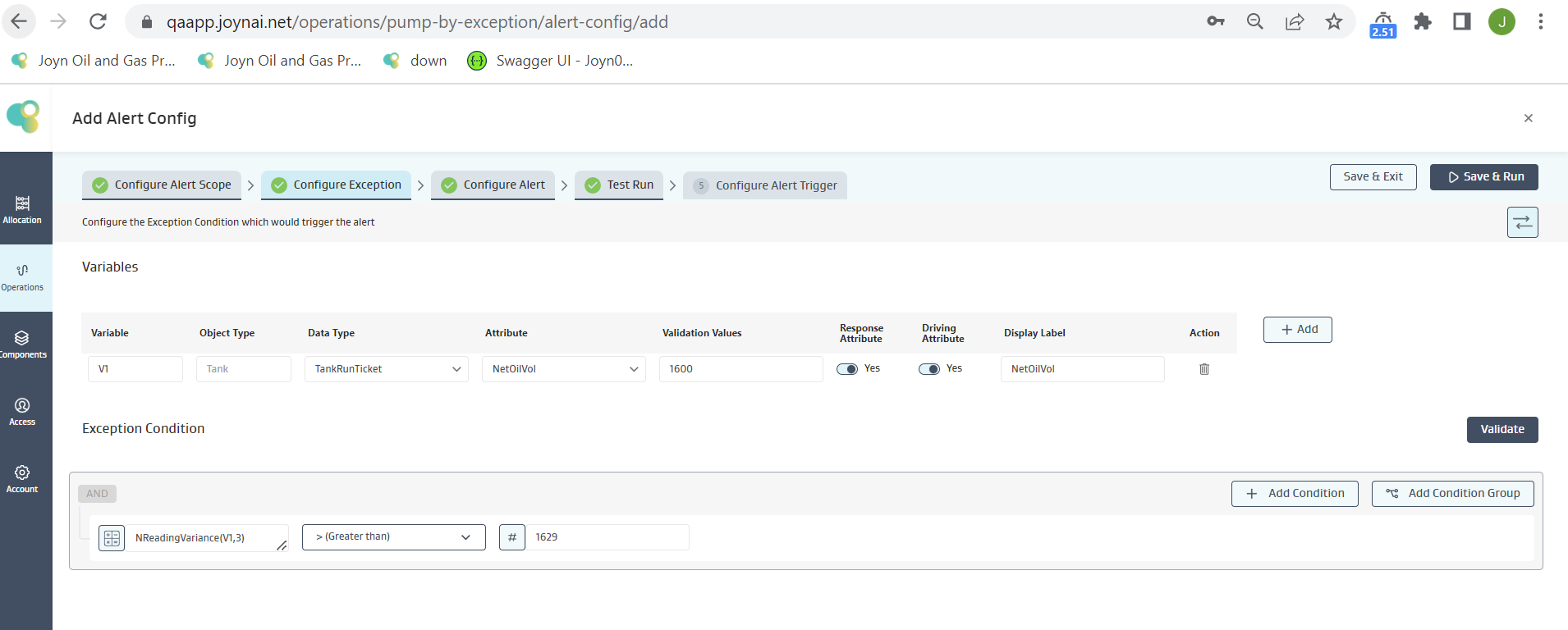
Alert Requirement: Show an Alert when Variance over the past 3 “Readings” is Greater than 1629
Exception Condition: The below Exception Condition shows the syntax and logic used
Mathematical logic:
On the tank SMITH, SOL#30051
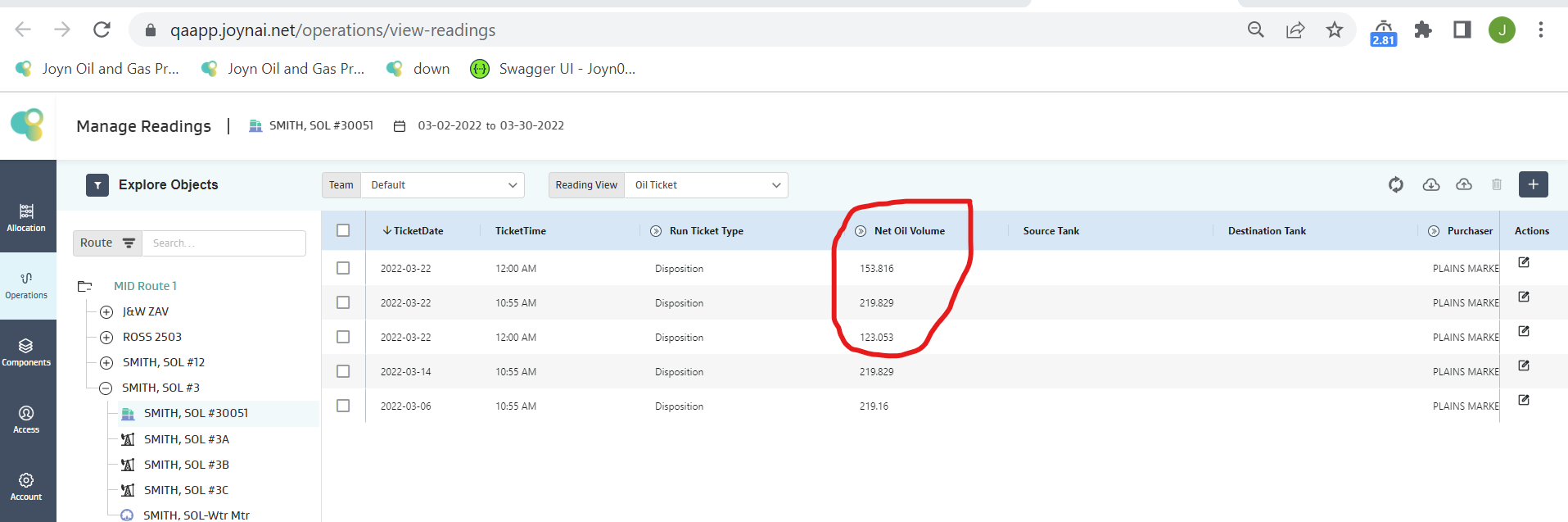
Given 3 readings available are captured, only these 3 readings are used to calculate of Variance irrespective of the date, i.e., 153.816, 219.829, 123.053
Variance is calculated as Summation of ((Xi - Mean)2)/N
where Xi are the readings, Mean is the Average of those readings, and N is “Number of Readings”
For the given data, Mean = (153.816+219.829+123.053)/3 = 165.566
Variance = ((153.816-165.566)2 + (219.829-165.566)2 + (123.053-165.566)2)/3 = 1629.9636
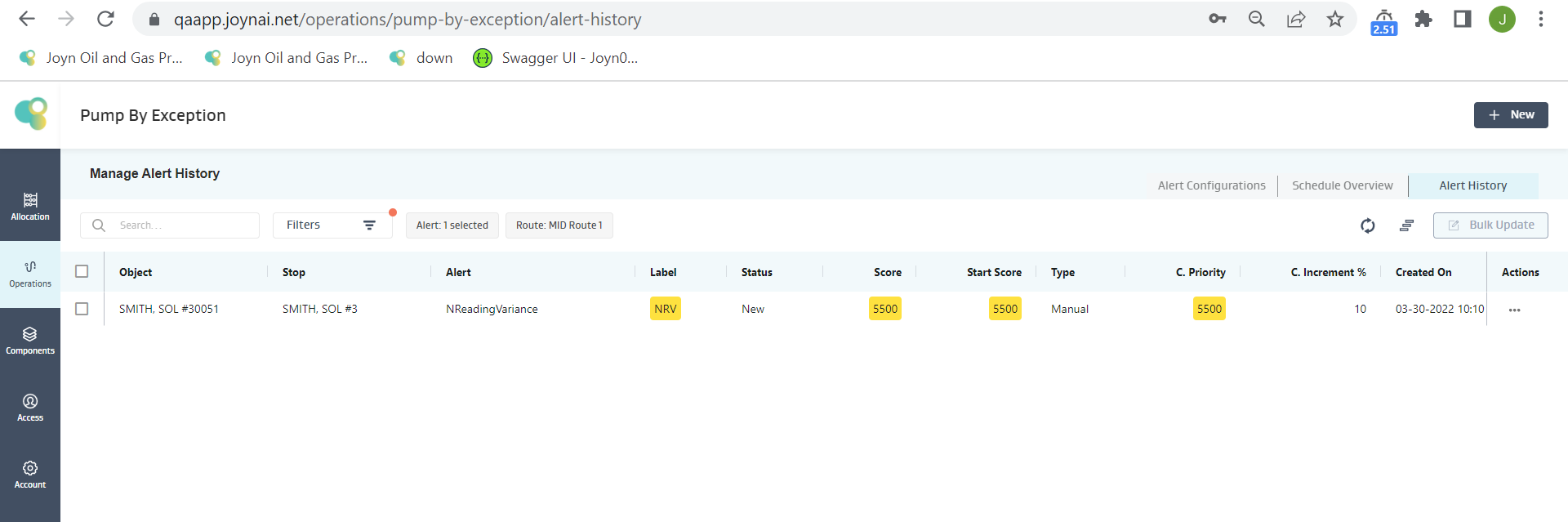
Given 1629.9636 > 1629, the condition is satisfied, and an alert is created for the SMITH, SOL#30051 Well, as shown below
Note:
If there are no readings on the object, then the expression evaluation on that particular object fails, and the object is skipped, but for the other objects, the expression is evaluated, and an alert is generated if the condition is true
If there are less number of readings available on an object than what the function demands, but there are no NULL values in between, then the expression evaluation proceeds with the available data and evaluates the expression. E.g., If we are using NReadingVariance(CP,10) and we have 6 readings, then we compute the Variance of 6 readings and not 10 Readings.
If multiple NULL values exist for an object attribute in an expression, the expression evaluation fails, and no alert is created for that object.
NDayStdev(V,N)
Description
Standard Deviation of values of the Variable (V) fetched from all the available Readings in the “Last N Days” using ‘population variance’ for this function.
Input: V (Decimal), N (Positive Integer >=1), Output: Decimal
Example :
Alert Requirement: Show an Alert when Standard Deviation of Casing pressure over the past 5 “Days” is greater than that in the past 10 “Days.”
Exception Condition: The below Exception Condition shows the syntax and logic used
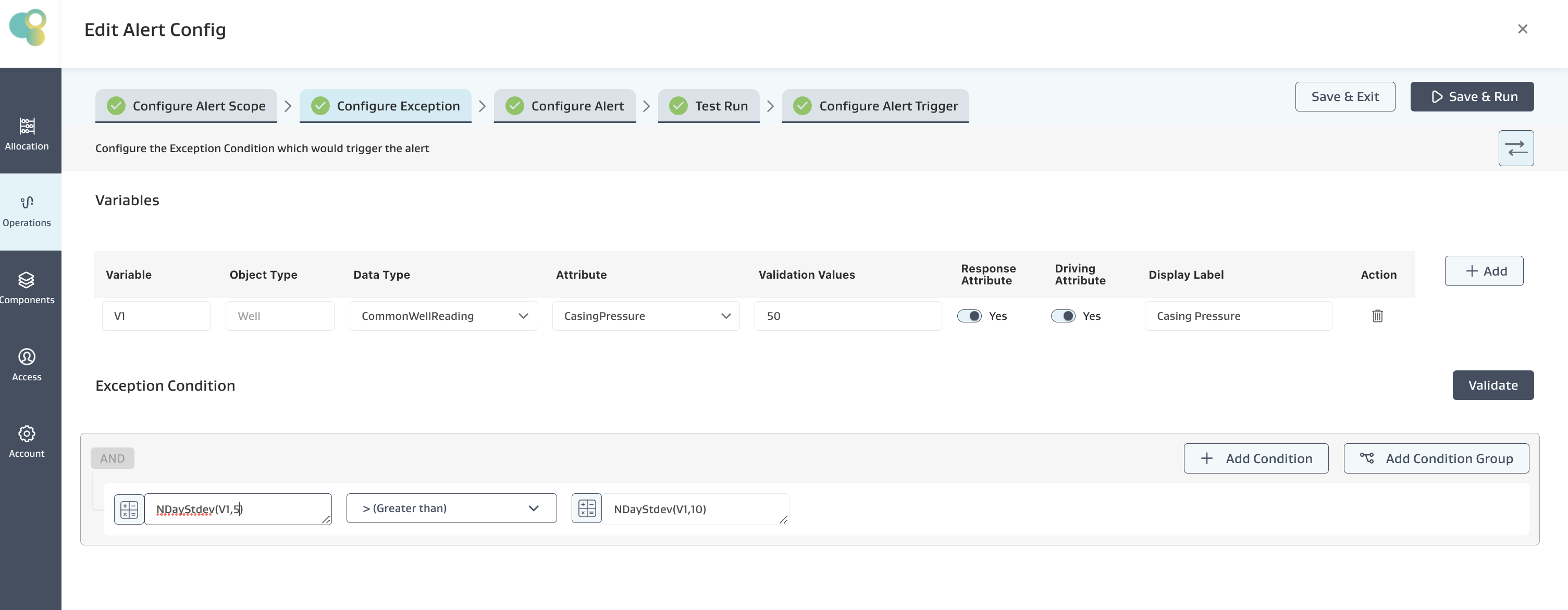
Mathematical logic:
On the Well SMITH, SOL #3A
Assuming Current Date as March 30th. Given the last 5 Days only have 3 readings available, 30th, 28th, 26th March Readings, then only those 3 readings are used to calculate the standard deviation over the past 5 days, i.e., 500, 400, 350
Standard Deviation is calculated as “Square Root” of [Summation of ((Xi - Mean)2)/N] i.e Square Root of Variance
where Xi are the readings, Mean is the Average of those readings, and N is “Number of Days”
For the given data, Mean = (500+400+350)/3 = 416.67,
Standard Deviation = Square Root of [((500-416.67)2 + (400-416.67)2 + (300-416.67)2)/3] = 62.36
Given the last 10 Days only have 6 readings available, then only those 6 readings are used to calculate the standard deviation over the past 10 days, i.e., (500,400,350,315,385,338). Standard Deviation = 60.14
Given 62.36 >60.14, the condition is satisfied, and an alert is created for the SMITH, SOL #3A Well, as shown below
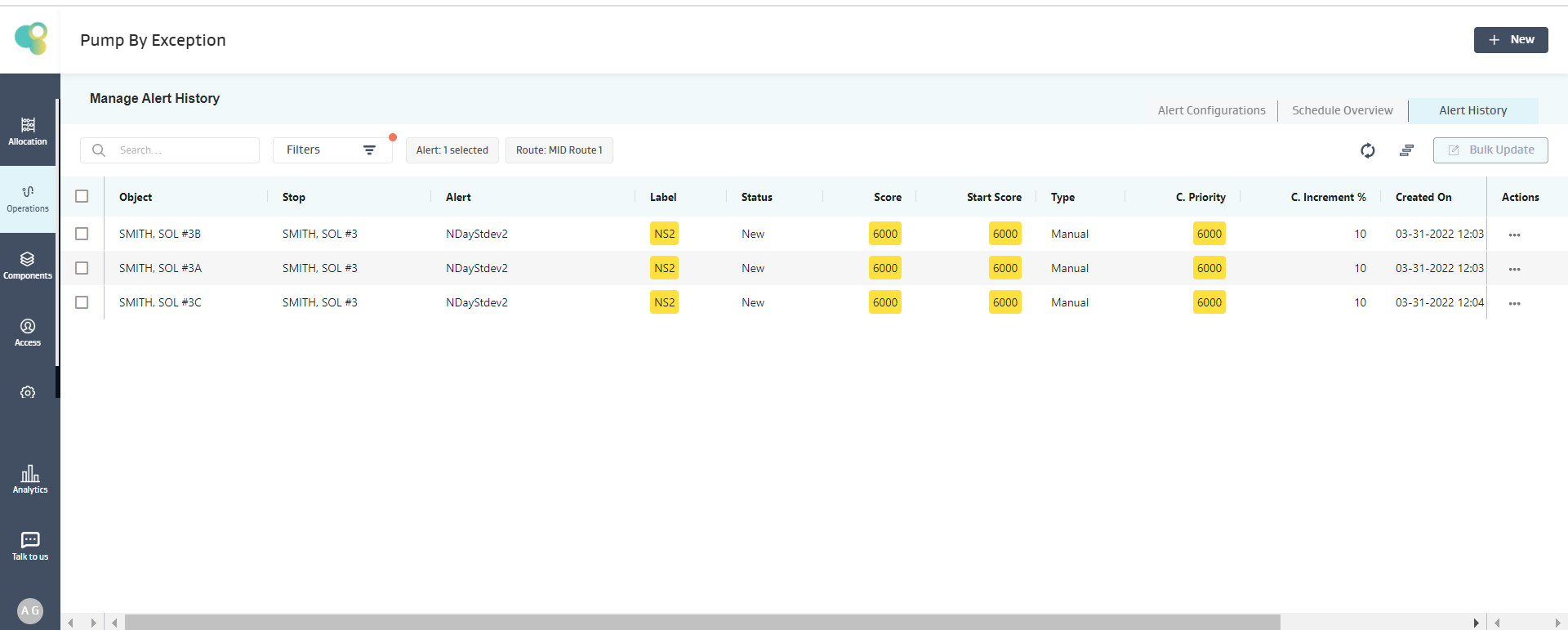
Note:
If there are no readings on the object, then the expression evaluation on that particular object fails, and the object is skipped, but for the other objects, the expression is evaluated, and an alert is generated if the condition is true
If there are less number of readings available on an object than what the function demands, but there are no NULL values in between, then the expression evaluation proceeds with the available data and evaluates the expression.
If multiple NULL values exist for an object attribute in an expression, the expression evaluation fails, and no alert is created for that object.
NReadingStdev(V,N)
Description
The Standard Deviation of values of the Variable (V) fetched from the “Last N Available Readings” using ‘population variance’ for this function.
Input: V (Decimal), N (Positive Integer >=1), Output: Decimal
Use Case
This calculation helps signal variable volatility for readings over a given time frame, such as the last 7 days, using standard deviation.
Example :
Alert Requirement: Show an Alert when Standard Deviation over the past 3 “Readings” is Greater than 40
Exception Condition: The below Exception Condition shows the syntax and logic used
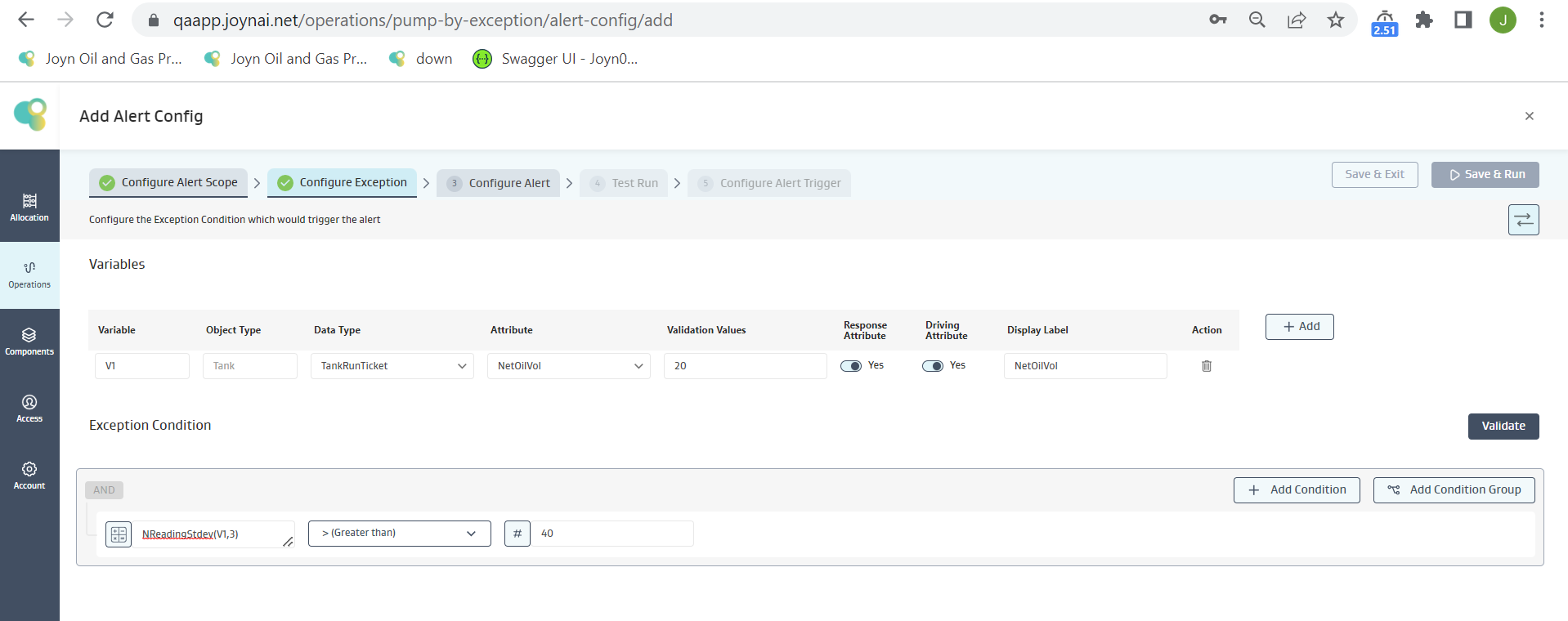
Mathematical logic:
On the tank SMITH, SOL#30051
Given only 3 readings are available for the last day of readings are reported, then only those 3 readings will are used to calculate the Standard Deviation, i.e., 153.816, 219.829, 123.053
Standard Deviation is calculated as “Square Root” of [Summation of ((Xi - Mean)2)/N] i.e Square Root of Variance
where Xi are the readings, Mean is the Average of those readings, and N is “Number of Readings”
For the given data, Mean = (153.816+219.829+123.053)/3 = 165.566
Standard Deviation = Square Root of [((153.816-165.566)2 + (219.829-165.566)2 + (123.053-165.566)2)/3] = 40.372808
Given 40.372808 > 40, the condition is satisfied, and an alert is created for SMITH, SOL#30051 Well, as shown below
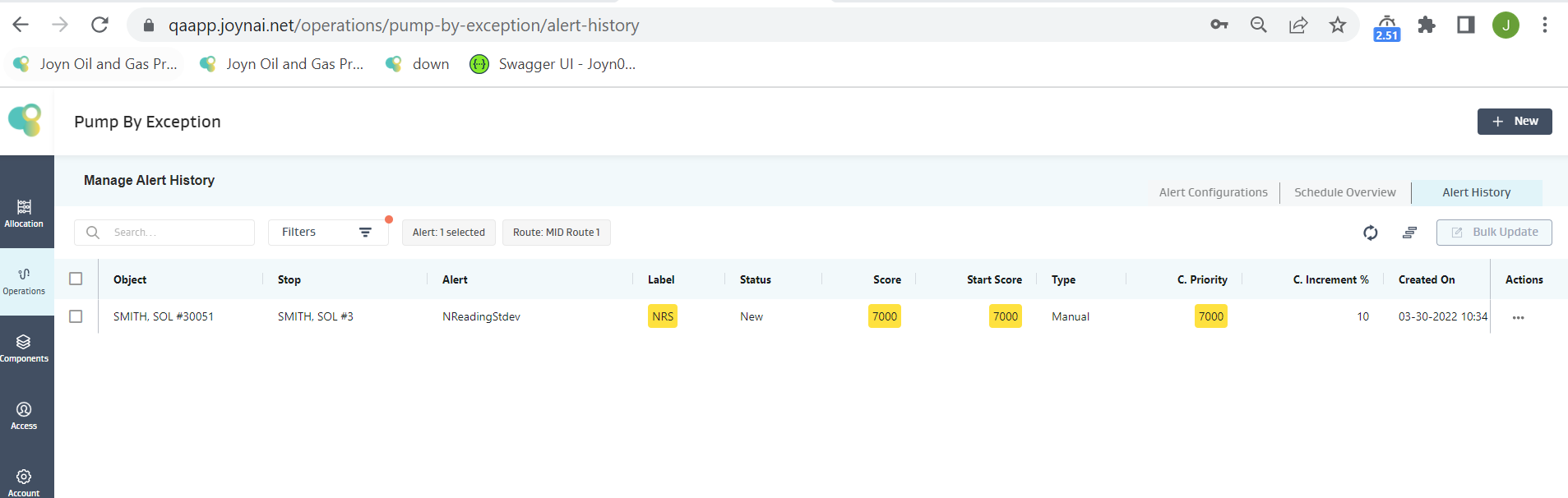
Note:
If there are no readings on the object, then the expression evaluation on that particular object fails, and the object is skipped, but for the other objects, the expression is evaluated, and an alert is generated if the condition is true
If there are less number of readings available on an object than what the function demands, but there are no NULL values in between, then the expression evaluation proceeds with the available data and evaluates the expression.
If multiple NULL values exist for an object attribute in an expression, the expression evaluation fails, and no alert is created for that object.
MtdAvg(V)
Description
Average of values of the Variable (V) fetched from the Month Readings
Input: V (Decimal), Output: Decimal
Use Case:
This formula is useful for situations where there
is a large disparity between the produced volumes for the current day versus the month-to-date average of produced volumes.
Example :
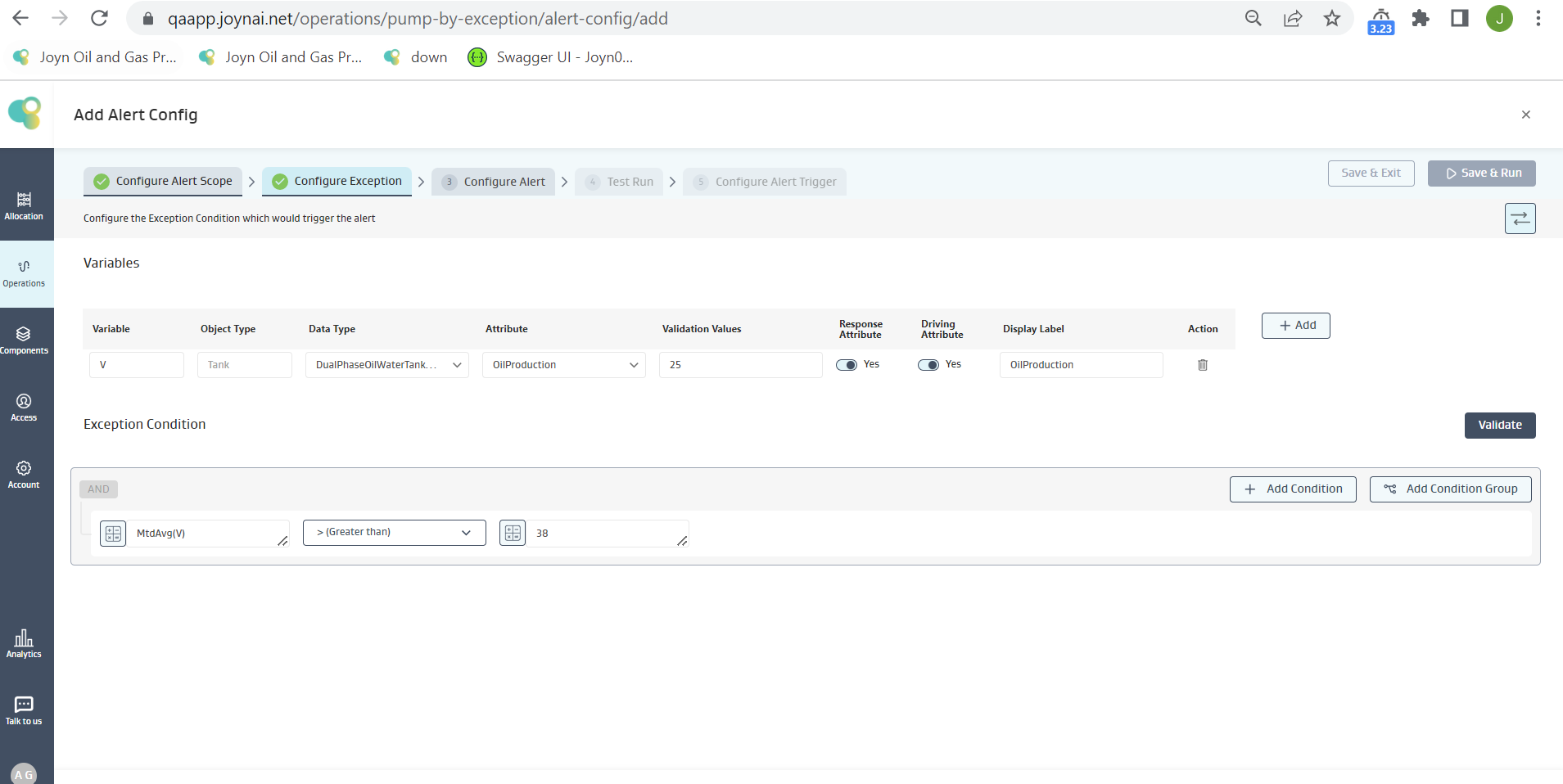
Alert Requirement: Show an Alert when the Average Oil Production for the “Month” is greater than 38
Exception Condition: The below Exception Condition shows the syntax and logic used
Mathematical logic:
On the tank SMITH, SOL#30051
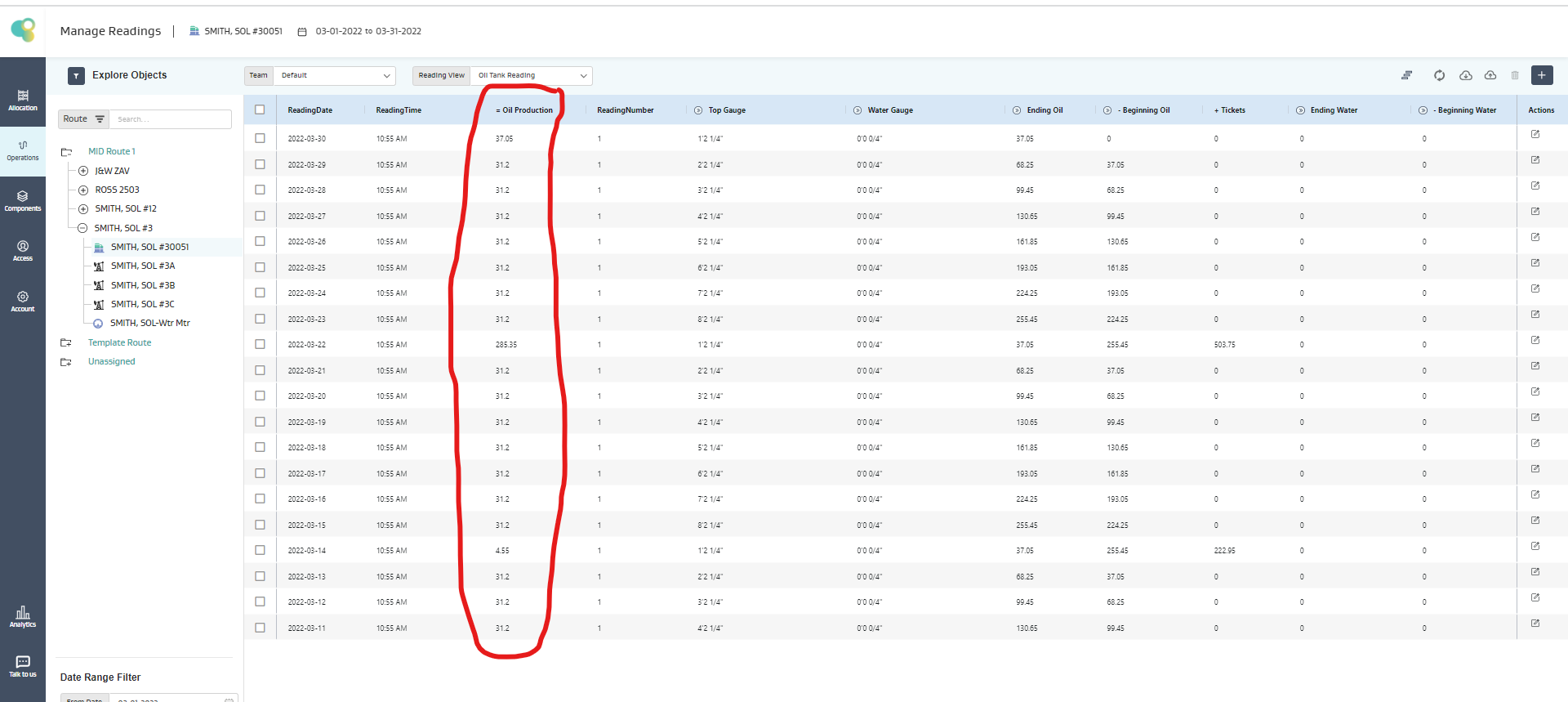
If there are 30 readings available for a given month, then these 30 readings will be used to calculate Month-to-Date Value i.e Avg MTD = 38.09
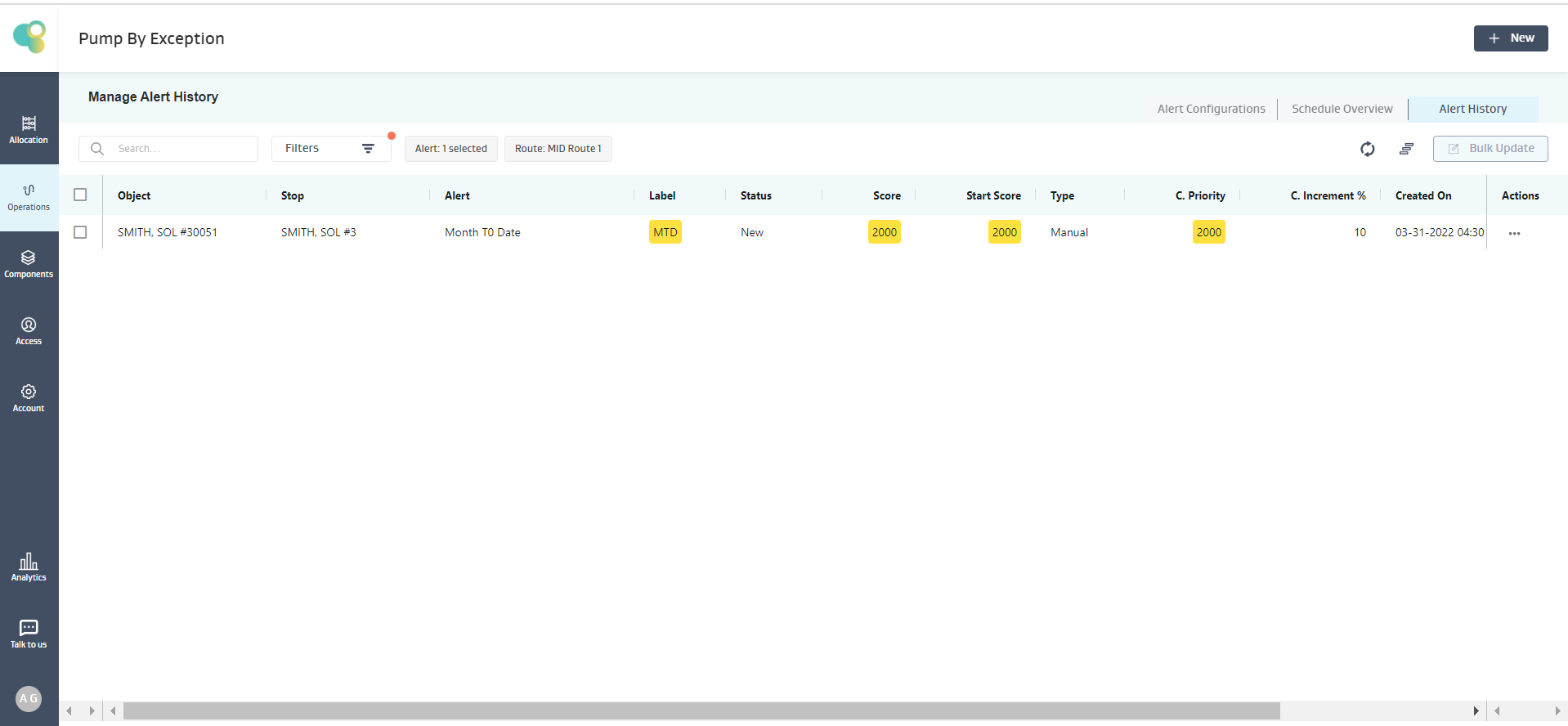
Given 38.09 > 38, the condition is satisfied, and an alert is created for SMITH, SOL#30051 Well, as shown below
Note:
If there are no readings on the object, then the expression evaluation on that particular object fails, and the object is skipped, but for the other objects, the expression is evaluated, and an alert is generated if the condition is true
If there are less number of readings available on an object than what the function demands, but there are no NULL values in between, then the expression evaluation proceeds with the available data and evaluates the expression.
If multiple NULL values exist for an object attribute in an expression, the expression evaluation fails, and no alert is created for that object.
MtdSum(V)
Description
Sum of values of the Variable (V) fetched from the Month Readings
Input: V (Decimal), Output: Decimal
Example :
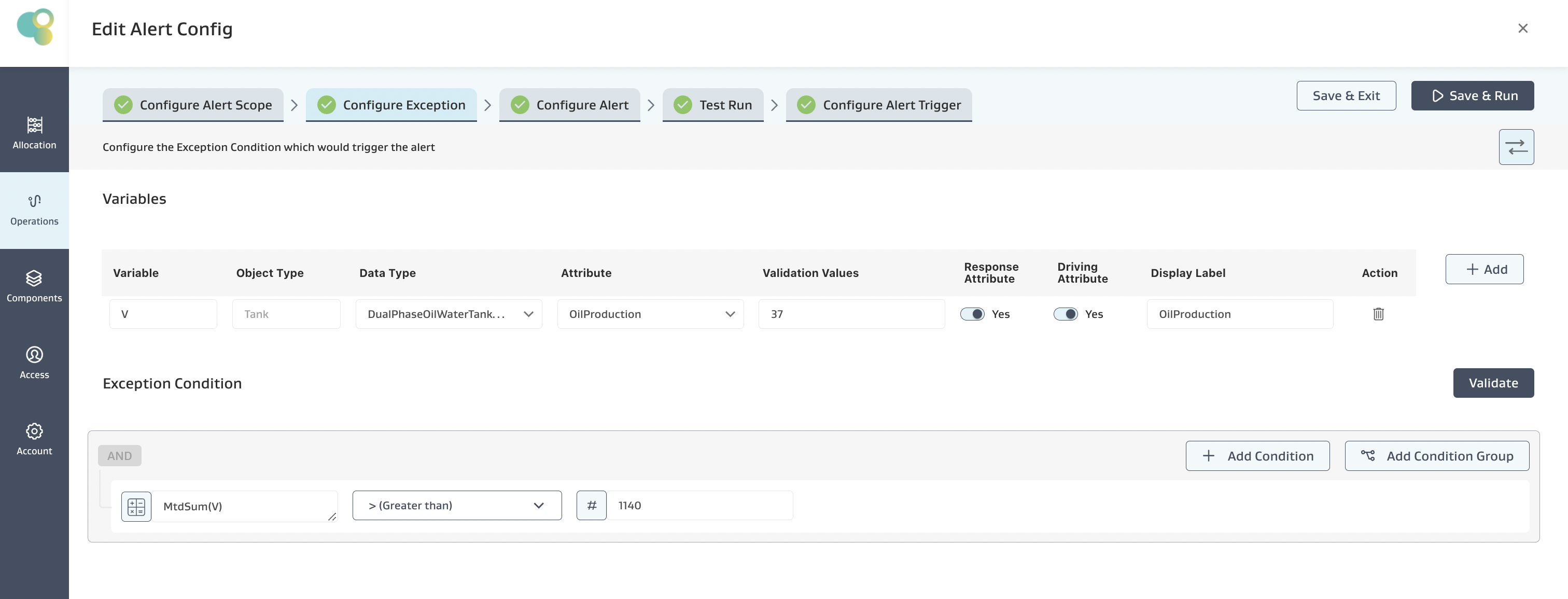
Alert Requirement: Show an Alert when the Sum of the Oil Production for the “Month” is greater than 1140
Exception Condition: The below Exception Condition shows the syntax and logic used
Mathematical logic:
On the tank SMITH, SOL#30051
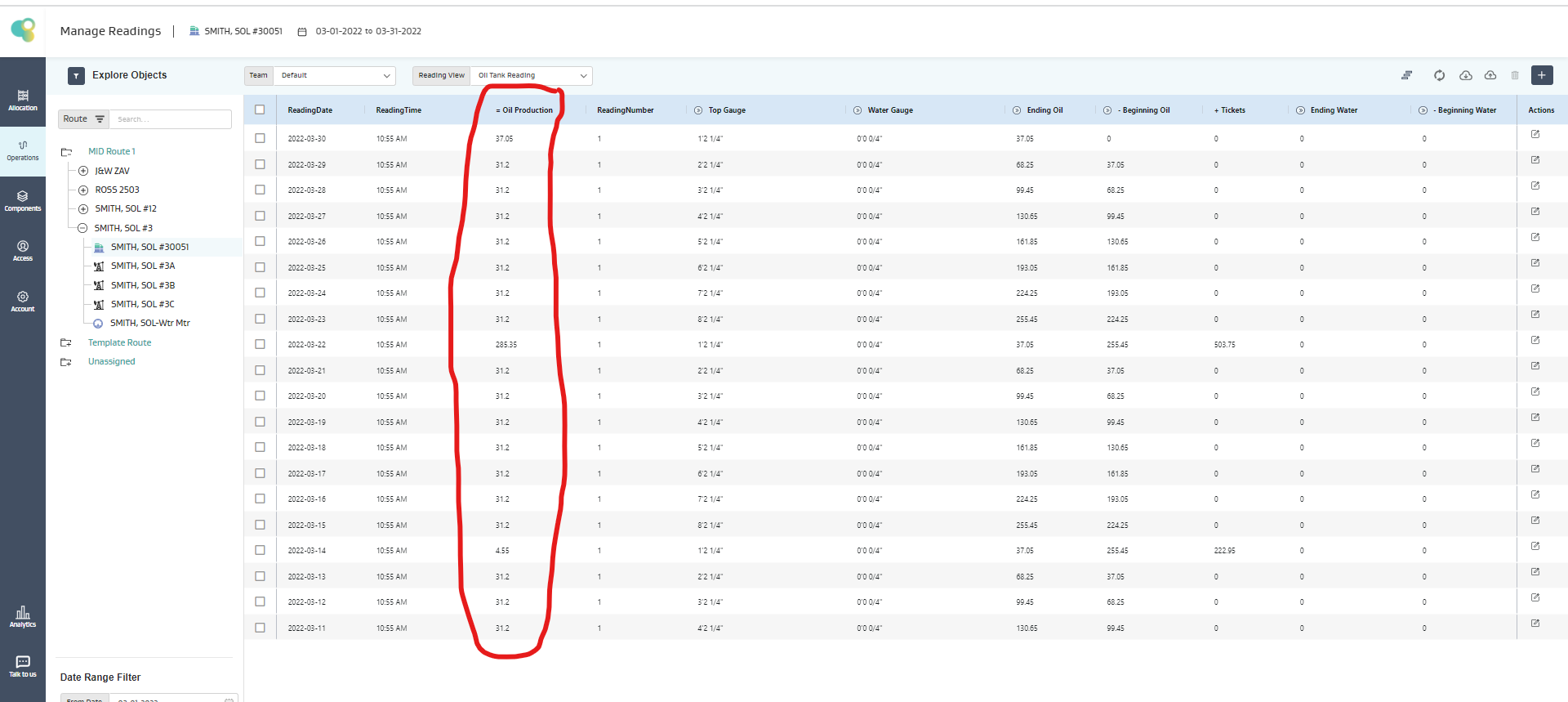
Given only 30 readings are available for a month, then only those 30 readings will be taken for calculation of Month To Date Sum
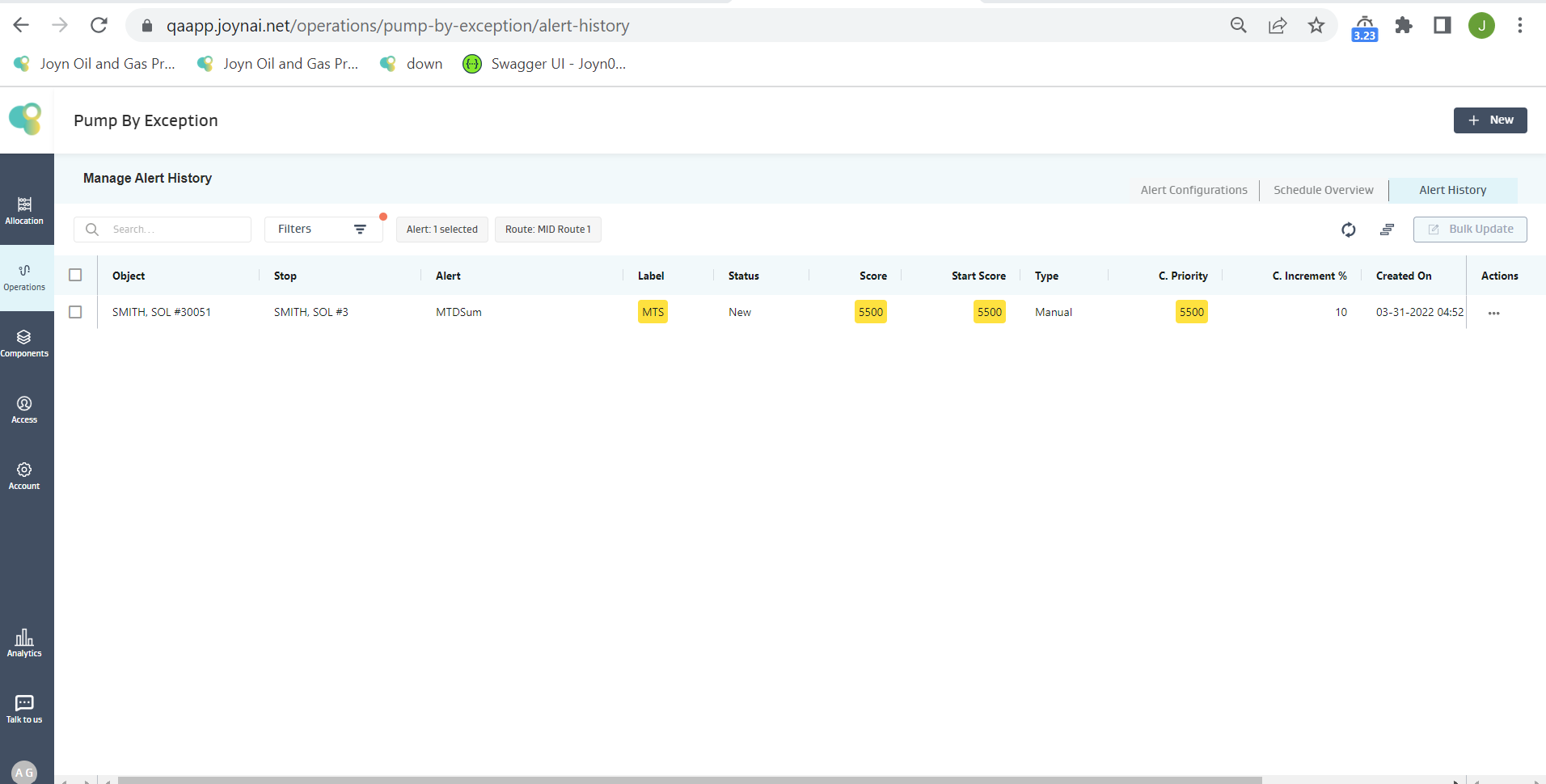
Given Sum>1140 the condition is satisfied, and an alert is created for SMITH, SOL#30051 Well, as shown below
Note:
If there are no readings on the object, then the expression evaluation on that particular object fails, and the object is skipped, but for the other objects, the expression is evaluated, and an alert is generated if the condition is true
If there are less number of readings available on an object than what the function demands, but there are no NULL values in between, then the expression evaluation proceeds with the available data and evaluates the expression.
If multiple NULL values exist for an object attribute in an expression, the expression evaluation fails, and no alert is created for that object.
WtdAvg(V)
Description
Average of values of the Variable (V) fetched from the Week Readings
Input: V (Decimal), Output: Decimal
Example :
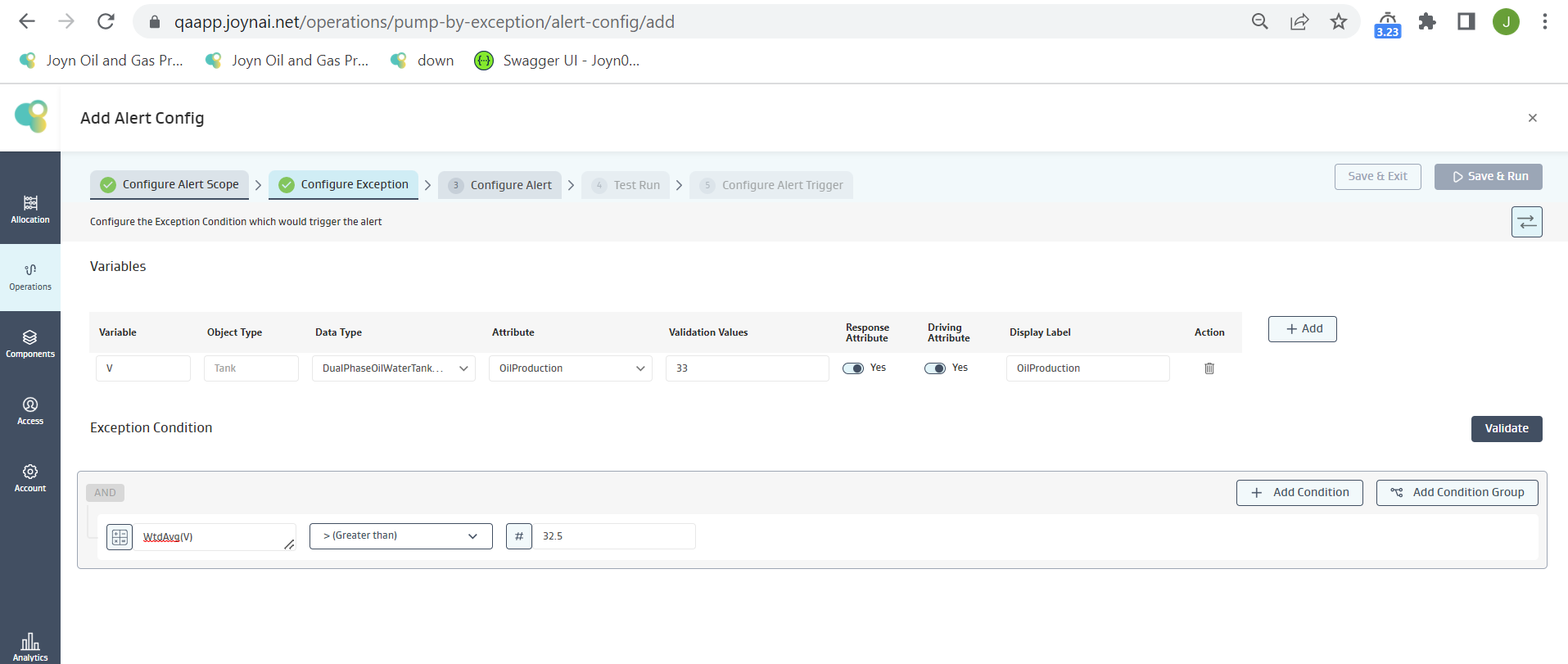
Alert Requirement: Show an Alert when the Average Oil Production for the “Week” is greater than 32.5
Exception Condition: The below Exception Condition shows the syntax and logic used
Mathematical logic:
On the tank SMITH, SOL#30051
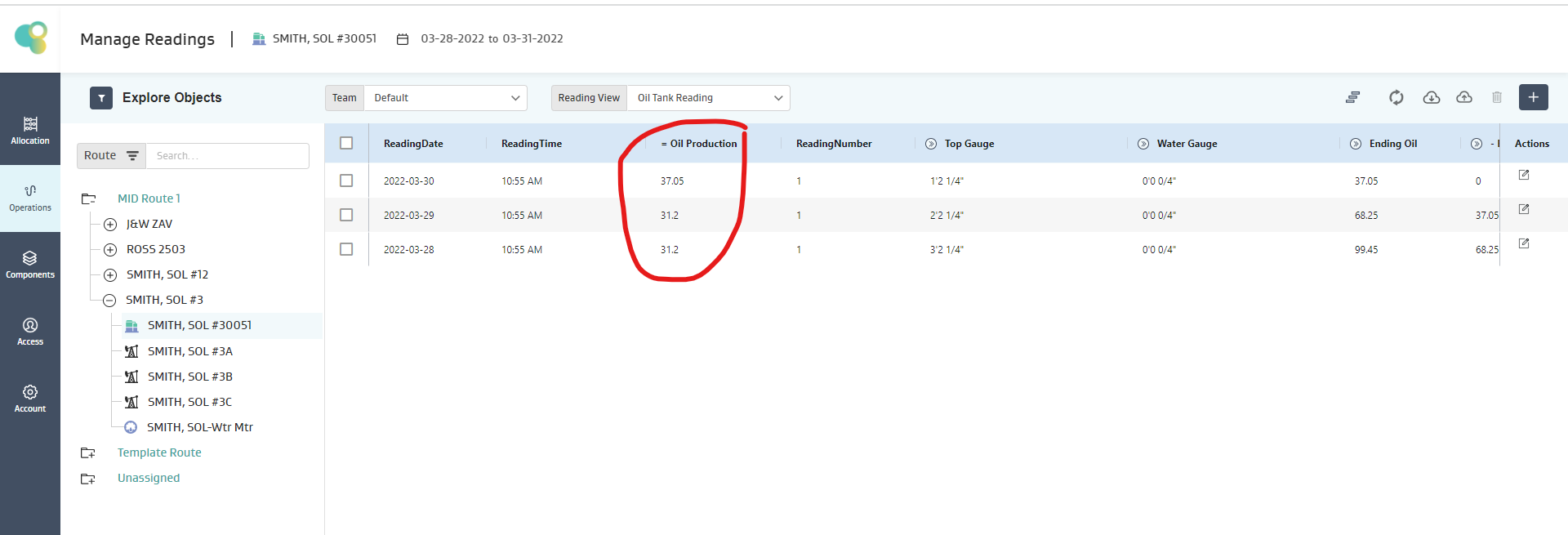
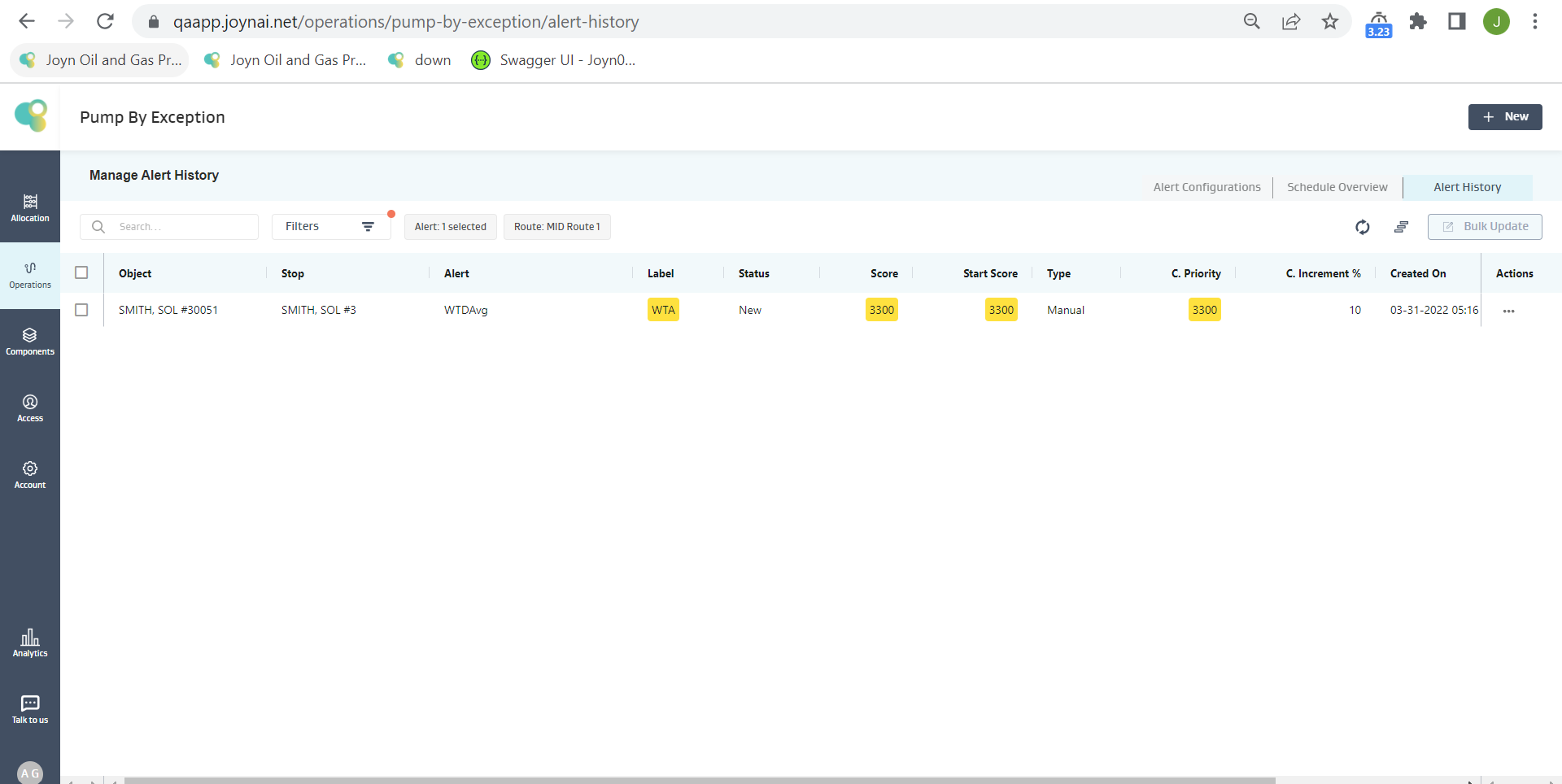
If there are only 4 readings available for the current week (starting Monday), then only these 4 readings will be used to calculate the Week-to-Date value, i.e., Average WTD = 33.15
Given 33.15 > 32.5, the condition is satisfied, and an alert is created for SMITH, SOL#30051 Well, as shown below
Note:
If there are no readings on the object, then the expression evaluation on that particular object fails, and the object is skipped, but for the other objects, the expression is evaluated, and an alert is generated if the condition is true
If there are less number of readings available on an object than what the function demands, but there are no NULL values in between, then the expression evaluation proceeds with the available data and evaluates the expression.
If multiple NULL values exist for an object attribute in an expression, the expression evaluation fails, and no alert is created for that object.
WtdSum(V)
Description
Sum of values of the Variable (V) fetched from the Week Readings
Input: V (Decimal), Output: Decimal
Example :
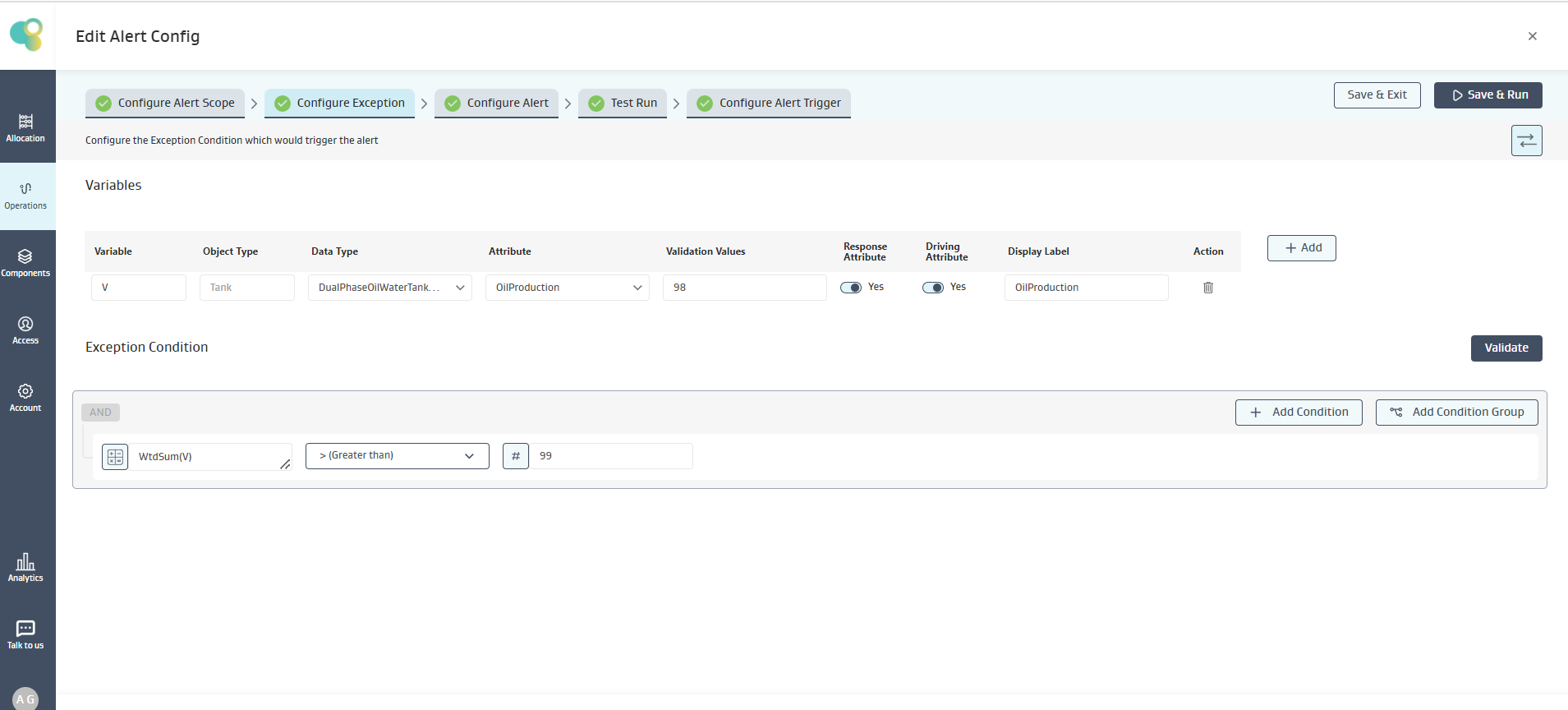
Alert Requirement: Show an Alert when Sum of Oil Production for the “Week” is greater than 99
Exception Condition: The below Exception Condition shows the syntax and logic
Mathematical logic:
On the tank SMITH, SOL#30051
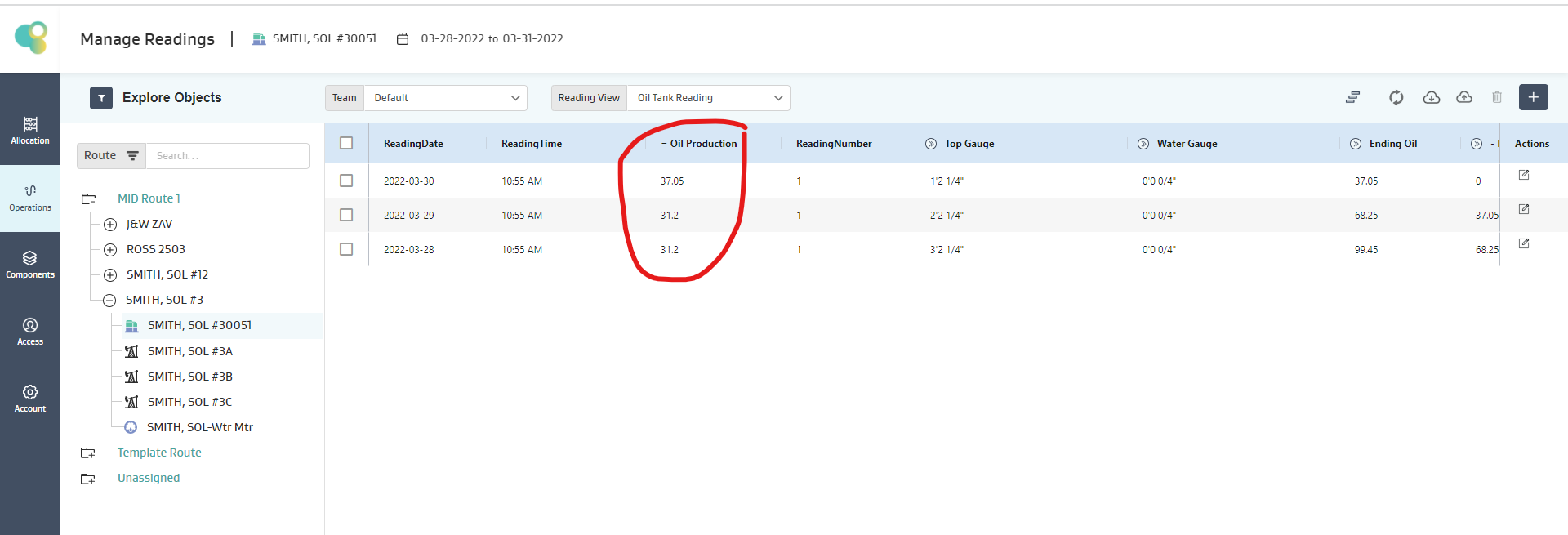
If there are only 4 readings for the current week (starting Monday), then only these 4 readings will be used to calculate the Week-to-Date value, i.e., Sum WTD = 99.45
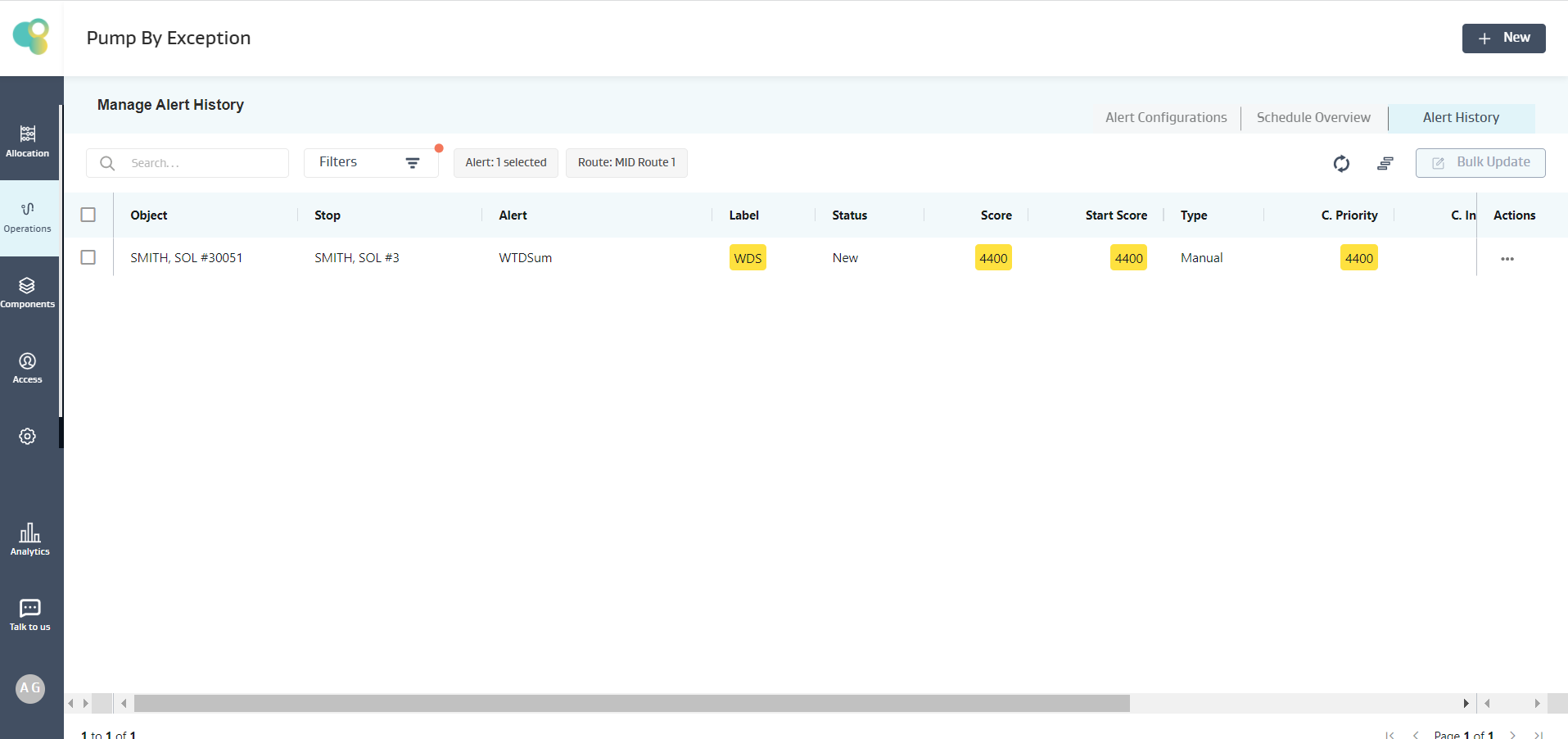
Given 99.45 > 99, the condition is satisfied, and an alert is created for SMITH, SOL#30051 Well, as shown below
Note:
If there are no readings on the object, then the expression evaluation on that particular object fails, and the object is skipped, but for the other objects, the expression is evaluated, and an alert is generated if the condition is true
If there are less number of readings available on an object than what the function demands, but there are no NULL values in between, then the expression evaluation proceeds with the available data and evaluates the expression.
If multiple NULL values exist for an object attribute in an expression, the expression evaluation fails, and no alert is created for that object.
YtdAvg(V)
Description
Average of values of the Variable (V) fetched from the Year Readings
Input: V (Decimal), Output: Decimal
Example :
Alert Requirement: Show an Alert when the Average of Oil for the “Year” is greater than 16
Exception Condition: The below Exception Condition shows the syntax and logic used
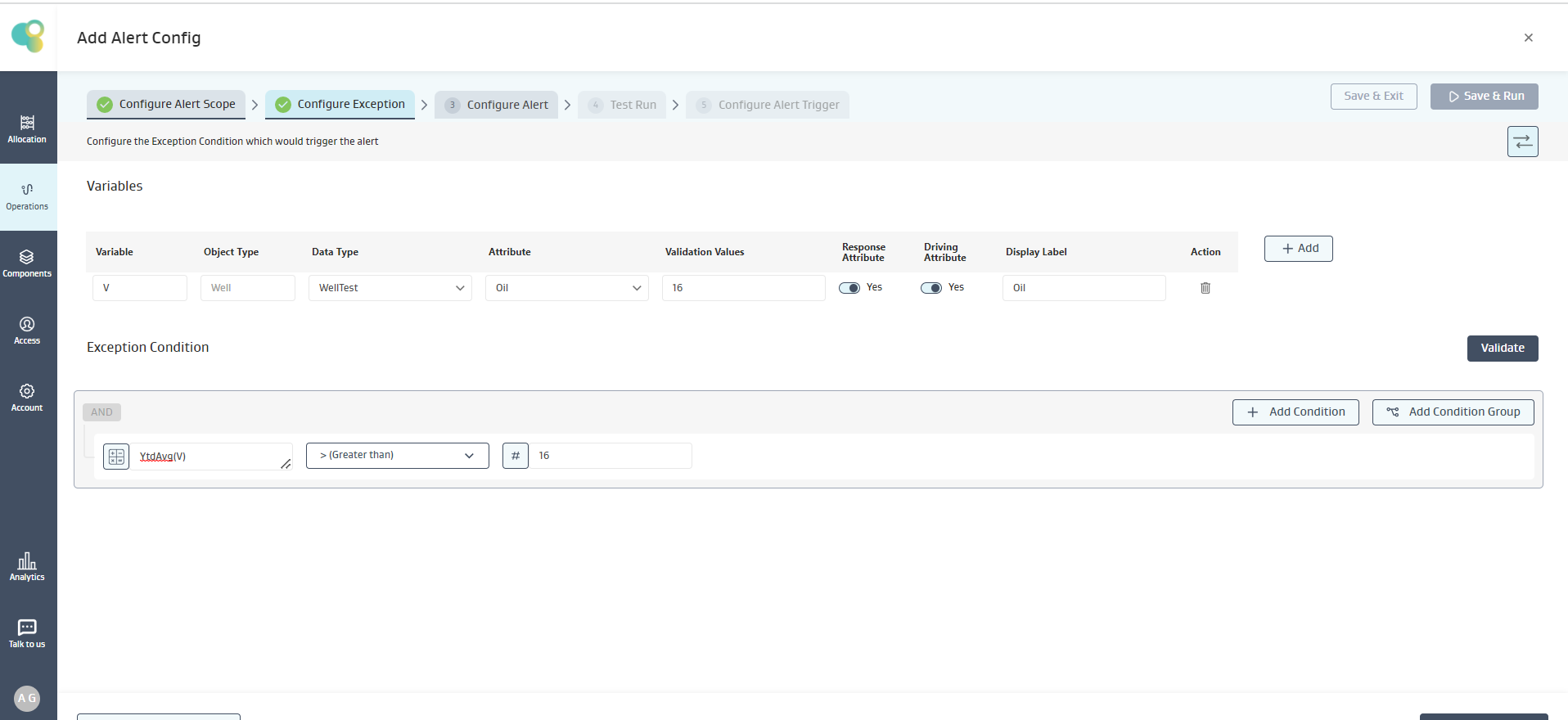
Mathematical logic:
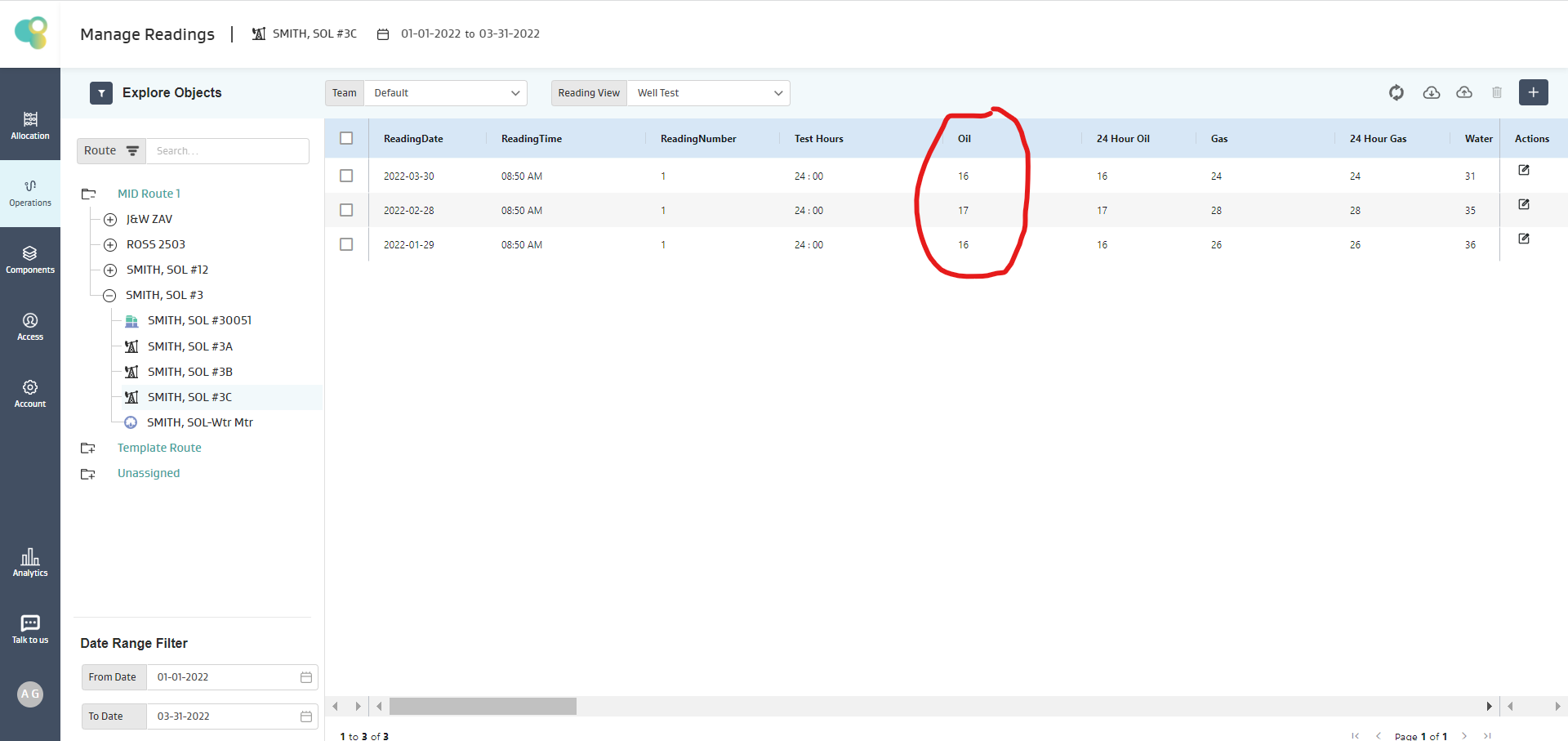
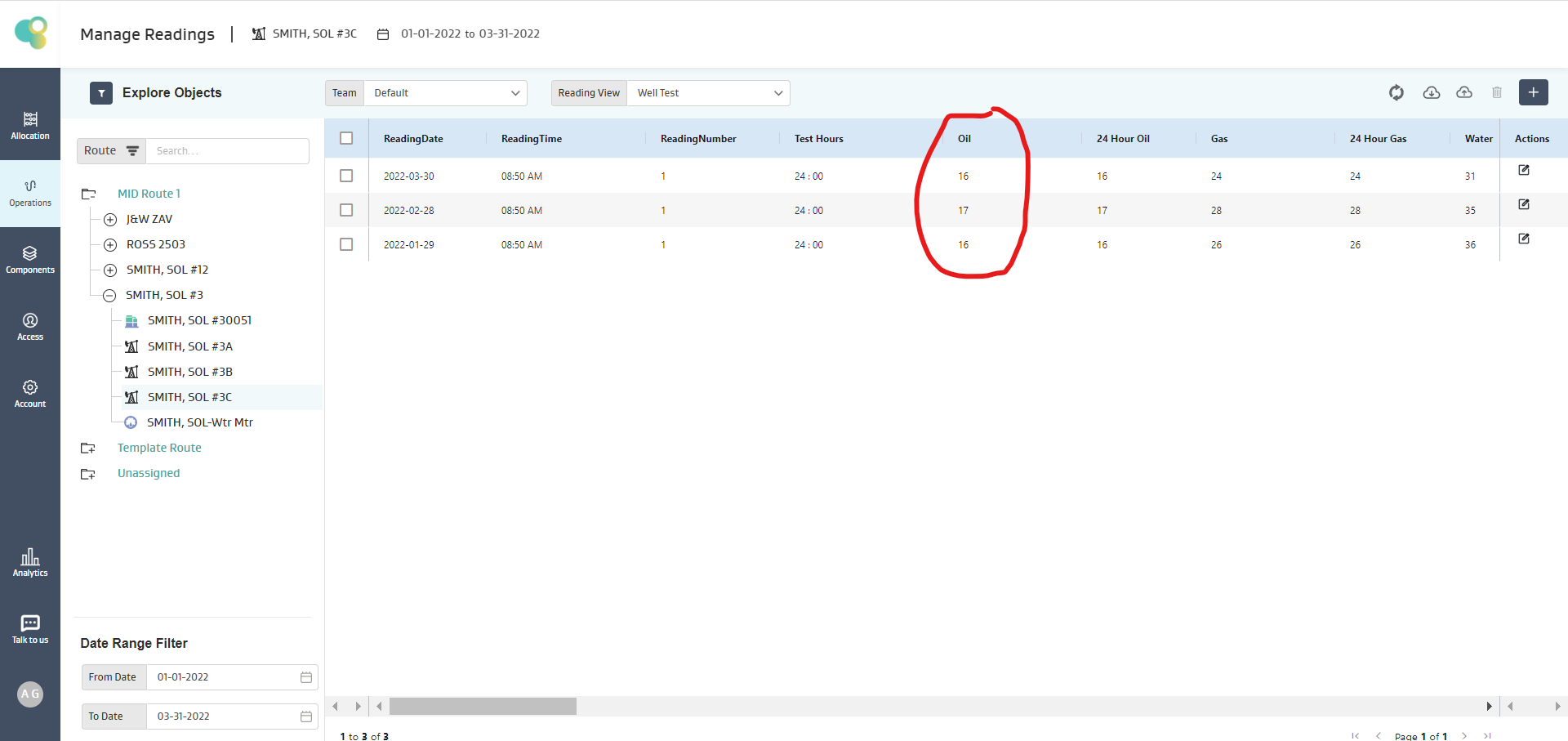
On the Well SMITH, SOL#3C
If there are only 3 readings available for a Year, then only these 3 readings will be used to calculate the Year-to-Date value, i.e., Average YTD = 16.33
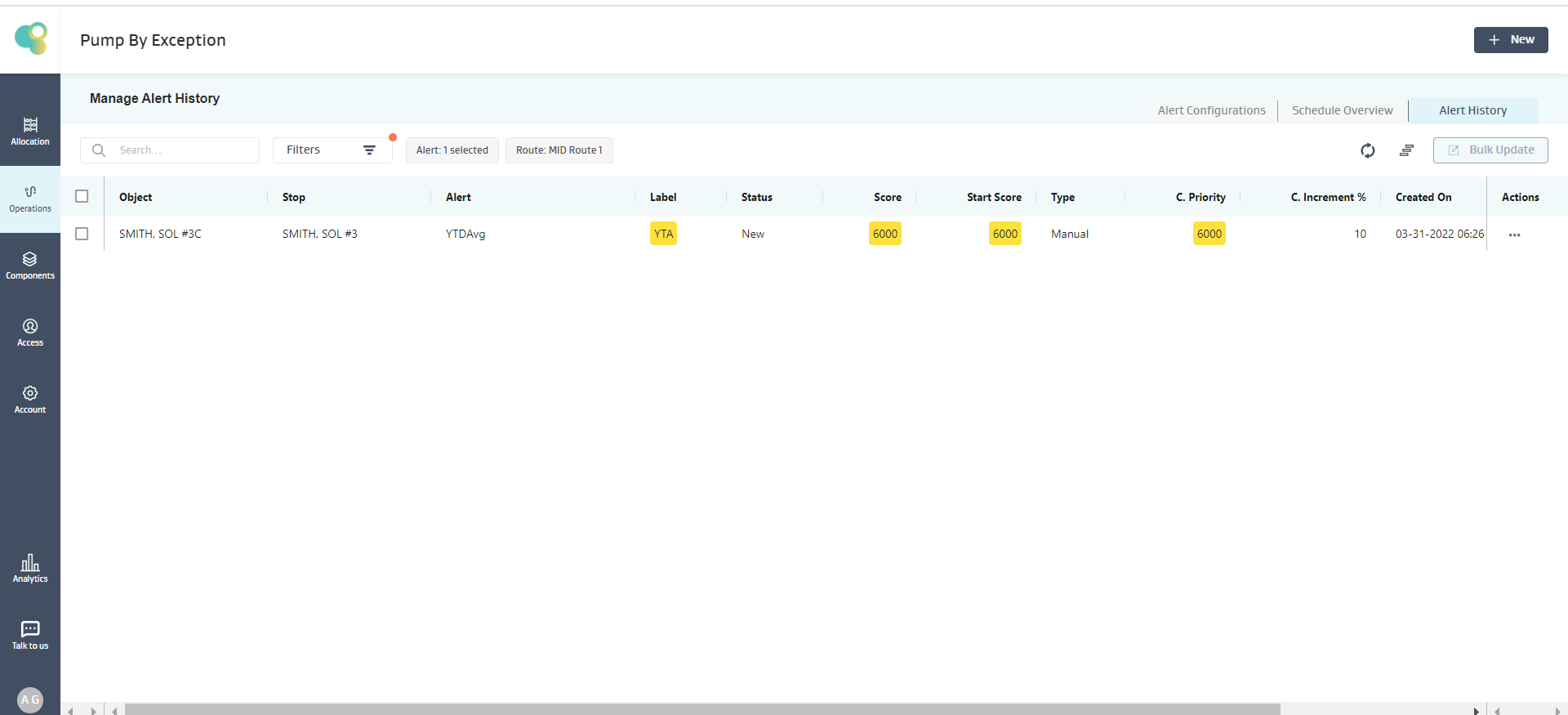
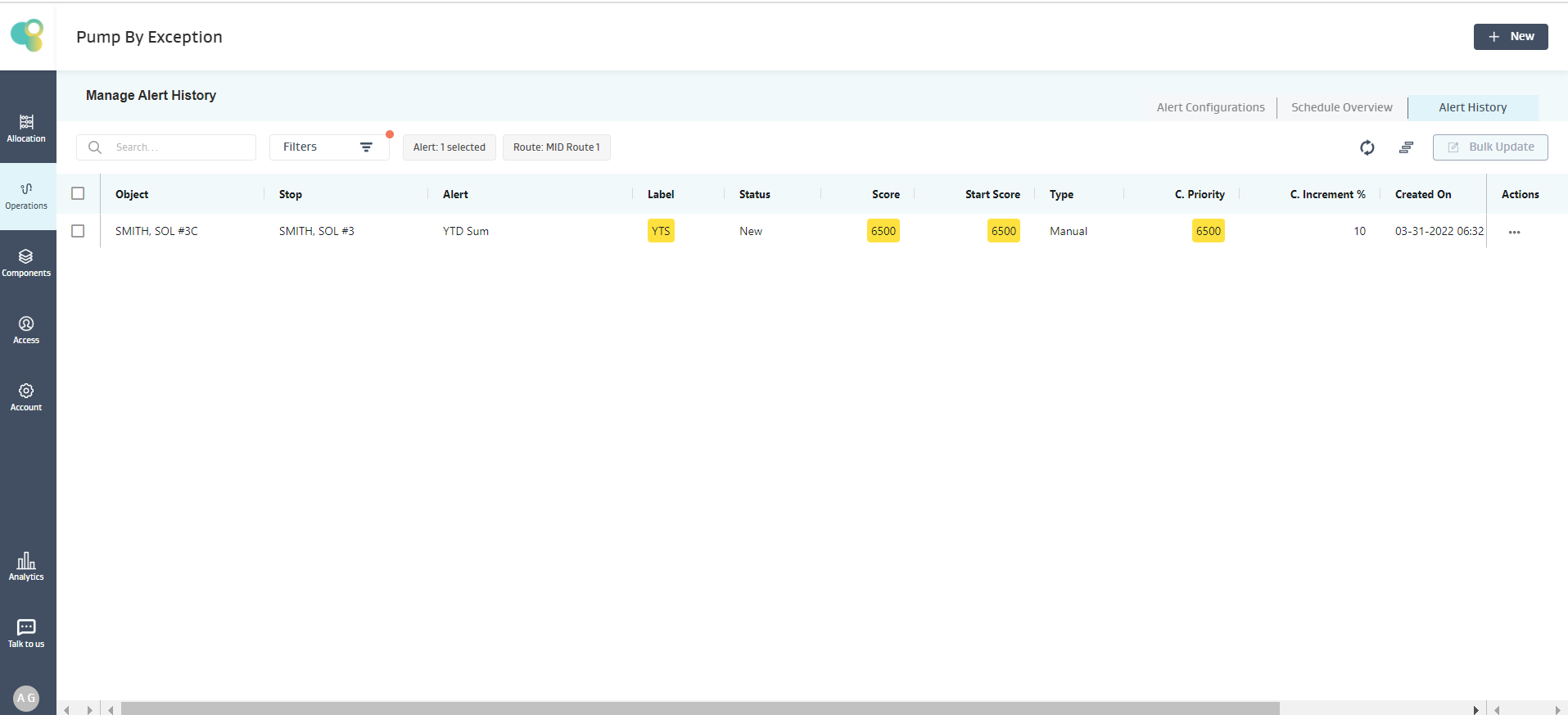
Given 16.33 > 16, the condition is satisfied, and an alert is created for SMITH, SOL#30051 Well, as shown below
Note:
If there are no readings on the object, then the expression evaluation on that particular object fails, and the object is skipped, but for the other objects, the expression is evaluated, and an alert is generated if the condition is true
If there are less number of readings available on an object than what the function demands, but there are no NULL values in between, then the expression evaluation proceeds with the available data and evaluates the expression.
If multiple NULL values exist for an object attribute in an expression, the expression evaluation fails, and no alert is created for that object.
YtdSum(V)
Description
Sum of values of the Variable (V) fetched from the Year Readings
Input: V (Decimal), Output: Decimal
Example :
Alert Requirement: Show an Alert when Sum of Oil for the “Year” is greater than 48.5
Exception Condition: The below Exception Condition shows the syntax and logic used
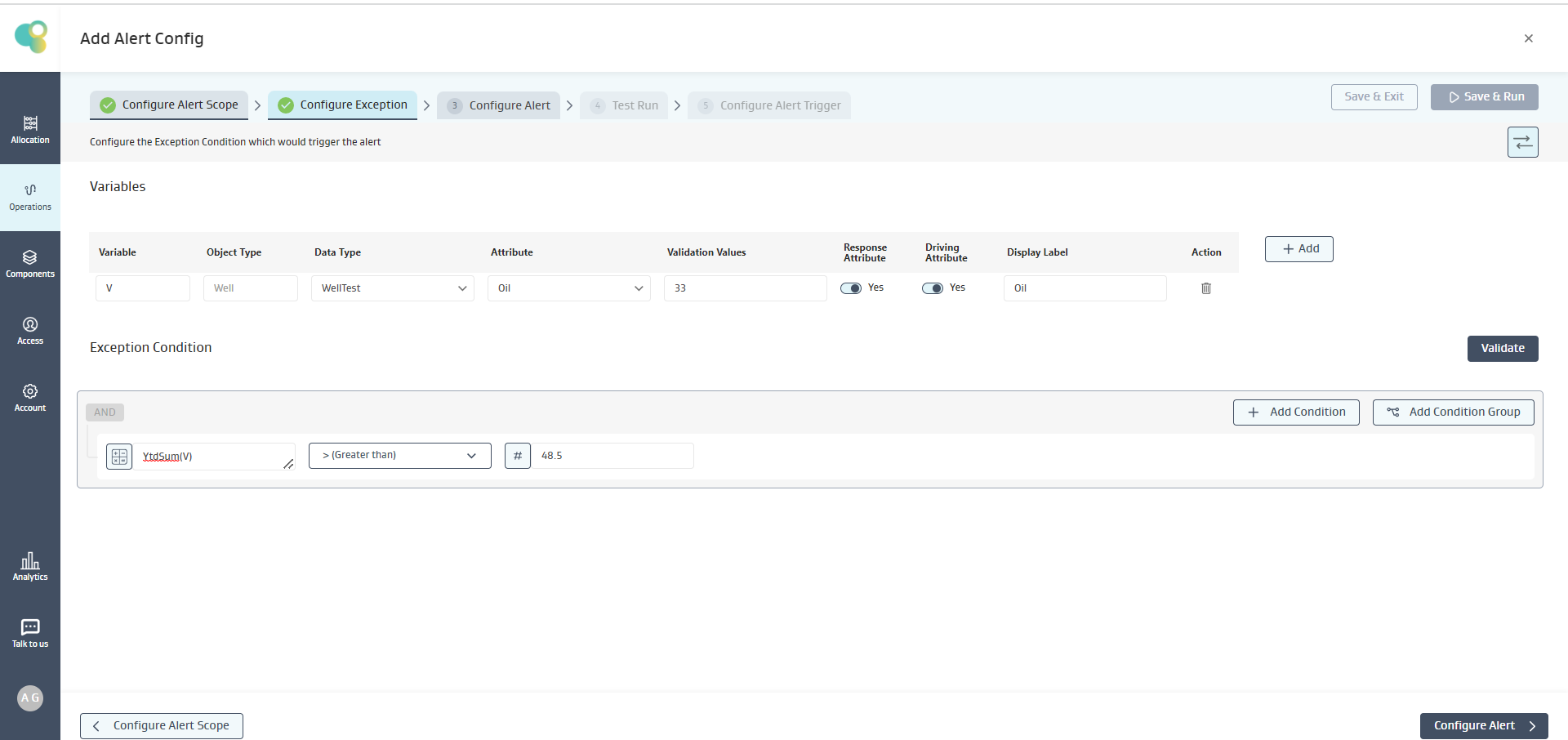
Mathematical logic:
On the well SMITH, SOL#3C
For Year, 3 readings are available, so only those three readings will be taken for calculation of Year To Date Sum, i.e., Sum YTD = 49
Given 49 > 48.5, the condition is satisfied, and an alert is created for SMITH, SOL#30051 Well, as shown below
Note:
If there are no readings on the object, then the expression evaluation on that particular object fails, and the object is skipped, but for the other objects, the expression is evaluated, and an alert is generated if the condition is true
If there are less number of readings available on an object than what the function demands, but there are no NULL values in between, then the expression evaluation proceeds with the available data and evaluates the expression.
If multiple NULL values exist for an object attribute in an expression, the expression evaluation fails, and no alert is created for that object.
DayDiff(D1,D2)
Description
Calculates the number of days between the dates D1 and D2
Input: D1 &D2 (mm-dd-yyyy), Output: Integer
Use Case
This function can be used in situations where you count the days between events, such as the lat time a well test or reading was taken.
Example :
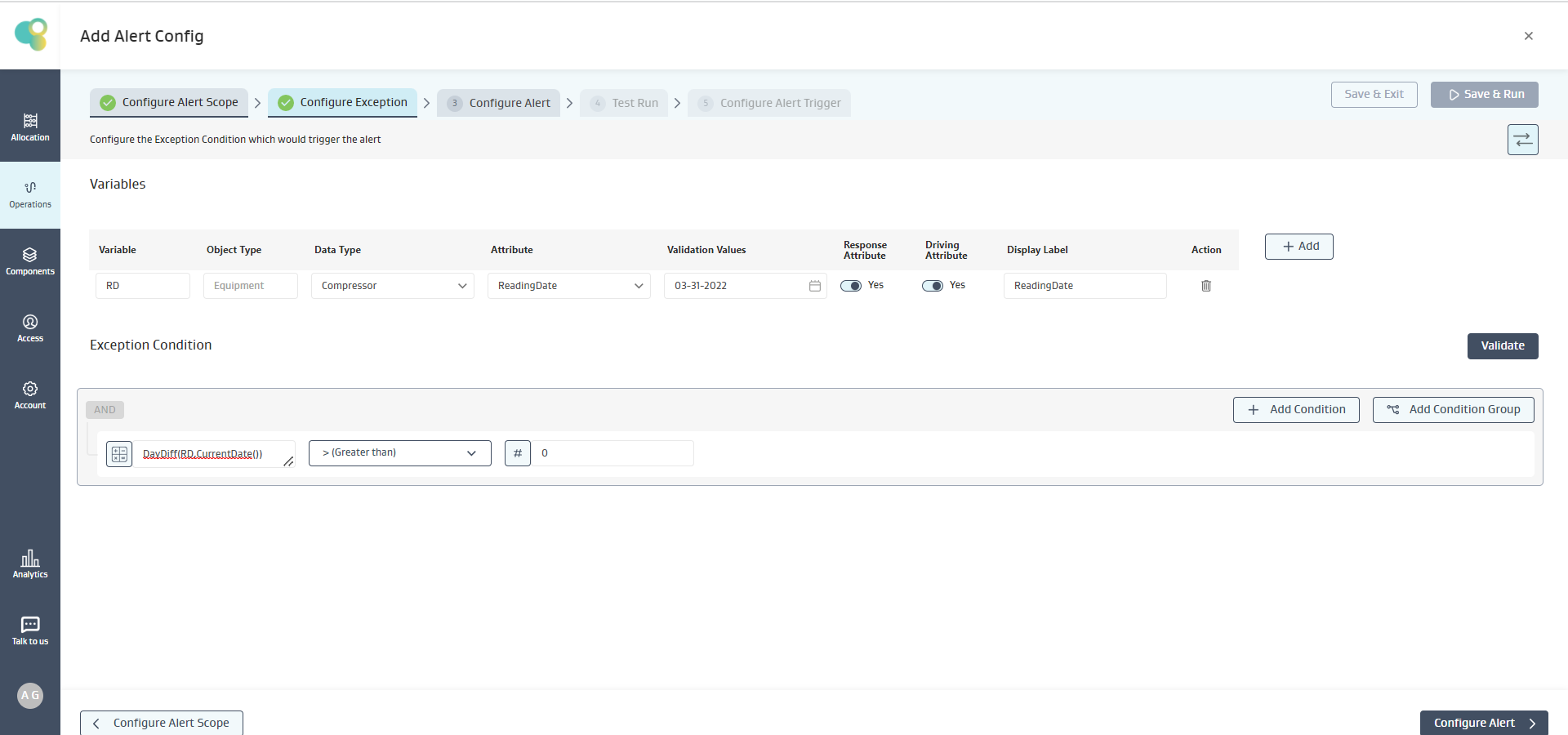
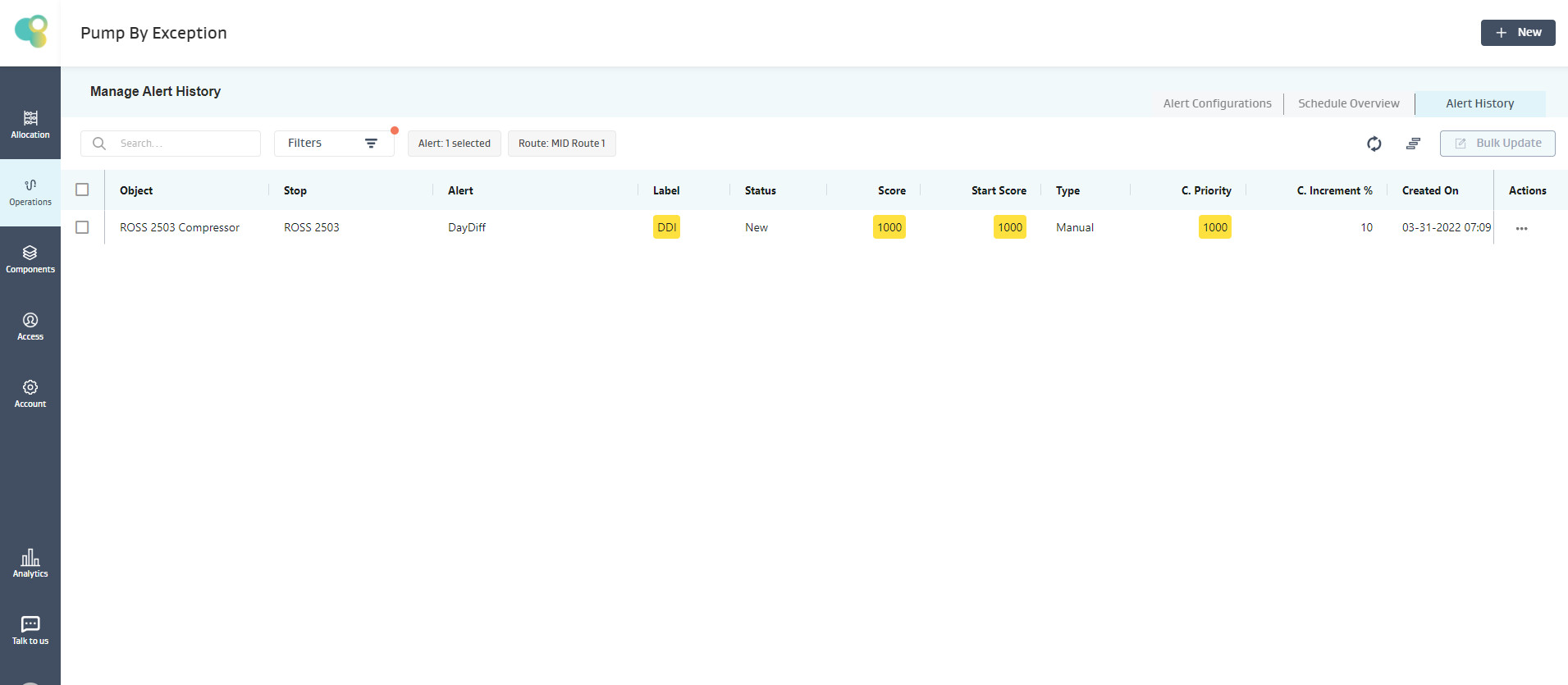
Alert Requirement: Show an Alert when Date Difference between the Current Date and the Reading Date is greater than 0 i.e. Daily Compressor Reading requirement
Exception Condition: The below Exception Condition shows the syntax and logic used
Mathematical logic:
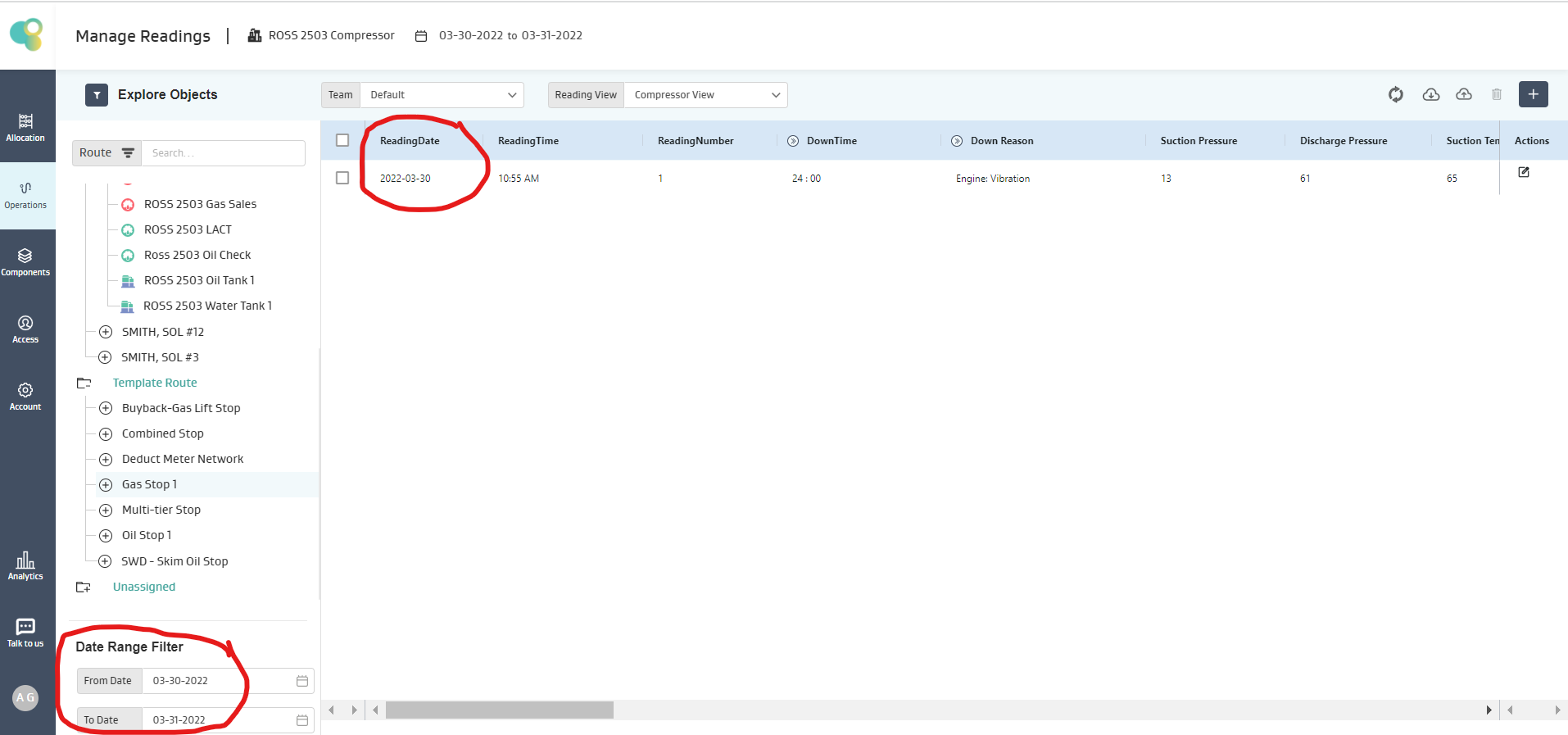
On the Equipment, ROSS 2503 Compressor
The Last Available Reading is 3/30/2022
The Current Date is 3/31/2022
Given Current Date - Last Available Reading > 0, the condition is satisfied, and an alert is created for ROSS 2503 Compressor, as shown below.
Note:
If there are no readings on the object, then the expression evaluation on that particular object fails, and the object is skipped, but for the other objects, the expression is evaluated, and an alert is generated if the condition is true.
MonthDiff(D1,D2)
Description
Calculates the number of months between the dates D1 and D2. Only Completed months are taken into account.
1 Month is Calculated on Date-to-Date basis. Eg: If Current Date is April 4th and Reading Date is March 5th, then MonthDiff(CurrentDate()-RD) = 0, but if the Current Date is April 5th, then MonthDiff(CurrentDate()-RD) = 1
Input: D1 &D2 (mm-dd-yyyy), Output: Integer
Example :
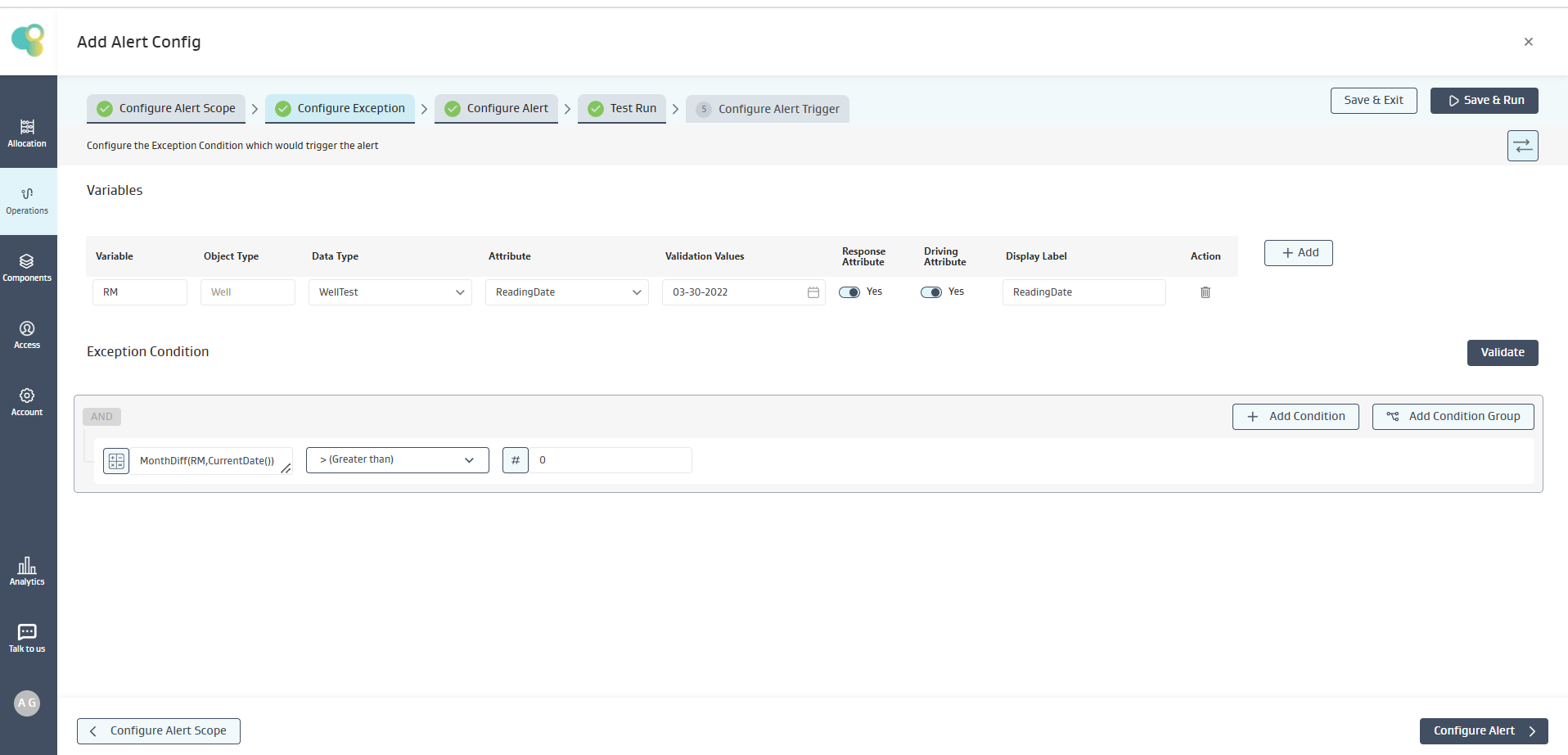
Alert Requirement: Show an Alert when Month Difference between the Current Month and the Last Available Reading Month is greater than zero for Well Test Due Requirement
Exception Condition: The below Exception Condition shows the syntax and logic used
Mathematical logic:
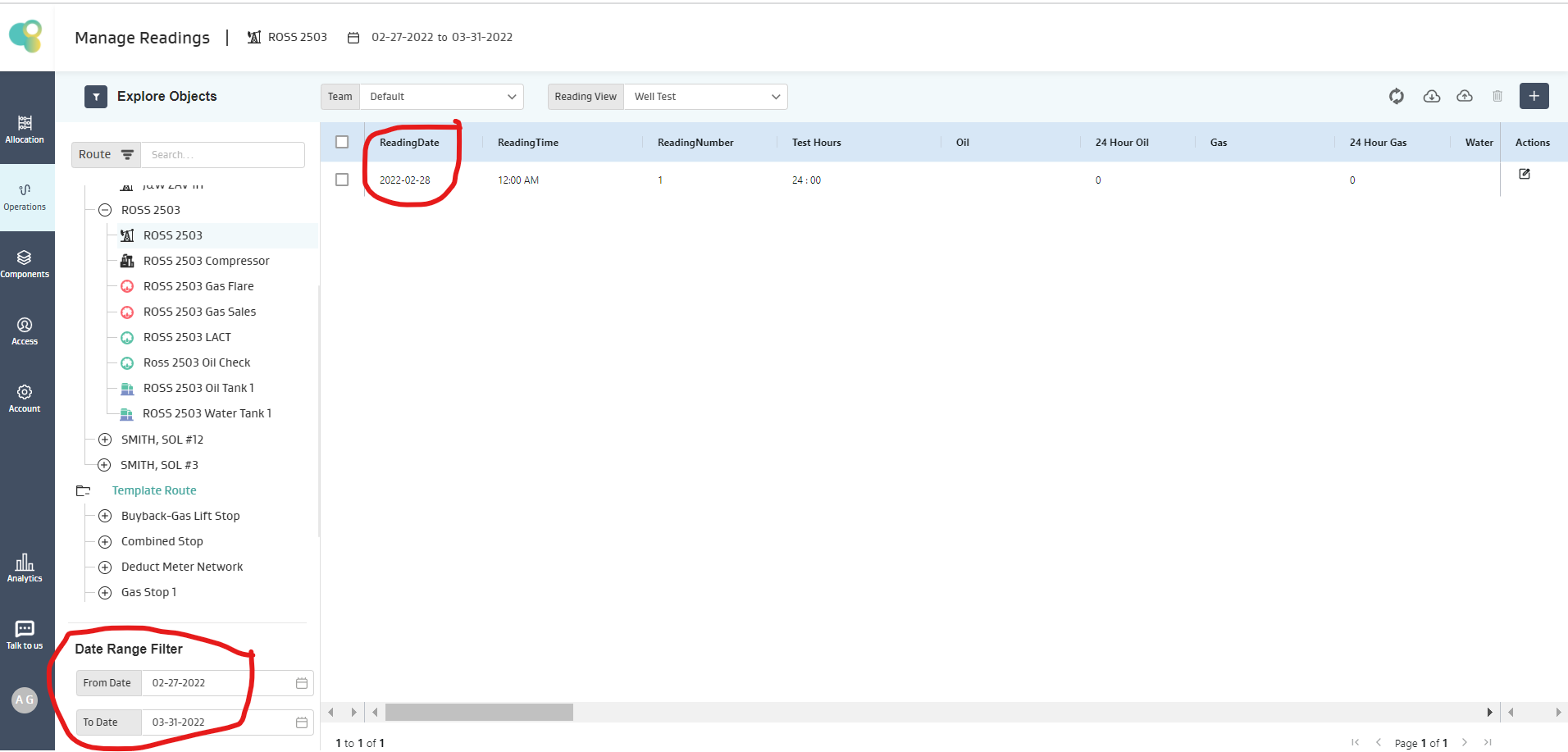
On the Well for Well Test, ROSS 2503
The Last Available Reading is 2/28/2022
The Current Date is 3/31/2022
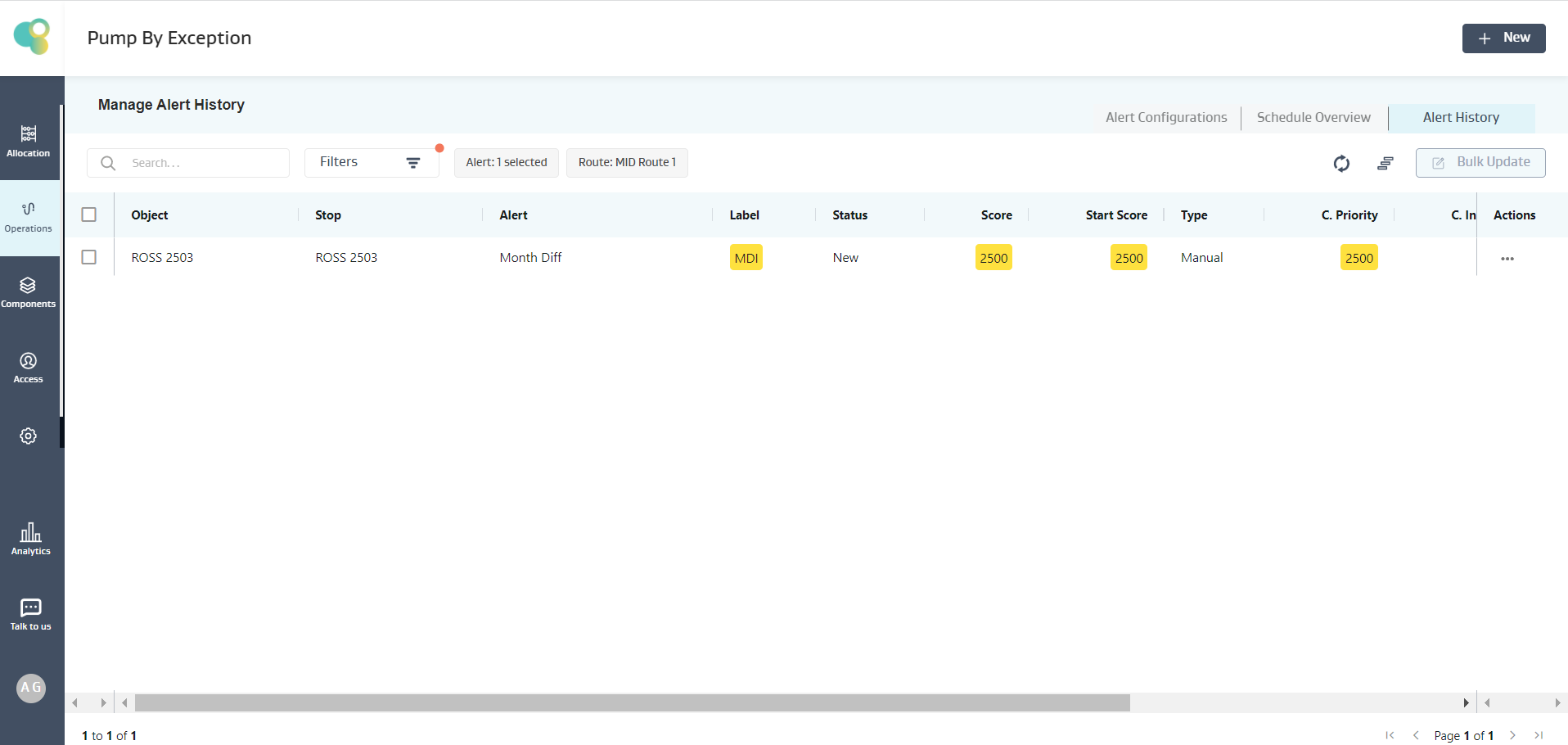
Given Current Month - Last Available Reading Month> 0, the condition is satisfied, and an alert is created for ROSS 2503, as shown below.
Note:
If there are no readings on the object, then the expression evaluation on that particular object fails, and the object is skipped, but for the other objects, the expression is evaluated, and an alert is generated if the condition is true
NReadingSum(V1,N)
Description
Sum of values of the Variable (V) fetched from the “Last N Available Readings”
Input: V (Decimal), N (Positive Integer >=1), Output: Decimal
Example :
Alert Requirement: Show an Alert when Sum of NetOilVolume for the “Last 7 readings” is greater than 1375
Exception Condition: The below Exception Condition shows the syntax and logic used
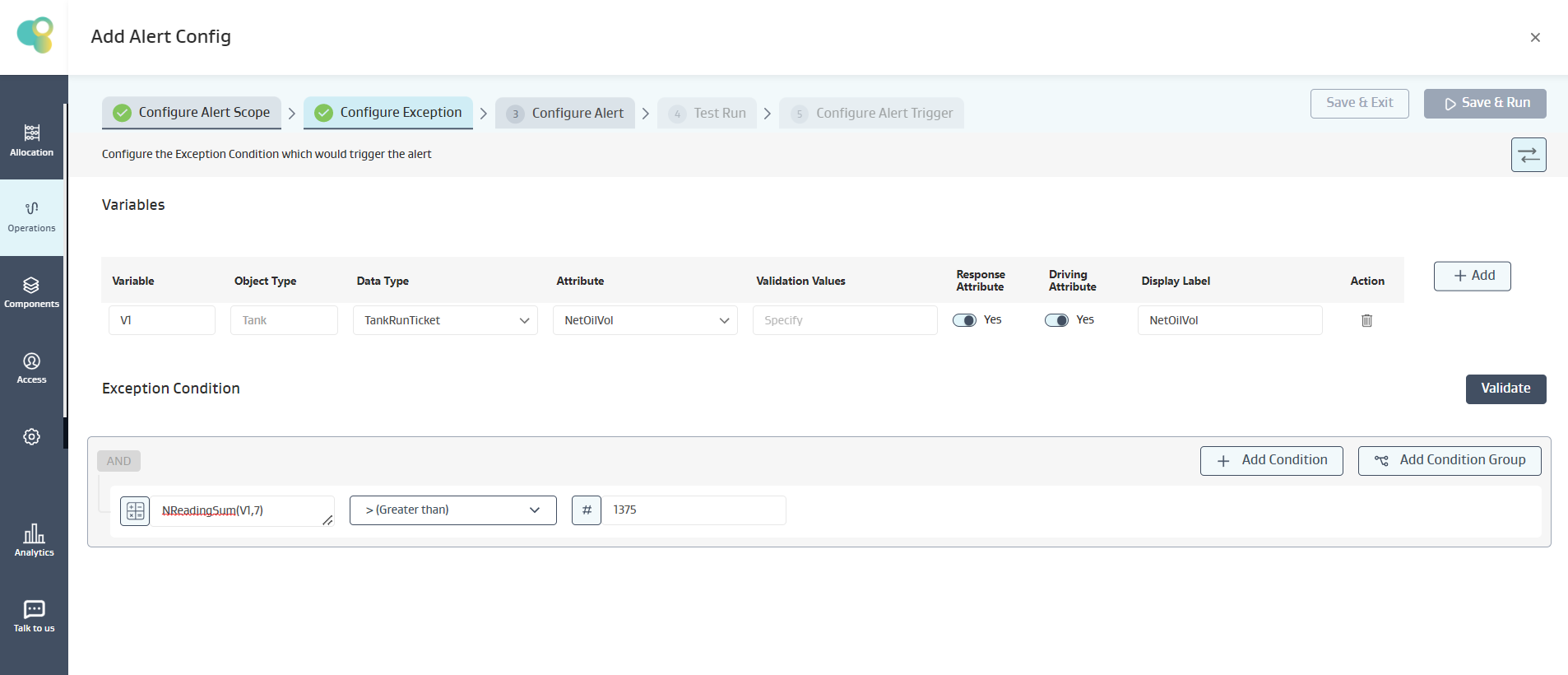
Mathematical logic:
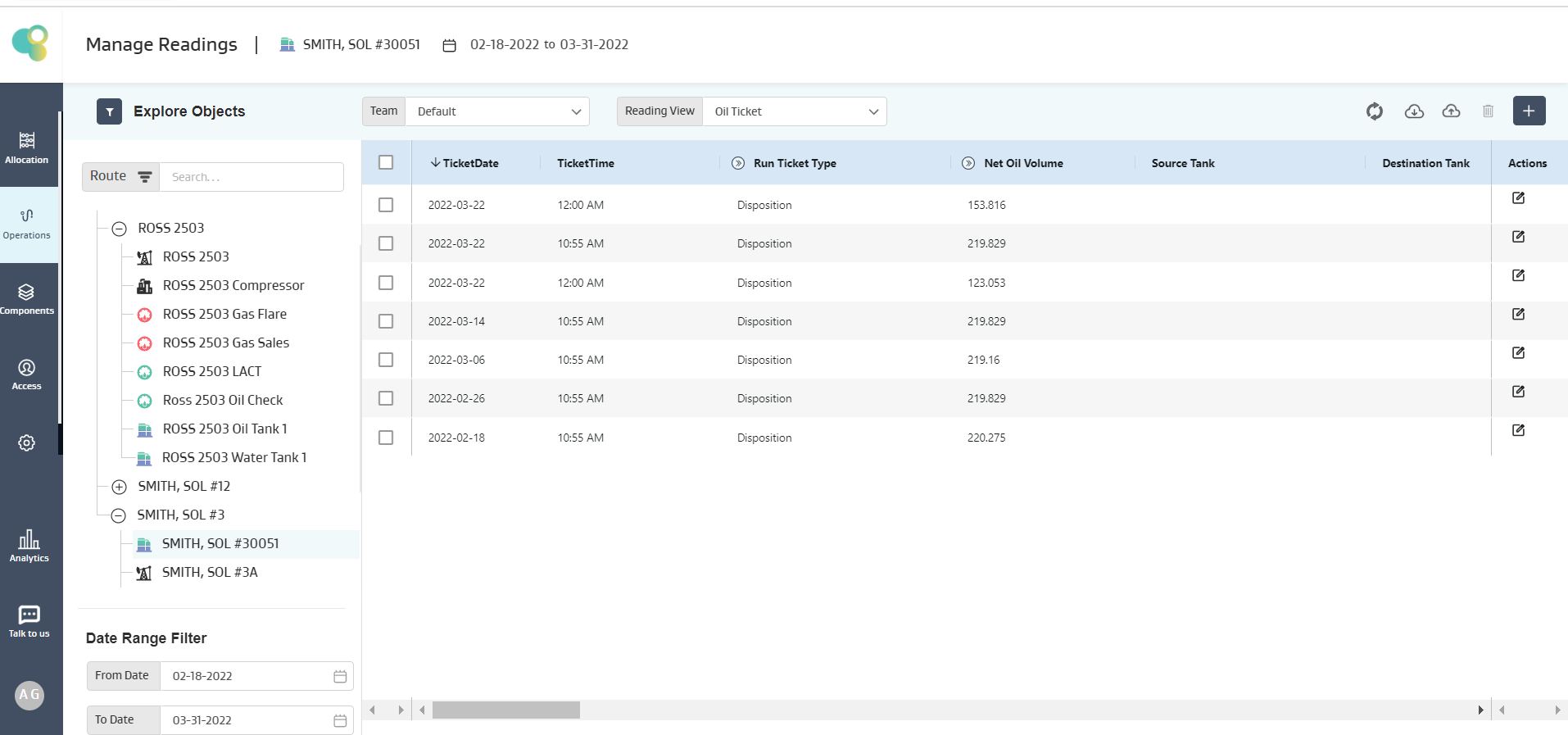
On the tank SMITH, SOL#30051
Given last 7 readings are available, so those 7 readings will be taken for calculation, i.e., (153.816, 219.829, 123.053, 219.829, 219.16, 219.829, 220.275) = 1375.791
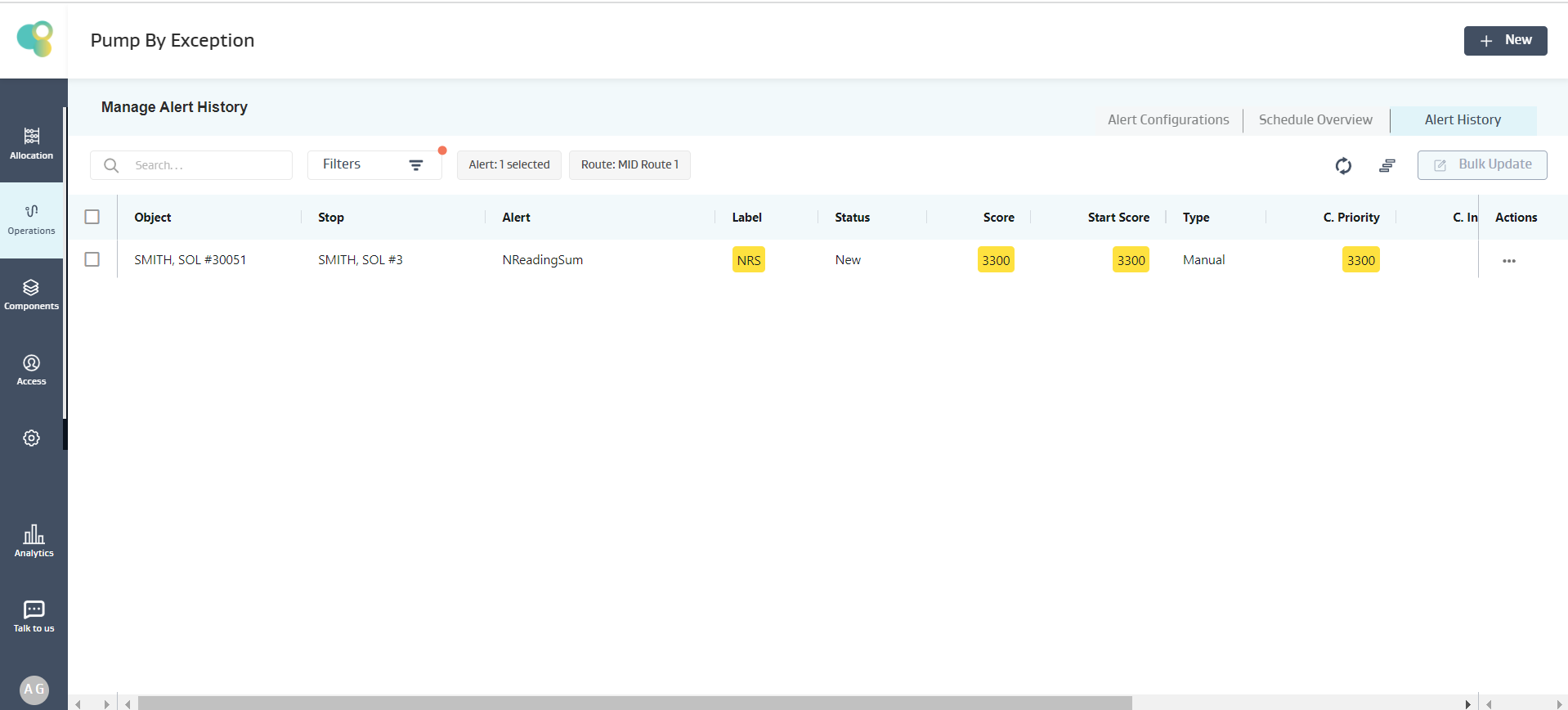
Given 1375.791 > 1375, the condition is satisfied, and an alert is created for SMITH, SOL#30051 Well, as shown below
Note:
If there are no readings on the object, then the expression evaluation on that particular object fails, and the object is skipped, but for the other objects, the expression is evaluated, and an alert is generated if the condition is true
If there are less number of readings available on an object than what the function demands, but there are no NULL values in between, then the expression evaluation proceeds with the available data and evaluates the expression.
If multiple NULL values exist for an object attribute in an expression, the expression evaluation fails, and no alert is created for that object.
NDaySum(V1,N)
Description
The Sum of values of the Variable (V) fetched from all the available readings in the “Last N Days”
Input: V (Decimal), N (Positive Integer >=1), Output: Decimal
Example :
Alert Requirement: Show an Alert when the Sum of NetOilVolume for the “Last 10 Days” is not equal to the Sum of NetOilVolume for the “Last 10 readings”
Exception Condition: The below Exception Condition shows the syntax and logic used
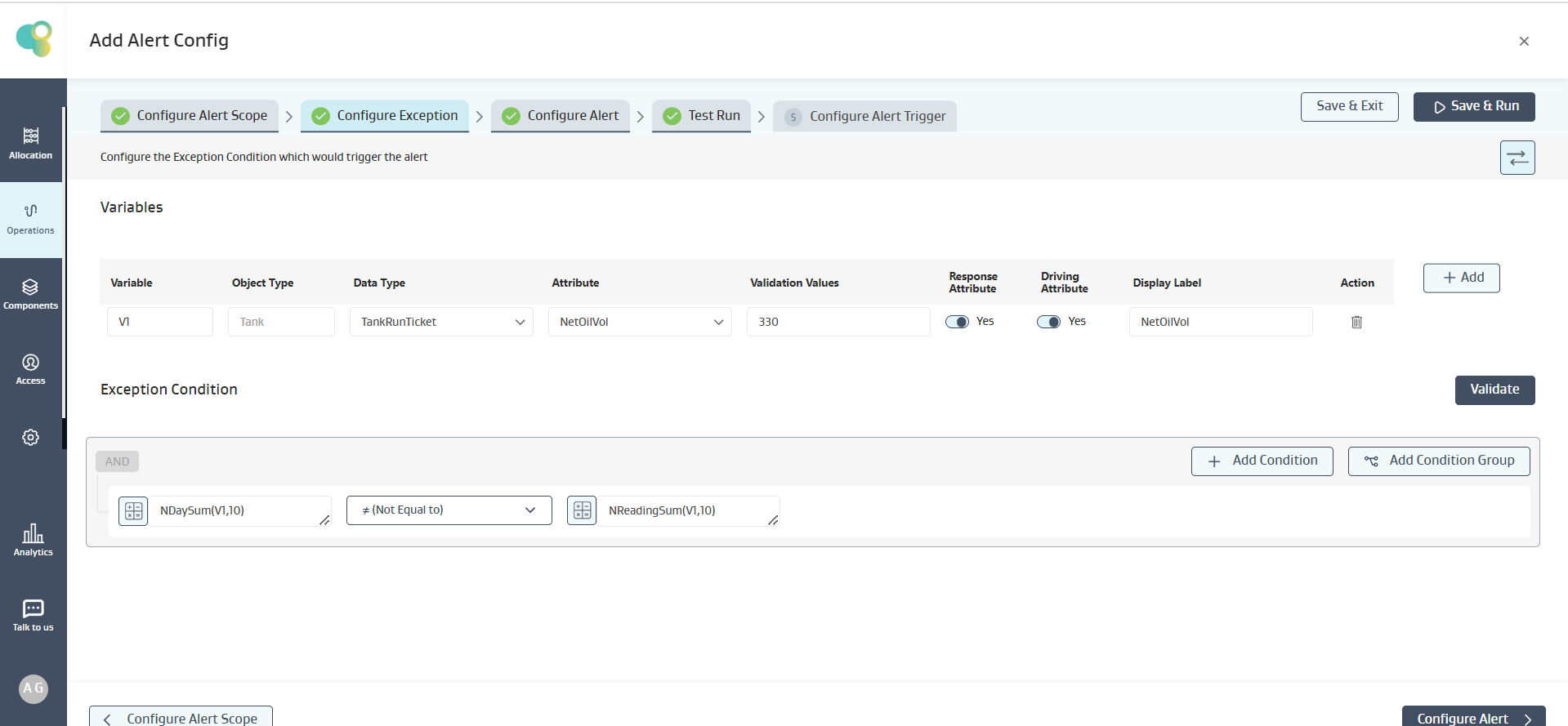
Mathematical logic:
On the tank SMITH, SOL#30051
Assuming Current Date as 30th March
Given the last 7 readings are available, only those 7 readings will be taken for calculation of NReadingSum, i.e., (153.816, 219.829, 123.053, 219.829, 219.16, 219.829, 220.275) = 1375.791
Also, there are 3 readings on the same day in the last 10 Days available readings which will be used for NDaySum, i.e., (153.816, 219.829, 123.053) = 496.698
Given 496.698 is Not Equal to 1375.791, the condition is satisfied, and an alert is created for SMITH, SOL#30051 Well, as shown below
Note:
If there are no readings on the object, then the expression evaluation on that particular object fails, and the object is skipped, but for the other objects, the expression is evaluated, and an alert is generated if the condition is true
If there are less number of readings available on an object than what the function demands, but there are no NULL values in between, then the expression evaluation proceeds with the available data and evaluates the expression.
If multiple NULL values exist for an object attribute in an expression, the expression evaluation fails, and no alert is created for that object.
IsStatic(V,N)
Description
Helps to create an Alert when the values of the Variable (V) fetched from all the available Readings in the “Last N Days” are the Same or Carry Forwarded
Input: V (Decimal, Integer, Picklist, Boolean), N (Positive Integer >=1), Output: True/False
Example :
Alert Requirement: Show an Alert when Tubing pressure over the past 3 “Days” is same
Exception Condition: The below Exception Condition shows the syntax and logic used
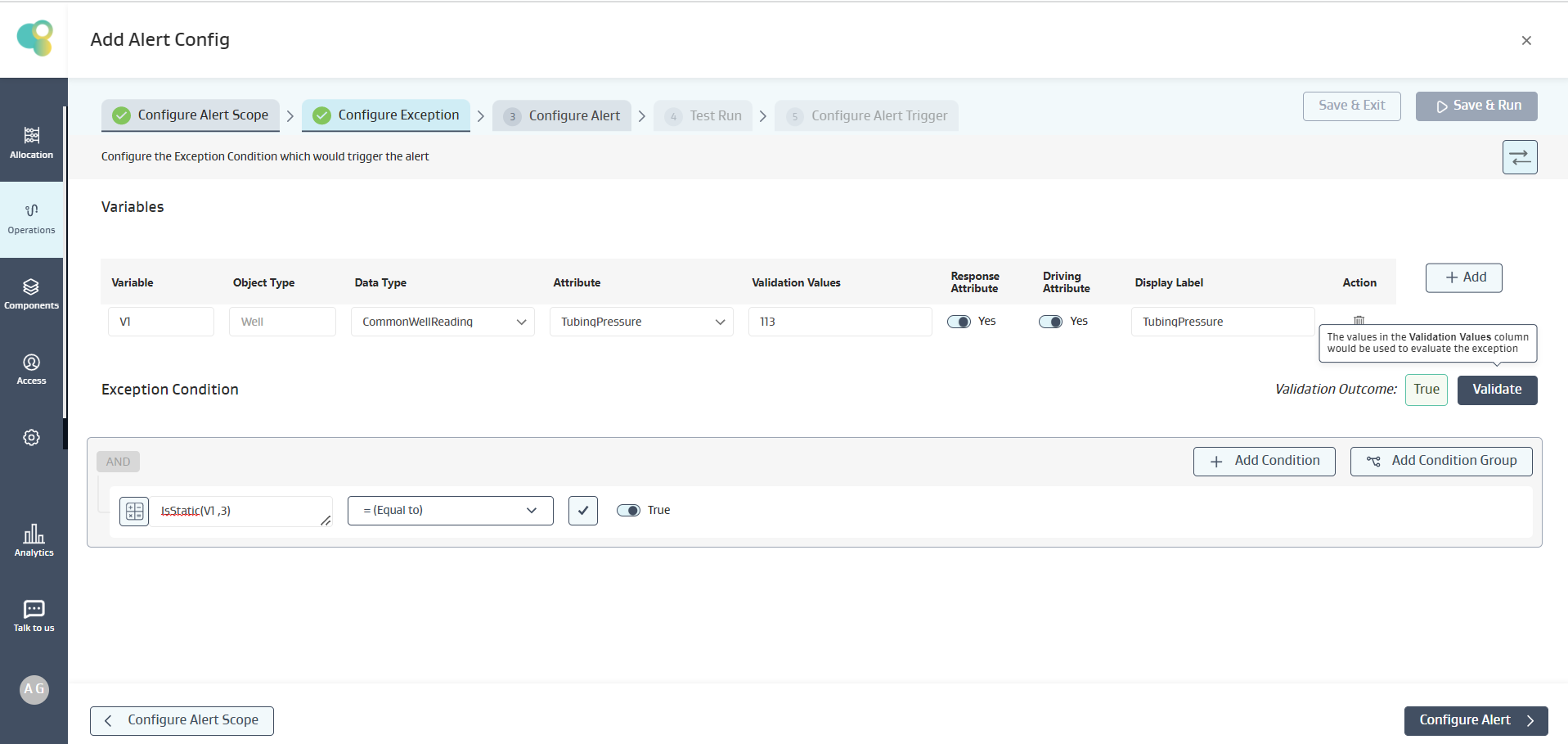
Mathematical logic:
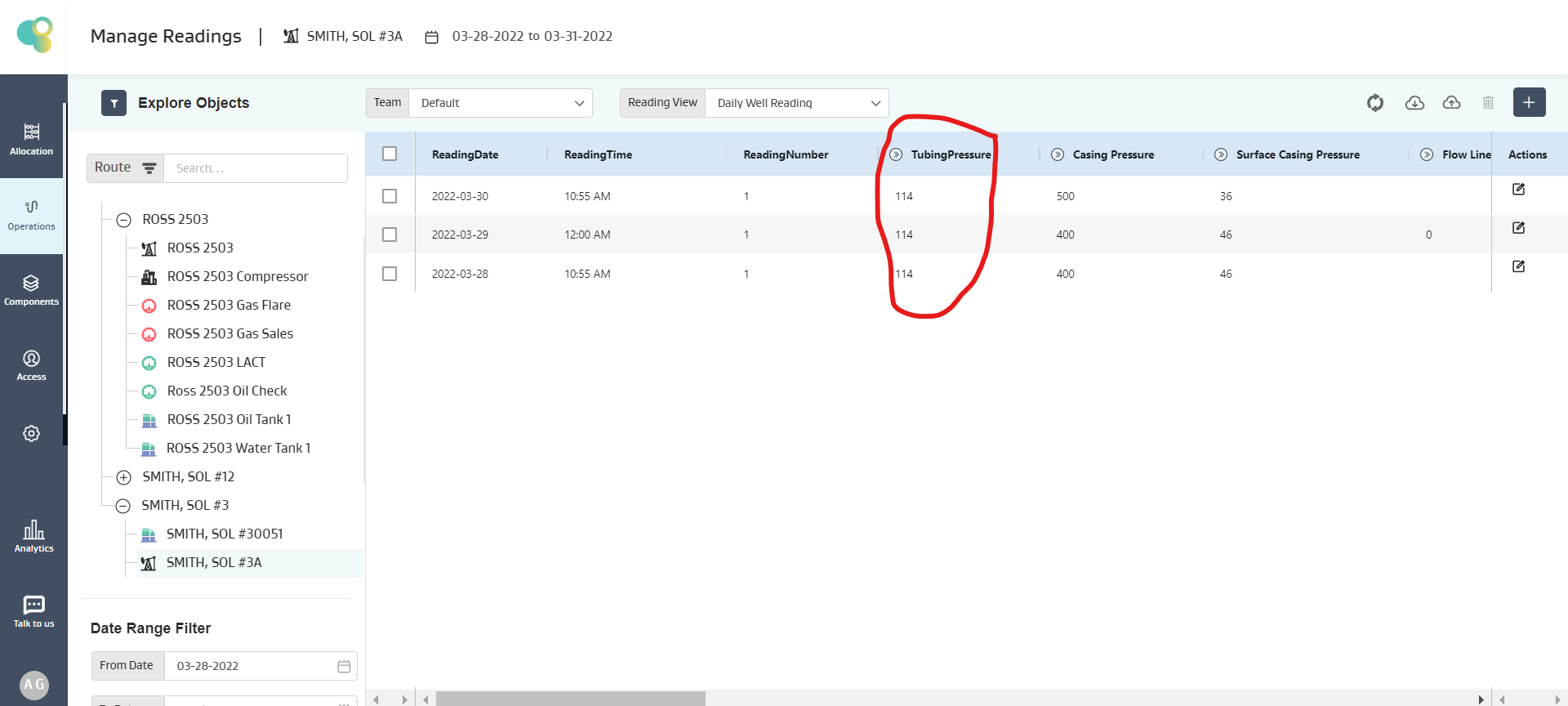
On the Well SMITH, SOL #3A
Given Tubing Pressure for the last 3 days is 114
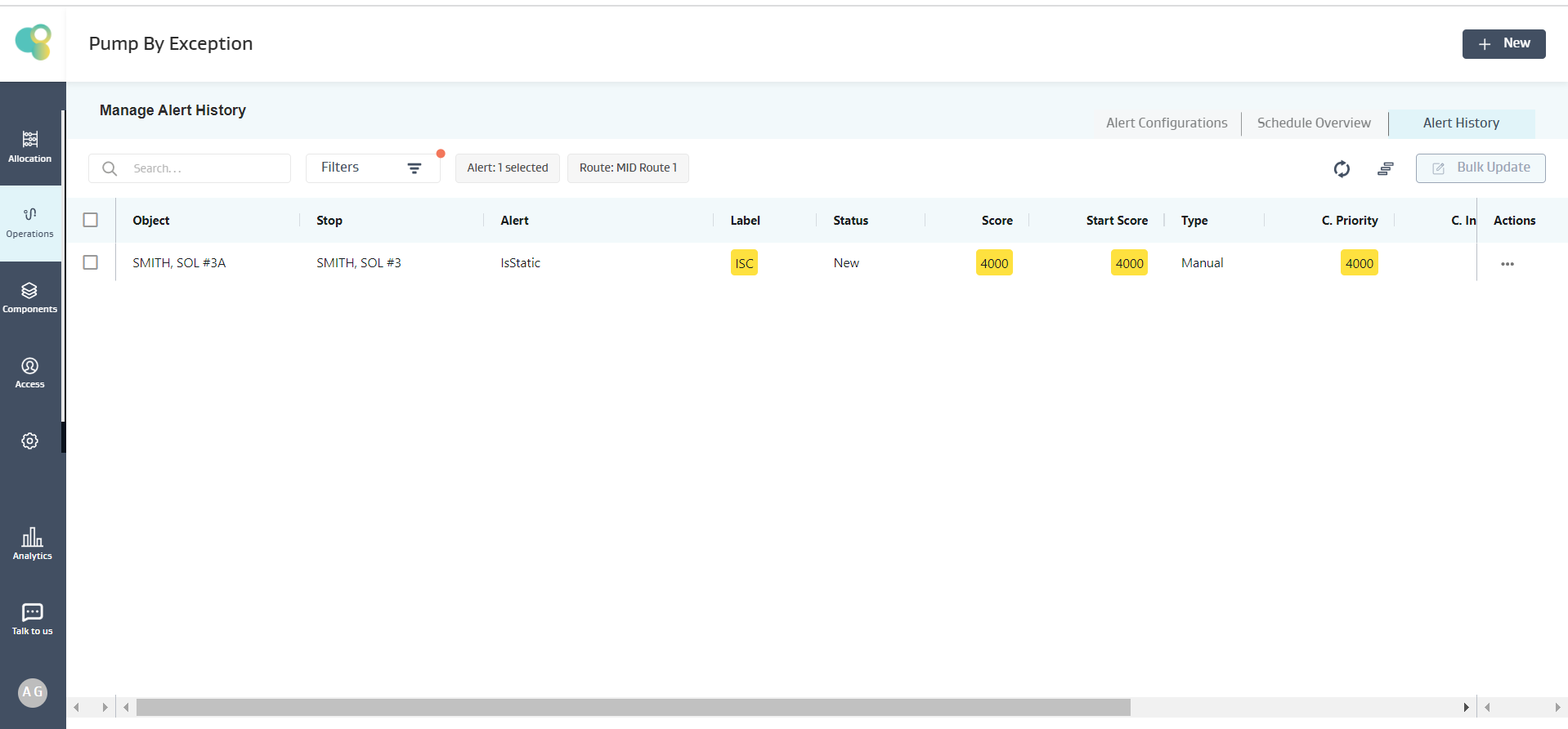
Given 114 is static to True, the condition is satisfied, and an alert is created for SMITH, SOL #3A Well, as shown below
Note:
If there are no readings on the object, then the expression evaluation on that particular object fails, and the object is skipped, but for the other objects, the expression is evaluated, and an alert is generated if the condition is true
If there are less number of readings available on an object than what the function demands, but there are no NULL values in between, then the expression evaluation proceeds with the available data and evaluates the expression.
If multiple NULL values exist for an object attribute in an expression, the expression evaluation fails, and no alert is created for that object.
NReadingSumExCurr(V,N)
Description
The Sum of the Variable (V) values fetched from the “Last N Readings” (N) excluding the Current Reading
Input: V (Decimal), N (Positive Integer >=1), Output: Decimal
Example :
Alert Requirement: Show an Alert when the Sum of Oil Production for the “Last 7 readings” excluding Current Reading is greater than 410
Exception Condition: The below Exception Condition shows the syntax and logic used
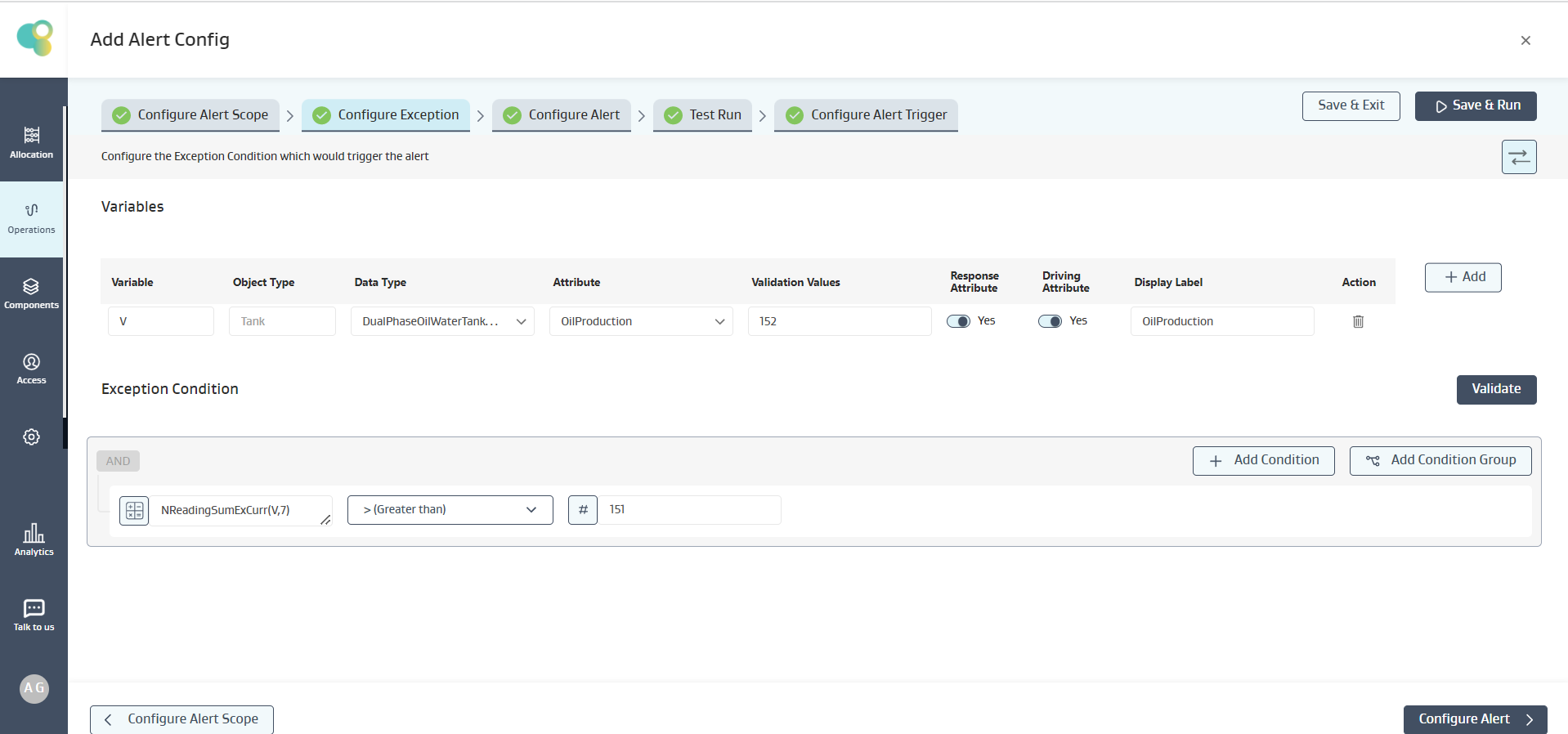
Mathematical logic:
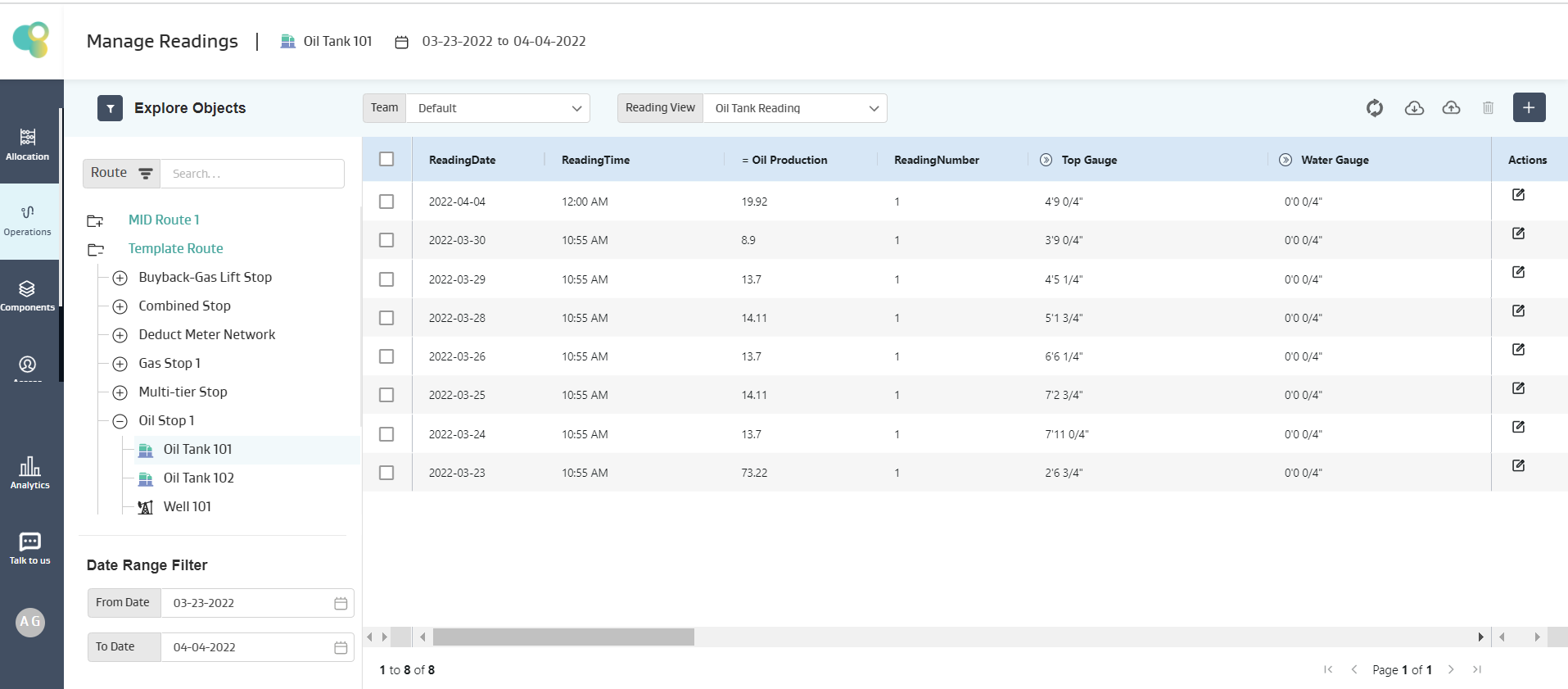
On the tank Oil Tank 101
The last 7 readings are available, so those 7 readings will be taken for calculation, i.e., (8.9 , 13.7, 14.11, 13.7, 14.11,13.7, 73.22 = 151.44 )
Given 151.44 > 151, the condition is satisfied, and an alert is created for Oil Tank 101 Tank, as shown below
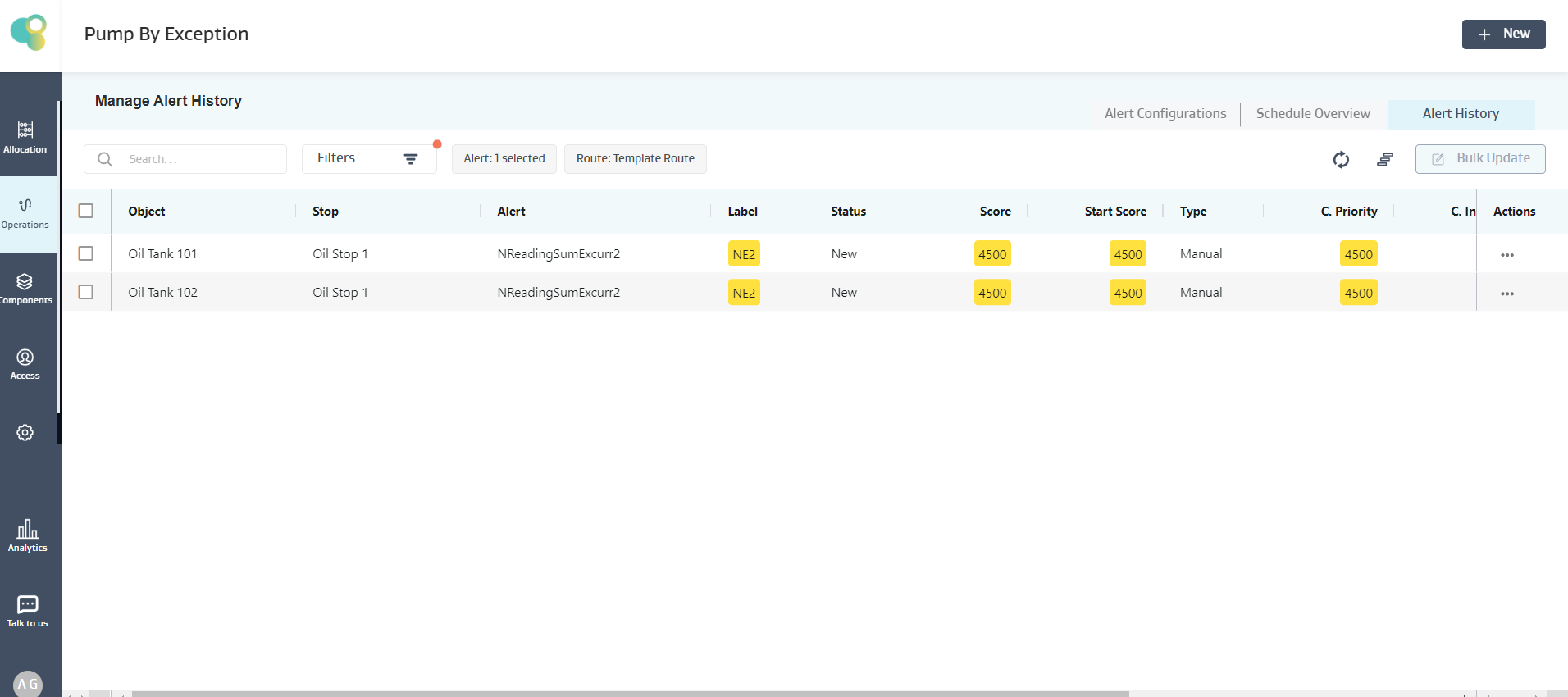
Note:
If there are no readings on the object, then the expression evaluation on that particular object fails, and the object is skipped, but for the other objects, the expression is evaluated, and an alert is generated if the condition is true
If there are less number of readings available on an object than what the function demands, but there are no NULL values in between, then the expression evaluation proceeds with the available data and evaluates the expression.
If multiple NULL values exist for an object attribute in an expression, the expression evaluation fails, and no alert is created for that object.
NDaySumExCurr(V,N)
Description
The Sum of values of the Variable (V) fetched from all the available readings in the “Last N Days” (N) excludes the Current Day Reading.
Input: V (Decimal), N (Positive Integer >=1), Output: Decimal
Example :
Alert Requirement: Show an Alert when the Sum of NetOilVolume for the “Last 10 days” excluding the current date is not equal to the Sum of NetOilVolume for the “Last 10 readings” excluding the current reading
Exception Condition: The below Exception Condition shows the syntax and logic used
Mathematical logic:
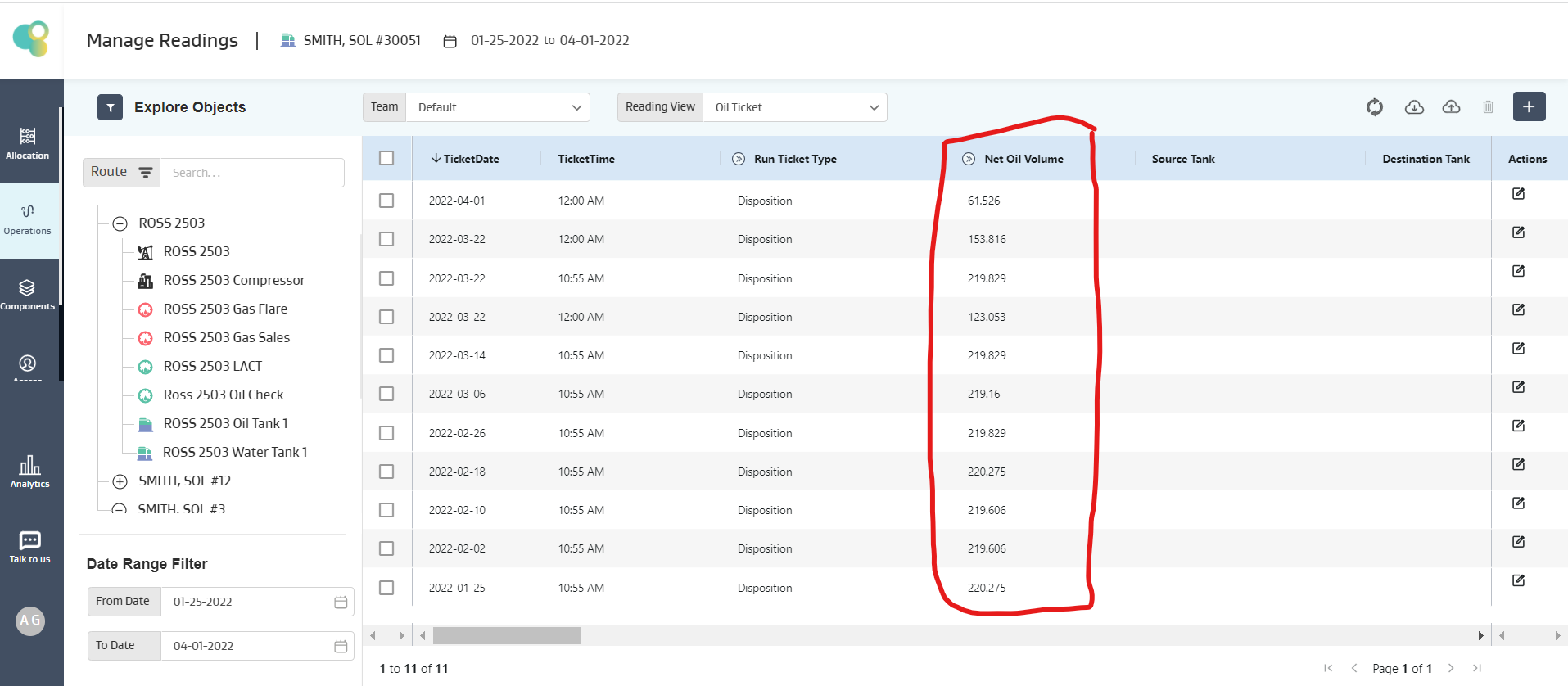
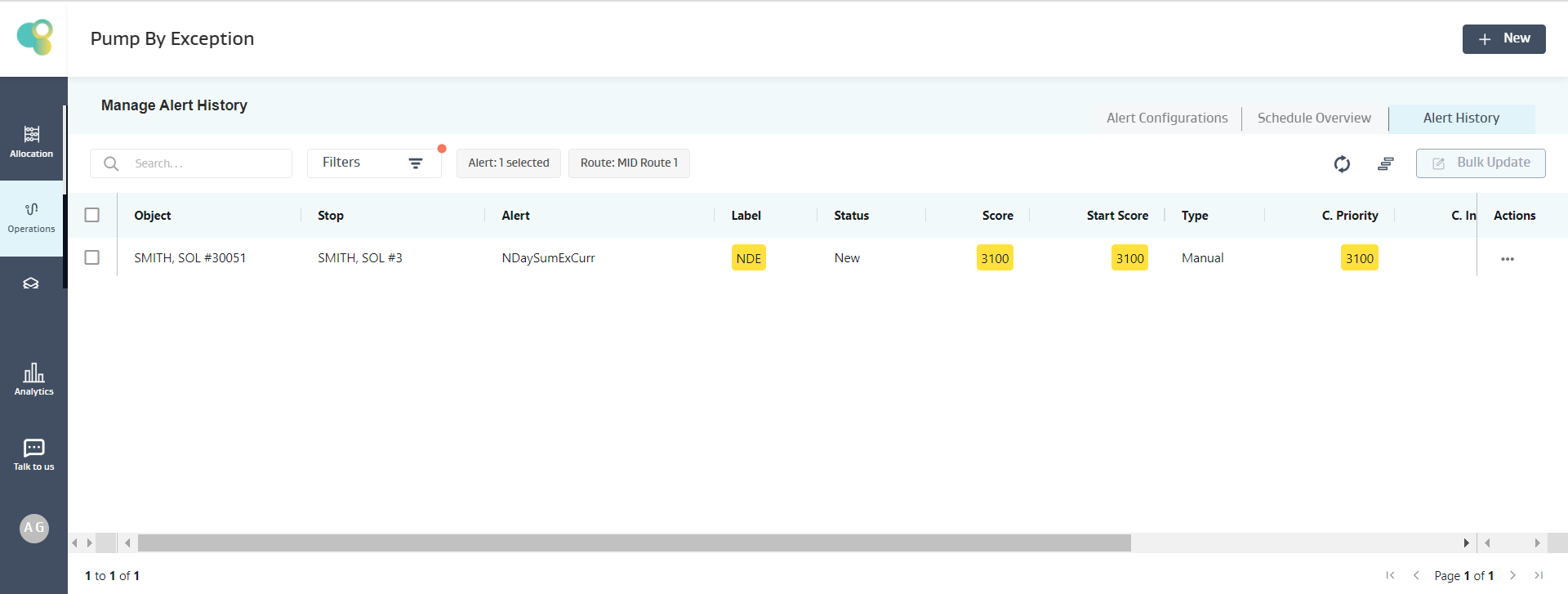
On the tank SMITH, SOL#30051
Assuming Current Date as April 1st
The last 10 readings are available, so only those 10 readings will be taken for calculation of NReadingSumExCurr, i.e., (153.816, 219.829, 123.053, 219.829, 219.16, 219.829, 220.275, 219.606, 219.606, 220.275) = 2035.278
For NDaySumExCurr, there are 3 readings in the last 10 Days available readings, i.e., (153.816, 219.829, 123.053) = 496.698
Given 496.698 is Not Equal to 1375.791, the condition is satisfied, and an alert is created for SMITH, SOL#30051 Well, as shown below
Note:
If there are no readings on the object, then the expression evaluation on that particular object fails, and the object is skipped, but for the other objects, the expression is evaluated, and an alert is generated if the condition is true
If there are less number of readings available on an object than what the function demands, but there are no NULL values in between, then the expression evaluation proceeds with the available data and evaluates the expression.
If multiple NULL values exist for an object attribute in an expression, the expression evaluation fails, and no alert is created for that object.
NReadingAvgExCurr(V,N)
Description
The Average of values of the Variable (V) fetched from the “Last N available Readings” (N) excluding the Current Reading
Input: V (Decimal), N (Positive Integer >=1), Output: Decimal
Example :
Alert Requirement: Show an Alert when the Average of Oil Production for the “Last 7 readings” excluding the Current Reading is greater than 21
Exception Condition: The below Exception Condition shows the syntax and logic used
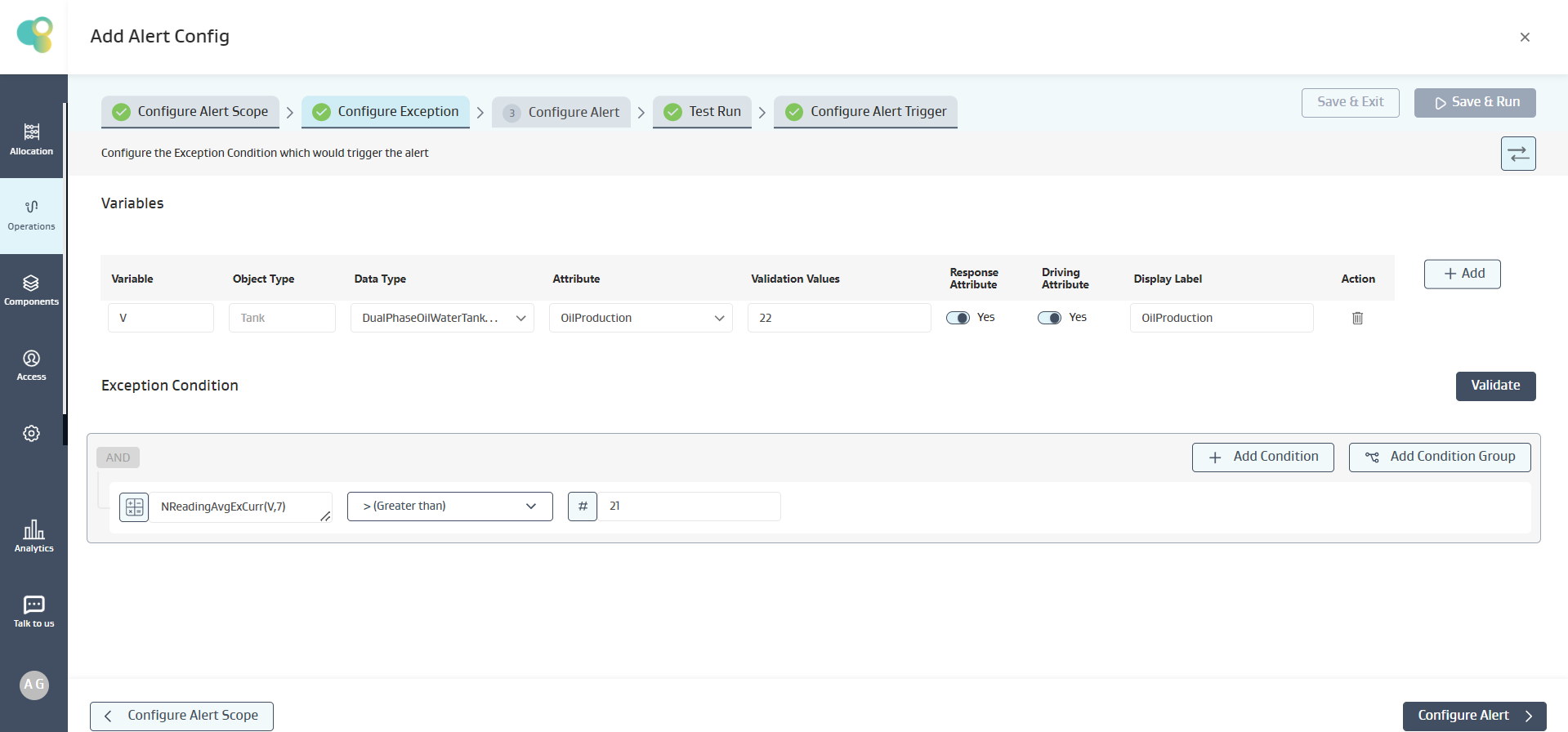
Mathematical logic:
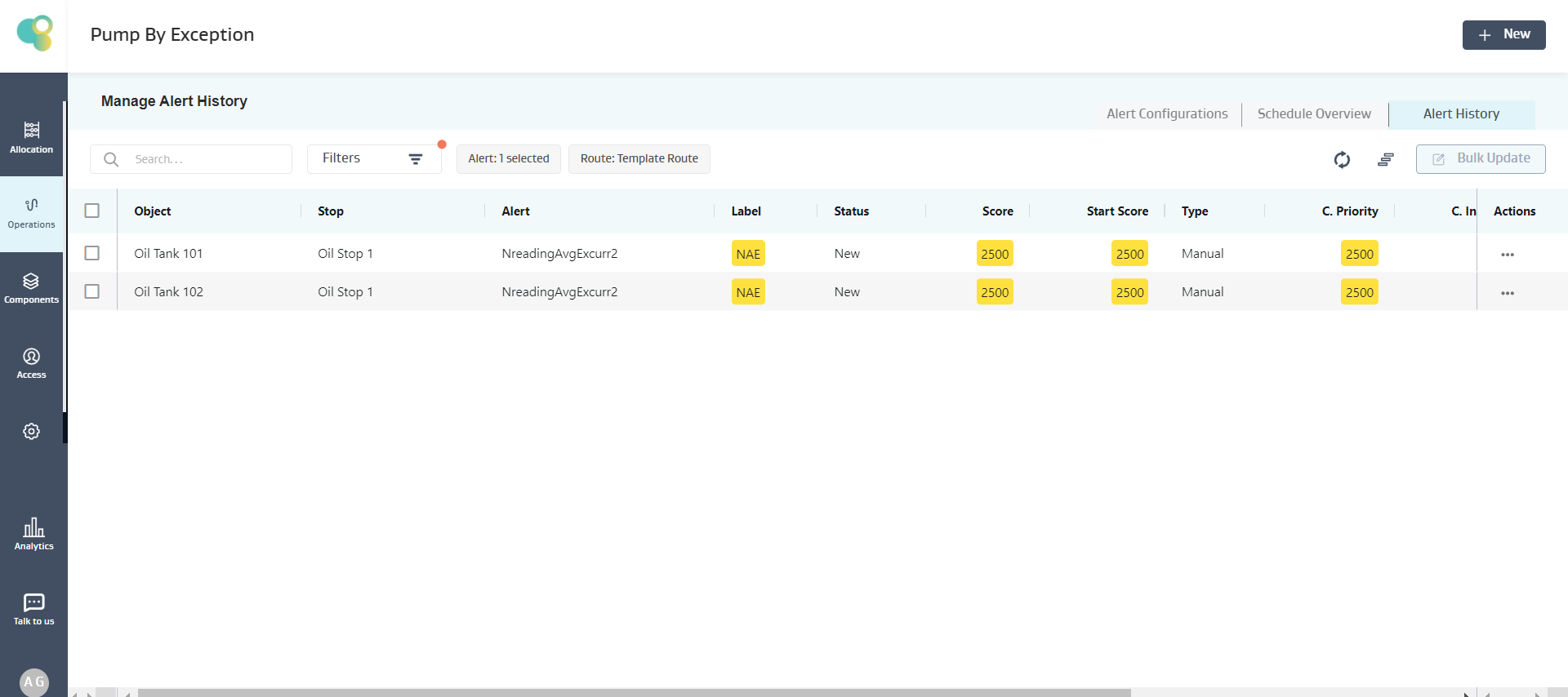
On the tank Oil Stop 1
The last 7 readings are available, so only those 7 readings will be taken for calculation, i.e., (8.9 , 13.7, 14.11, 13.7, 14.11,13.7, 73.22 = 21.634 )
Given 21.634 > 21, the condition is satisfied, and an alert is created for Oil Stop 1 Tank, as shown below
Note:
If there are no readings on the object, then the expression evaluation on that particular object fails, and the object is skipped, but for the other objects, the expression is evaluated, and an alert is generated if the condition is true
If there are less number of readings available on an object than what the function demands, but there are no NULL values in between, then the expression evaluation proceeds with the available data and evaluates the expression.
If multiple NULL values exist for an object attribute in an expression, the expression evaluation fails, and no alert is created for that object.
NDayAvgExCurr(V,N)
Description
The average of values of the Variable (V) fetched from all the available readings in the “Last N Days” (N) excluding the Current Day Reading.
Input: V (Decimal), N (Positive Integer >=1), Output: Decimal
Example :
Alert Requirement: Show an Alert when the Average of NetOilVolume for the “Last 10 days” excluding the current date is not equal to the Average of NetOilVolume for the “Last 10 readings” excluding the current reading
Exception Condition: The below Exception Condition shows the syntax and logic used
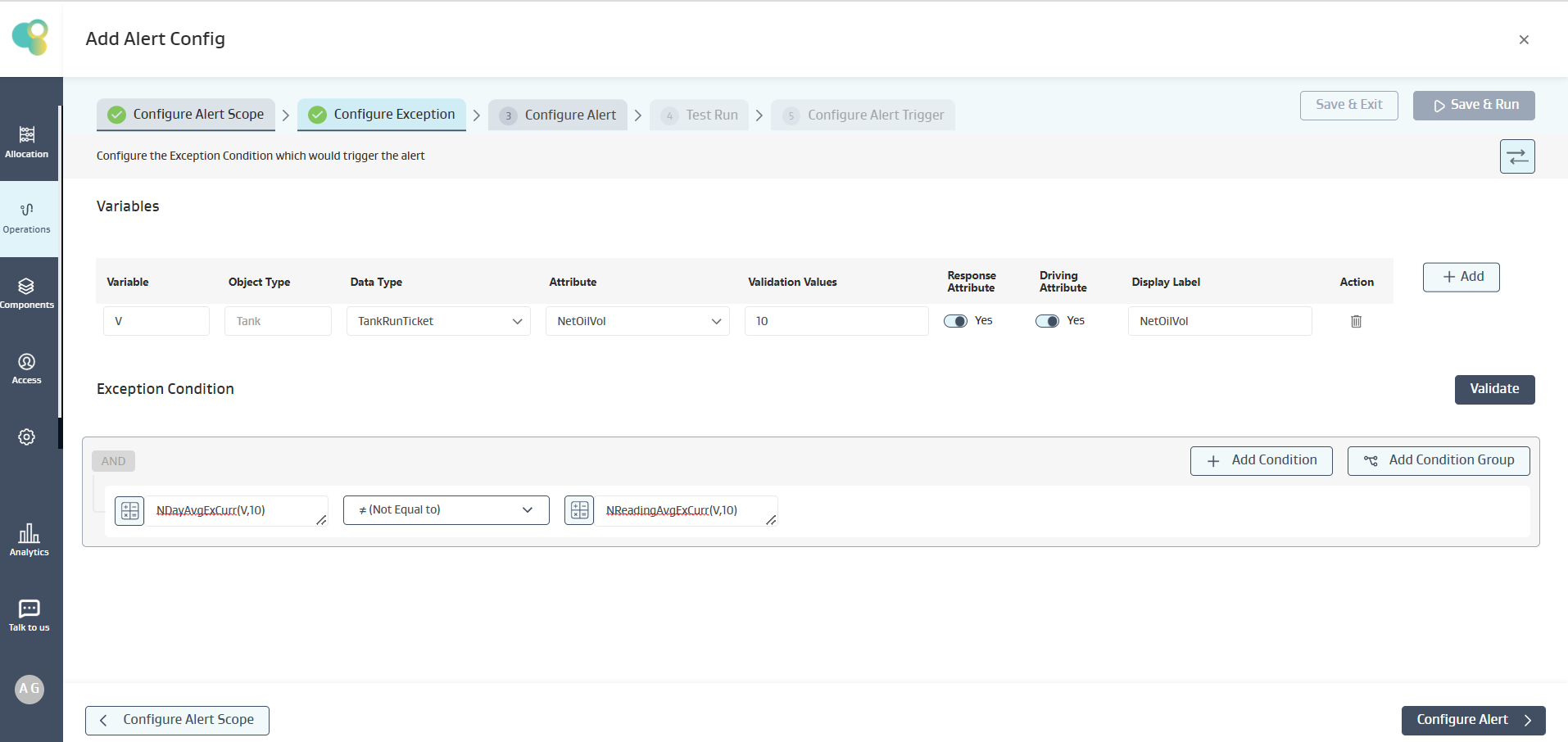
Mathematical logic:
On the tank SMITH, SOL#30051
Assuming Current Date as April 1st
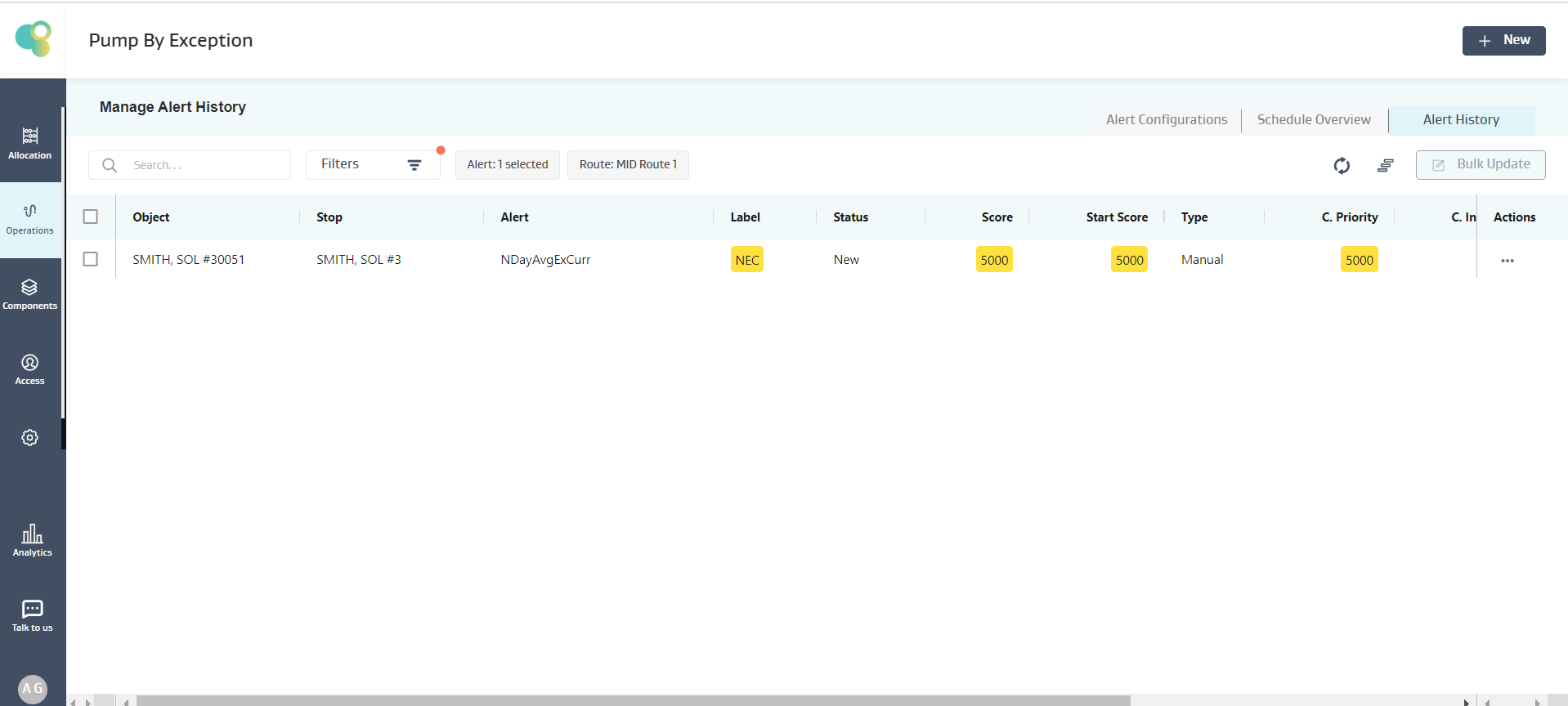
The last 10 readings are available, so those 10 readings will be taken for calculation of NReadingAvgExCurr, i.e., (153.816, 219.829, 123.053, 219.829, 219.16, 219.829, 220.275, 219.606, 219.606, 220.275) = 203.5278
For NDayAvgExCurr, there are 3 readings in the last 10 Days available readings, i.e., (153.816, 219.829, 123.053) = 165.566
Given 203.5278 is Not Equal to 165.566, the condition is satisfied, and an alert is created for SMITH, SOL#30051 Well, as shown below
Note:
If there are no readings on the object, then the expression evaluation on that particular object fails, and the object is skipped, but for the other objects, the expression is evaluated, and an alert is generated if the condition is true
If there are less number of readings available on an object than what the function demands, but there are no NULL values in between, then the expression evaluation proceeds with the available data and evaluates the expression.
If multiple NULL values exist for an object attribute in an expression, the expression evaluation fails, and no alert is created for that object.
CurrentDate(), Day(D1), Month (D1)
Description:
Current Date function fethches and uses the Current Date in expression evaluation
Day(D1) fetches and uses the Date in integer format
Month(D1) fetches and uses the Month in integer format
Example :
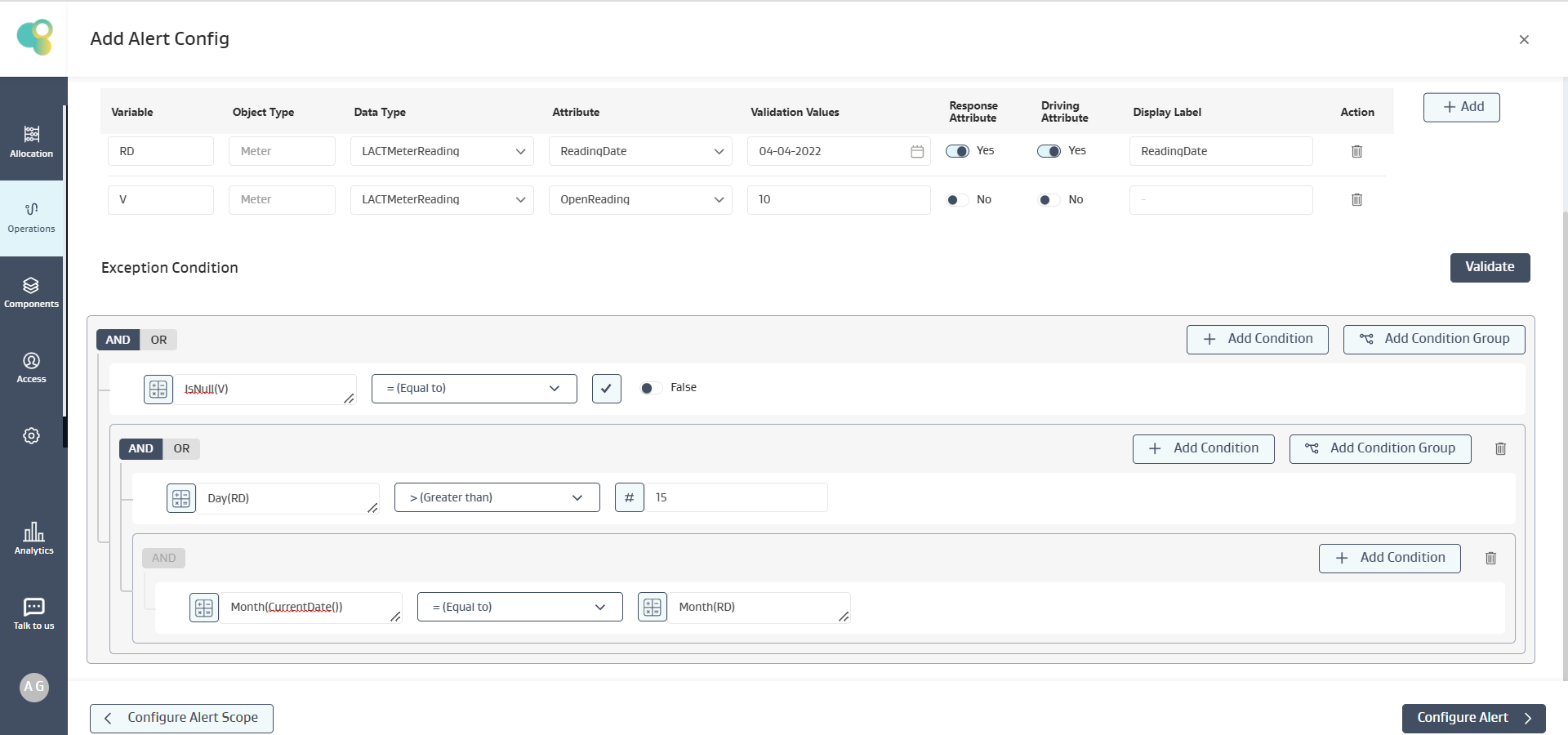
Alert Requirement: Show an Alert for “LACT Meter Reading Rule” when the Open Reading is not NULL and the Day is Greater than 15 and also the last available “Reading Date” Month is same as Current Date month
Exception Condition: The below Exception Condition shows the syntax and logic used
Mathematical logic:
On the Meter ROSS 2503 LACT
Assuming Current Date as March 30th
Given the Open Reading is not NULL
Given that the Reading Date is greater than 15
Given that the Current Date and Reading Date month is same
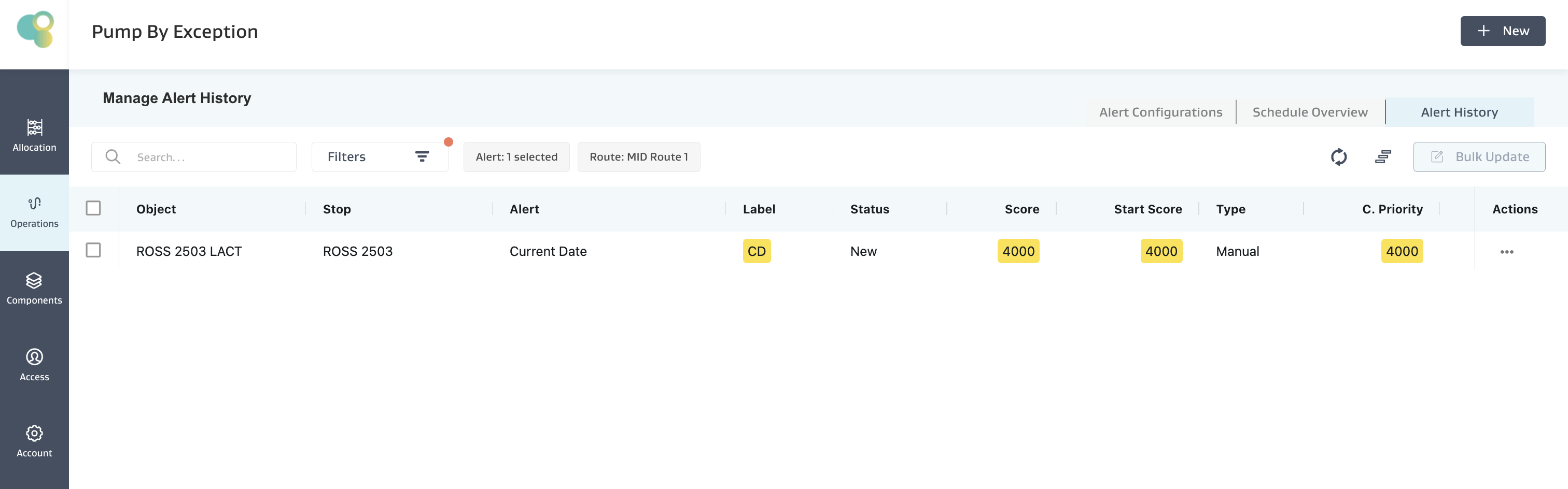
Given RD ie 03/16/2022 > 15 , the condition is satisfied, and an is created as shown below
AddDays(D1,d)
Description:
Adds “d” No. of Days to the Date (D1)
Input: D1 (Date), d (Positive Integer >=1), Output: Decimal
Note: Nested Functions can also be used which are of appropriate data-type
Example :
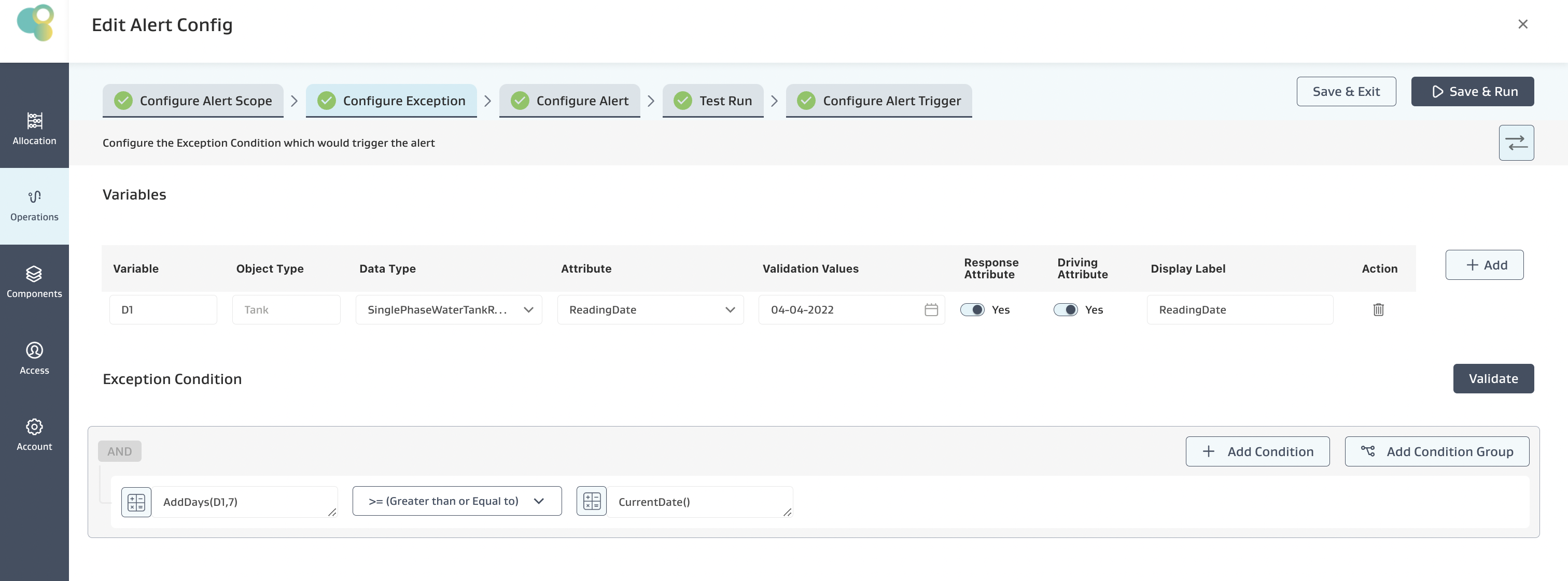
Alert Requirement: Show a Tank Visit Alert when 7 Days has passed since the Last Reading Date
Exception Condition: The below Exception Condition shows the syntax and logic used
Mathematical logic:
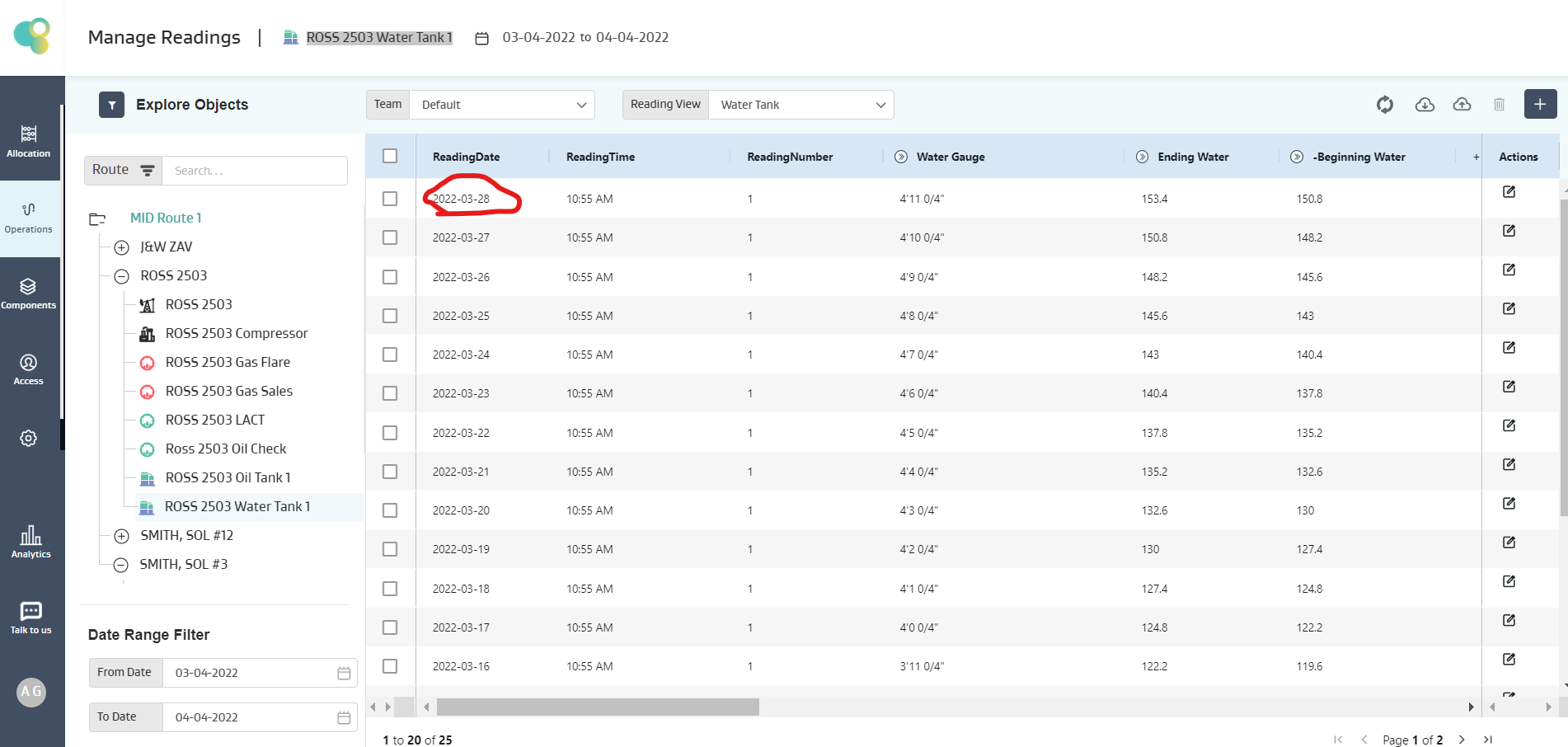
On the tank ROSS 2503 Water Tank 1
The last available reading is 03/28/2022 , 3/28/2022 + 7 Days is 4/4/2022
Also the Current Date is 4/4/2022
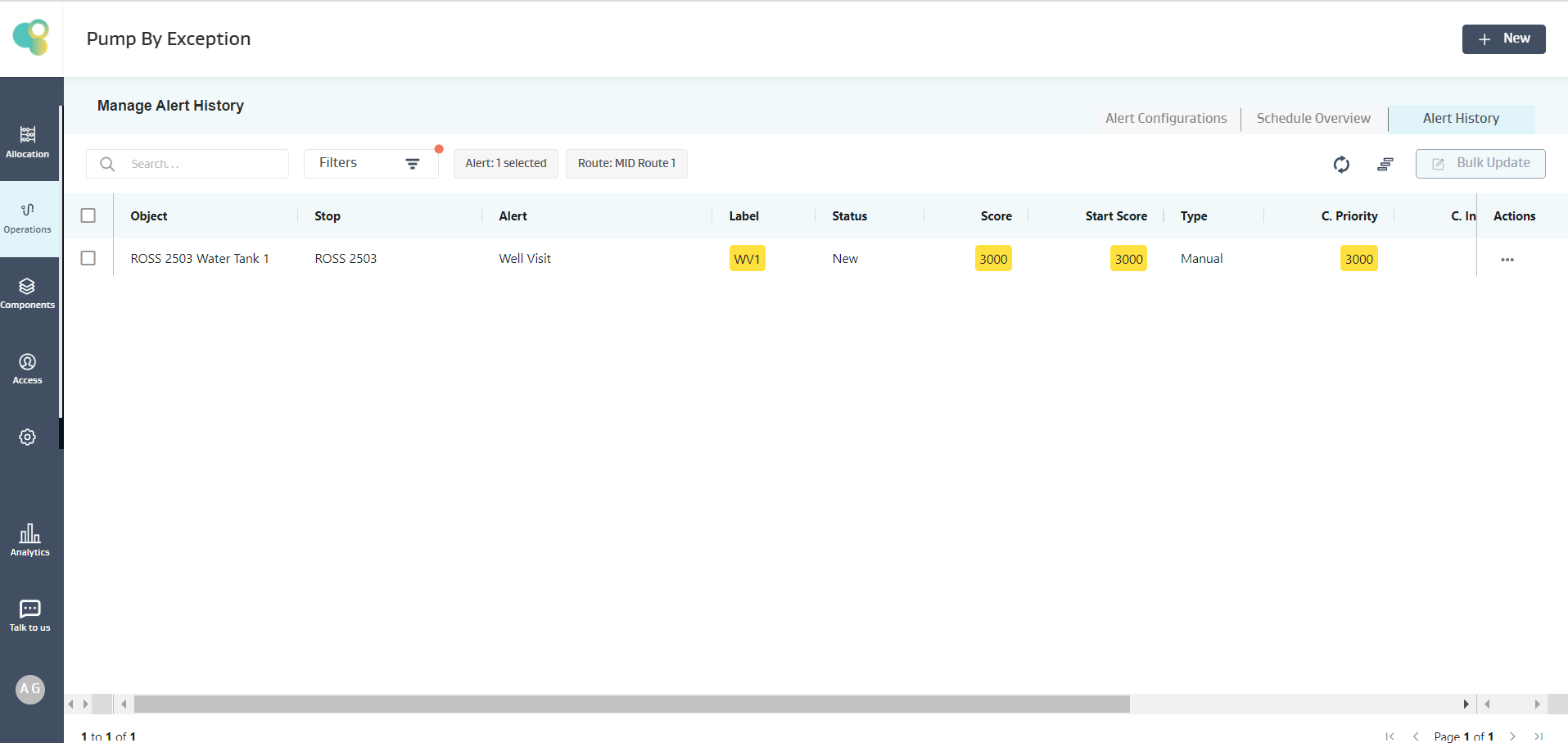
Given 4/4/2022 is equal to 4/4/2022 , the condition is satisfied, and an alert for the ROSS 2503 Water Tank 1 Tank is created, as shown below.
AddMonths(D1,m)
Description:
Adds “m” No. of Months to the Date (D1)
Input: D1 (Date), m (Positive Integer >=1), Output: Decimal
Note: Nested Functions can also be used which are of appropriate data-type
Example :
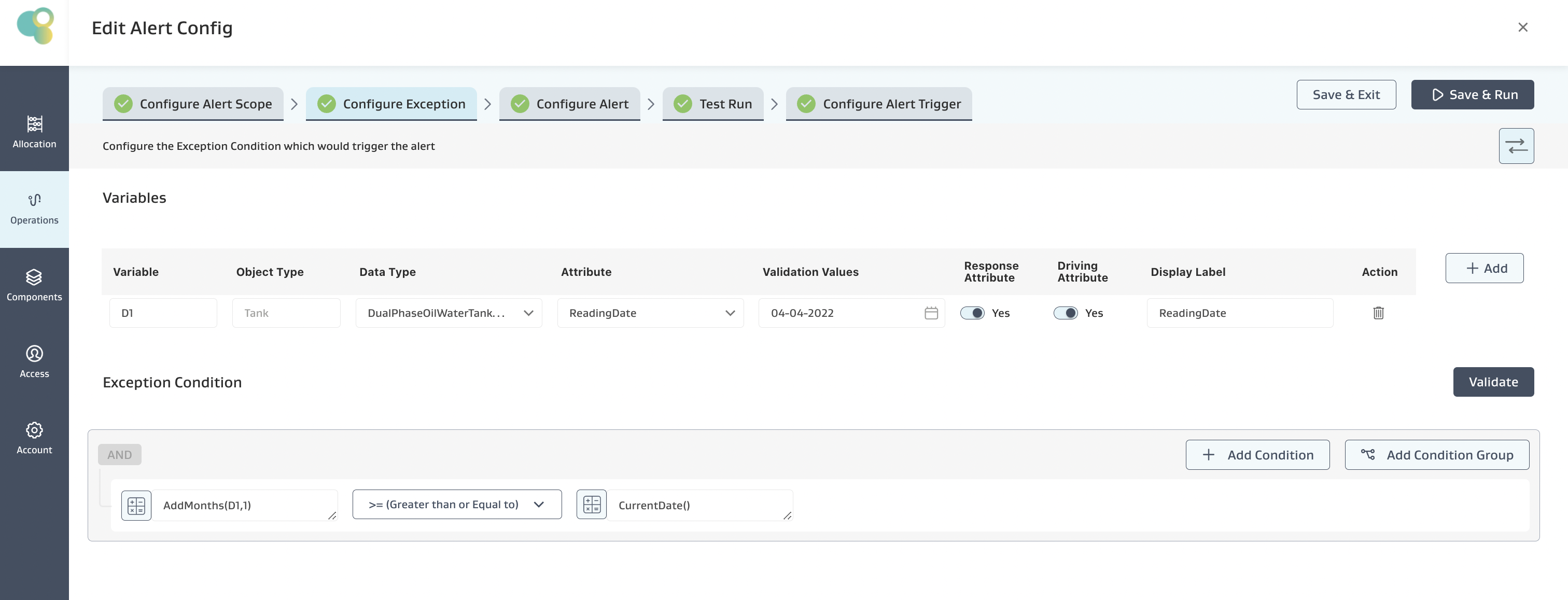
Alert Requirement: Show an Alert when the 1 month or more has passed since Last Available Reading Date
Exception Condition: The below Exception Condition shows the syntax and logic used
Mathematical logic:
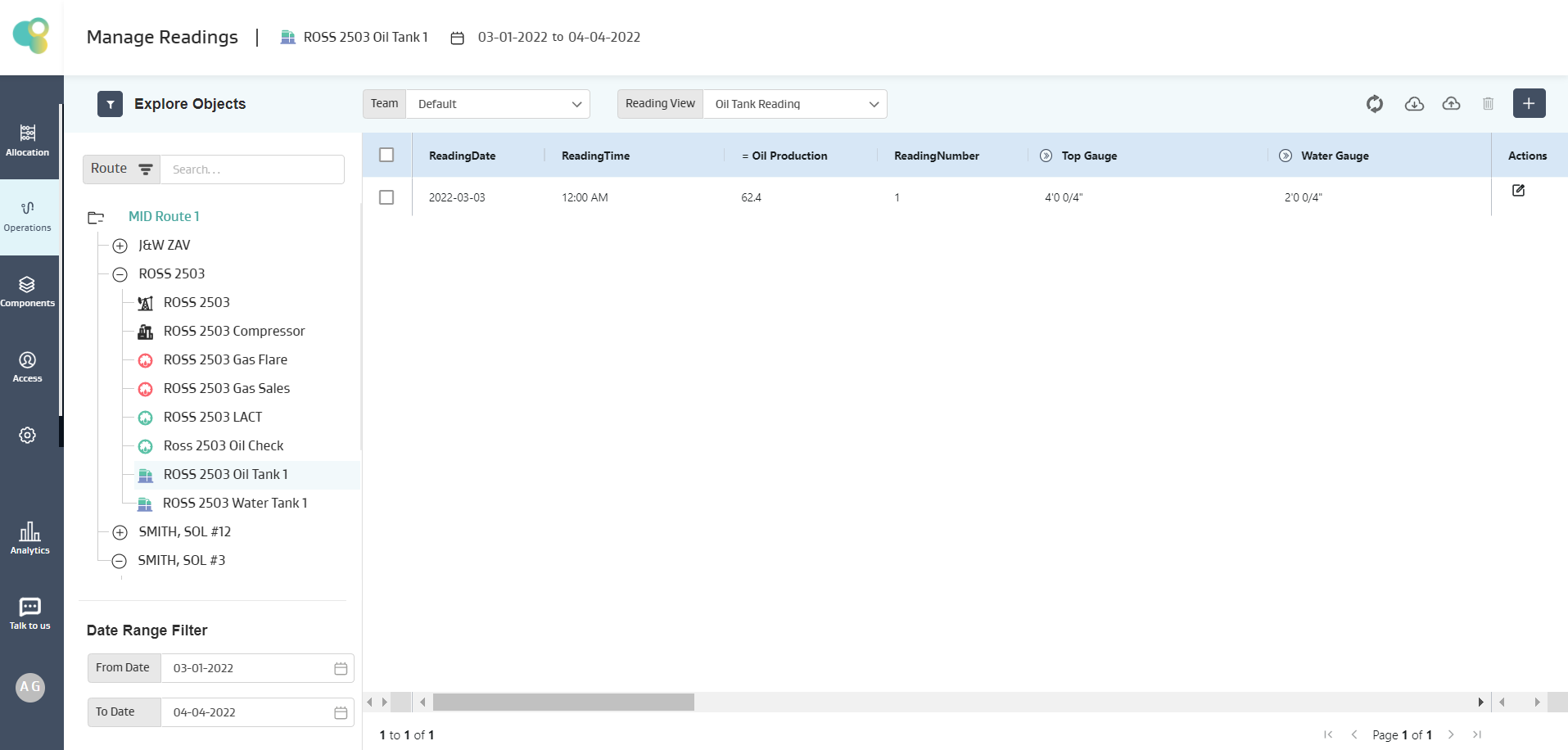
On the tank ROSS 2503 Oil Tank 1
The last available reading is 3/3/2022 + 1 Month is 4/3/2022
Assuming the Current Date is 4/3/2022
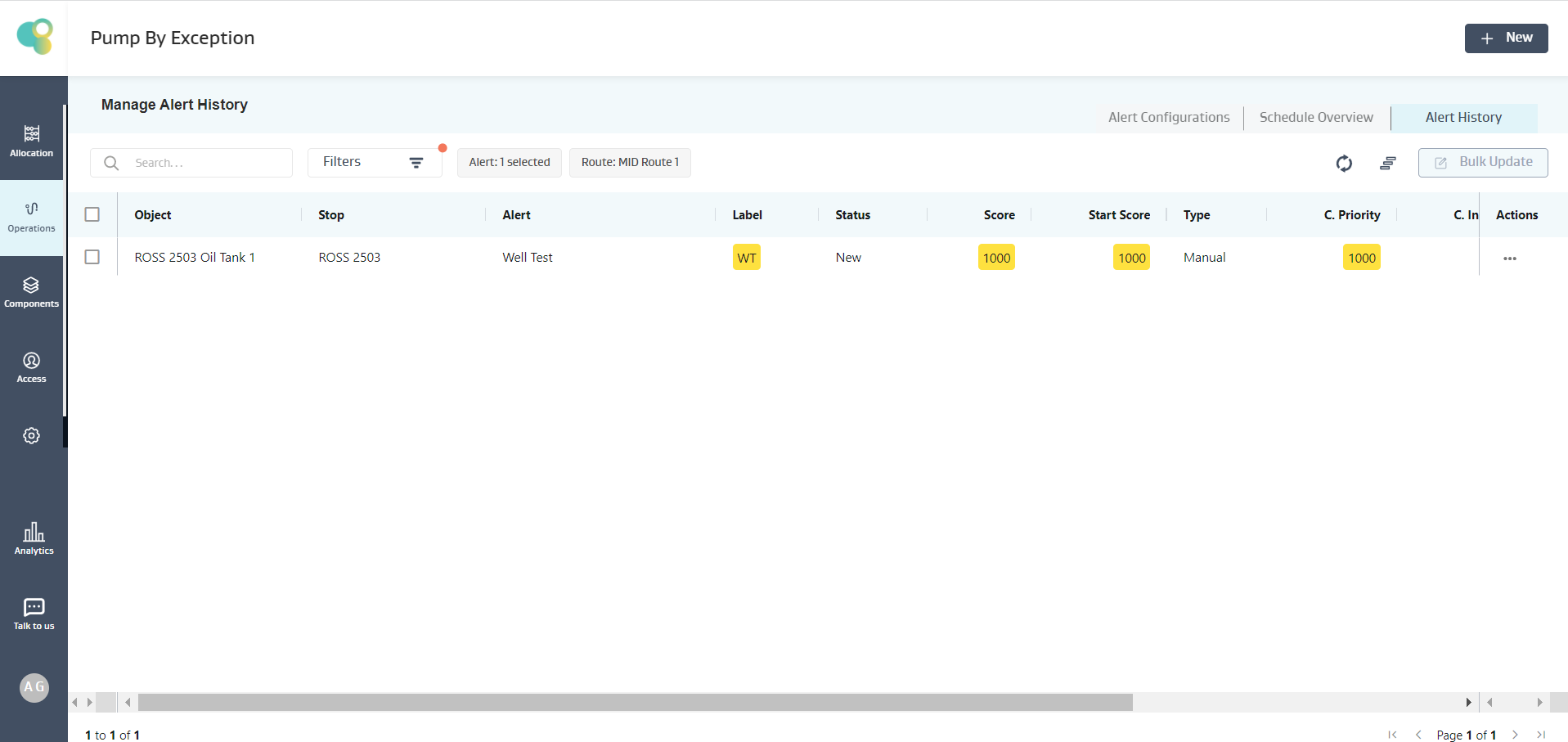
Given the condition is satisfied, an alert for the ROSS 2503 Oil Tank 1 Tank is created, as shown below.
AddYears(D1,y)
Description:
Adds “y” No. of years to the Date (D1)
Input: D1 (Date), y (Positive Integer >=1), Output: Decimal
Note: Nested Functions can also be used which are of appropriate data-type
Example :
Alert Requirement: Show an Alert when more than 1 year has passed since the Last Available Reading Date
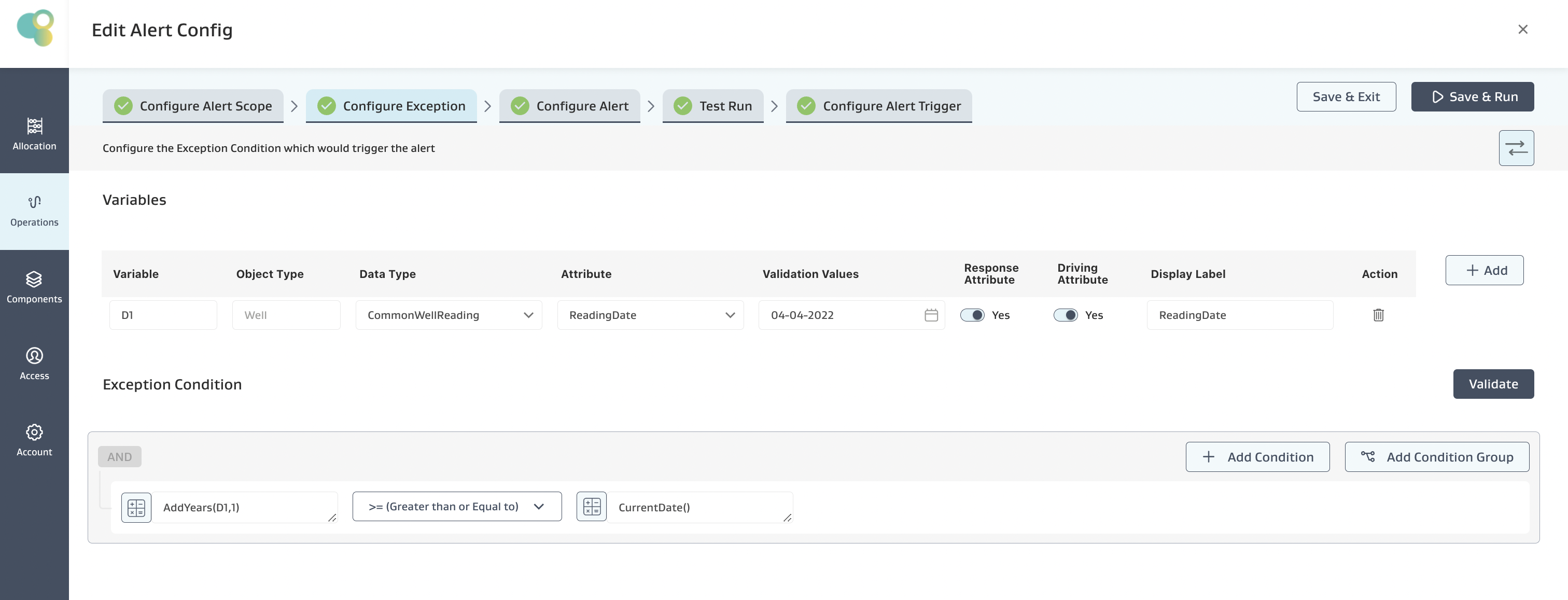
Exception Condition: The below Exception Condition shows the syntax and logic used
Mathematical logic:
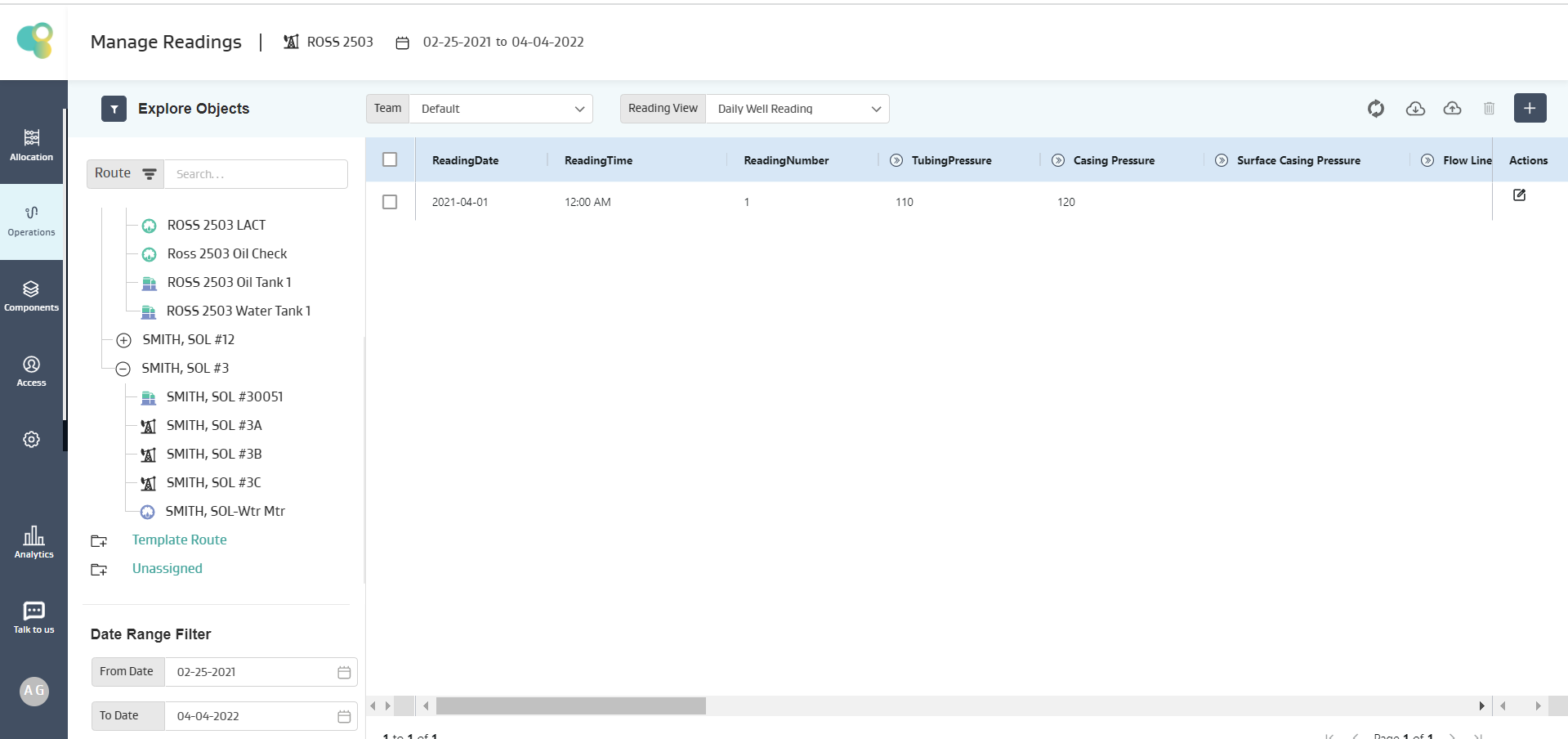
On the tank ROSS 2503 Well
The last available reading is 4/1/2021 + 1 Year is greater than equal to 4/1/2022
Assuming the Current Date is 4/1/2022
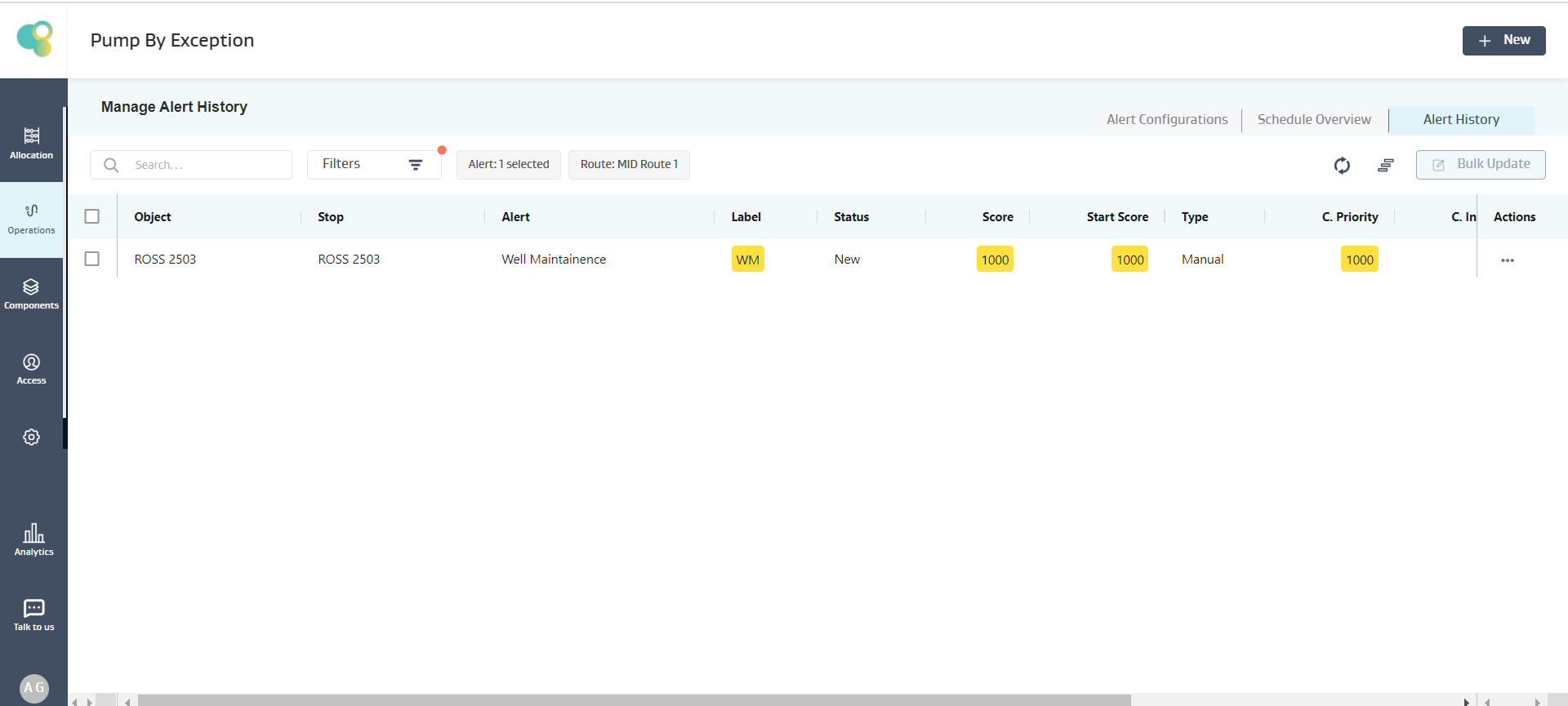
Given the condition is satisfied, an alert for the ROSS 2503 Well is created, as shown below.
Min(V1,V2,V3..)
Description:
Minimum value of the Variables (V1,V2,V3) is calculated from the Last Reading on the object
Input: V1,V2,V3 (Decimal), Output: Decimal
Example :
Alert Requirement: Show an Alert when the Minimum value for Casing pressure or Tubing Pressure is less than 50
Exception Condition: The below Exception Condition shows the syntax and logic used
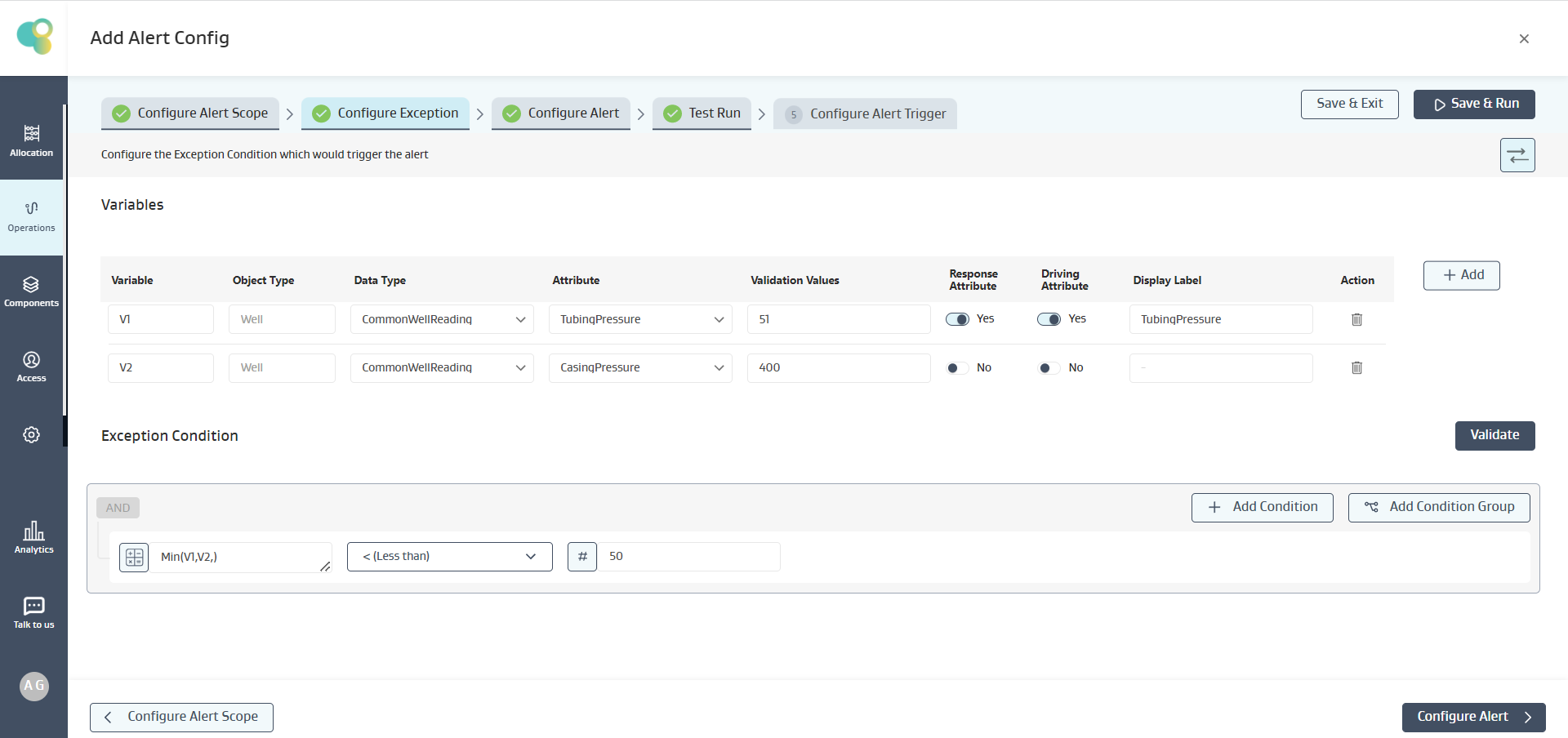
Mathematical logic:
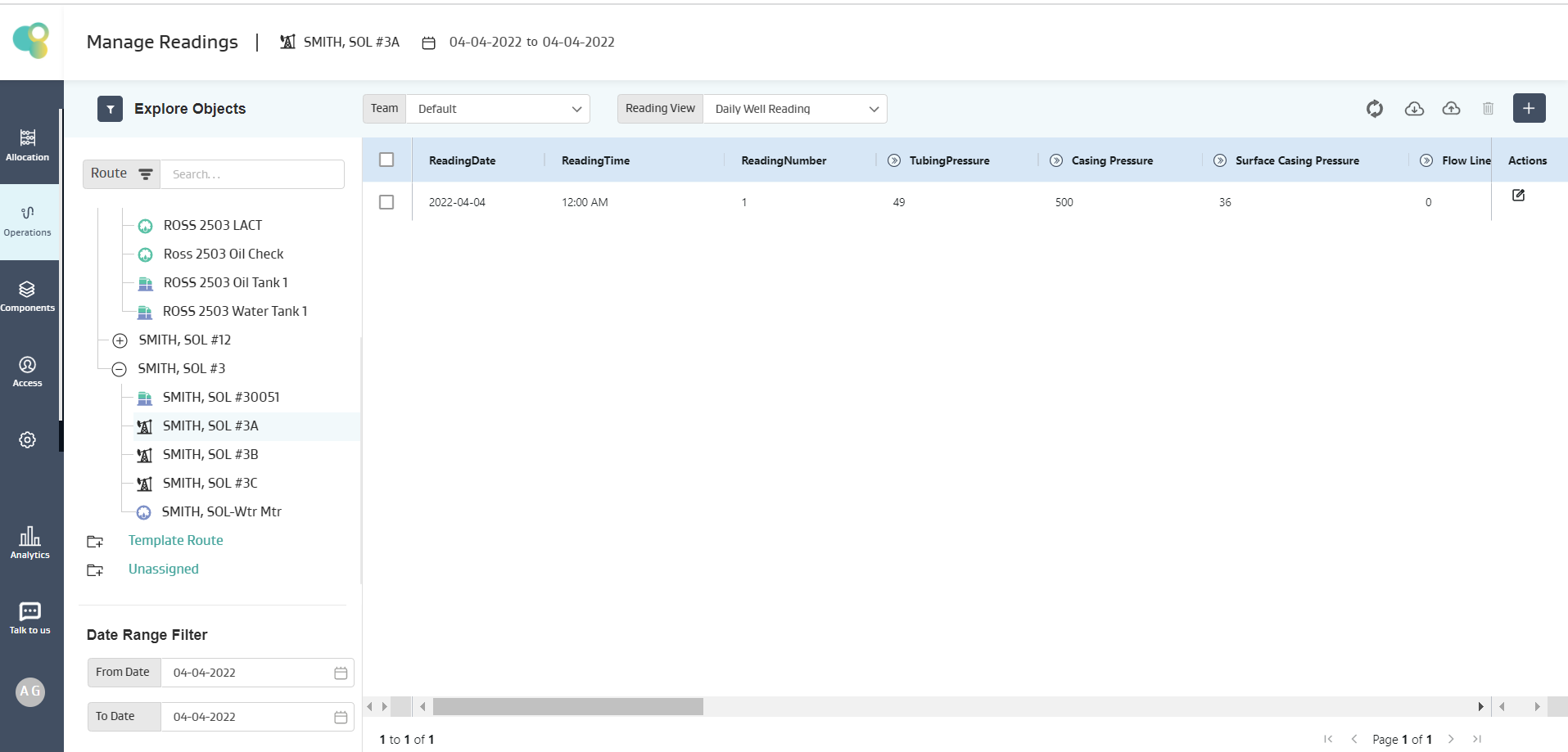
On the Well SMITH, SOL #3A
Given the Tubing Pressure and Casing Pressure is respectively 49, 500
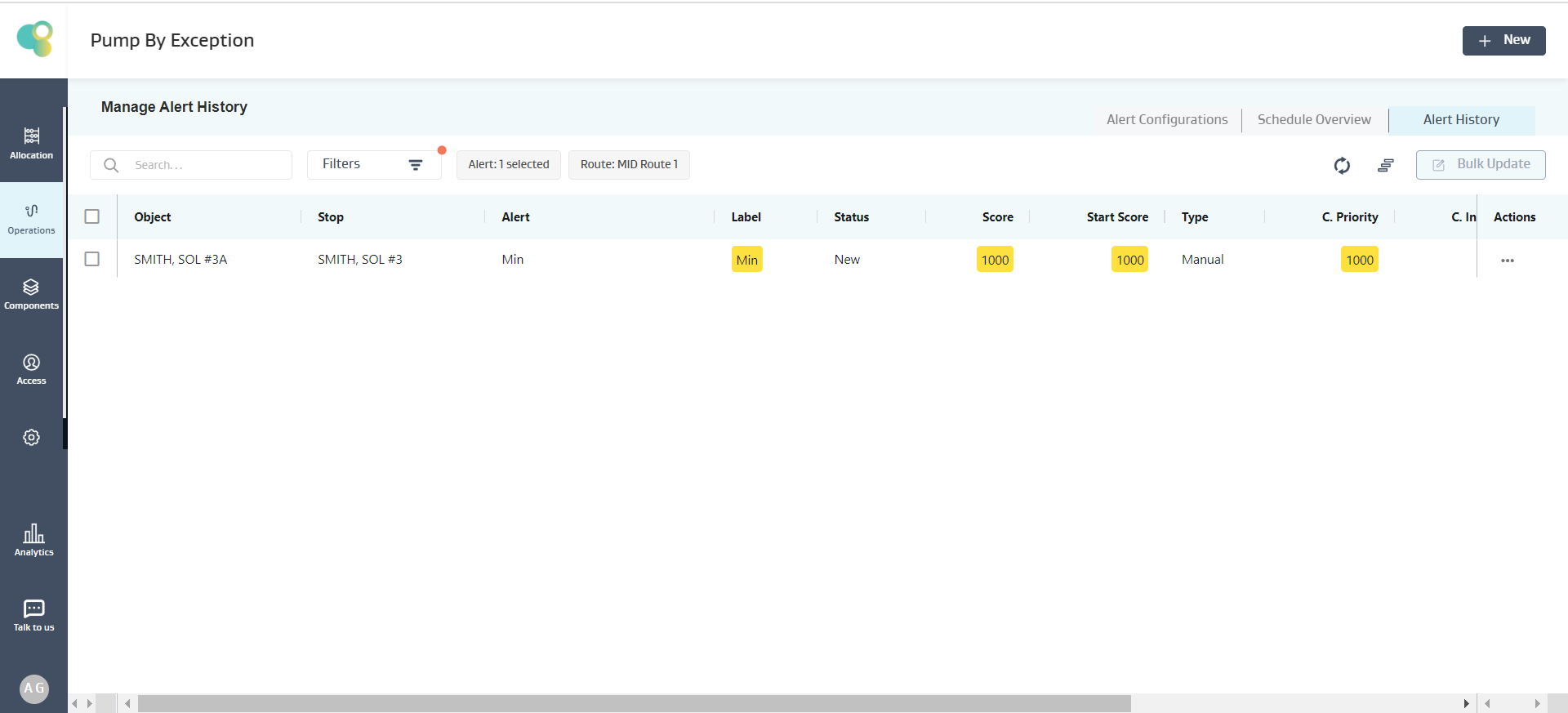
Given 49 < 50, the condition is satisfied, and an alert for SMITH, SOL #3A Well is created as shown below
Max(V1,V2,V3..)
Description:
Maximum value of the Variable (V1,V2,V3) is calculated from the Last Reading on the Object
Input: V1,V2,V3 (Decimal), Output: Decimal
Example :
Alert Requirement: Show an Alert when the Maximum value for Casing pressure or Tubing Pressure is greater than 999
Exception Condition: The below Exception Condition shows the syntax and logic used
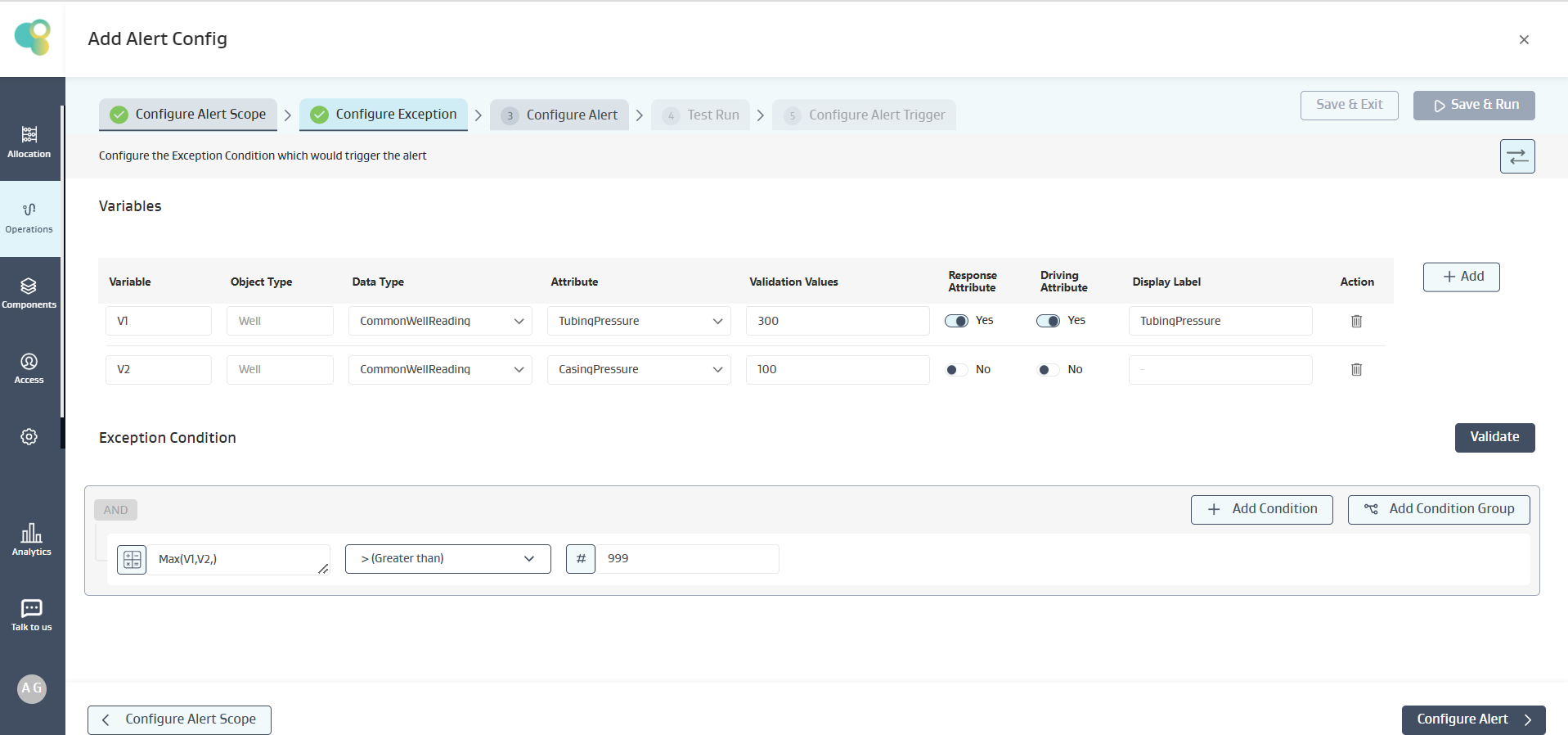
Mathematical logic:
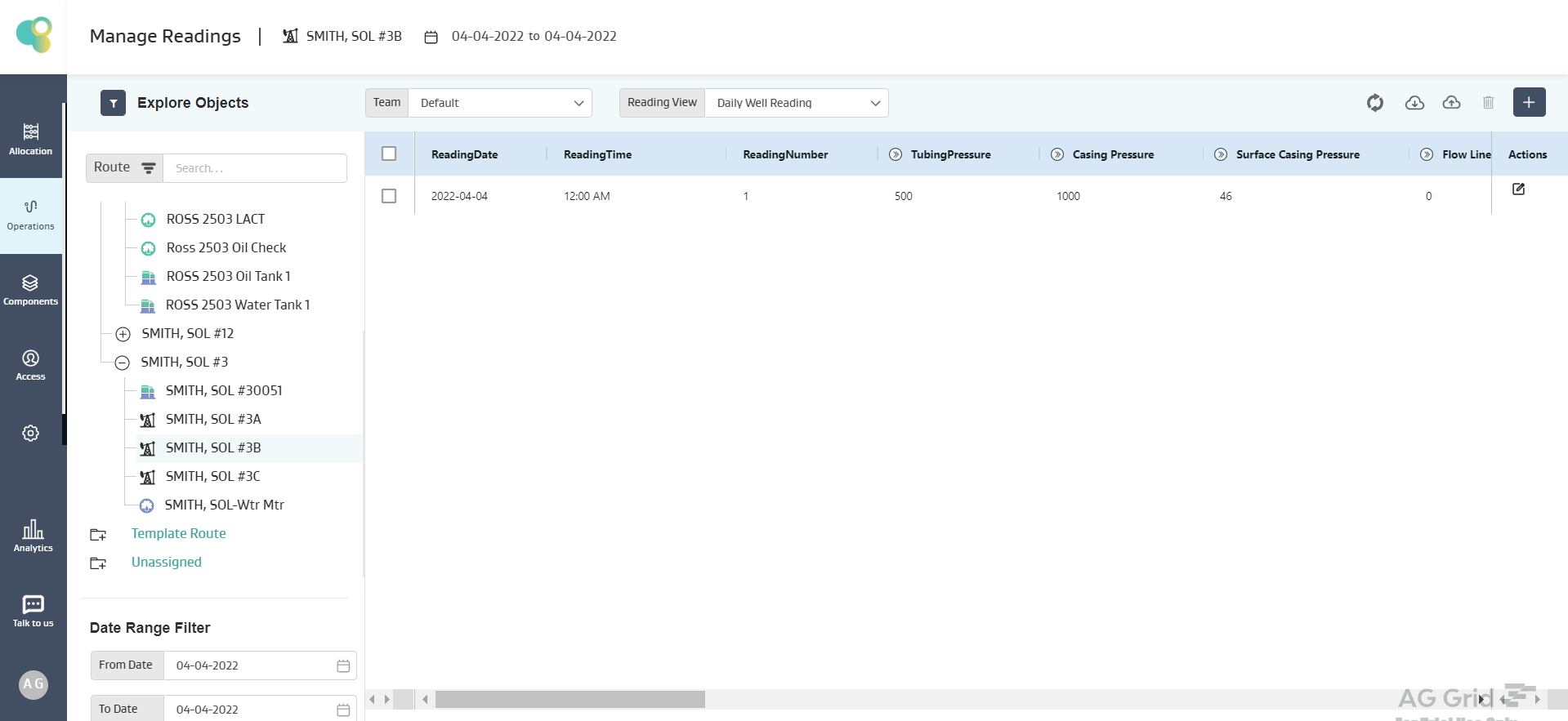
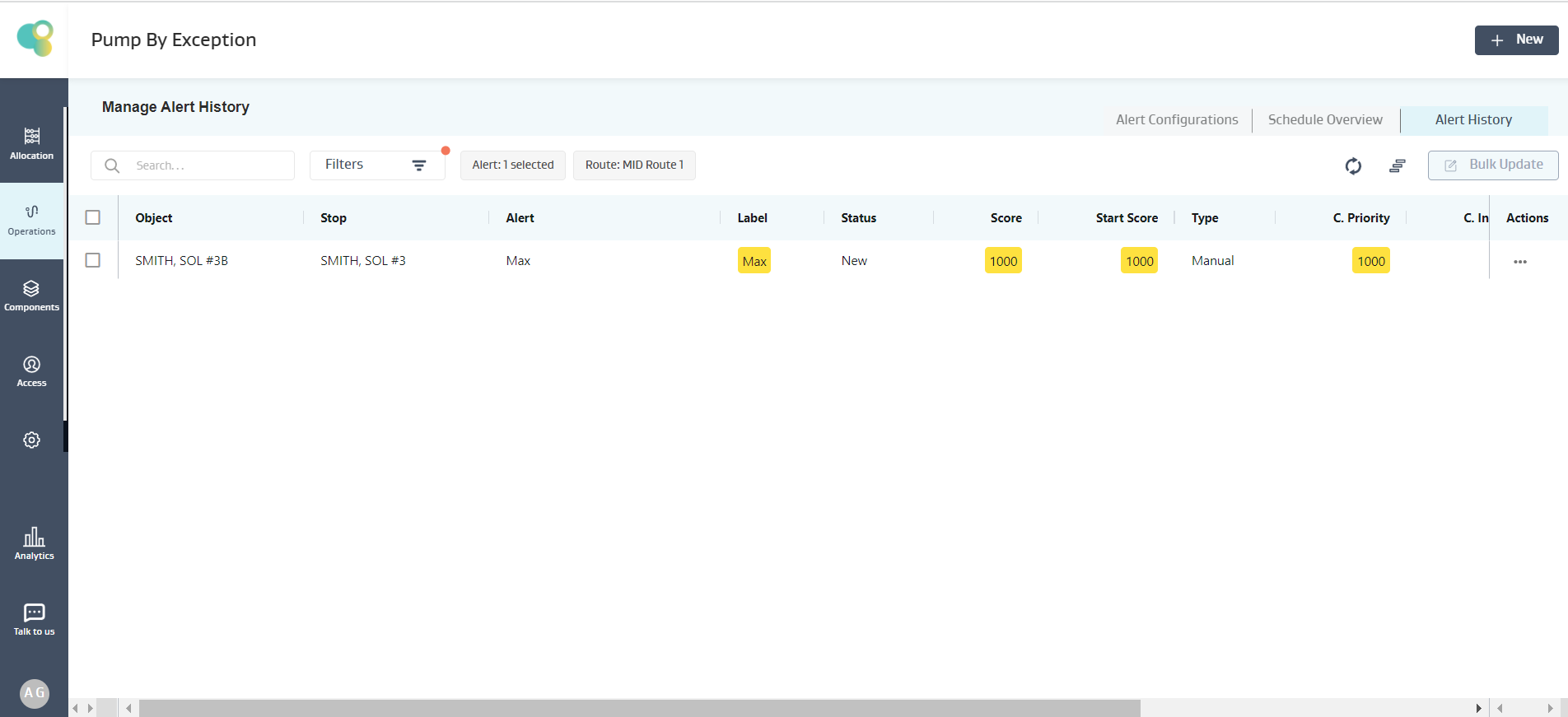
On the Well SMITH, SOL #3B
Given the Tubing Pressure and Casing Pressure is respectively 500,1000
Given 1000>999, the condition is satisfied, and an alert for SMITH, SOL #3B Well is created as shown below
Power(V,P)
Description:
The value of the Variable (V) is calculated using number raised to a power.
Input: V= Base ( Integer, Decimal), P = Power ( Integer, Decimal), Where V is a positive decimal greater than zero, Output: Decimal
Example :
Alert Requirement: Show an Alert when the Tubing Pressure raise to 2 is less than 250
Exception Condition: The below Exception Condition shows the syntax and logic used
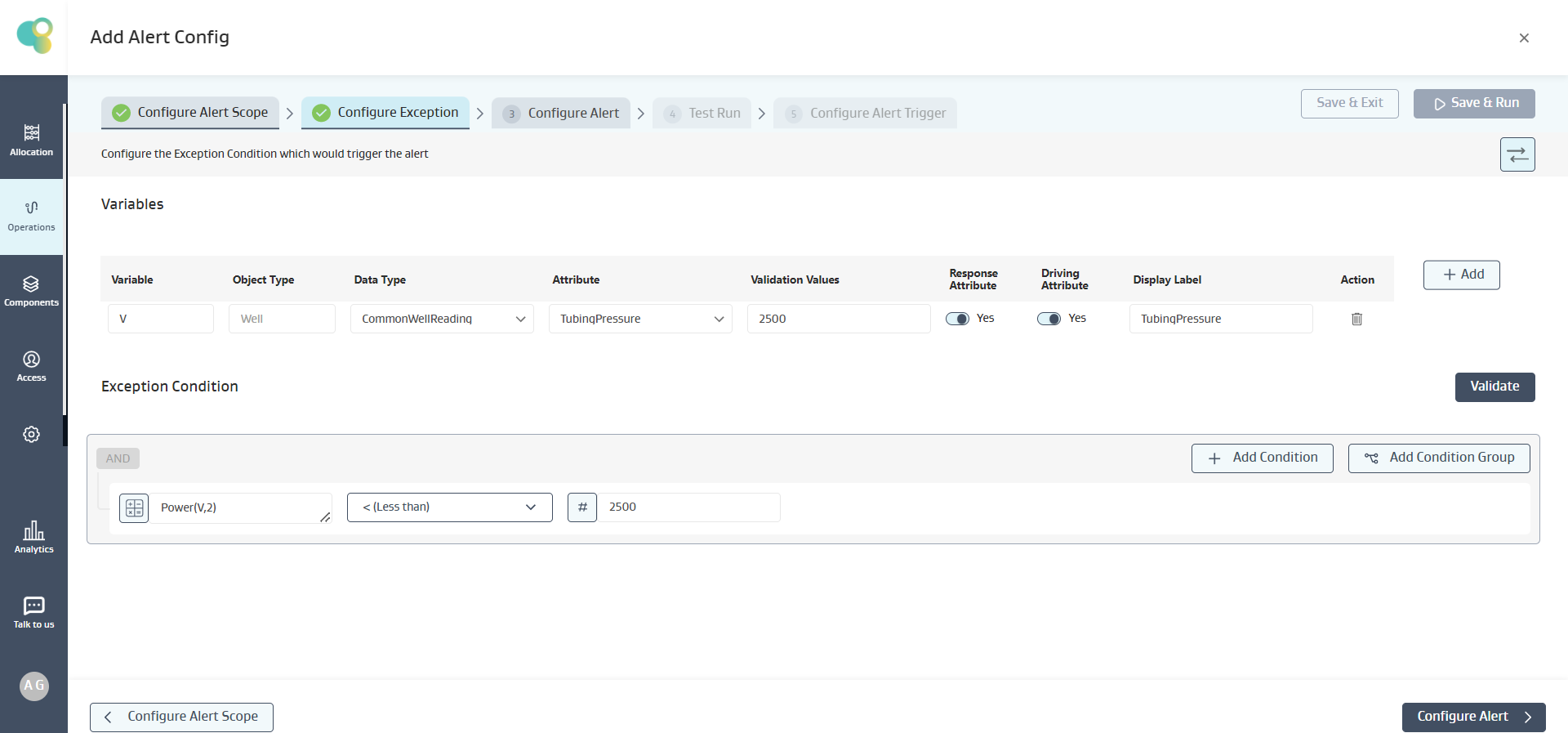
Mathematical logic:
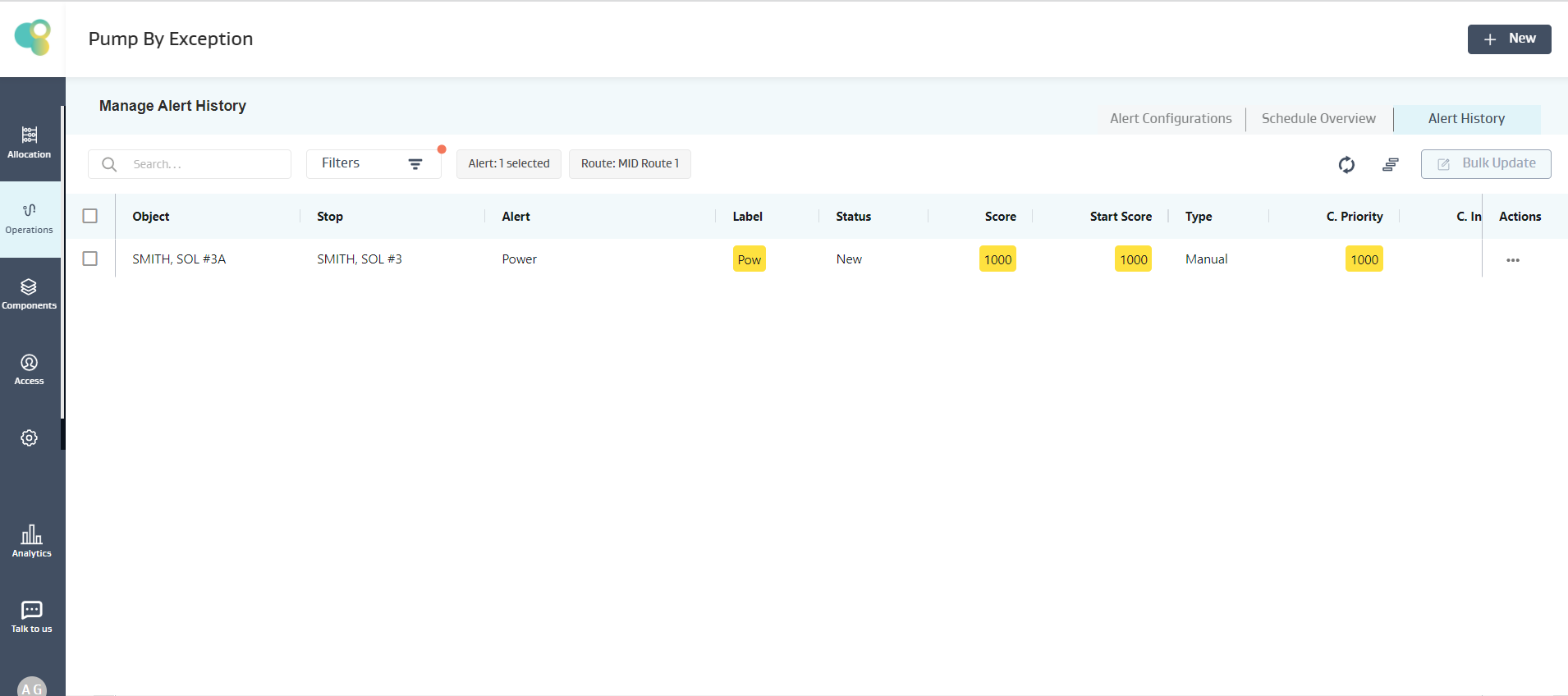
On the Well SMITH, SOL #3A
Given the Tubing Pressure is 49
And 49 power 2 = 2401
Given 2401 < 2500, the condition is satisfied, and an alert for SMITH, SOL #3A Well is created as shown below
Abs(V)
Description:
Returns the Absolute Value (positive value) of the variable (V)
Input: V (Decimal) , Output: Decimal
Example Alert Config
Alert Requirement: Generate an alert if the Absolute value of Percentage Deviation of Gas “Measured Volume” is greater than 9%
Exception Condition: The below Exception Condition shows the syntax and logic used
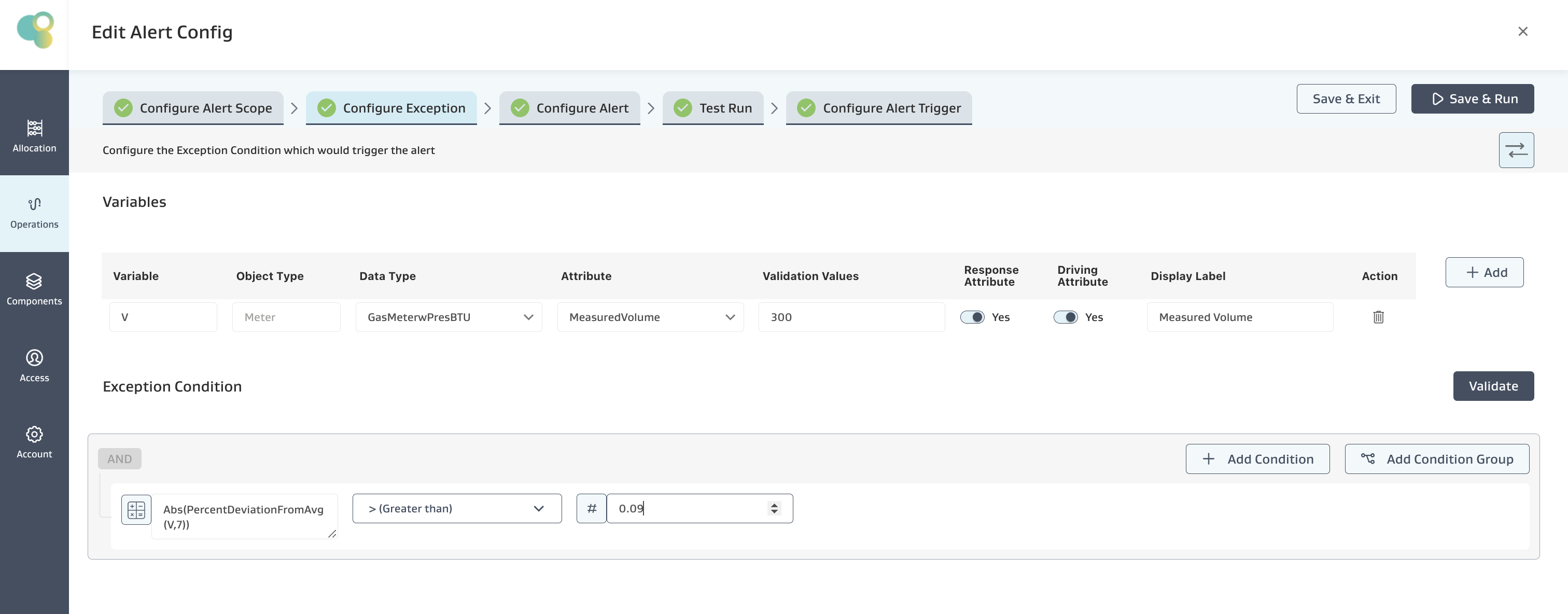
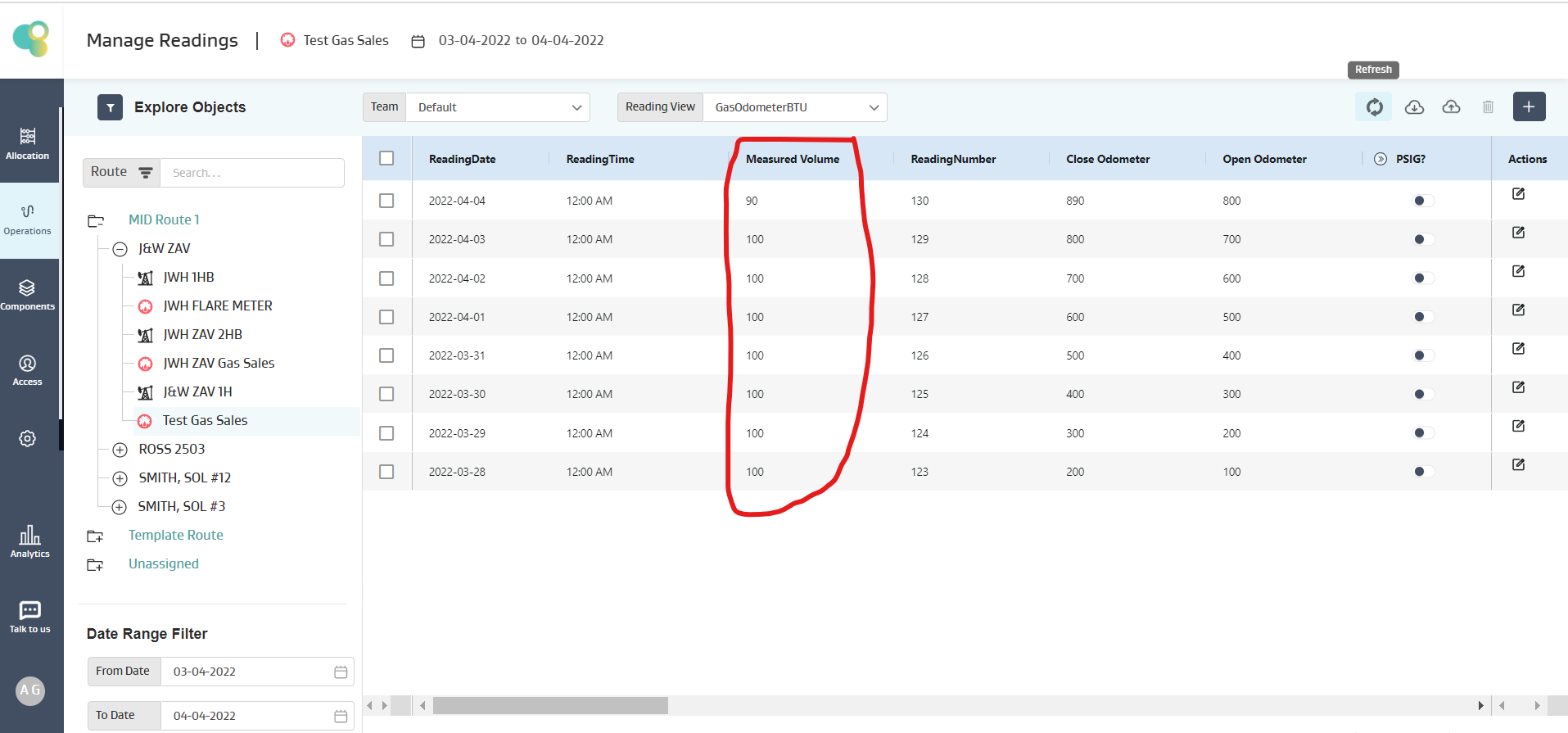
On Test Gas Sales Meter
Current Reading: 90
Last 7 readings average: (100+100+100+100+100+100+100)/7 = 100
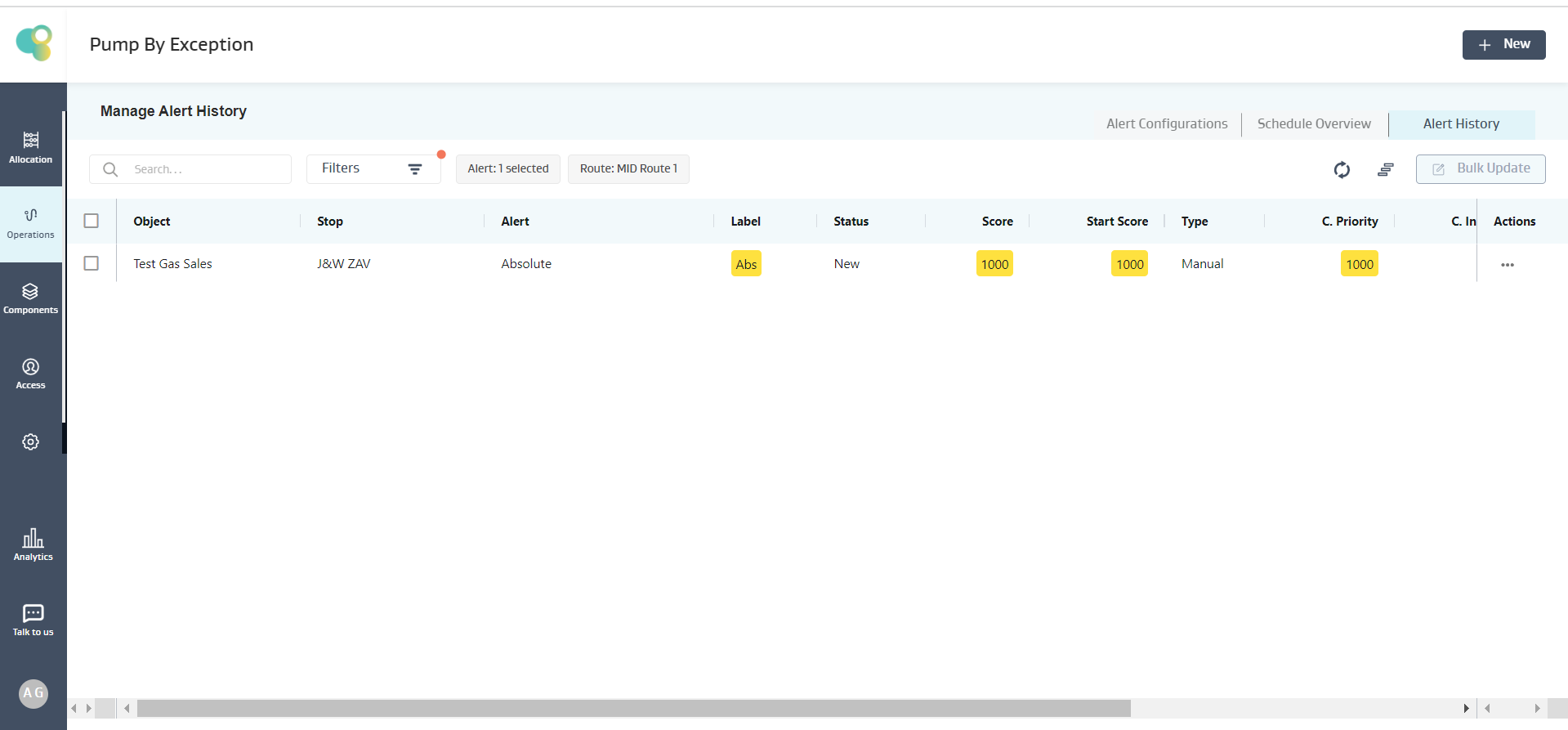
Given (Current Reading- Average of 7 Readings)/Average of 7 Readings = (90-100)/100 = -0.1, and Absolute Value of -0.1 is 0.1 which is greater than 0.09, the condition is satisfied, and an alert is created on the meter as shown below