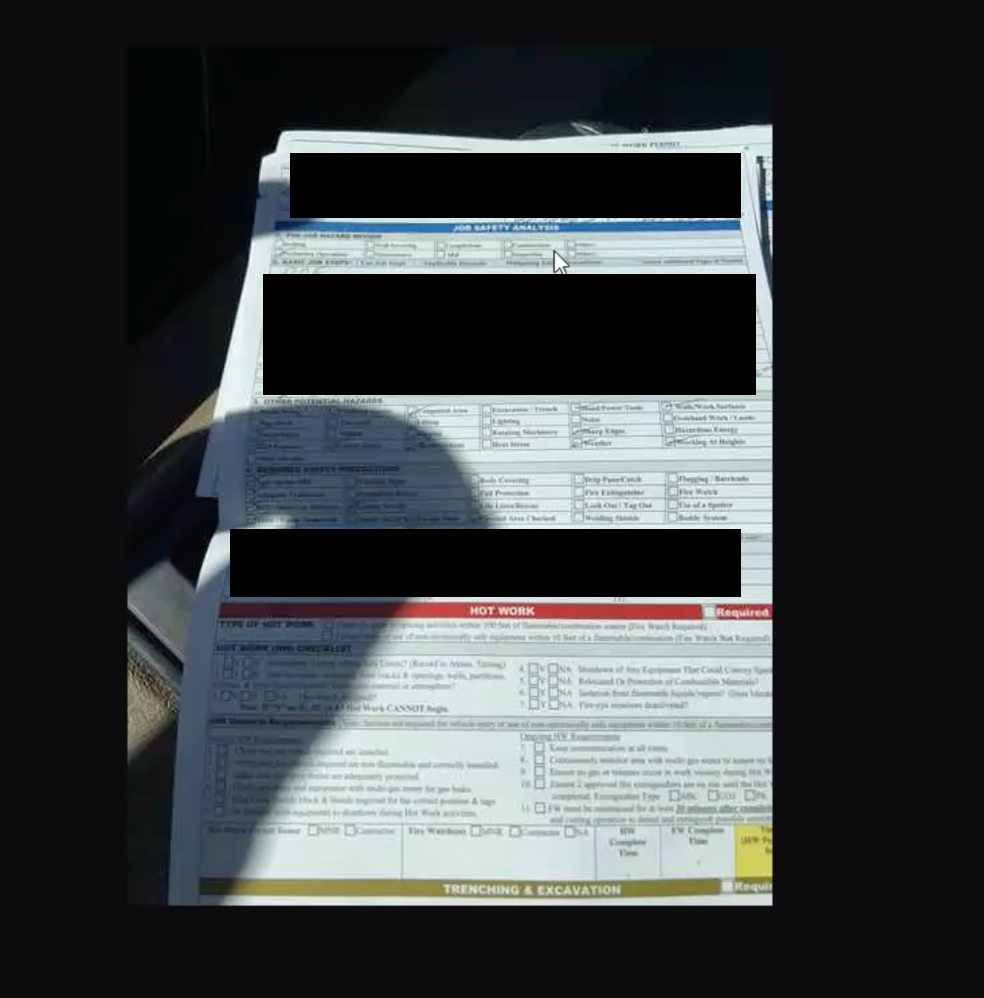
What API can I use to download attachment files from tasks?
This page will go through how you can download attachments that are uploaded by the field user on a task.
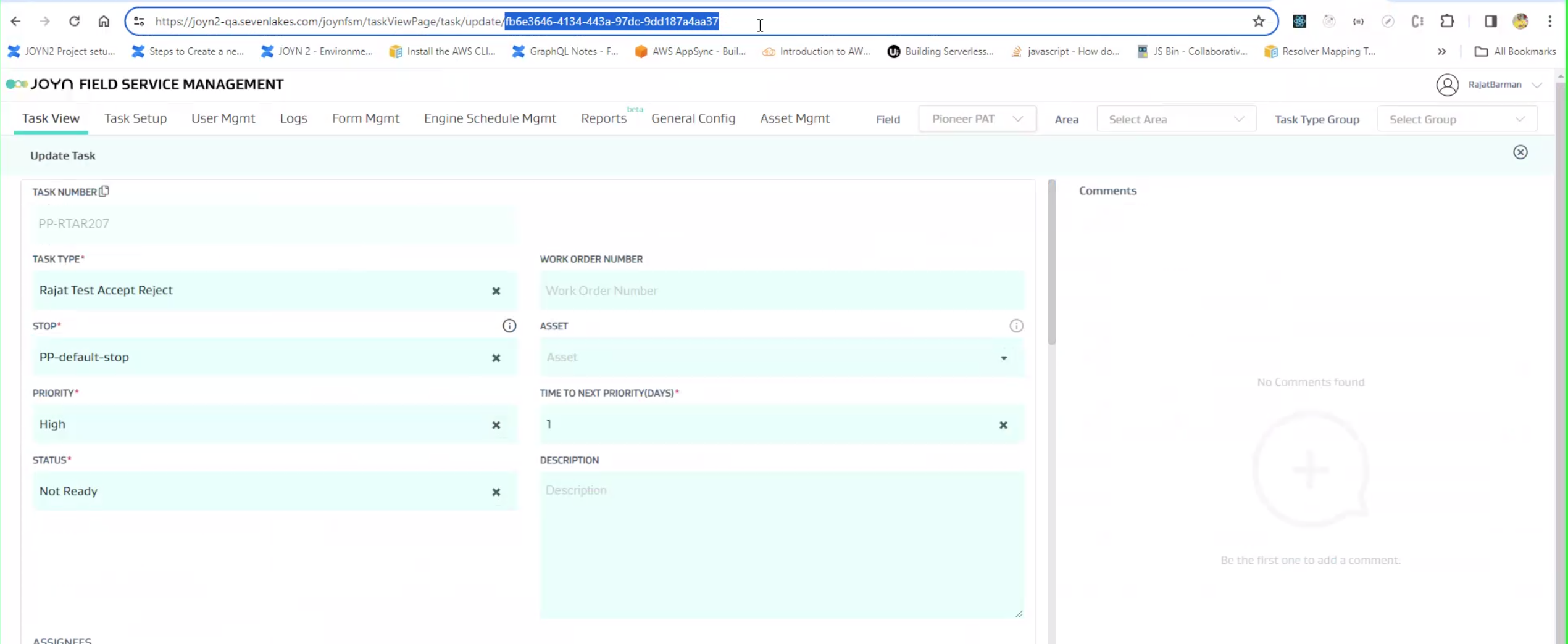
Step 1: Get the Task ID (available in the URL)
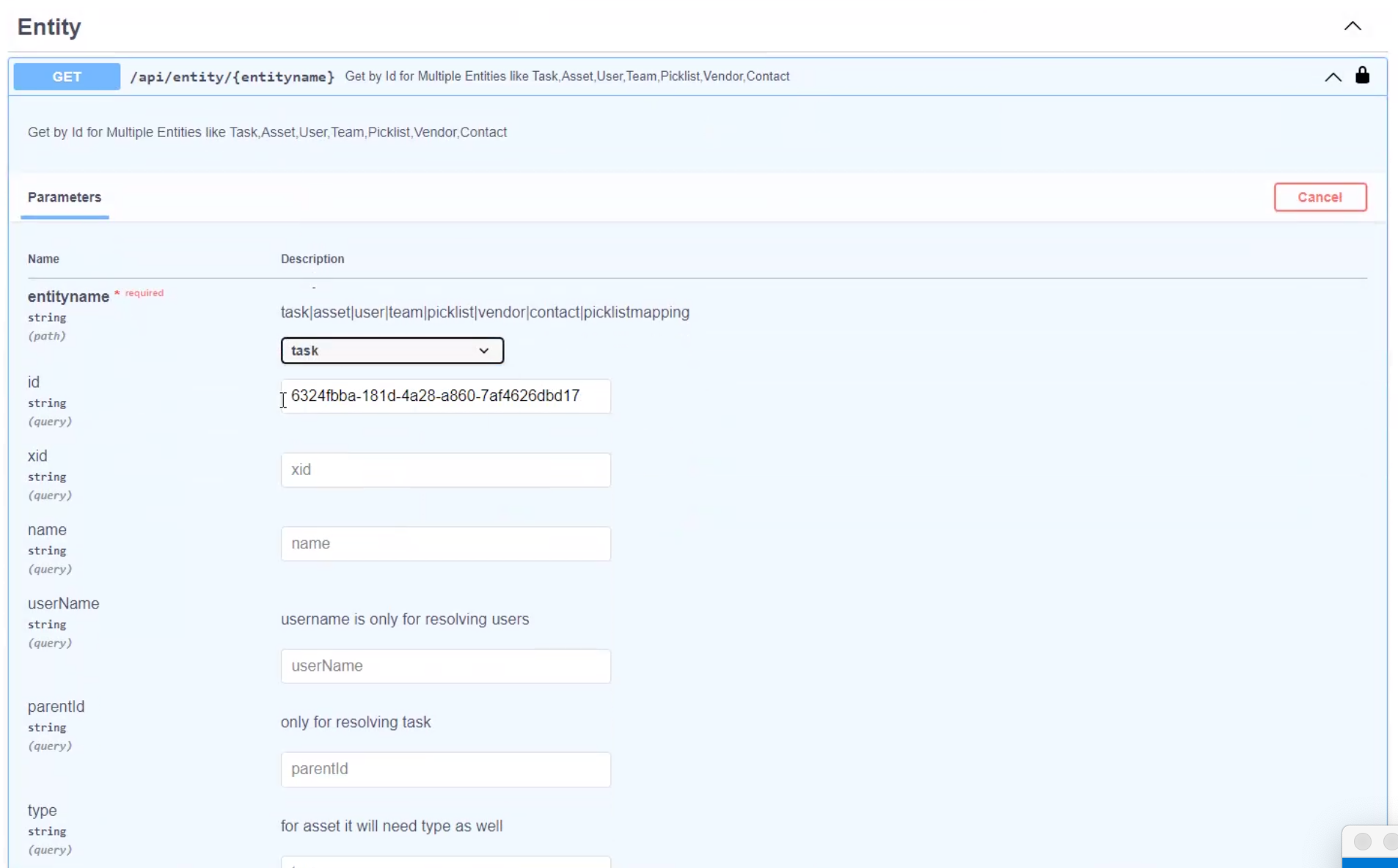
Step 2: Go to the Get Entity API via Swagger
Select “task” for entityname
Paste the task ID into the “id string”
Execute and await response
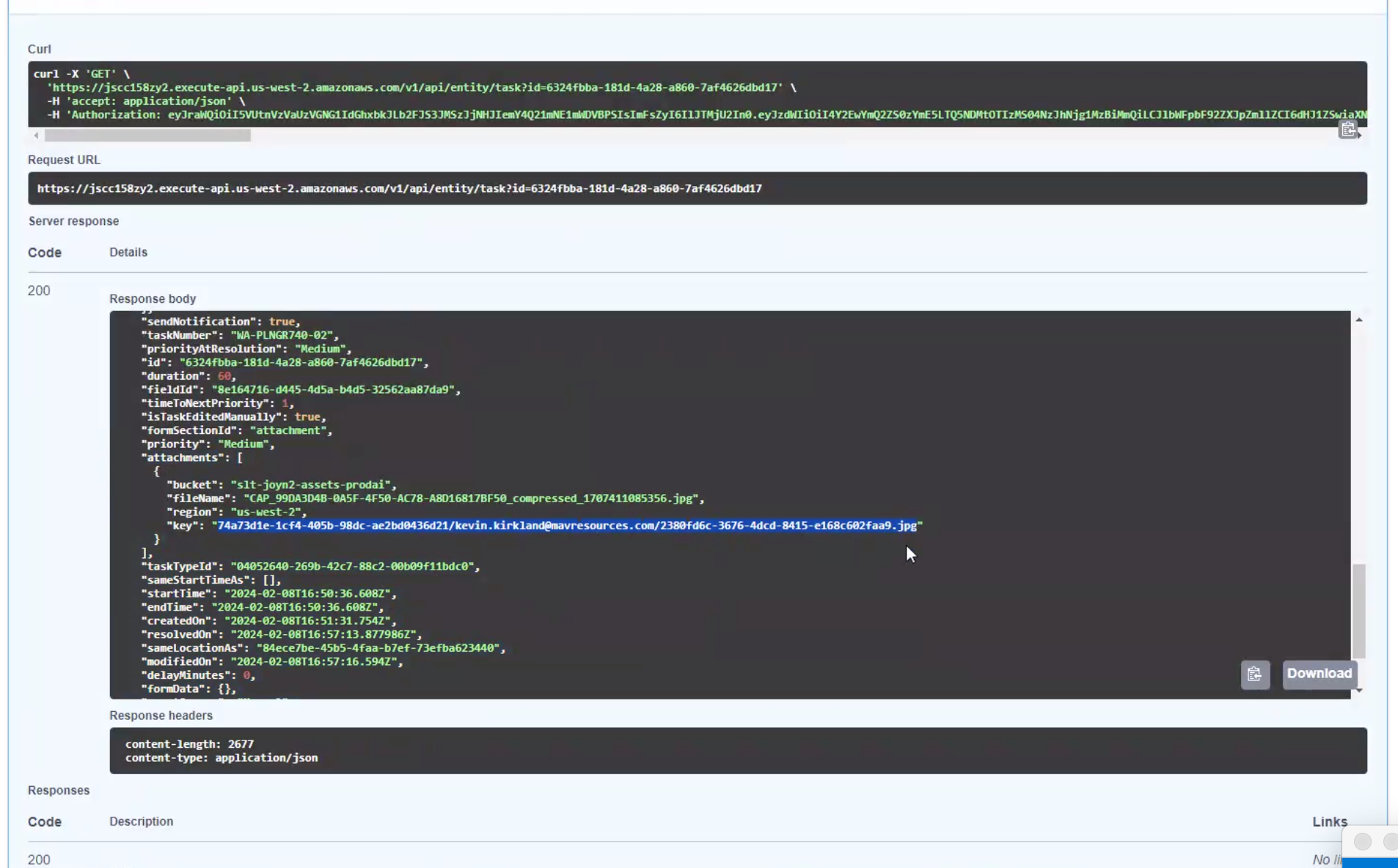
Step 3. In the response, look for the Attachments section and copy the “key” for the attachment needed - see below:
Step 4: Go to Download Document API available on Swagger
Paste in as many image keys as needed in the request body
Execute and await response
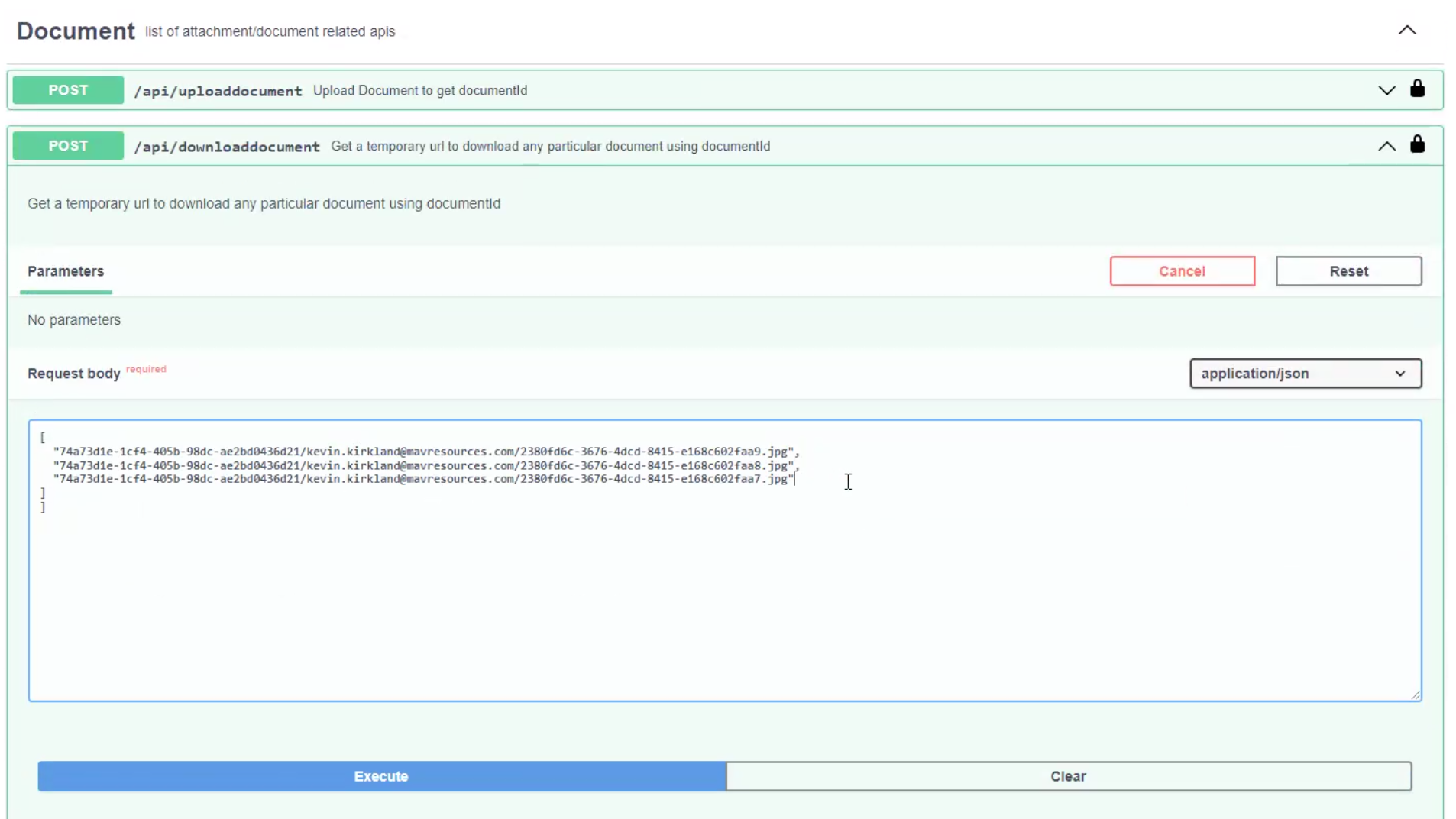
Step 5: View attachment URLs
A URL will be provided for each attachment
You may now access the attachment via each specific unique URL
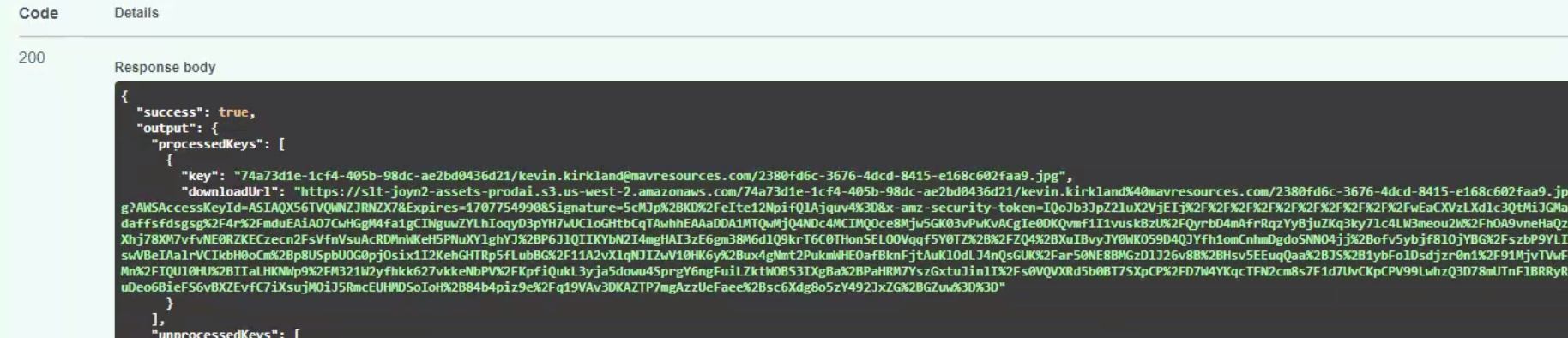
Step 6: View attachments