
Release Notes for FSM admin Release v35.2
S.No | Description | Admin/App | Demo Attachment | Require new App |
|---|---|---|---|---|
1 | With this feature, the admin person can sign for the mobile user using ‘SIGN FOR ASSIGNEE’ option. | Admin | https://youtu.be/efIFdpmCJ6c
| No |
2 | In Custom Attributes, show displayname instead of attibutename. | Admin | 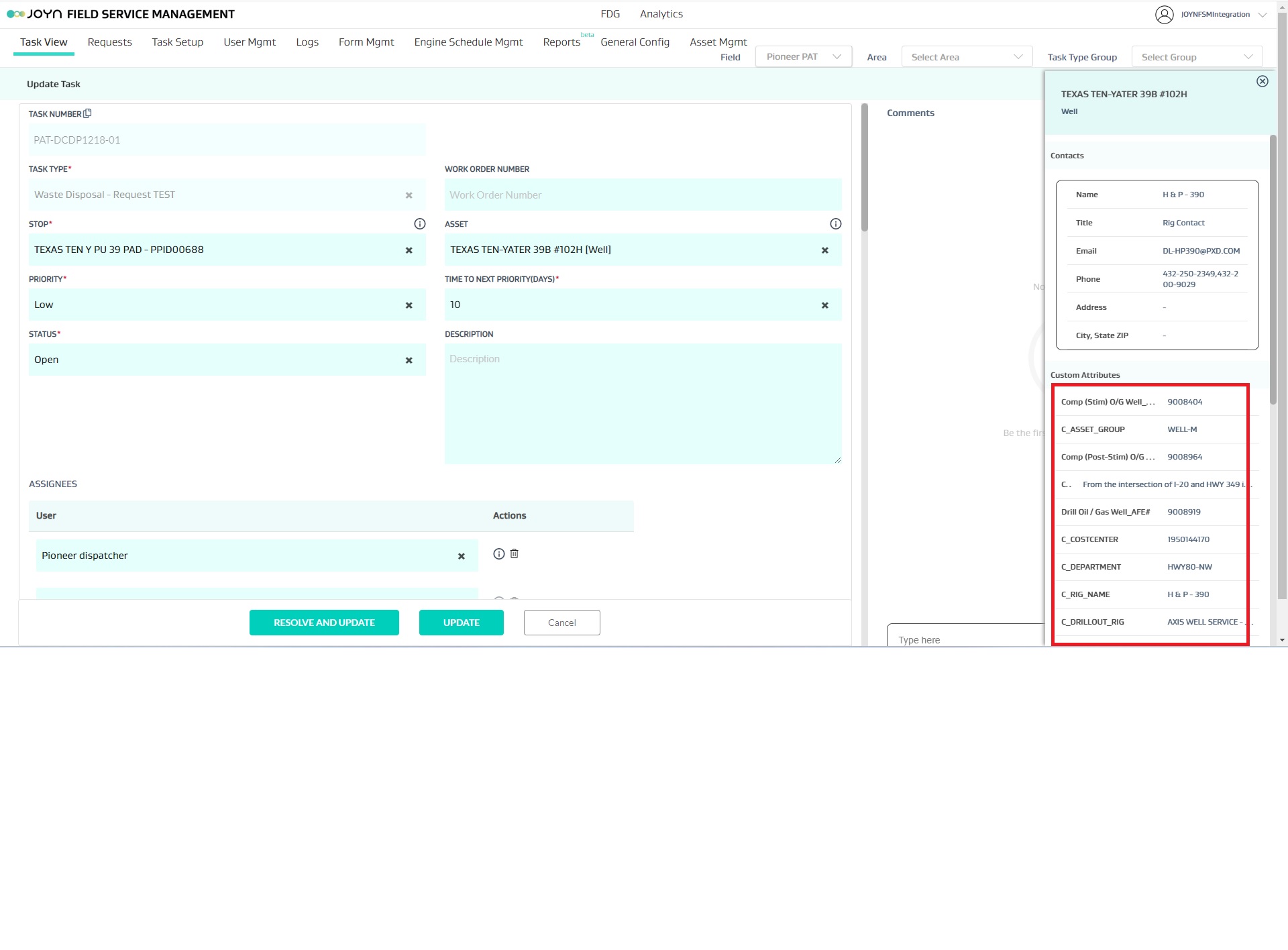 | No |
3 | When user mapping to an area and team is updated from USER MGMT grid view, you can add the user as PRIMARY OR SECONDARY in the Area. | Admin | 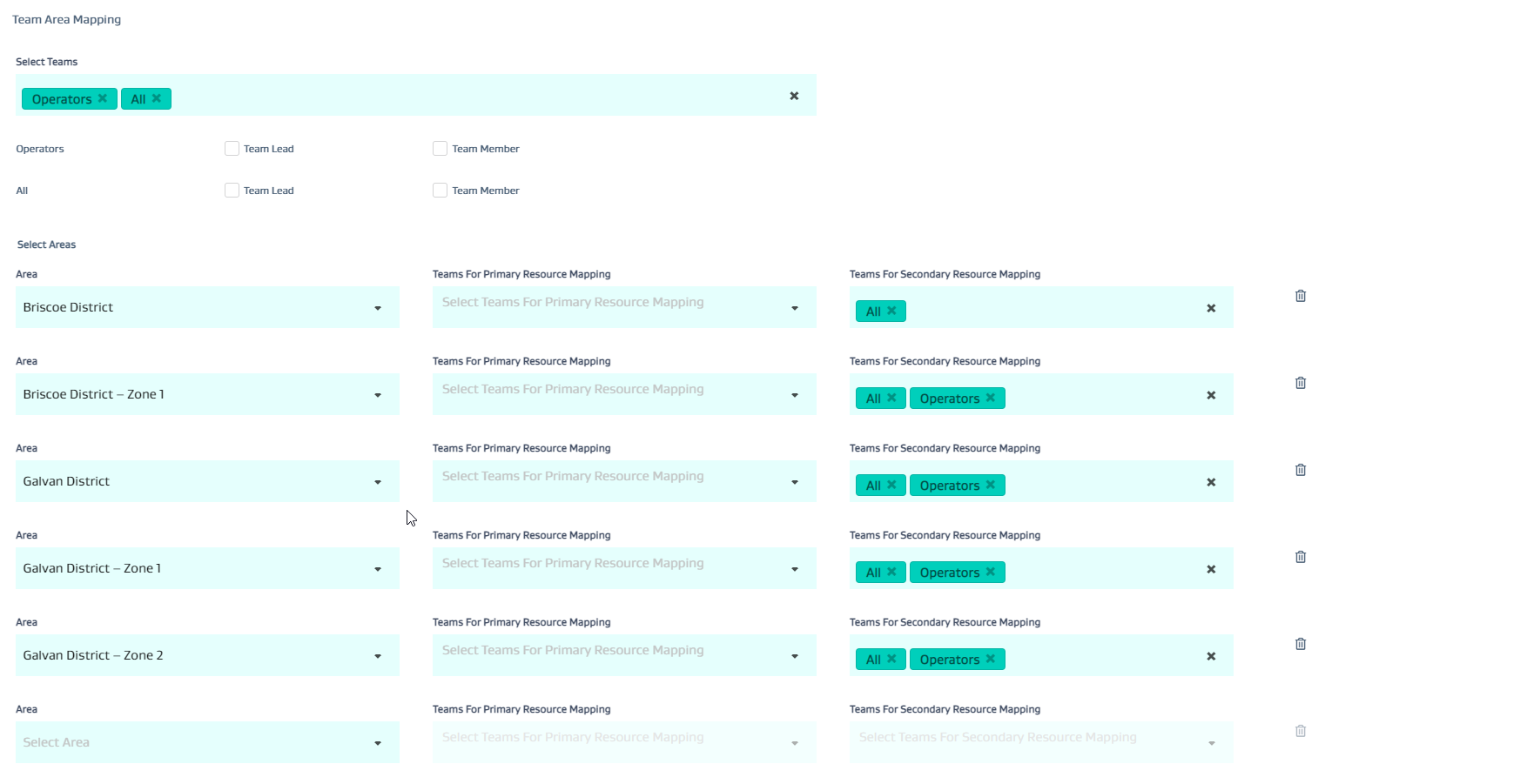 |