
Upstream Revenue - Create Manual Remitter Cross-Reference
Remitter Cross-References are used to create upload templates and cross references for non-operated revenue processing. The manual option is used when CDEX is not available.
📘 Instructions
Navigate to Check Input>Remitter Cross-Refs.
Click New Remitter Cross-Reference.
A prompt box will appear.
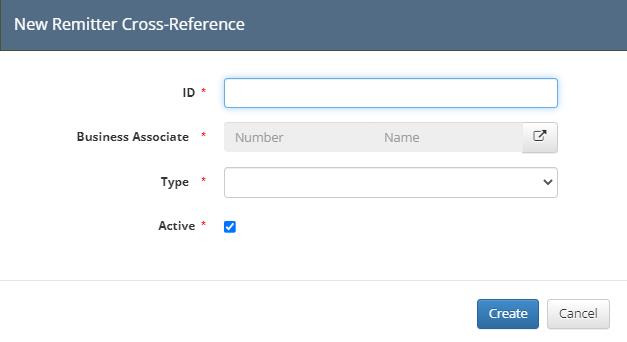
Enter a unique ID (best practice is Remitter (Operator) Name - Asset Number).
If the ID is not unique across all assets, this could cause an issue down the line.
Click the box with an arrow to pull u the Business Associate Pick List

Select the Remitter (Operator) from the Business Associate from the Pick List
Type = Manual
Leave the Active flag as True
Click Create
The first tab is Products
This tab creates an association between the product received on the check and the WEnergy code tables.
In this tab, click Add Product Cross-Ref for every product type received on the check details from the Remitter (Operator).
Under the Check Input Product Name, put what the check details have (i.e. Gas, G, NGL, P, etc.).
Under Product, put the Product code used in WEnergy.
Select a Usage
Select a Unit
Select an Upstream Division Order Product (this should match the Lifecycle in the Division Orders module the data should book against).
Select the Product Code
Select a Revenue Product

Highlight important information in a panel like this one. To edit this panel's color or style, select one of the options in the menu.