
Upstream Revenue - Update Minimum Royalty Threshold (Release Minimum Royalties)
The following steps will detail how to set a new threshold for minimum suspense. The Company Process Control will release any amounts for a unique owner/function combination that total to over the set threshold amount.
📘 Instructions
The following steps will need to be done for every company revenue is processed under.
Navigate to Global Setup>Companies
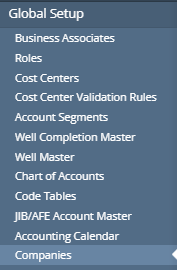
Open the Company that needs a new threshold set
Navigate to the 'Payment' tab
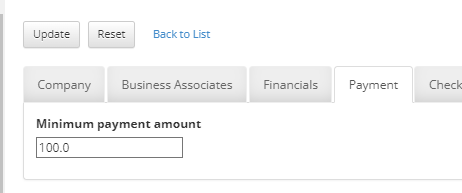
Set the ‘Minimum payment amount’ field to the new threshold (can be set all the way down to $0.00)
Click update.
On the next Company Process Control run, this threshold will be used for minimum royalty amounts
If this was to release minimum royalties, once the run is done, set the original threshold back using the same steps above