
Upstream Revenue - Write Off Suspense (Owner Amounts)
If records need to be removed from the owner amount subledger and division order system, this process will be used. Once this process is done, it cannot be undone. Records will no longer be available to release or transfer. The records will remain in owner amounts with a status of Write Off, but will not be viewable in release, suspense or transfer records. An example of when this process might be used is if assets are divested and funds are being sent to the new operator for settlement.
📘 Instructions
Steps to Write Off Owner Amounts
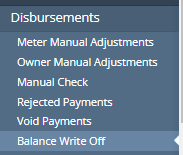
Navigate to Disbursements>Balance Write Off
If you see “Updates are disabled because DO processes are pending” as shown in the screenshot below, Division Orders are locked in Revenue.
Once the Company Process Control is run or the Unlock DO Process under the accounting date is clicked, this screen will show a Write Off button as shown in steps 3 and 4.

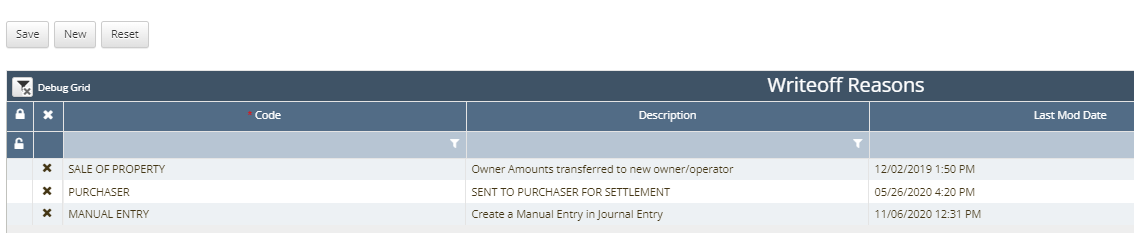
Select a Write-off reason at the top of the screen.

These are set in the Code Table named Writeoff Reasons if you would like to add or update a reason. A screenshot of the code table grid is shown below.
Comments is an optional informational free form text field.

Search criteria for the owner amounts to write off.
i.e. search for a combination of meter number, owner number, production date(s), etc.
Only amounts in Below Minimum, Suspense or Ready to Pay statuses will be viewable in this screen.
If an amount was paid to an owner, the Financial entries need to be voided and the Revenue Amounts need to be voided to suspense.
Verify the total being written off.
Mass select all records that are filtered using the checkmark box under the Clear Filters button.
Click Write Off
Once this button is clicked, the records will remain in a write off status in the Owner Amounts grid and cannot be put back into a suspense or payment status.

A manual journal entry in the Financials Module will need to be created and posted for these record since this process does not create records for DO Journal Results in the Company Process Control.

Once this process is done, it cannot be undone. Records will no longer be available to release, suspend or transfer.