How do I add metadata to an asset using the Asset API?
You can use the Asset API to add/update metadata on an asset.
For example, let’s say you want to add the following attribute for every well in the system:
Target Production
where Target production is an integer type attribute and provides the BOE target production for the well.
Here’s how you would do this:
[
  {
    "type": "well",
    "id": "4392ad5k2-382f-43d7-b3c8-x3j4940302e",
    "customAttributes": {
         "C_Target_Production": 432
     }
  }
 ]
Enter the asset type (well, equipment, tank, meter, etc) - this is mandatory
Enter the asset xid or id or name, this is also mandatory
Ensure you have created the custom global attribute in Asset Management. For this case, let’s say the name we chose for Target Production attribute is “C_Target_Production” For more info: How do I attach metadata attributes to equipment or wells?
Add the custom attribute with the value for the given well identified by the ID. In this case, we are adding 432 BOE as its target production
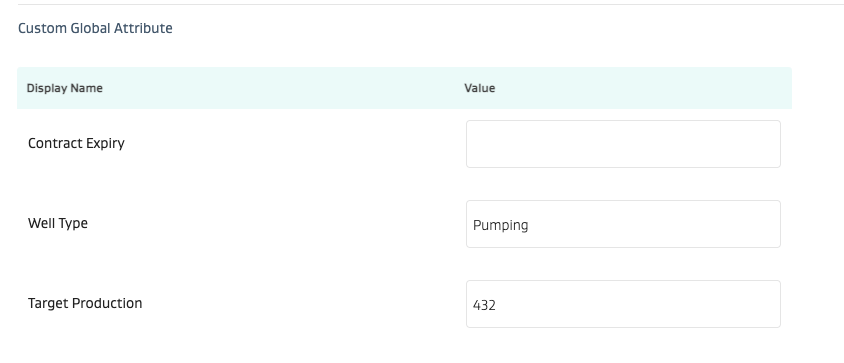
Once this API is executed, this data will flow into the Asset metadata as shown in the Asset Management screenshot below
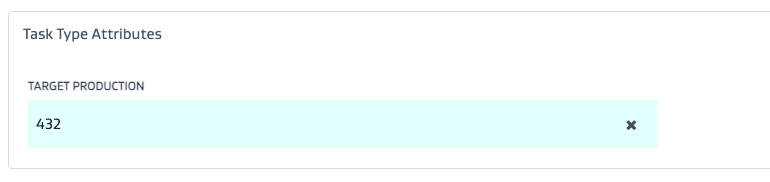
It can now be used as a task attribute on a task that can be filled out automatically based on metadata dynamic lists. For e.g. you pick a task, you select the well, and the Target Production will automatically be filled out on the task!