
How does JOYN's geotracking and geofencing work?
How does JOYN's geotracking and geofencing work?
Question | Answer |
|---|---|
How often does the application send a gps coordinate back to the cloud | As long as there is connectivity and the location SDK is active, the app will send a gps location back - on average every 20 seconds. See video below: https://youtu.be/DWryC_4H5OMNOTE: Depending on browser activity, mobile network or lack thereof as well as other factors, you may need to refresh/reload the screen to view the latest geolocations of the resources. |
What happens to geotracking/fencing when the cellular internet connection is offline? | If you have ever lost internet while navigating on Google Maps or Apple maps or any other map software, you will notice that the GPS still accurately navigates. This is because the GPS connectivity is separate from the internet. The GPS coordinates will still be tracked locally on the cellular device and then the related coordinate data will get uploaded to the cloud once the internet connectivity is available again. |
What settings are required for the geotracking/fencing to work? | The app will not let you proceed beyond a certain point if you do not have the right location permissions on. You will need to have “Always” for location access permissions and “Precise Location” to On for accurate tracking. You may turn the location On/Off by toggling the “Shift On/Off” toggle on the main screen. See screenshots below: 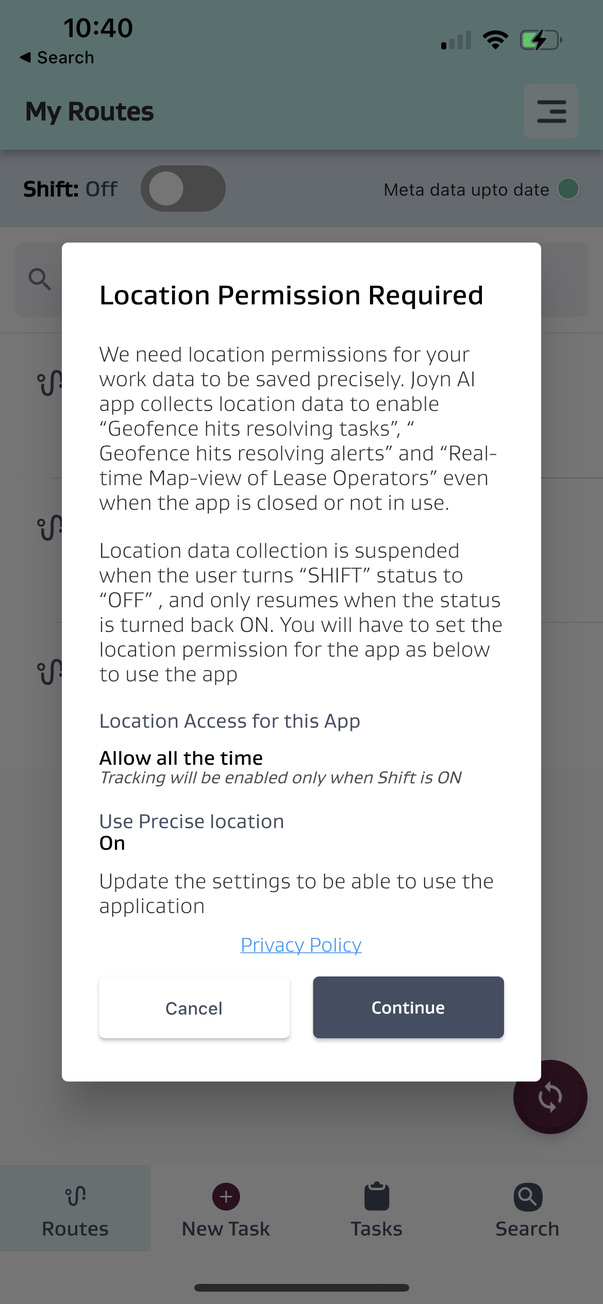 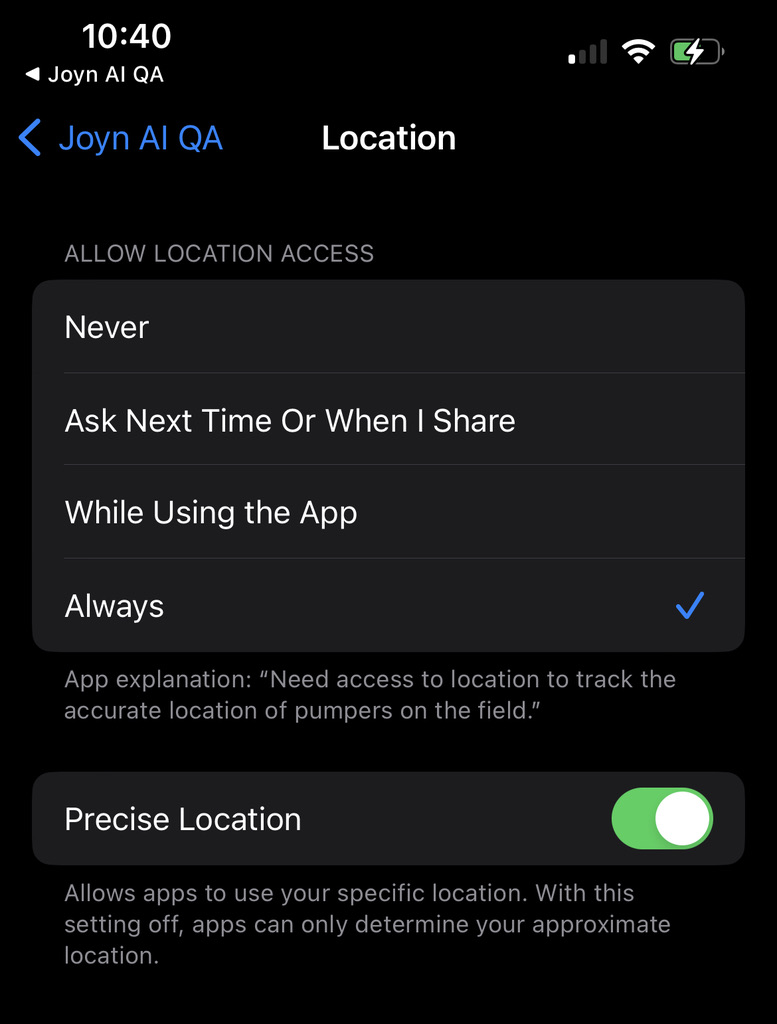 NOTE: GPS chipsets consume more battery power when in use. Depending on the cellular device, combined with other application usage and overall battery health, certain models may drain the battery faster so it is recommended to keep a portable charger for additional charge as needed. |
How does geofencing work? | Each Stop in JOYN FSM should be setup with a lat/long. Once it has a lat/long it will usually be setup with a default radius of 50 meters. When a cellular device enters/exits this stop location’s radius, it will register a geofence hit in the cloud. The screen/section for Geofence details below is available in Asset Management when you update a “Stop”. 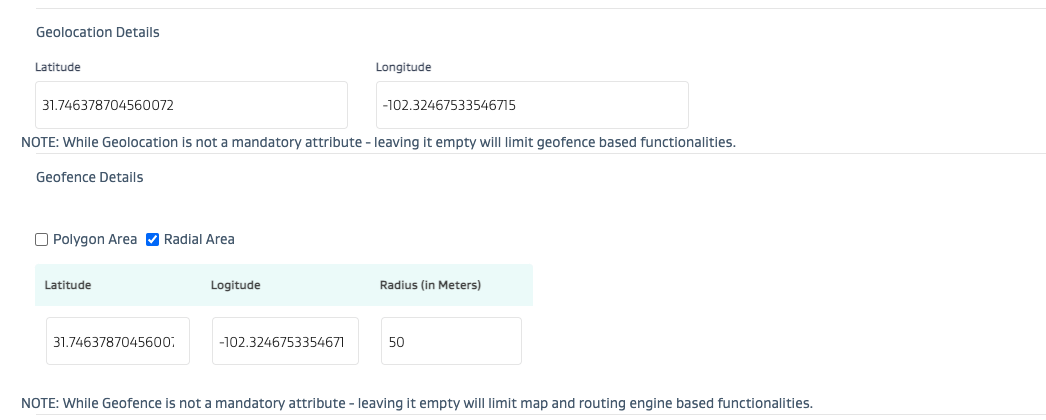 |
Can I use map based polygons for geofences instead of default radius based circular area shapes? | Yes - JOYN FSM allows for polygon shapes to be uploaded for Stop geofences. See screenshot below for Polygon areas. Note that a minimum of 3 lat/long points are required to form a closed shaped polygon (i.e. triangle). 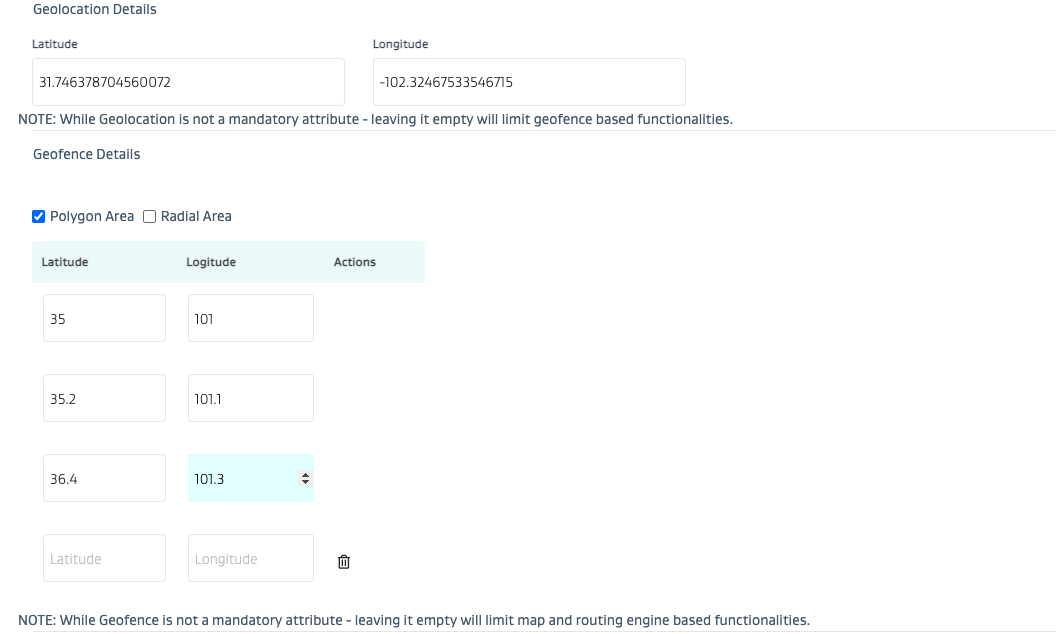 |
Can I view the live location of a user on the map view? | Yes, you can view the live location of a user on the map view. You can also see the last user to enter/exit a geofence on a map view for any stop location that has tasks. |
Is it recommended to use JOYN’s geotracking for safety? | While JOYN’s geotracking is definitely an added layer of safety to know where someone is - it is not recommended as a primary safety tool. JOYN’s geotracking is meant for informational awareness of where a user is.
|