
How do I create Dynamic or Ad Hoc Parent Child Tasks?
Use Case: Let’s say you are going to perform a multi step task in the field. For example,
Lock out/ Tag Out
Repair/Fix
Re-energize
But during the repair, you realize you need to excavate soil. The predefined parent-child templates don’t allow for this. This feature allows you to have an extendable parent child task that does not have to be predefined via a template.
To turn on this feature, create a Regular task type template and enable the following flag:
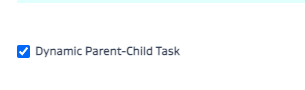
The feature also continues to number all associated tasks per the parent child format as FIELDCODE-TASKTYPECODE###-01, 02, 03, etc. Note that even triggered conditional tasks that are created from this flow will also follow the same task numbering convention and will be linked back to the child of the parent from which the new task was triggered.
For example -
Task 1: Approve a Blowdown task
Conditional Task 2: Trigger the execution of the blowdown when Task 1 = resolved
Both of the above tasks will be under a single parent and can also be linked to each other.
Options to select in task type flags are
Dynamic Parent Child Task
Is Linkable (Refer to the related article at the bottom of the page on Task Type Checkbox Flags and scroll to Is Linkable)
Use Trigger Task Rules (Refer to the related article at the bottom of the page on Task Type Checkbox Flags and scroll to Task Trigger Rules)
Roll Up Math Feature
In addition, this feature also allows you to roll up numerical global attributes. For example, if you add a global attribute called “Cost” to collect the cost of inidividual sub tasks - you can roll them up by setting them up as roll up global attributes to add up at the parent level.
e.g. if the repair/fix and excavation have a “Cost” global attribute value of $2,000 and $3,000 - the parent task global attribute for “Cost” will show $5,000.

Limitations: Due to the flexibility of this feature, it currently does not support direct dependencies like a traditional parent child task. However, you can setup conditional triggers to kick off tasks based on certain conditions being met using the “Use Task Trigger Rules” (Refer to the related article at the bottom of the page on Task Type Checkbox Flags and scroll to Use Task Trigger Rules)
VIDEO:
https://youtu.be/jy5Mxobw5uI