
'Some Working Copies Exist' Error message when uploading PAV
🤔 ‘Some Working Copies Exist' Error
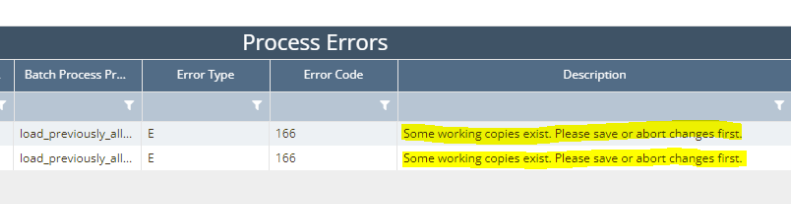
When a user tries to upload PAV data using the upload template, users sometimes receive an error stating ‘Some working copies exist. Please save or abort changes first’. This indicates that another user is making edits on the Physical Setup - Previously Allocated Volumes screen.
🌱 Solution
To resolve this issue, the user that is making edits will need to either save or abort the changes. There are two ways to check
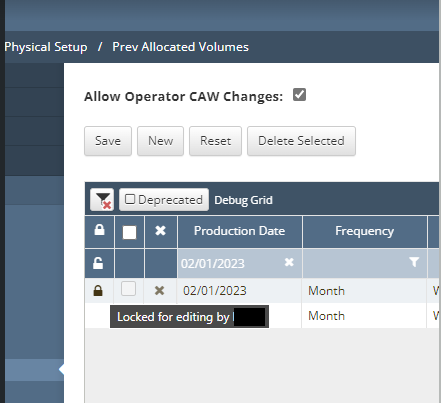
Navigate to Physical Setup - Prev Allocated Volumes screen and look for the lines that have the lock icon on the left. Hover over the lock icon to see which user is currently editing the line item.
Once a copy of the client’s database is loaded internally, you can run the SQL script below to find the user that is make edits.
CODE
select u.login, a.name 'Asset', m.number, m.name, * from previous_volumes pav
left join meters m on m.anchor_id = pav.meter_anchor_id
left join assets a on a.id = pav.asset_id
join users u on u.id = pav.checked_out_by_id
where pav.copy_name <> 'Original'