
How do I create a watcher group?
A watcher group is like a distribution list of users that can be grouped together to be added to a task as watchers. This means they will get the notifications setup for the task type.
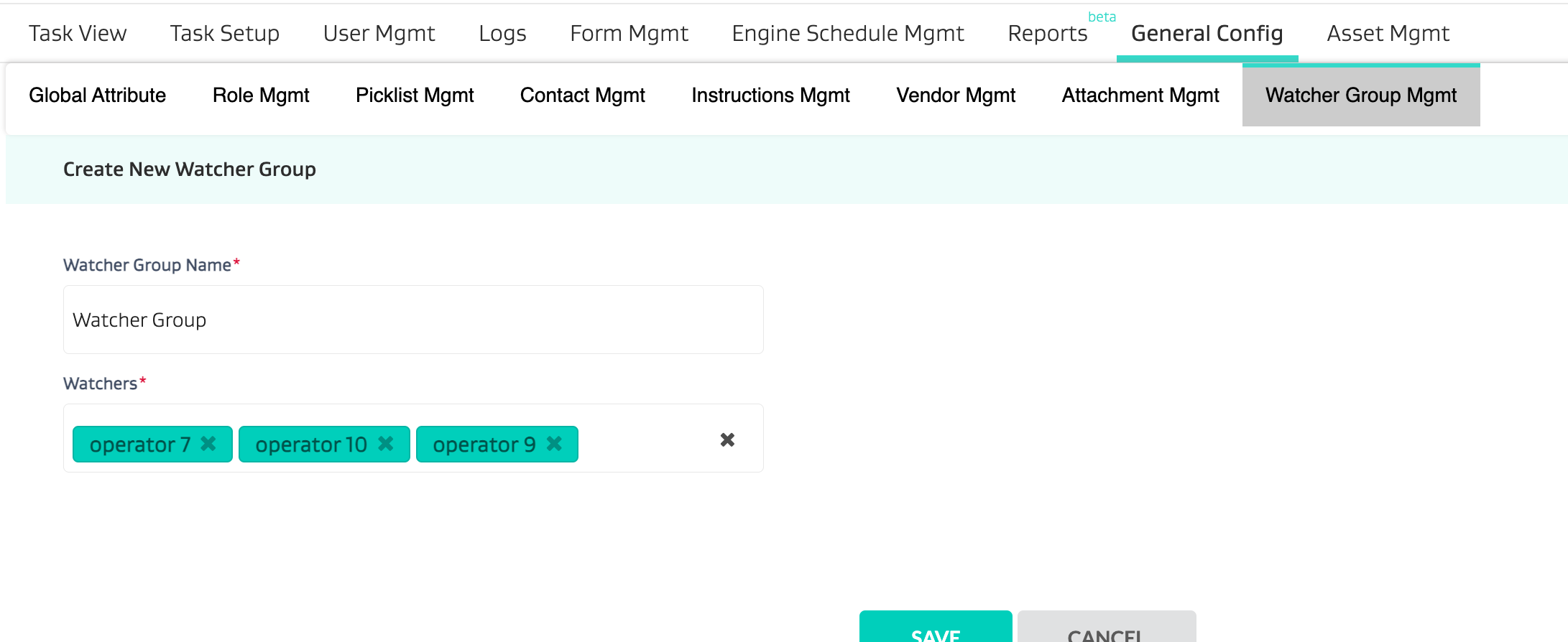
To create a watcher group, go to General Config > Watcher Group Mgmt
Name the watcher group
Add the usernames to the group
Automating Watcher Group Selection
The video below will walk you through how you can automate watcher group selections via setting up a global attribute that can map to watcher groups on a task type.
In this example - we have a global attribute called “Rig” which then auto selects a predefined watcher group.
https://www.youtube.com/watch?v=zhj-SeoFN1U&feature=youtu.beRelated Articles