
How do I send out a notification?
Go to Task Setup > Task Type, and select Task Type and go to the Notification section. Select the following to set up your notification:
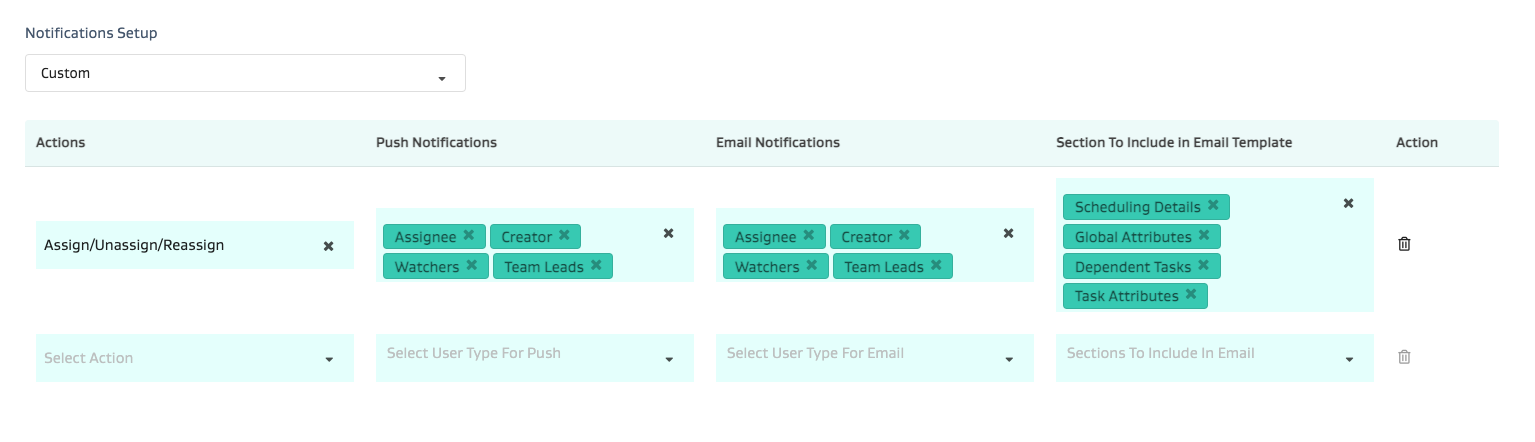
Actions: The action type for which you need a notification generated
Push Notifications: The user types to whom you want to send a push notification via the mobile app
Email Notifications: The user types to whom you want to send a push notification via email
Sections to include in Email template: Select the relevant optional sections you want to include in the email template
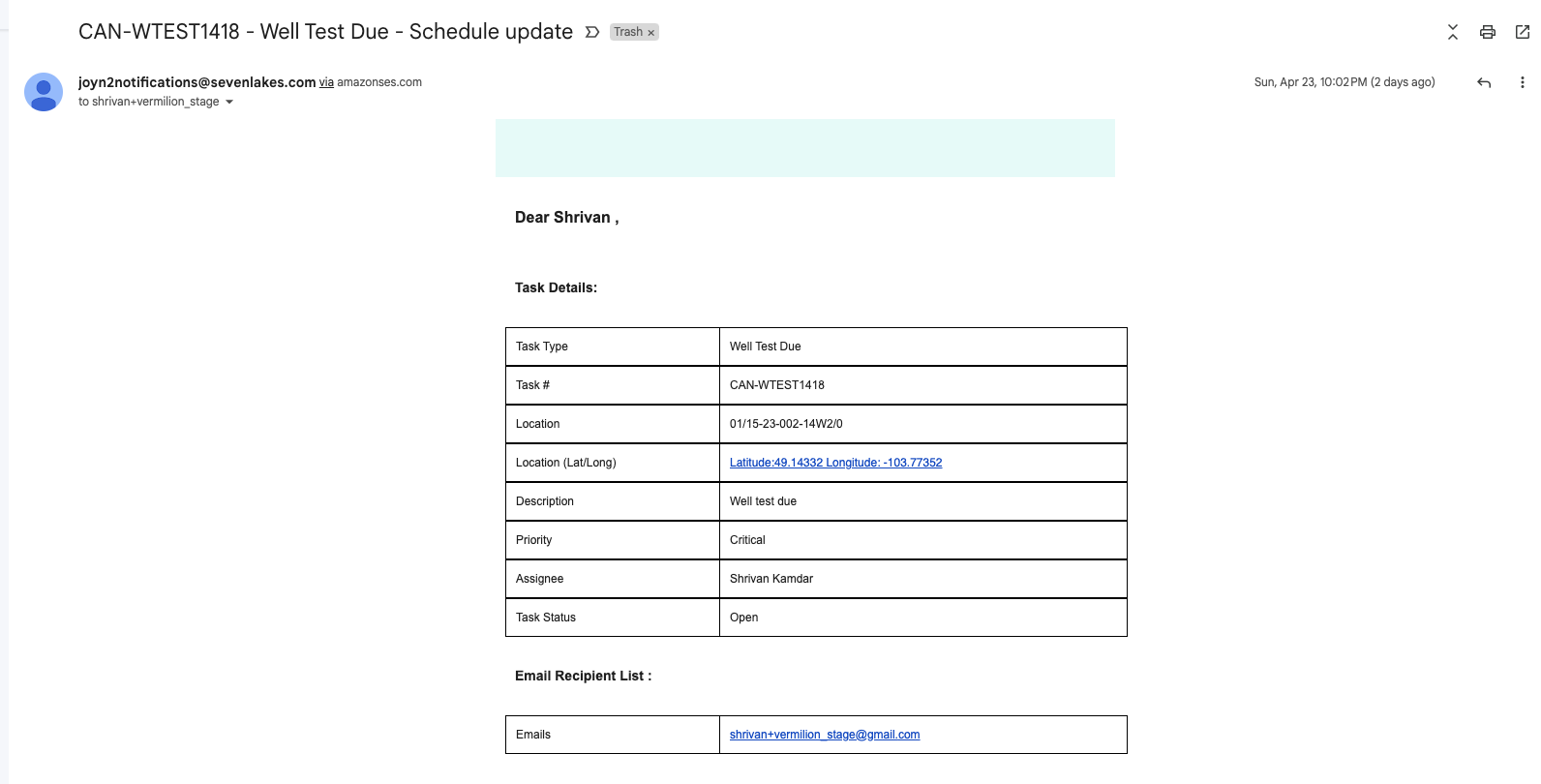
The email notifications that go out will have the relevant sections per the setup above. Here’s an example of what the e-mail looks like:
NOTE 1: These emails can be printed out as paper work orders.
NOTE 2: These emails can also be used by 3rd parties who do not have access to the platform to Accept or Reject tasks via web-links built into the email. See the related articles section for more info.
NOTE 3: The e-mail format may look slightly different based on the e-mail client and the device being used:
Below screenshot is from G-mail
The format is usually best viewed on G-Mail and Outlook web.
That being said the email is still viewable on Outlook Desktop and mobile - however the formatting can vary slightly.
NOTE: Emails and notifications are secondary/tertiary dispatch mechanisms and should not be relied on for critical workflows. The application is the primary mechanism of dispatch for workflows. The FSM mobile app has automatic syncing to ensure the user gets the latest task dispatch information in near real time while the web admin also has near real time updated information without the noise of emails and notifications from other apps.
Emails and push notifications are reminders at best. Often times they also get lost in a sea of other notifications on your phone or your outbox, respectively. Therefore, please refrain from using notifications to drive any critical workflows.
The only exception is if you are using email notifications to allow vendors (who are not using the application on the web or mobile) to accept/reject dispatched tasks as this is a scenario where it may be your only primary mechanism.