
How do you use the validation attribute in the allocation config and formula meters?
The JOYNOG Allocations module allows you to configure the readings so that only designated (validated) readings are used for allocations.
A few use cases are:
Well Test (Marked valid and invalid for allocations)
Well Test (Scada or non-scada, non-scada are used for certain formula meter readings)
Set up validations for readings
To pre-qualify a reading to be valid or invalid when used for allocations:
Set up readings so that they have a picklist attribute which captures the valid/invalid state for a readings:
Field users often use an ”isvalid” attribute in “Well Tests”, where
a valid wells test has isvalid = (“Yes”, “True”, “Valid”, NULL)
invalid welltest has isvalid = ( “False”, “No”)
Configure the reading appropriately in the allocation config and formula meter to enable validations on the reading.
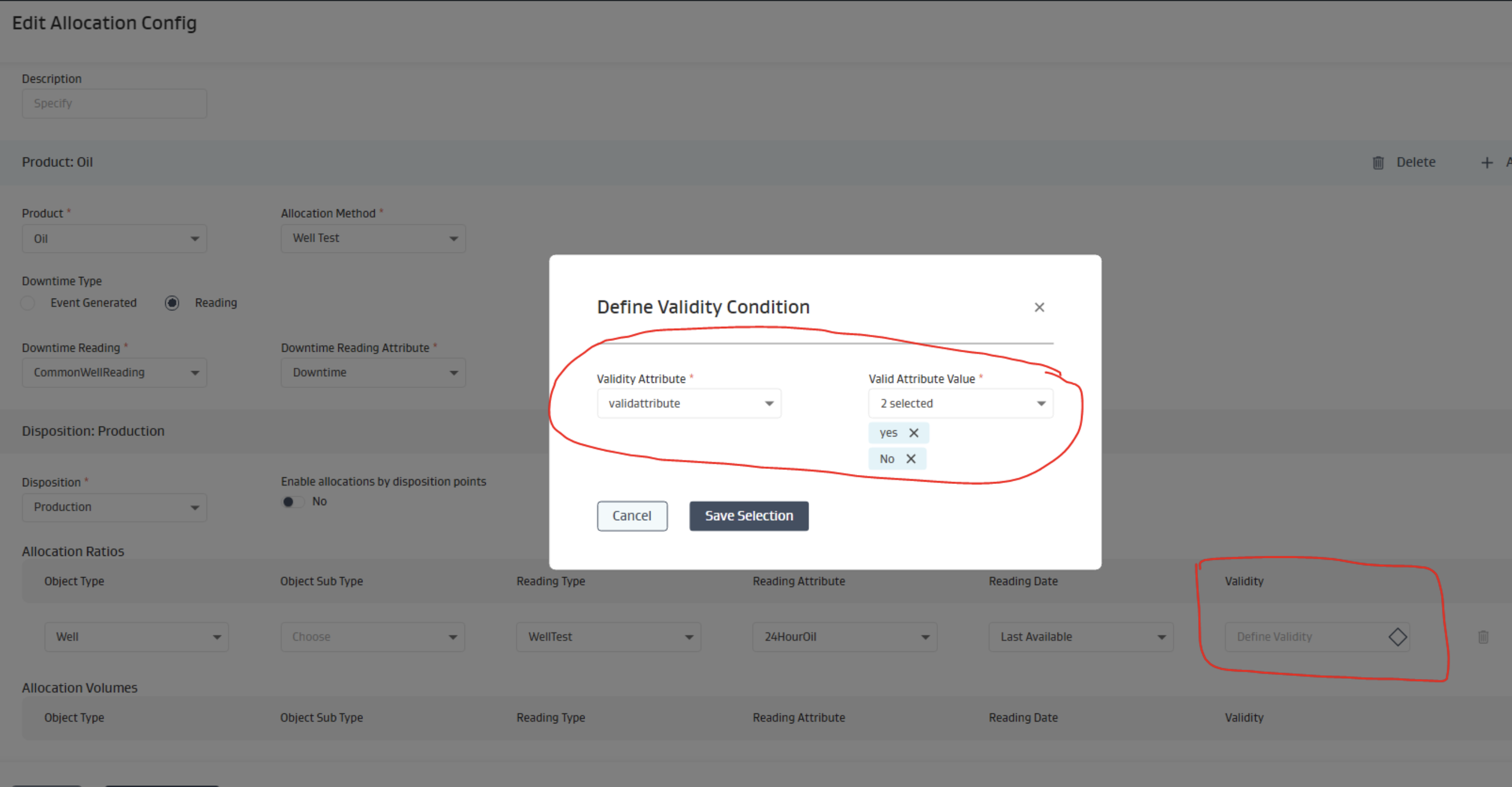
If the validation attribute is NULL in the transaction, then the validation logic is bypassed and the reading is assumed to be valid for use in allocations or formula meter calculations.
Related Articles
- Do calculated attributes calculate when I use bulk upload?
- Can you load sets of transactional files in multiple open tabs at the same time?
- How do trigger allocations work?
- Why is a reading not showing up in my app?
- Does re-running allocation create duplicates or over-write existing allocation results?
- How do I create a calculation for a reading attribute?
- How do I configure a custom button and associate event readings to it?
- Why is a well test validation done when saving a network version?
- What does the exception found in "Wells Beginning and Ending inventory Mismatch" indicate?
- How do I create a validation rule?
- How do you use the validation attribute in the allocation config and formula meters?