How to update user/role permissions
Users unable to access certain areas/reports within application.
📘 Instructions
Go to Administration > Roles and select the role that you want to update permissions for
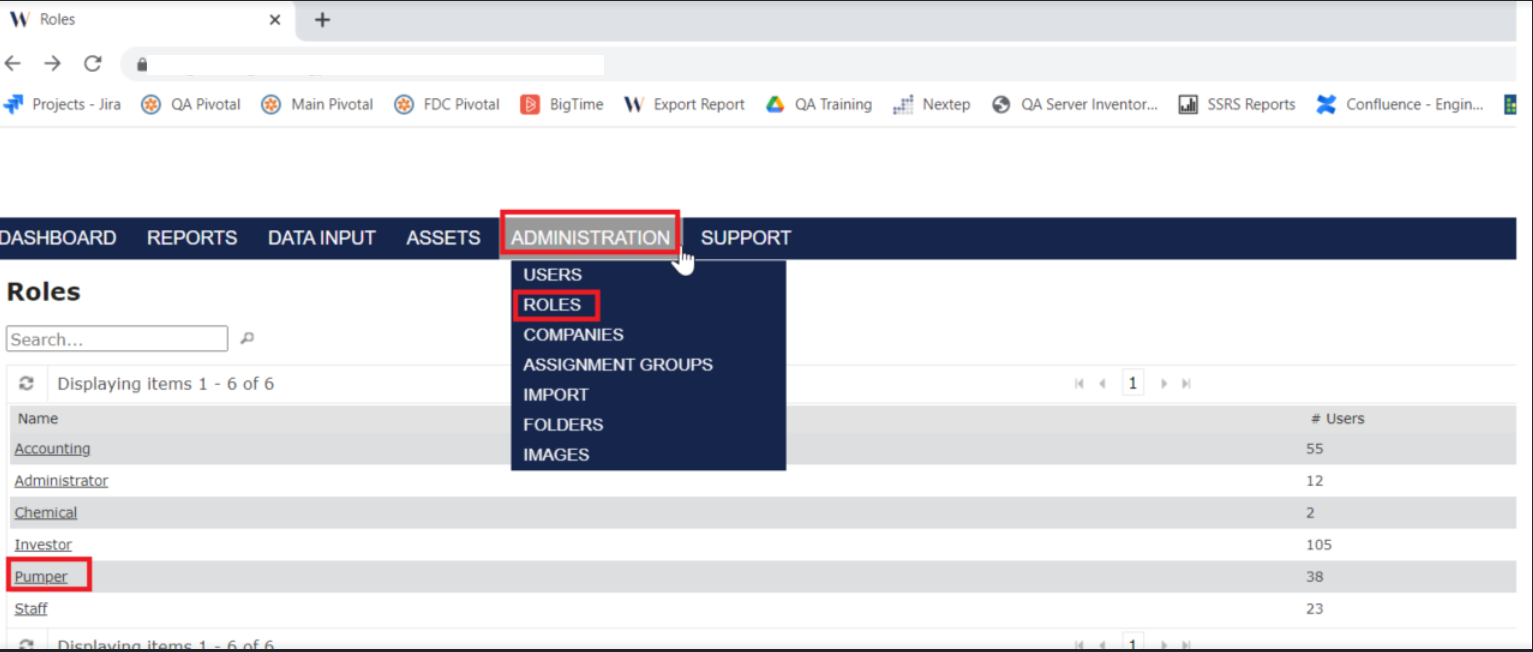
This will take you to the Details page for that role, here you can select ‘Edit’ and update the Access/No Access you wish to provide for the selected role.
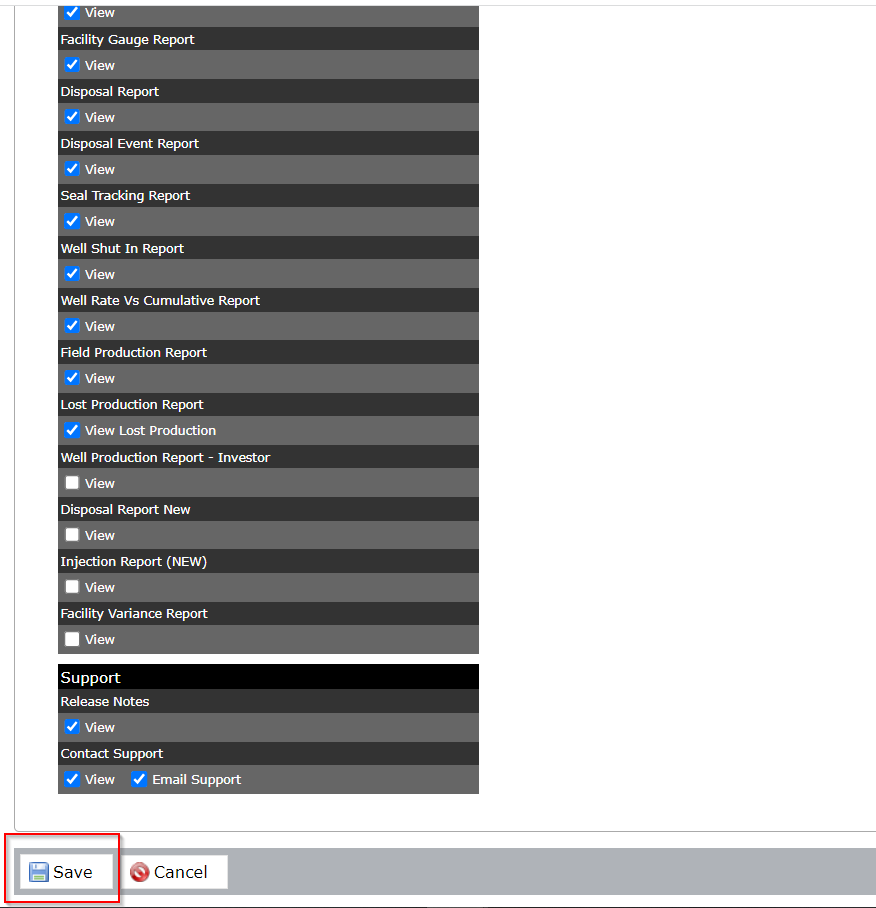
Be sure to save any changes.