
Well that produces condensate Setup
To name/create a contract for condensate only
📘 Instructions
Load PAV line for the Value (Manually or PAV Upload) Manually in this case:
a. Go to Physical Setup -> Prev Allocated Volumes
b. Hit the 'New' button
i. Production Date = XXXXX
ii. Frequency = Month
iii. Volume Type = actual
iv. Meter Number = XXXXX
v. Product = con
vi. Usage = Value
vii. Purchaser Reference = XXXXX
viii. Quantity Unit = USD
ix. Quantity = XXXXX
x. Pressure Base = XXXXX
xi. Check the ‘Include in Data Prep?’ check box
xii.

2. Update Contract: XXXXX
a. Go to Contractual Setup -> Contracts
b. Select XXXXX
i. Product Settlement
Copy 'con' line
Change Purchaser Reference to 'XXXXX'
Update
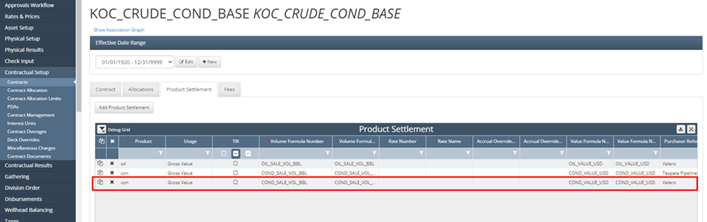
3. Update Formula: COND_VALUE_USD
a. Go to Asset Setup -> Formulas
b. Select COND_VALUE_USD
c. Purchaser Reference from 'N' -> 'Y'
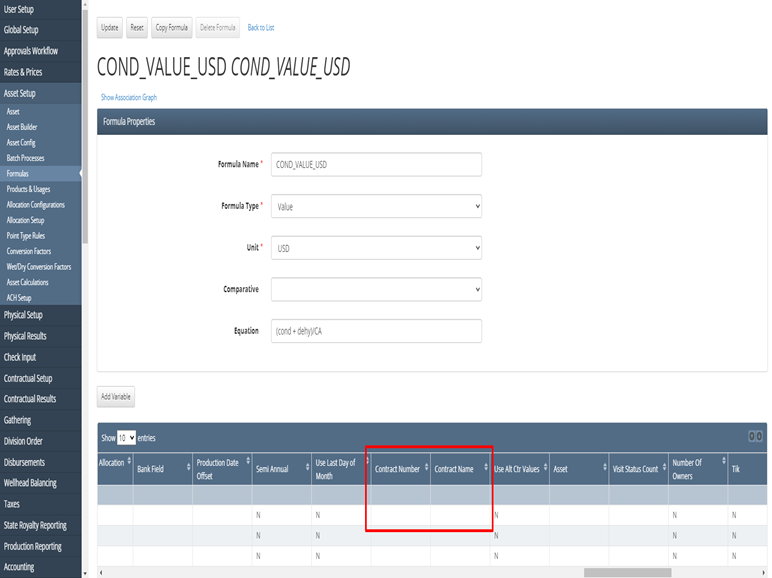
i. Variables: 'cond' and 'dehy'
ii.
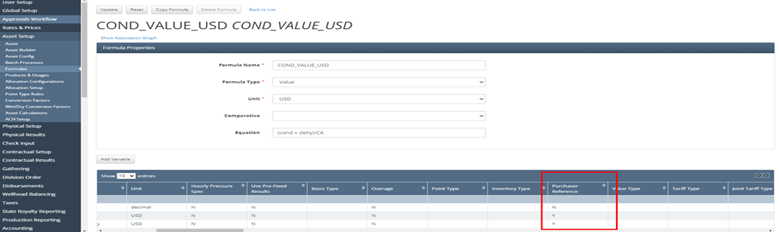
a. Remove 'Contract Number' from variable
i. XXXXX → no contract
ii.
4. Update Formula: COND_SALE_VOL_BBL
a. Go to Asset Setup -> Formulas
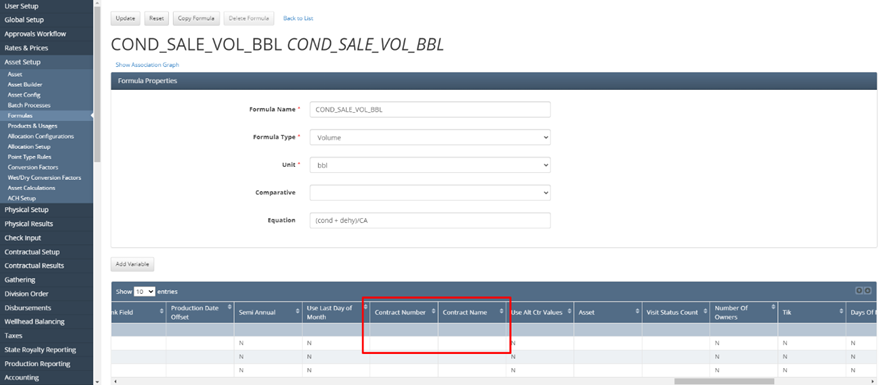
b. Select COND_SALE_VOL_BBL
c. Purchaser Reference from 'N' -> 'Y'
i. For variables: 'cond' and 'dehy'
d. Remove 'Contract Number' from variable CA
i. XXXXX → no contract
5. Rerun Asset Process