
How do picklists work in FSM?
Picklists are in the General Config tab in “Picklist Mgmt”

You can “Add New” picklist to create a new one or you can simply update an existing one that is there.

There are 2 types of picklists: Static and Metdata
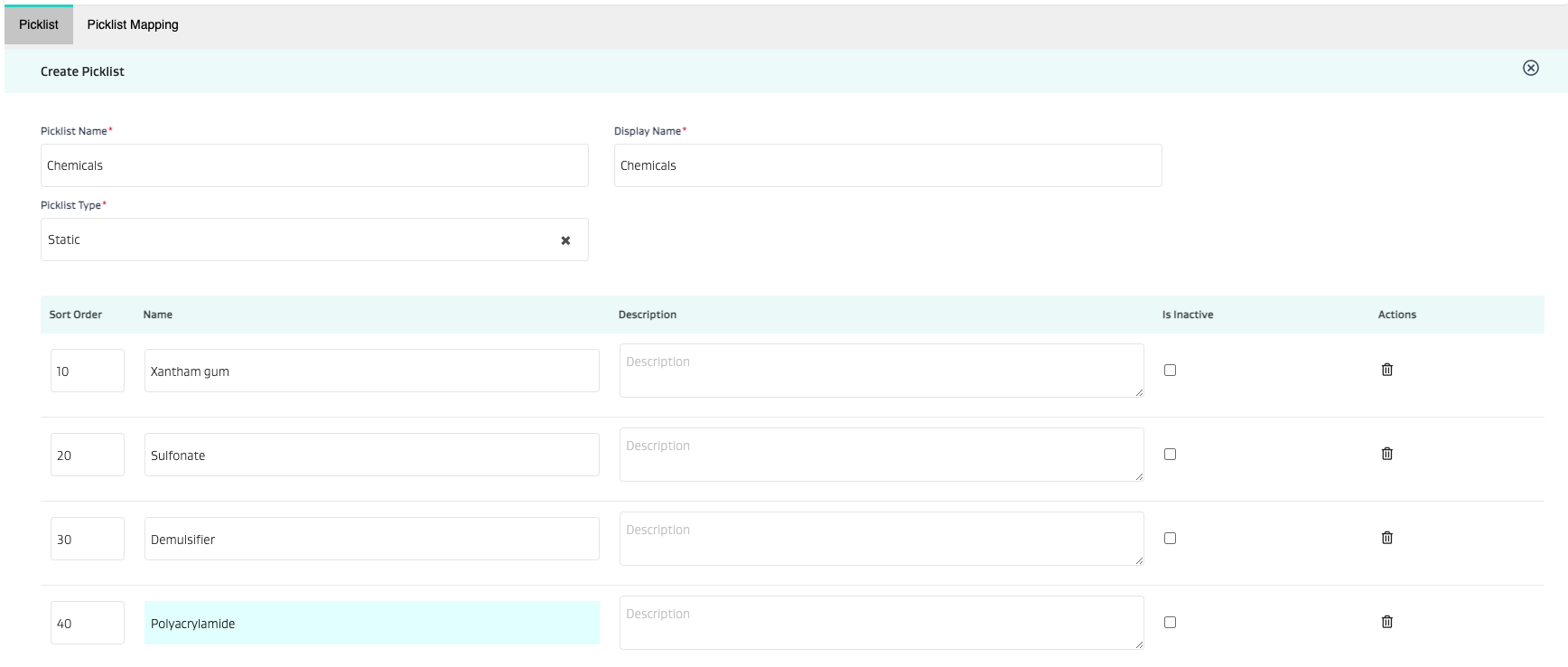
A static picklist is setup as follows:
Name the picklist
Provide the display name
Start filling out the picklist
Sort order
Option Name
Description (if needed)
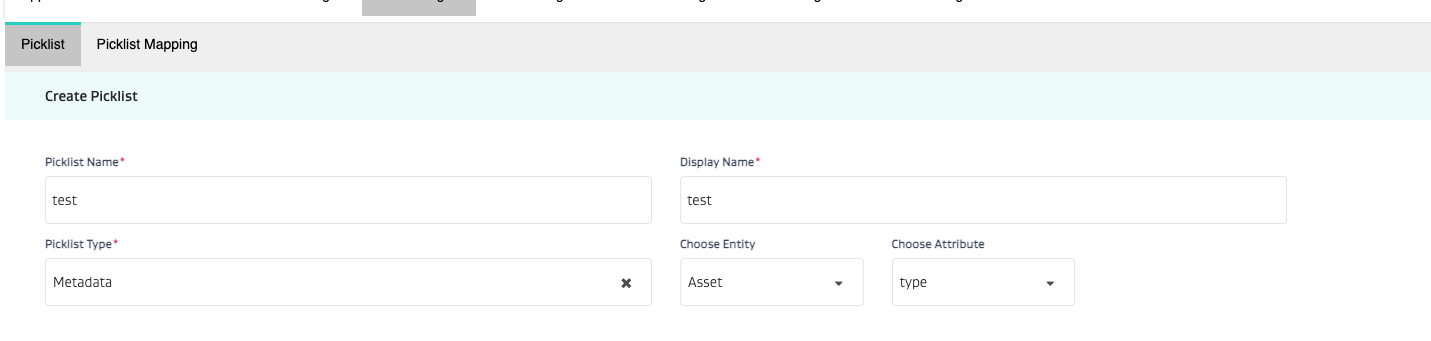
A metadata picklist is setup as follows:
Select Metadata
Select the entity whose metadata you would like to make a picklist out of
Then select the specific metadata attribute
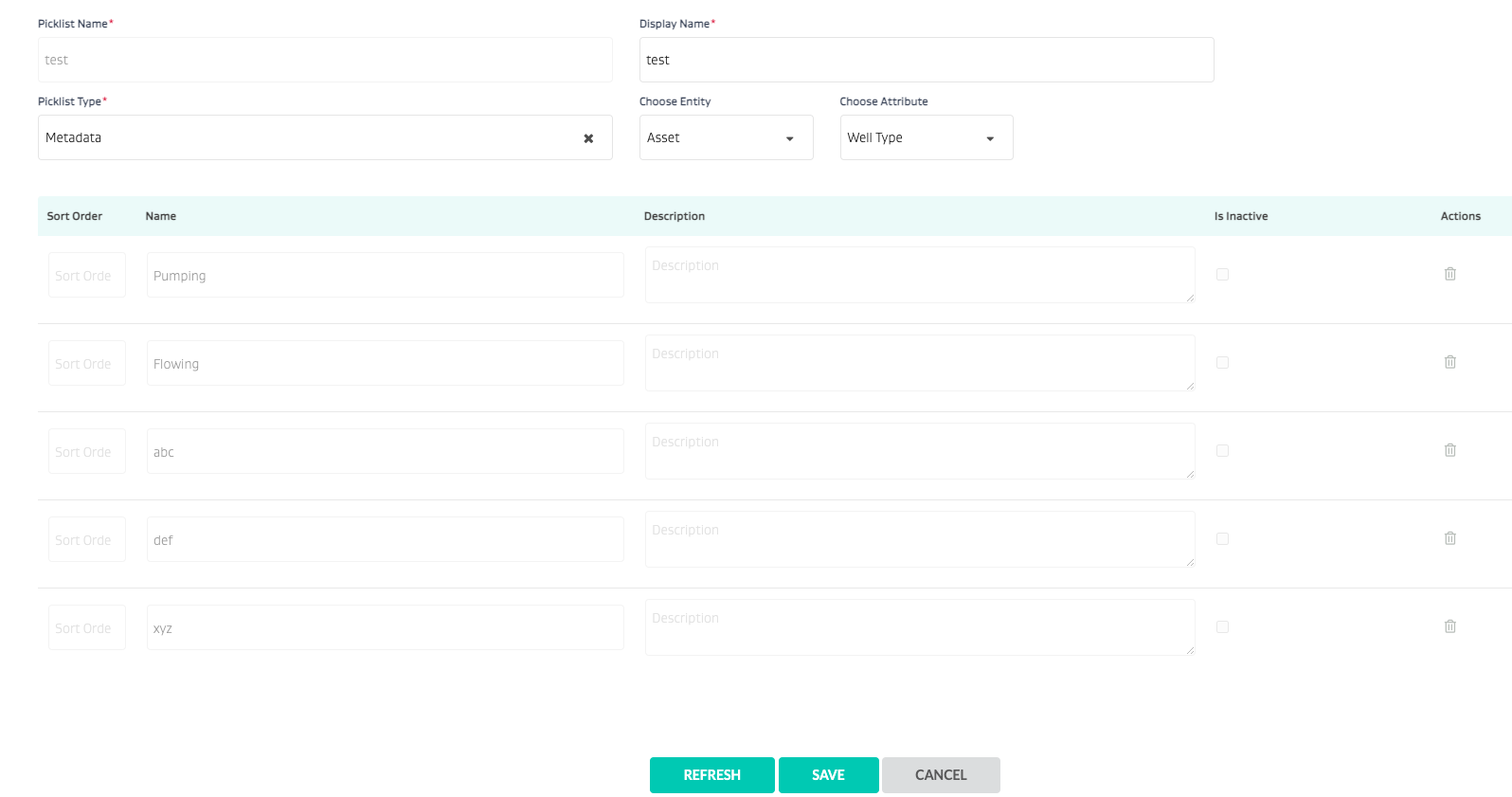
Click Save
The picklist will get created
Once you go back in - you can see the entire picklist.
NOTE: Options are not editable since they are based on metadata and cannot be edited here.
NOTE: If metadata changes, the picklist must be updated by going into the metadata and clicking “REFRESH”
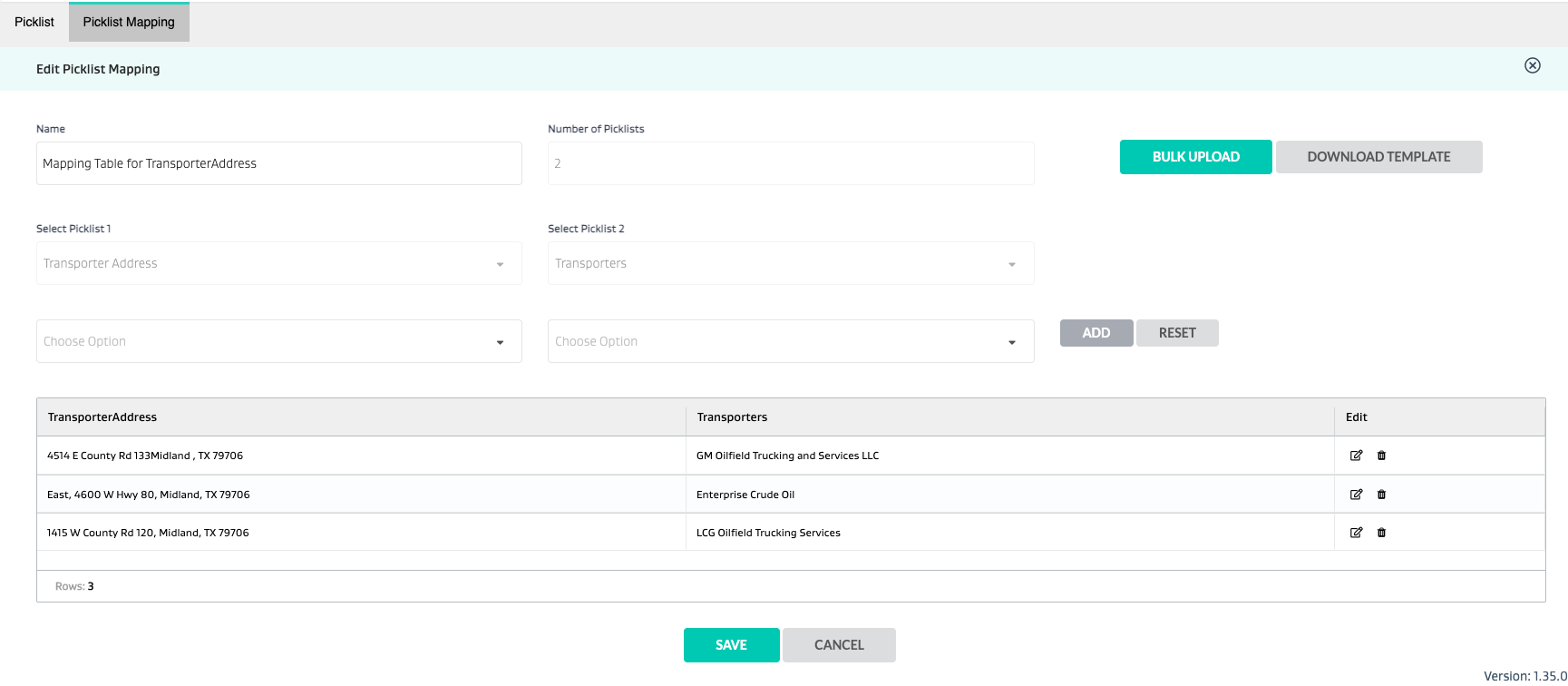
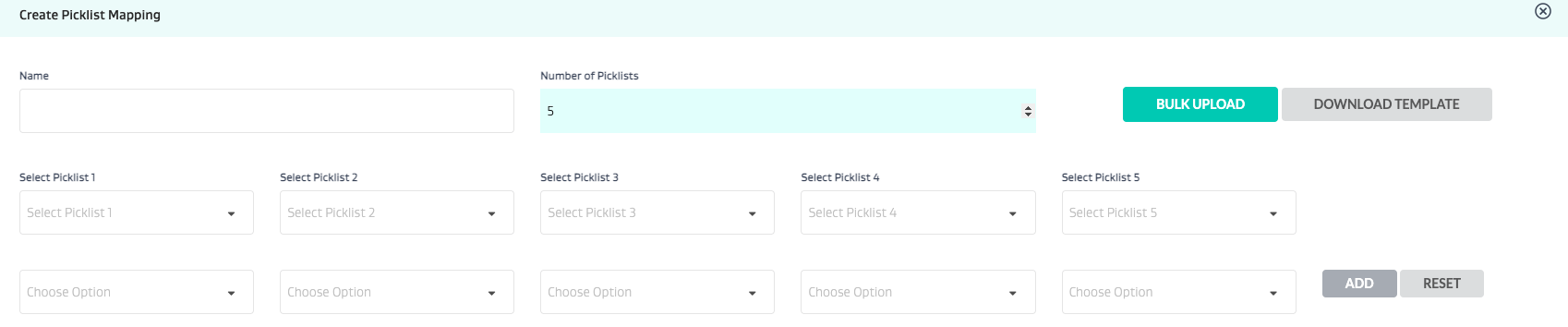
Once picklists are created, you can also create picklist to picklist mapping (i.e. cascading picklists) up to 5 levels deep.

Once picklists are created - you can use them in
Task Type attributes
Global Attributes
Form Attributes
Related Articles
- How many different ways can I use file attachments on a task? When should I use each one?
- How do I setup a form?
- How do picklists work in FSM?
- What is the difference between a task type attribute, a global attribute and a form attribute?
- How do I set up FSM?
- How do I set up a task type?
- How do I push open tasks to the next day?
- How do I attach metadata attributes to equipment or wells?