
How do I set up a task type?
When setting up a task type, best practice is to use the order below:
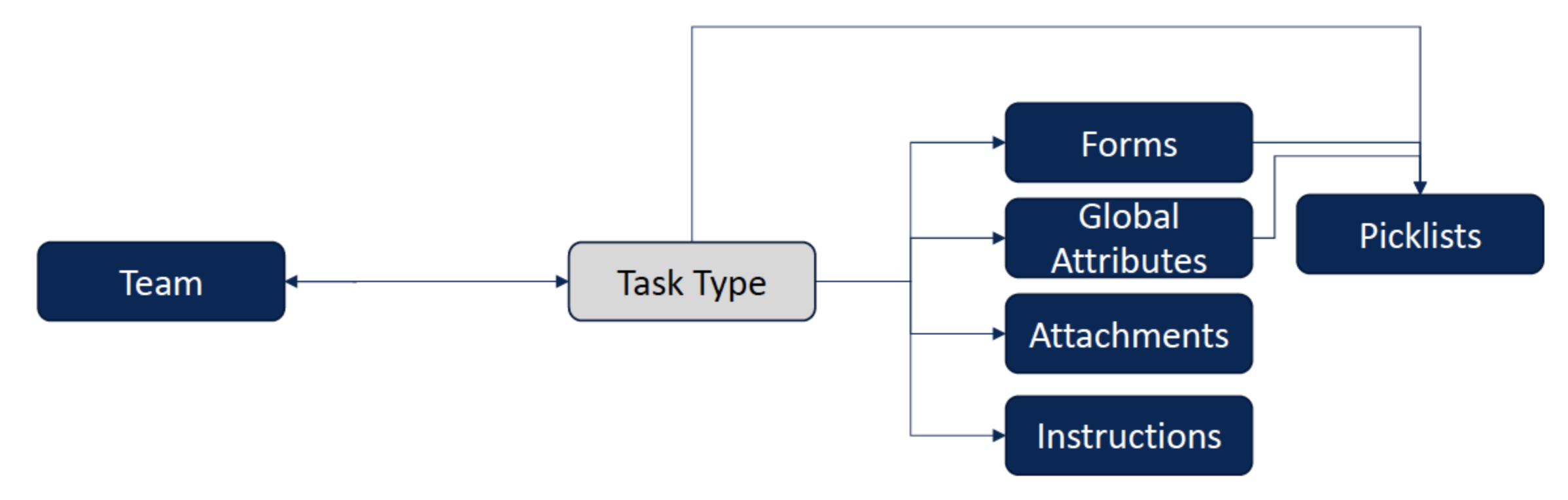
Create a team (Task Setup > Team) to map the task type to.
NOTE: 1 Task Type can only be mapped to 1 team. So if a user needs to be able to perform a given task type, they must be on the mapped team. 2 teams CANNOT be mapped to a single task type. This is a hard system design limitation.
When creating the task type - select the same Team; along with the default time, the task type code, the certifications required for the task type (if any) and the priority template.
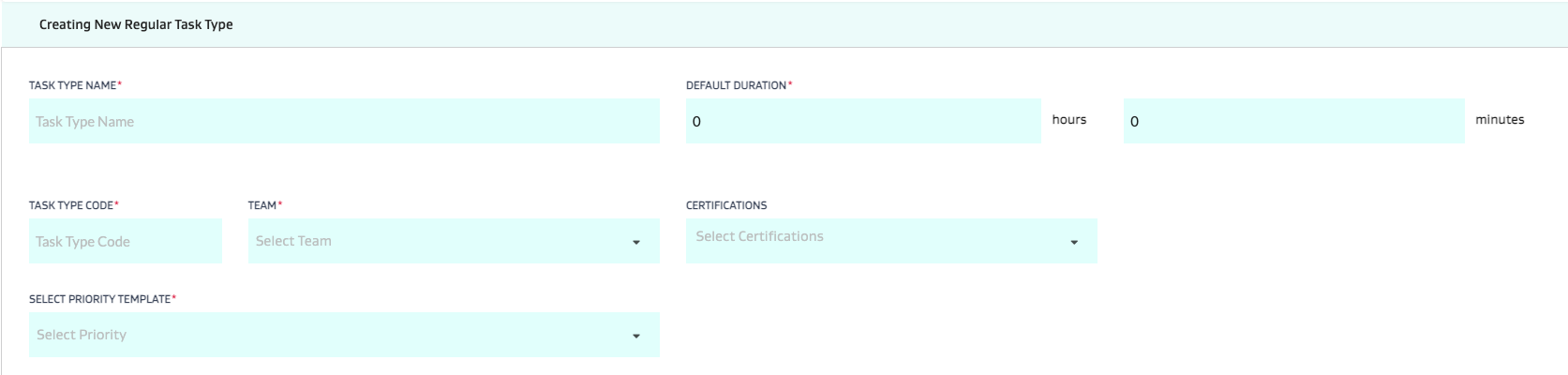
What is a task type code:
The unique JOYN task number follows the following pattern: Field Code-Task Type Code-####.
So for example if Colorado is the field, and we have a Plunger Replacement task that has been created for the 101st time, based on the setup of Field Code = CO and Task Type code = PLUNGR, it would be called: CO-PLUNGR-101
What is a certification?
A certification is a requirement that can be mapped to both task types and users to ensure a resource is certified to do the task. Examples can be:
Confined Space Entry
LOTO
Safety Crew
Compressor Specialist
Operator L1
Operator L2
3. Choose the appropriate flags/checkboxes for task behavior. Please refer to the page on task type checkboxes for more info on each of these:
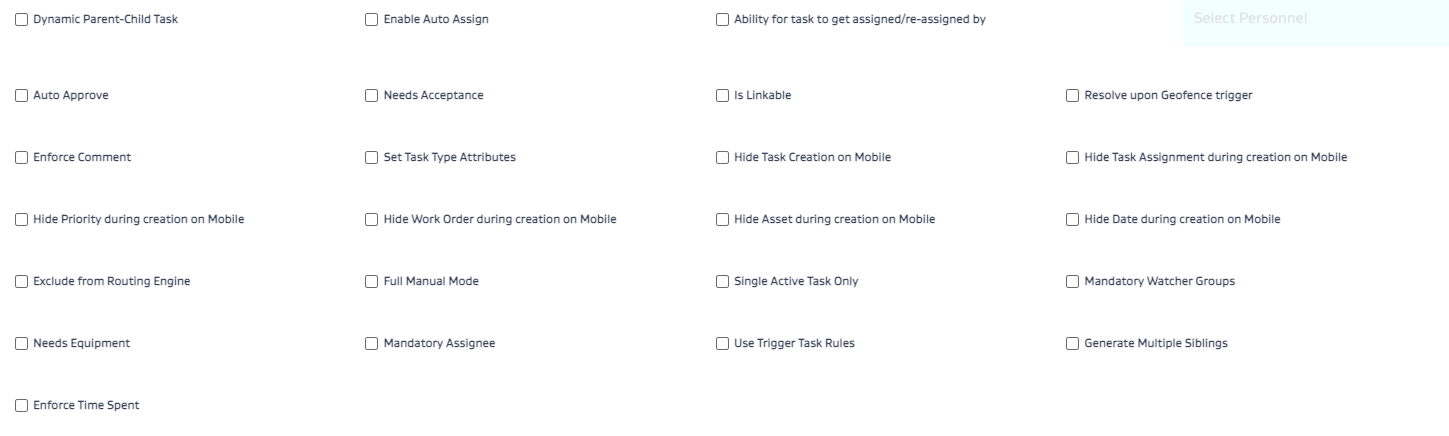
4. Set up all of your entities that need to be mapped to the task.
Picklists that you may need as part of task type attributes, forms or global attributes (General Config > Picklist Mgmt)
Forms (Form Mgmt)
Global Attributes (General Config > Global Attributes)
Attachments (General Config > Attachments)
Instructions (General Config > Instructions)
Save the task. Your task template is now created.
Related Articles
- What is a task type code?
- What is a certification?
- What is a team?
- How do I change the task type AFTER creating the task?
- How do picklists work in FSM?
- What does each Task Type Checkbox Flag do?
- What is the difference between a task type attribute, a global attribute and a form attribute?
- How do I set up FSM?
- How do I set up a task type?
- How do I push open tasks to the next day?
- How do I attach metadata attributes to equipment or wells?