How do I set up FSM?
It’s best practice to set FSM up in three parts.
🔴 Setup is required
⭕ Setup is optional
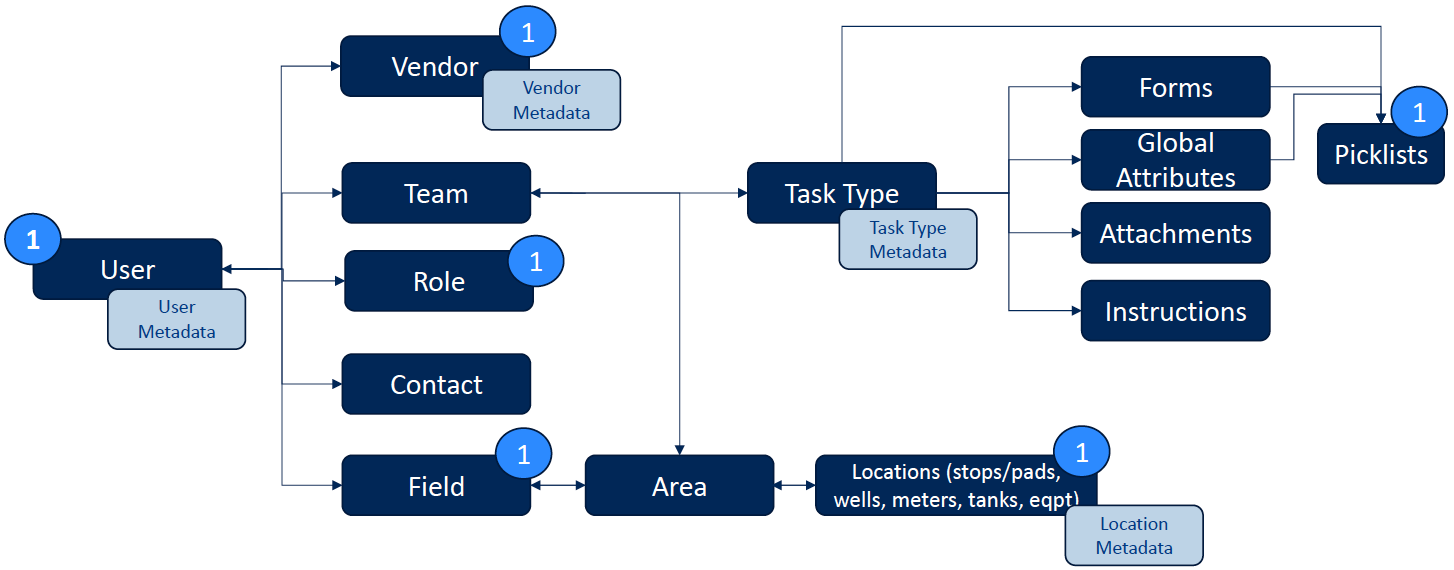
Part 1: User, Vendor, Role, Field, Location, and Picklists
🔴 User: You can manually setup users or bring the users in via integration. Metadata can be integrated or loaded via backend.
⭕ Vendor: Vendors are entities with metadata that need to be integrated or loaded via the backend.
🔴 Role: Roles are manually setup and mapped to users. You can set up roles can be setup in advance and map to users once users are available or you can set up roles after users are set up.
🔴 Field: Fields are decided based on company setup. Fields are usually based on number of basins or the business regions in which the company operates,
🔴 Location: Locations (stops/pads, wells, meters, tanks, misc equipment) are integrated from a data source. Metadata can be integrated or loaded via backend.
🔴 *Picklist: You can manually create picklists or load them via backend for use in global attributes, task type attributes and forms. *Picklists are required in most cases.
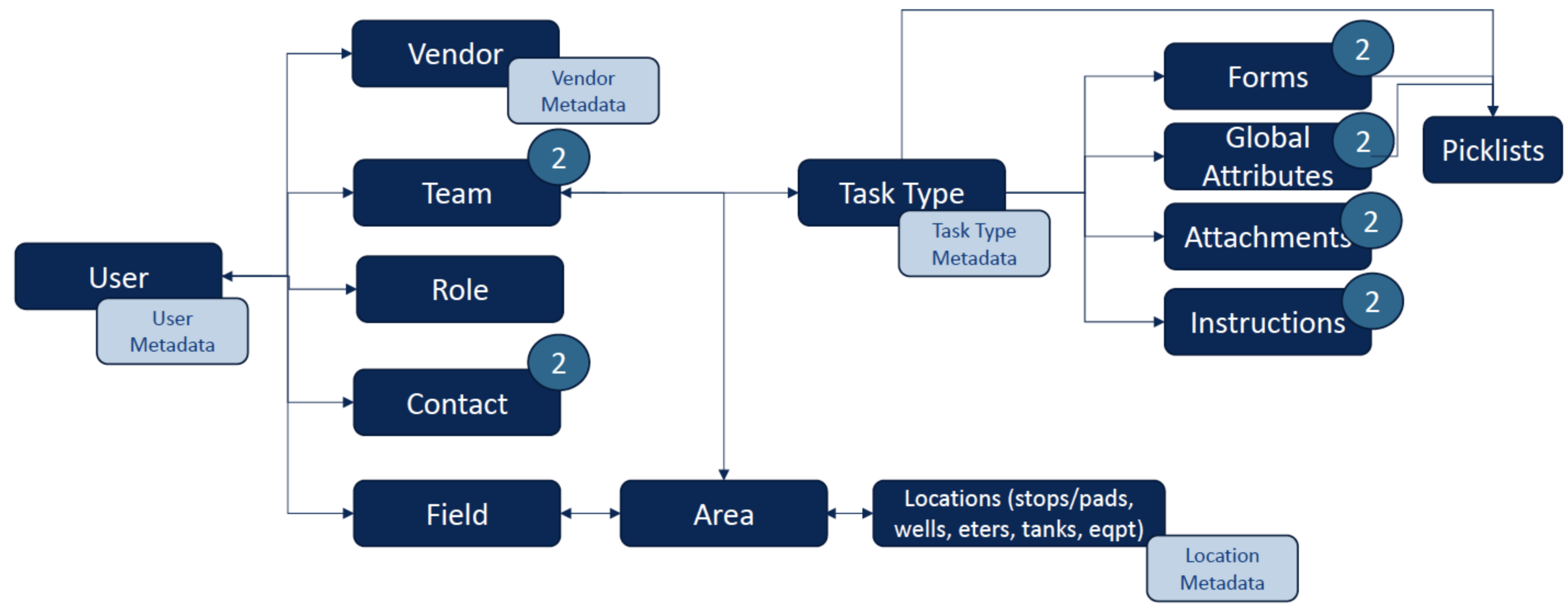
Part 2: Teams, Contacts, Forms, Global attributes, Task Type Attachments, and Instructions
🔴 Teams: Once users are setup, you can set up teams manually, or they can be created via API.
⭕ Contacts: You can set up Contacts manually or load them from the backend and then map them to users.
⭕ Forms, Global Attributes, Task Type Attachments and Instructions: You can set up Forms, Global attributes, Task Type Attachments and Instructions can be setup manually or loaded via backend
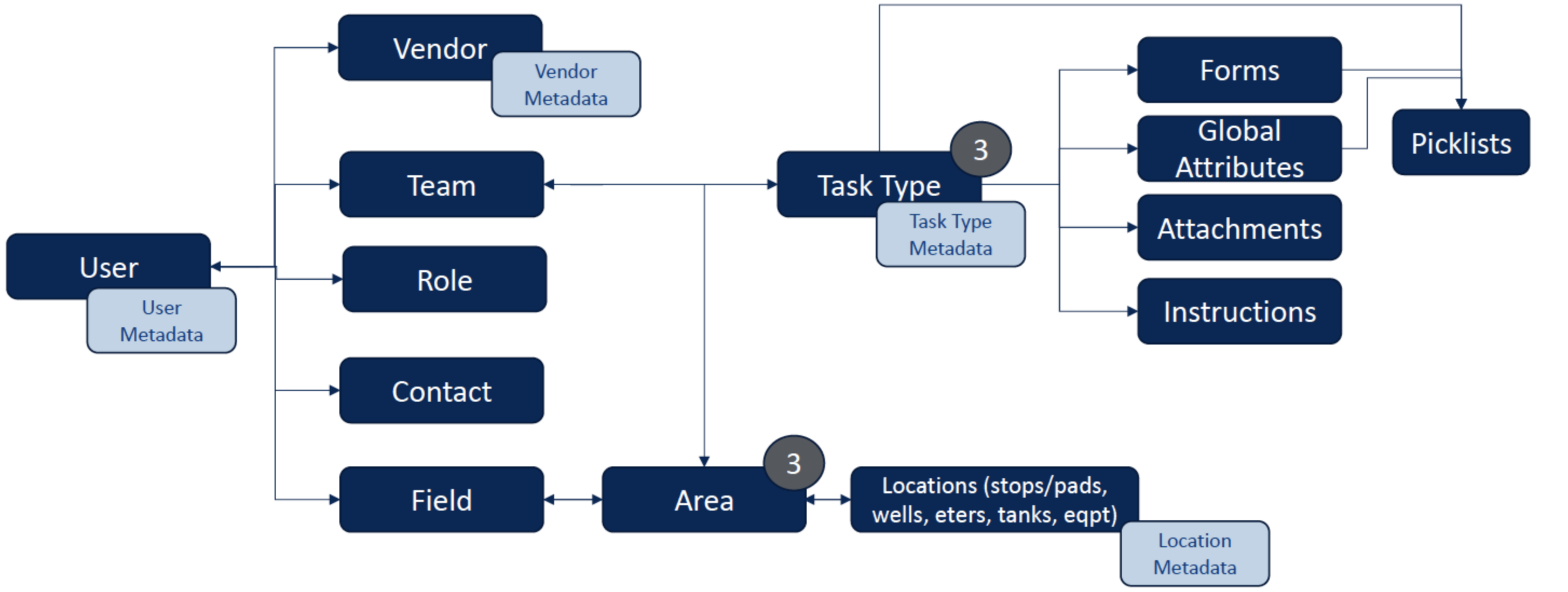
Part 3: Task Type and Area
🔴 Task Type: Task type can be setup manually or created via API or loaded from back end. Task Types requires teams to be setup for mapping and is also helpful to have forms, global attributes, task type attachments, instructions also available.
🔴 Area: An Area can be setup once Field/Locations are setup. Areas can also be created based on location metadata – for e.g. routes, foreman, etc. Areas can also be created/maintained via APIs.