
How do I setup a user?
To ensure a user exists in the system or to first add a user in the system - follow this FAQ: https://w-user-documentation.scrollhelp.site/production/how-to-create-add-a-new-user-and-set-their-passwor
Use the following guidelines when setting up a an FSM user record:
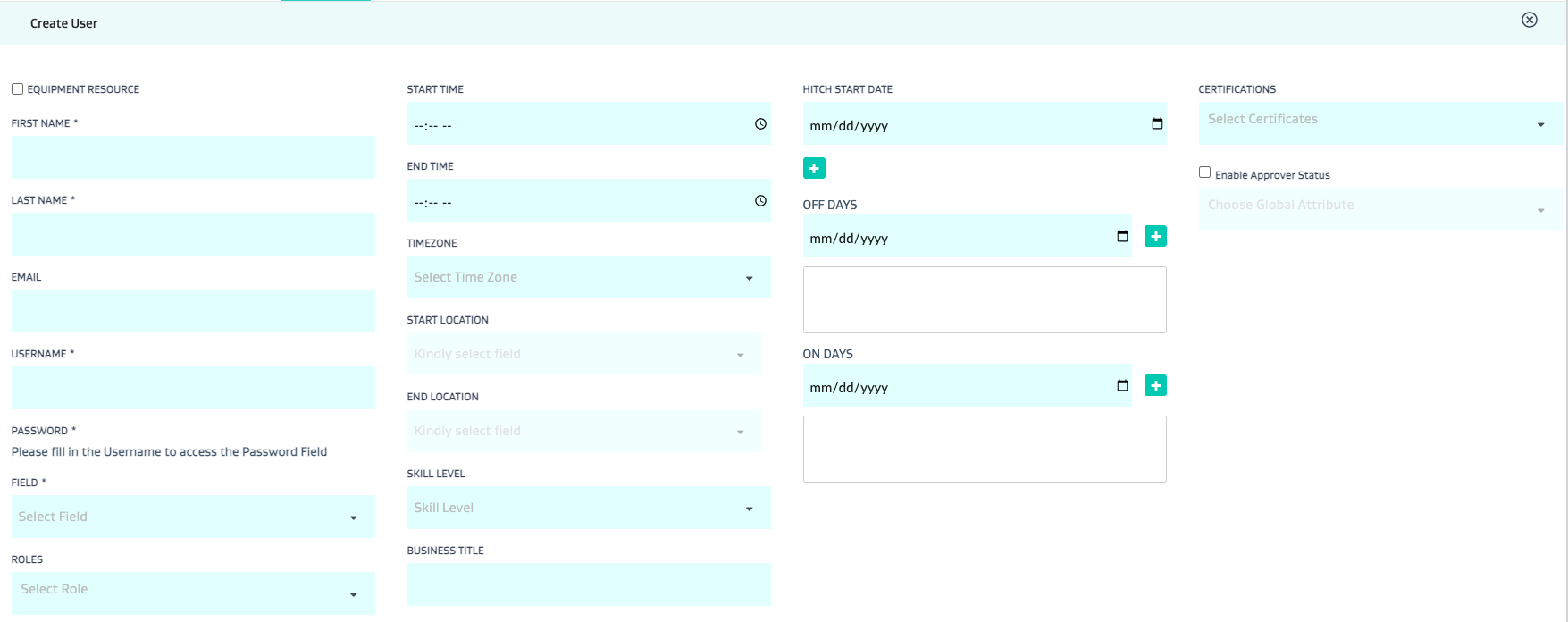

# | Field | Description |
|---|---|---|
1 | Equipment Resource | Check this box if the user is actually meant to be an equipment. This means the user record is actually a crane or a truck. The equipment user doesn’t log in but can be setup to have availability. |
2 | First name | (self explanatory) |
3 | Last name | (self explanatory) |
4 | (self explanatory) | |
5 | Username | (self explanatory) |
6 | Password | (self explanatory) |
7 | Field | The highest level of the geographic hierarchy in FSM - this is the level within which the user will be confined to work - such as Midland, or Marcellus, etc |
8 | Roles | Select the appropriate role with the appropriate access for the user |
9 | Start Time | The shift start time of the user Note: this is important to setup if you plan to use the routing engine |
10 | End Time | The shift end time of the user Note: this is important to setup if you plan to use the routing engine |
11 | Time Zone | The time zone for the user. Typical timezones are: America/Los Angeles - PST America/Denver - MST America/Chicago - CST America/New York - EST Note: this is important to setup if you plan to use the routing engine |
12 | Start Location | The stop location that the user is expected to start at - Note: this is important to setup if you plan to use the routing engine |
13 | End Location | The stop location that the user is expected to end at - Note: this is important to setup if you plan to use the routing engine |
14 | Skill Level | Feature will be deprecated as “Certifications” #20 below is a superior feature that accomplishes the same thing |
15 | Business Title | Free text field to add business summary |
16 | Hitch Start Date | Start date of the user’s hitch |
17 | “+” Hitch | Add the hitch - hitch work days and hitch off days |
18 | Off Days | Days Off that go against the hitch setup in #17 |
19 | On Days | Days On that go against the hitch setup in #17 |
20 | Certifications | Certifications the user can be assigned including expiration dates of such certifications. E.g. include “Confined space” or “LOTO”, etc |
21 | Enable Approver Status | Ignore - [Feature not functional] |
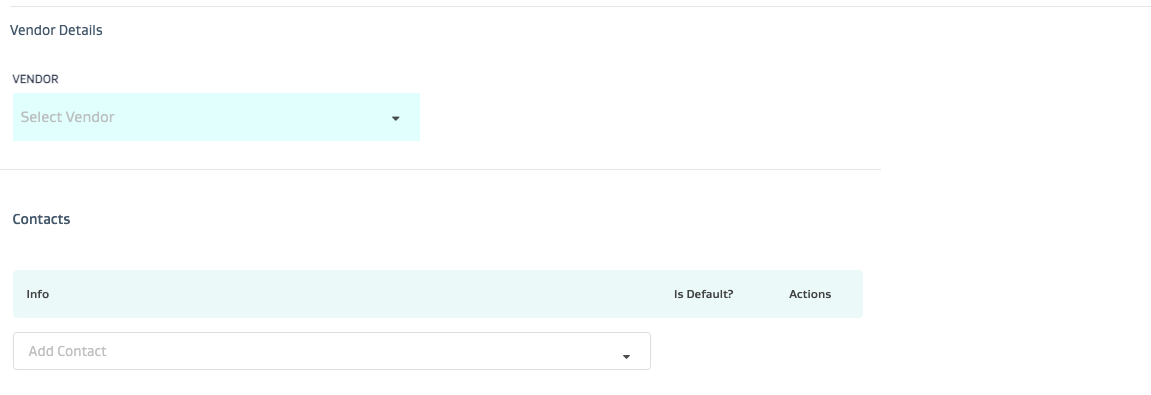
22 | Vendor Details | Set this up if the user belongs to a vendor company |
23 | Contacts | Set this up if the user has a different contact person/email/phone number |
24 | Team Area Mapping | Setup the team and area mapping for the user as needed |
Related Articles
- How do I move stops in and out of dynamic areas which are setup based on routes in FDG?
- Key Analytics Definitions
- What is a Vendor and a Vendor User?
- What is a team?
- How do I create and manage roles?
- What is an area?
- How do I set up FSM?
- How do I set up a task type?
- What is a stop?
- How do I attach a stop to an area?